1. Einleitung
Thank you for choosing the TechniSat HD-C 232 Digital Cable Receiver. This compact DVB-C receiver is designed for receiving unencrypted digital television and radio programs via cable. It offers high-definition (HDTV) picture quality and features an integrated USB media player and an Electronic Program Guide (EPG). This manual provides essential information for setting up, operating, and maintaining your device.
Hauptmerkmale:
- Compact DVB-C receiver for unencrypted digital TV and radio.
- High-Definition Television (HDTV) support.
- Integrated USB media player for video, music, and image files.
- Electronic Program Guide (EPG) with up to 7 days of program preview.
- Remote control with 4 programmable learning keys.
- HDMI and Scart connectivity for versatile TV connections.
2. Sicherheitshinweise
Bitte lesen Sie vor der Benutzung des Geräts alle Sicherheitshinweise sorgfältig durch. Bewahren Sie diese Bedienungsanleitung zum späteren Nachschlagen auf.
- Stromversorgung: Use only the provided external power supply. Ensure the voltage matches your local power grid.
- Belüftung: Die Lüftungsöffnungen dürfen nicht blockiert werden. Sorgen Sie für ausreichende Luftzirkulation um das Gerät herum, um eine Überhitzung zu vermeiden.
- Feuchtigkeit: Do not expose the device to rain, moisture, or liquids.
- Reinigung: Disconnect the power before cleaning. Use a dry, soft cloth. Do not use liquid or aerosol cleaners.
- Wartung: Versuchen Sie nicht, dieses Produkt selbst zu warten. Überlassen Sie alle Wartungsarbeiten qualifiziertem Servicepersonal.
- Platzierung: Stellen Sie das Gerät auf eine stabile, ebene Fläche. Vermeiden Sie es, es in der Nähe von Wärmequellen oder in direktem Sonnenlicht aufzustellen.
3. Packungsinhalt
Überprüfen Sie, ob alle Artikel im Paket vorhanden sind:
- TechniSat HD-C 232 Digital Cable Receiver
- Remote Control with 4 learning keys
- Externes Netzteil
- Batterien für die Fernbedienung
- Bedienungsanleitung
4. Produktüberschreitungview
4.1 Frontplatte
The front panel of the HD-C 232 features essential controls and indicators.

Bild 4.1: Front view of the TechniSat HD-C 232 receiver. It shows the HDMI logo, a USB port, a green indicator light, a 4-digit display, and channel/power buttons.
- USB-Anschluss (Vorderseite): Zum Anschluss von USB-Speichergeräten für die Medienwiedergabe.
- Anzeige: A 4-digit segment display shows the current channel number or time in standby mode.
- Kontrollleuchte: Zeigt den Stromstatus an.
- Bedientasten: Channel up/down and power on/off buttons.
4.2 Rückseite
The rear panel provides all necessary connection ports for your television and cable network.

Bild 4.2: Hinteren view of the TechniSat HD-C 232 receiver, showing various connection ports. From left to right: RF In, RF Out, S/PDIF (digital electrical audio out), HDMI Out, Scart (TV/Scart), and Power Input.
- HF-Eingang: Wird an Ihre Kabelwanddose angeschlossen.
- RF Out (LoopThrough): Allows passing the cable signal to another receiver or TV.
- S/PDIF (Digital Electrical Audio Out): For connecting to an audio amplifier oder Heimkinosystem.
- HDMI-Ausgang: Lässt sich an Ihren Fernseher anschließen für hochauflösendes Video und Audio.
- Scart (TV/Scart): For connecting to older televisions or VCRs.
- Leistungsaufnahme: Connects to the external power supply.
4.3-Fernbedienung
The included remote control provides full functionality for your receiver, including 4 programmable learning keys.
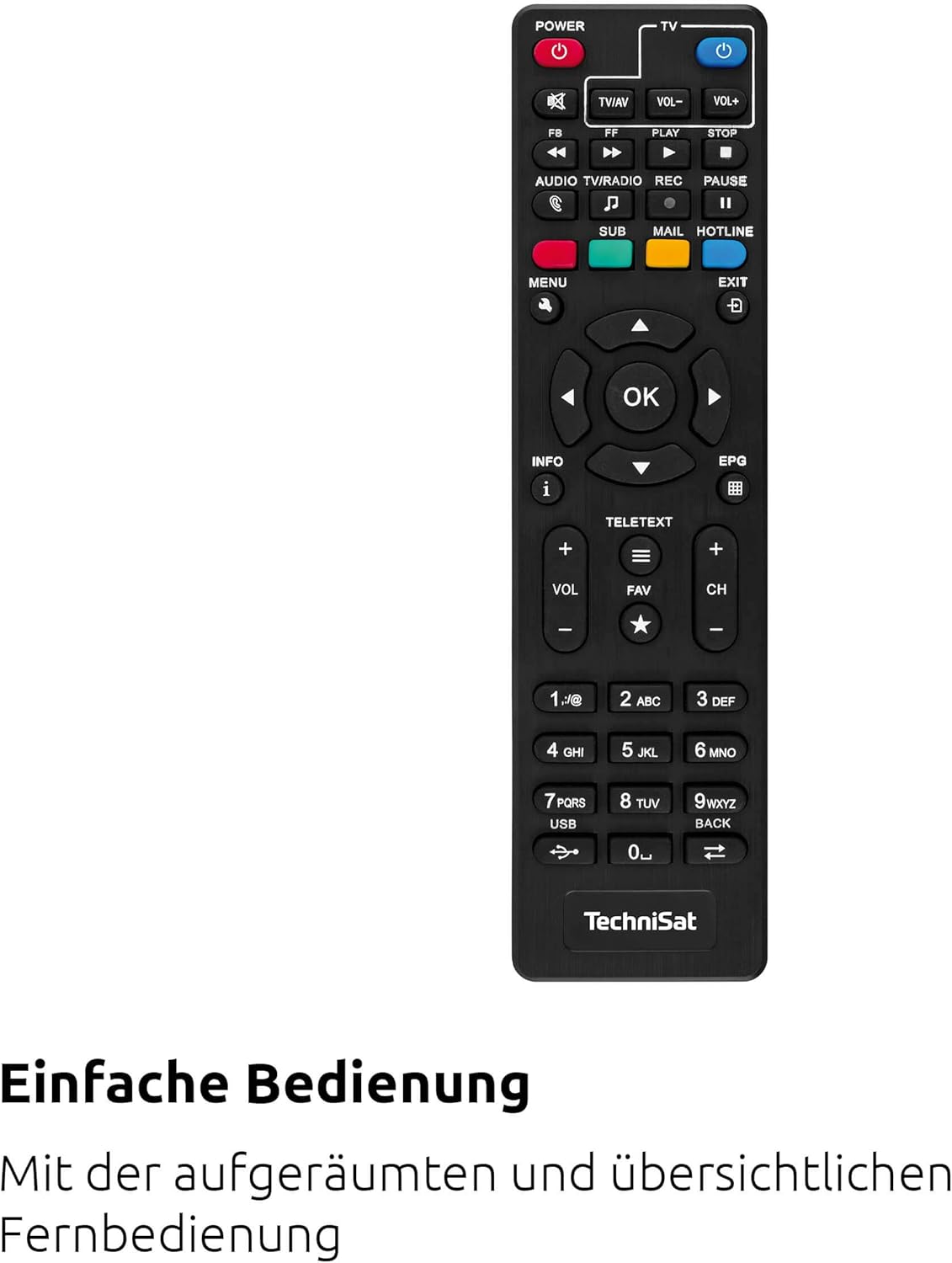
Bild 4.3: The remote control for the TechniSat HD-C 232 receiver, featuring various buttons for power, volume, channel, menu navigation, EPG, and media playback.
Refer to the remote control section in Operating Instructions for details on its functions and how to use the learning keys.
5. Einrichtung
Follow these steps to connect your TechniSat HD-C 232 receiver and perform the initial setup.
5.1 Anschließen des Empfängers
- Kabelverbindung: Connect your cable network's antenna cable to the HF-Eingang Anschluss an der Rückseite des Empfängers.
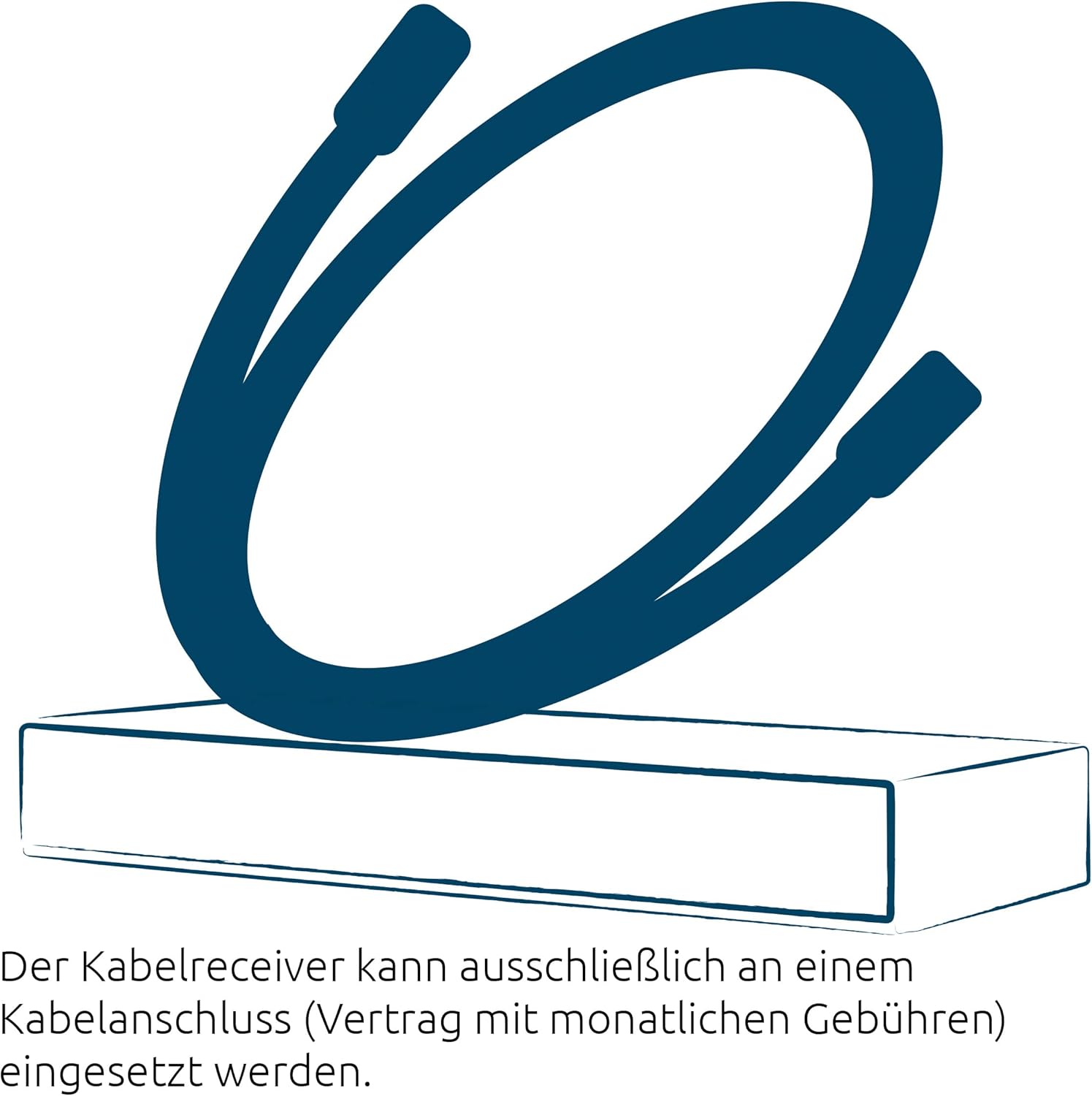
Bild 5.1: Illustration showing a cable connected to a receiver, representing the cable network connection.
- TV-Anschluss (HDMI): Schließen Sie ein HDMI-Kabel (nicht im Lieferumfang enthalten) an das Gerät an. HDMI-Ausgang port on the receiver to an HDMI input on your television.
- TV Connection (Scart - Optional): If your TV does not have an HDMI input, connect a Scart cable from the Scart port on the receiver to the Scart input on your television.
- Anschluss des Audiosystems (optional): For enhanced audio, connect an S/PDIF cable from the S/PDIF port on the receiver to your audio amplifier oder Heimkinosystem.
- Stromanschluss: Schließen Sie das externe Netzteil an das Leistungsaufnahme on the receiver, then plug the power supply into a wall outlet.
5.2 Erste Einrichtung und Kanalsuche
- Turn on your television and select the correct HDMI or Scart input source.
- Turn on the TechniSat HD-C 232 receiver using the power button on the front panel or the remote control.
- The receiver will likely guide you through an initial setup wizard. Follow the on-screen instructions.
- During the setup, you will be prompted to perform a channel scan. Select "Automatic Channel Scan" to find all available unencrypted digital cable channels. This process may take several minutes.
- Once the scan is complete, save the channels. Your receiver is now ready for use.
6. Bedienungsanleitung
6.1 Basis-TV Viewing
- Kanalauswahl: Verwenden Sie die CH+ Und CH- buttons on the remote control or front panel to change channels. You can also enter channel numbers directly using the numeric keypad on the remote.
- Lautstärkeregelung: Verwenden Sie die Lautstärke+ Und vol- Tasten auf der Fernbedienung zum Einstellen der Lautstärke.
- Stumm: Drücken Sie die MUTE Taste zum vorübergehenden Stummschalten des Tons.
6.2 Using the Electronic Program Guide (EPG)
The EPG provides a detailed overview of current and upcoming programs for up to seven days.

Bild 6.1: Icon representing the Electronic Program Guide (EPG) feature.
- Drücken Sie die EPG button on your remote control to access the Electronic Program Guide.
- Navigate through channels and program times using the arrow keys.
- Wählen Sie ein Programm aus view detailed information (if available).
- Drücken EXIT um den EPG zu verlassen.
6.3-Zoll-USB-Mediaplayer
The integrated USB media player allows you to play video, music, and image files von einem angeschlossenen USB-Speichergerät.

Bild 6.2: Icons representing the USB media player's capabilities for playing video, music, and image files.
- Insert a USB storage device (e.g., USB stick, external hard drive) into the USB port on the front panel of the receiver.
- Access the media player function via the main menu or a dedicated button on the remote control (if available).
- Navigieren Sie durch Ihren files and folders using the remote control.
- Wählen Sie ein file to play. The receiver supports common video (MPEG-2, H.264), audio, and image formats.
6.4 Remote Control Learning Function
The remote control has 4 programmable learning keys that can be assigned functions from another remote control (e.g., your TV remote's power, volume, or input selection).
To program a learning key:
- Place the TechniSat remote control and the remote control to be learned from head-to-head (infrared emitters facing each other) at a distance of about 1-3 cm.
- Enter the learning mode on the TechniSat remote (refer to your remote's specific instructions, usually by holding a specific button for a few seconds).
- Press the learning key on the TechniSat remote that you wish to program.
- Press the corresponding button on the other remote control whose function you want to copy.
- The TechniSat remote will indicate successful learning (e.g., an LED flashes). Repeat for other keys.
- Exit the learning mode.
7. Wartung
Proper care ensures the longevity of your TechniSat HD-C 232 receiver.
- Reinigung: Disconnect the receiver from the power outlet before cleaning. Use a soft, dry, lint-free cloth to wipe the exterior. Do not use abrasive cleaners, waxes, or solvents.
- Belüftung: Regularly check that the ventilation slots are not obstructed by dust or debris.
- Lagerung: Wenn Sie das Gerät über einen längeren Zeitraum lagern, trennen Sie es vom Stromnetz und bewahren Sie es an einem kühlen, trockenen Ort auf.
8. Fehlerbehebung
Sollten Sie Probleme mit Ihrem Receiver haben, beachten Sie bitte die folgenden häufig auftretenden Probleme und Lösungen.
| Problem | Mögliche Ursache | Lösung |
|---|---|---|
| Kein Strom | Power cable not connected; power outlet faulty; power supply unit faulty. | Check power cable connection. Try a different power outlet. Ensure the external power supply is correctly connected. |
| Kein Bild oder Ton | Incorrect TV input selected; HDMI/Scart cable loose or faulty; no signal from cable network. | Select the correct HDMI/Scart input on your TV. Check all cable connections. Ensure the cable network is active and connected to the receiver's RF In. Perform a channel scan. |
| Fernbedienung funktioniert nicht | Batteries depleted or incorrectly inserted; infrared sensor blocked; remote control faulty. | Replace batteries. Ensure batteries are inserted with correct polarity. Remove any obstructions between the remote and receiver. |
| USB-Medien werden nicht wiedergegeben | USB device not recognized; file format not supported; USB device faulty. | Ensure the USB device is properly inserted. Check if the file format is supported (MPEG-2, H.264 for video). Try a different USB device. |
| Schlechte Bildqualität | Weak cable signal; faulty cable connection; TV settings. | Check cable connections. Contact your cable provider if signal strength is consistently low. Adjust TV picture settings. |
9. Spezifikationen
| Besonderheit | Detail |
|---|---|
| Marke | TechniSat |
| Modell | HD-C 232 |
| Modellnummer | 0000/4830 |
| Farbe | Schwarz |
| Tunertyp | DVB-C (Digital Cable) |
| Videokodierung | MPEG-2 MP@HL/ML, H.264/MPEG-4 AVC |
| Anschlüsse | 1x HDMI Out, 1x Scart, 1x USB 2.0 (front), 1x RF In, 1x RF Out (LoopThrough), 1x S/PDIF (Digital Electrical Audio Out) |
| Anzahl USB-Anschlüsse | 1 |
| Gesamtzahl der HDMI-Anschlüsse | 1 |
| Besondere Merkmale | Electronic Program Guide (EPG), USB Media Player, Remote Control with Learning Function |
| Kompatible Geräte | Fernsehen |
| Audioausgabemodus | Surround (5.1, 7.1 channel configuration) |
| Abmessungen (B x H x T) | 16.9 cm x 4 cm x 10.3 cm |

Bild 9.1: Diagram showing the dimensions of the TechniSat HD-C 232 receiver: 16.9 cm width, 4 cm height, and 10.3 cm depth.
10. Garantie und Support
For warranty information and customer support, please refer to the warranty card included with your product or visit the official TechniSat webBewahren Sie Ihren Kaufbeleg für eventuelle Garantieansprüche auf.
Hersteller: TechniSat Digital GmbH
Ursprungsland: Frankreich


