1. Einleitung
Thank you for choosing PowerLocus P2 Bluetooth Over-Ear Headphones. These headphones are designed to provide a high-quality audio experience with versatile connectivity options. This manual will guide you through the setup, operation, and maintenance of your new headphones.
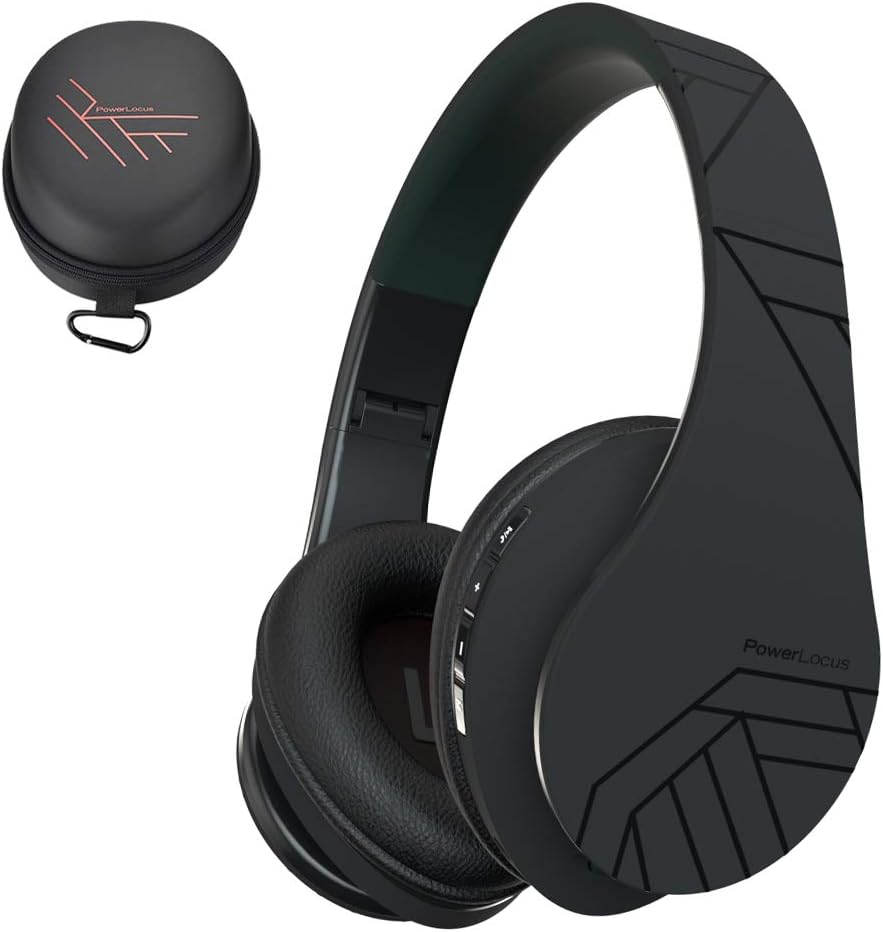
Image 1.1: PowerLocus P2 Headphones and Carrying Case
2. Packungsinhalt
Bitte prüfen Sie das Paket auf folgende Artikel:
- 1x PowerLocus P2 Kabellose Kopfhörer
- 1x 3.5mm Audiokabel
- 1x USB-C Ladekabel
- 1x Elegante Hartschalen-Tragetasche

Image 2.1: Included Package Contents
3. Einrichtung
3.1 Aufladen der Kopfhörer
Before first use, fully charge your PowerLocus P2 headphones. The charging port is located on the right earcup.
- Verbinden Sie das schmale Ende des USB-C-Ladekabels mit dem Ladeanschluss der Kopfhörer.
- Connect the larger end of the USB-C charging cable to a USB power source (e.g., computer USB port, wall adapter).
- Die LED-Anzeige leuchtet während des Ladevorgangs und erlischt, sobald der Ladevorgang abgeschlossen ist.
Das vollständige Aufladen dauert ungefähr 2.5 Stunden.

Image 3.1: USB-C Charging Port
3.2 Ein-/Ausschalten
- To power on: Slide the On/Off button located on the earcup. The LED indicator will flash.
- To power off: Slide the On/Off button again. The LED indicator will turn off.
3.3 Bluetooth-Kopplung
The PowerLocus P2 headphones use Bluetooth 5.3 for a stable wireless connection.
- Stellen Sie sicher, dass die Kopfhörer geladen und ausgeschaltet sind.
- Slide the On/Off button to power on the headphones. The LED indicator will flash blue and red, indicating pairing mode.
- Aktivieren Sie auf Ihrem Gerät (Smartphone, Tablet, Computer) Bluetooth und suchen Sie nach verfügbaren Geräten.
- Wählen Sie „PowerLocus P2“ aus der Geräteliste aus.
- Nach dem Anschließen leuchtet die LED-Anzeige entweder durchgehend blau oder blinkt langsam blau.

Image 3.2: Key Features including Bluetooth 5.0
3.4 Kabelverbindung (3.5-mm-Audiokabel)
You can use the headphones in wired mode when the battery is low or with non-Bluetooth devices.
- Verbinden Sie ein Ende des 3.5-mm-Audiokabels mit der Audioeingangsbuchse des Kopfhörers.
- Connect the other end of the 3.5mm audio cable to your audio source's headphone jack.
- Die Kopfhörer schalten automatisch in den kabelgebundenen Modus.

Image 3.3: Wired Mode Connection
4. Bedienungsanleitung
4.1 Tastensteuerung
The controls are located on the right earcup for easy access.

Image 4.1: Headphone Button Controls and Features
| Schaltfläche/Aktion | Funktion |
|---|---|
| Power Button (Slide) | Ein-/Ausschalten |
| Wiedergabe-/Pause-Taste | Press once to Play/Pause music; Answer/End calls |
| Lauter (+) | Short press to increase volume; Long press for next track |
| Lautstärke runter (-) | Short press to decrease volume; Long press for previous track |
| Modus-Taste (M) | Switch between Bluetooth, Micro SD, and FM Radio modes |
4.2 Musikwiedergabe
- Abspielen/Pause: Drücken Sie einmal die Play/Pause-Taste.
- Nächster Titel: Die Lauter-Taste (+) lange drücken.
- Vorheriges Lied: Die Leiser-Taste (-) lange gedrückt halten.
- Lautstärkeregelung: Drücken Sie kurz die Lautstärketaste + (+) oder die Lautstärketaste - (-).
4.3 Anrufmanagement
Bei einer Bluetooth-Verbindung können Sie Anrufe direkt über die Kopfhörer steuern.
- Anruf annehmen/beenden: Drücken Sie einmal die Play/Pause-Taste.
- Anruf ablehnen: Drücken Sie lange auf die Wiedergabe-/Pause-Taste.
4.4 Micro-SD/TF-Kartenmodus
The headphones support Micro SD/TF cards for direct music playback.
- Legen Sie eine Micro-SD-/TF-Karte (bis zu 32 GB) mit MP3-Audiodateien ein. files in den Kartenschacht.
- Press the Mode (M) button to switch to Micro SD mode.
- Music will begin playing automatically. Use the Play/Pause and Volume buttons for control.

Image 4.2: Micro SD Card Slot
4.5 FM-Radio-Modus
The headphones include a built-in FM radio function.
- Press the Mode (M) button to switch to FM Radio mode.
- Durch langes Drücken der Wiedergabe-/Pause-Taste werden automatisch verfügbare FM-Sender gesucht und gespeichert.
- Use the Volume Up (+) and Volume Down (-) buttons (short press) to switch between saved stations.
5. Wartung
5.1 Reinigung
- Wischen Sie die Kopfhörer mit einem weichen, trockenen Tuch ab.
- Verwenden Sie keine Scheuermittel, Alkohol oder chemische Lösungsmittel.
- Vermeiden Sie, dass Feuchtigkeit in die Öffnungen eindringt.
5.2 Speicherung
When not in use, store the headphones in the provided hard shell carry case to protect them from dust, scratches, and impacts. The foldable design allows for compact storage.

Image 5.1: Headphones Stored in Carry Case
6. Fehlerbehebung
| Problem | Lösung |
|---|---|
| Die Kopfhörer lassen sich nicht einschalten. | Stellen Sie sicher, dass die Kopfhörer vollständig aufgeladen sind. |
| Kopplung via Bluetooth nicht möglich. | Stellen Sie sicher, dass sich die Kopfhörer im Kopplungsmodus befinden (blinkende blaue/rote LED). Schalten Sie Bluetooth auf Ihrem Gerät aus und wieder ein. Gehen Sie näher an das Gerät heran. |
| Kein Ton im Bluetooth-Modus. | Überprüfen Sie die Lautstärke sowohl an den Kopfhörern als auch am angeschlossenen Gerät. Stellen Sie sicher, dass die Kopfhörer korrekt gekoppelt sind. |
| Kein Ton im Kabelmodus. | Ensure the 3.5mm audio cable is securely connected to both the headphones and the audio source. Test with a different cable if possible. |
| FM-Radio funktioniert nicht. | Ensure you are in FM mode. Perform an auto-scan for stations by long-pressing the Play/Pause button. |
7. Spezifikationen
| Besonderheit | Detail |
|---|---|
| Modellname | P2 |
| Konnektivitätstechnologie | Kabellos (Bluetooth 5.3), Kabelgebunden (3.5-mm-Klinkenstecker) |
| Größe des Audiotreibers | 40 mm |
| Frequenzbereich | 20 Hz – 20,000 Hz |
| Impedanz | 32 Ohm |
| Akkulaufzeit | Bis zu 15 Stunden |
| Ladezeit | Ungefähr 2.5 Stunden |
| Bluetooth-Reichweite | Bis zu 36 Fuß (11 Meter) |
| Mikrofon | Built-in (Echo Cancellation) |
| Besondere Merkmale | Foldable, Micro SD/TF Card Slot, FM Radio |
| Gewicht | 150 Gramm (5.3 Unzen) |
| Material | Leather (earcups, carrying case) |
| Kompatible Geräte | Smartphones, Tablets, Laptops, Gaming Consoles, PCs |
8. Garantie und Support
8.1 Garantieinformationen
Die PowerLocus P2-Kopfhörer werden mit folgendem Lieferumfang geliefert: 24 Monate Garantie from the date of purchase. This warranty covers manufacturing defects and ensures customer satisfaction. Please retain your proof of purchase for warranty claims.
8.2 Kundendienst
For any questions, technical assistance, or warranty claims, please contact PowerLocus customer support. We are committed to 100% customer satisfaction and offer 24/7 support.
- WebWebsite: www.powerlocus.com
- Email (EU Importer): info@powerlocus.com
- Email (UK Importer): info@powerlocus.com


