Einführung
This instruction manual provides comprehensive guidance for the assembly, transformation, and care of your Transformers Studio Series 44 Leader Class Optimus Prime action figure. This figure is inspired by the iconic Battle of Chicago scene from the film Transformers: Dark of the Moon and features multiple modes and accessories.
Sicherheitshinweise: Dieses Produkt enthält Kleinteile und ist nicht für Kinder unter 3 Jahren geeignet. Empfohlen ab 8 Jahren.
Packungsinhalt
Verify that all components are present before beginning. The package should contain:
- Optimus Prime Figure
- 5 Accessories (2 Blasters, 2 Energy Weapons, 1 Shield/Axe)
- Truck Trailer (converts to Jetwing Tech)
- Removable Backdrop
- Bedienungsanleitung (dieses Handbuch)

Image: The Optimus Prime figure in robot mode, surrounded by its five accessories (two blasters, two energy weapons, and a shield/axe), and the truck trailer component which transforms into jetwing technology. This image displays all included items.
Einrichtung und Erstmontage
Carefully remove all components from the packaging. The figure comes pre-assembled in robot mode. No initial assembly is required beyond removing from packaging.
Anbringen von Zubehör
The Optimus Prime figure includes various accessories that can be held in its hands or stored in designated ports.
- Blasters: Insert the handle of each blaster into the figure's hands.
- Energy Weapons: These can be held in the figure's hands or attached to specific ports on the figure's arms or back.
- Shield/Axe: The shield can be held as a defensive accessory, or transformed into an axe for offensive poses.

Image: Optimus Prime in robot mode, holding a grey axe in one hand and a grey shield in the other. The jetwing components are partially attached to his back, showing the figure's readiness for battle.
Transformationsanleitung
The Optimus Prime figure converts between robot mode and truck mode in 44 steps. The truck trailer converts into jetwing technology.
Robot Mode to Truck Mode (44 Steps)
Follow these steps carefully to transform Optimus Prime from robot to truck mode:
- Begin with the figure in robot mode.
- Fold the hands into the forearms.
- Rotate the waist 180 degrees.
- Collapse the chest panels inward.
- Extend the legs and rotate the feet to form the truck's front.
- Align the arm panels to form the side of the truck cab.
- Secure all panels and tabs to ensure a solid truck form.
- Refer to the included visual guide on the packaging for detailed step-by-step illustrations.

Image: Optimus Prime fully transformed into his truck mode, a red and blue semi-truck, with the grey trailer attached. The truck and trailer are shown from a slightly elevated side view.
Truck Trailer to Jetwing Tech
The included truck trailer is designed to convert into jetwing technology for Optimus Prime in robot mode.
- Detach the trailer from the truck mode.
- Unfold the trailer panels to reveal the jetwing components.
- Position the wings and thrusters as shown in the visual guide.
- Attach the completed jetwing assembly to Optimus Prime's back in robot mode.

Image: Optimus Prime in robot mode with the grey jetwing assembly attached to his back, ready for flight. Next to him is the remaining frame of the truck trailer, which forms the base for the jetwing components.
Combining with Studio Series 35 Jetfire (Sold Separately)
This Optimus Prime figure is designed to combine with the Studio Series 35 Leader Class Jetfire figure (sold separately) to form Jetpower Optimus Prime.
- Refer to the instructions included with the Studio Series 35 Jetfire figure for specific combination steps.
- Ensure both figures are in their appropriate modes for combination.
Pflege und Wartung
To ensure the longevity and appearance of your Optimus Prime figure, follow these guidelines:
- Reinigung: Wipe the figure with a soft, dry cloth. Avoid using harsh chemicals or abrasive materials, as these can damage the paint and plastic.
- Lagerung: Bewahren Sie die Figur fern von direkter Sonneneinstrahlung und extremen Temperaturen auf, um Verfärbungen oder Verformungen zu vermeiden.
- Handhabung: Handle the figure by its main body parts rather than small, delicate components during transformation to avoid breakage.
Fehlerbehebung
If you encounter any issues during transformation or play, consider the following:
- Schwierigkeiten bei der Transformation: Ensure all joints are properly aligned and tabs are disengaged before attempting to move parts. Do not force components. Refer to the visual guide for correct positioning.
- Lose Gelenke: Over time, some joints may become slightly loose. This is normal with repeated use.
- Fehlende Teile: If any parts were missing upon opening, please contact customer support.
Technische Daten
| Besonderheit | Detail |
|---|---|
| Modellnummer | E4522AS00 |
| Technische Daten | 9.25 x 4.02 x 10.98 Zoll |
| Artikelgewicht | 2.2 Pfund |
| Empfohlenes Alter | Ab 8 Jahren |
| Transformationsschritte | 44 steps (Robot to Truck) |
| Mitgeliefertes Zubehör | 2 Blasters, 2 Energy Weapons, 1 Shield/Axe, Truck Trailer (Jetwing Tech) |
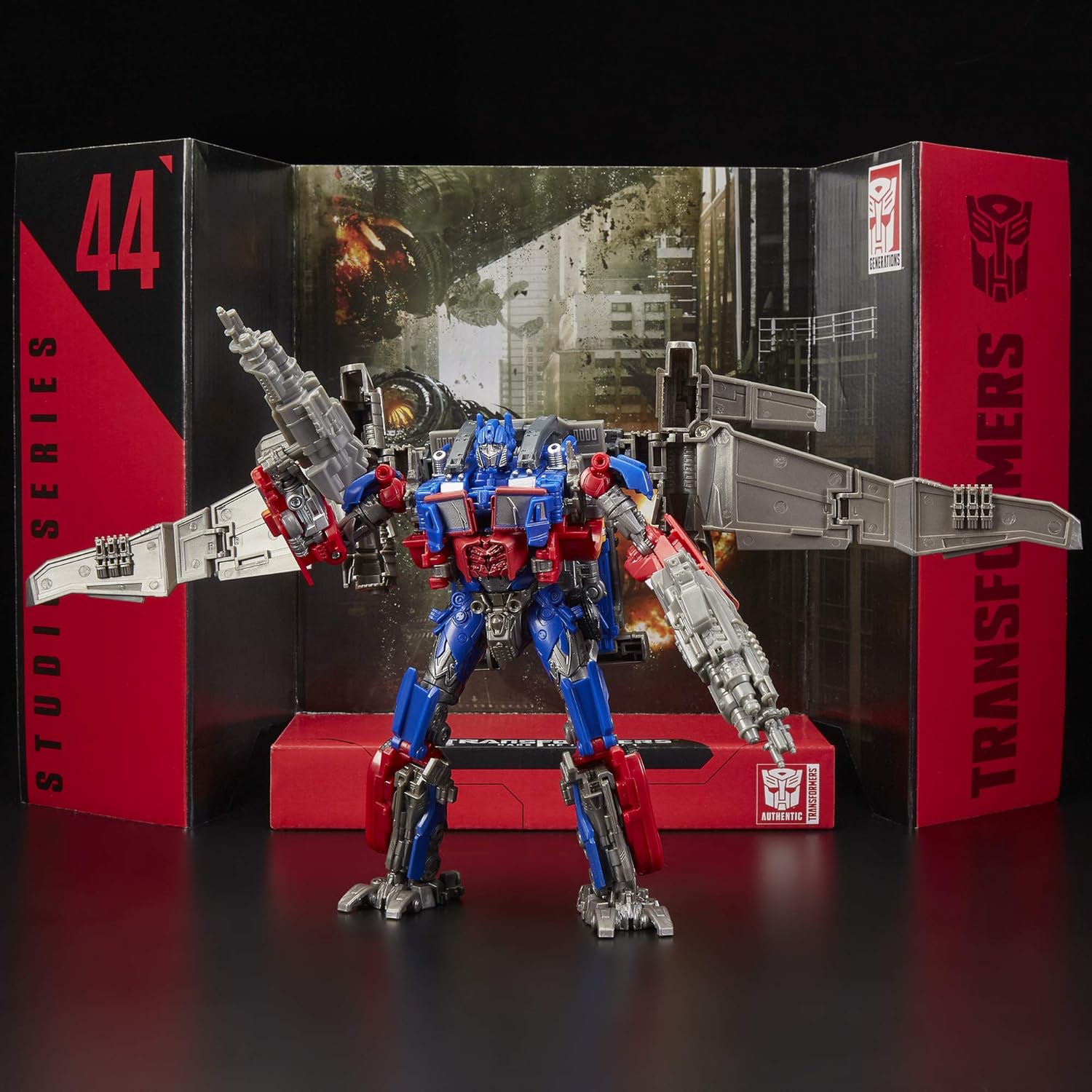
Image: Optimus Prime in robot mode with jetwing components attached, indicating a height of 7 inches (19.1 cm) with an arrow.
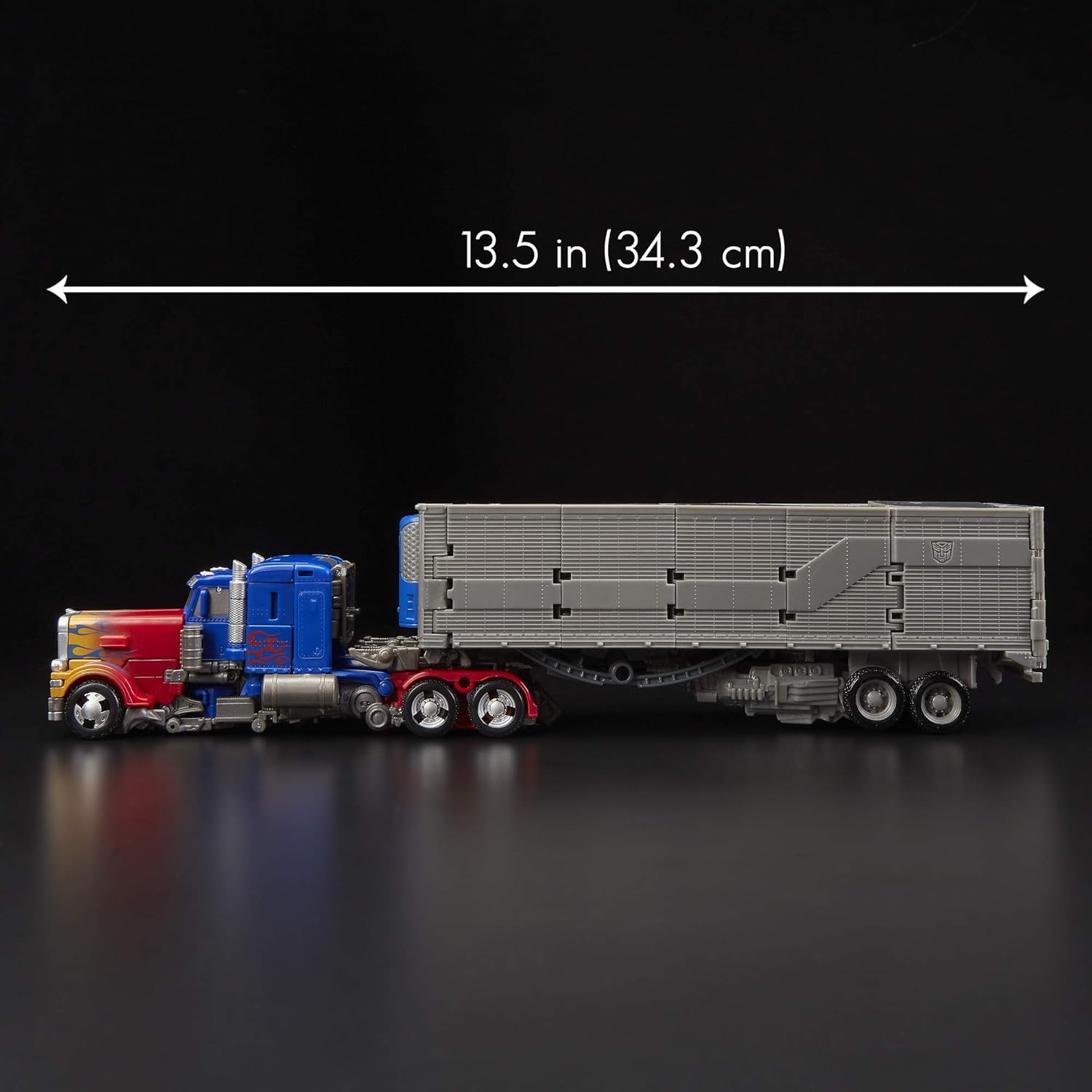
Image: Optimus Prime in truck mode with the trailer attached, indicating a total length of 13.5 inches (34.3 cm) with an arrow.
Kundenservice
For further assistance, missing parts, or inquiries, please contact Hasbro customer service. Refer to the product packaging for contact details or visit the official Transformers webWebsite.
Online-Ressourcen: Visit the Official Transformers Store


