1. Einleitung
This manual provides detailed instructions for the proper use and maintenance of your Edifier W820BT Bluetooth Headphones. Please read this manual thoroughly before using the product to ensure optimal performance and longevity.
2. Packungsinhalt
Verify that all items listed below are included in your package. If any items are missing or damaged, please contact Edifier customer support.
- Edifier W820BT Bluetooth Headphones
- Ladekabel (USB)
- Audiokabel (3.5 mm)
- Benutzerhandbuch (dieses Dokument)
3. Produktüberschreitungview
The Edifier W820BT headphones are designed for comfort and extended listening, featuring Bluetooth v4.1 connectivity and a long-lasting battery.
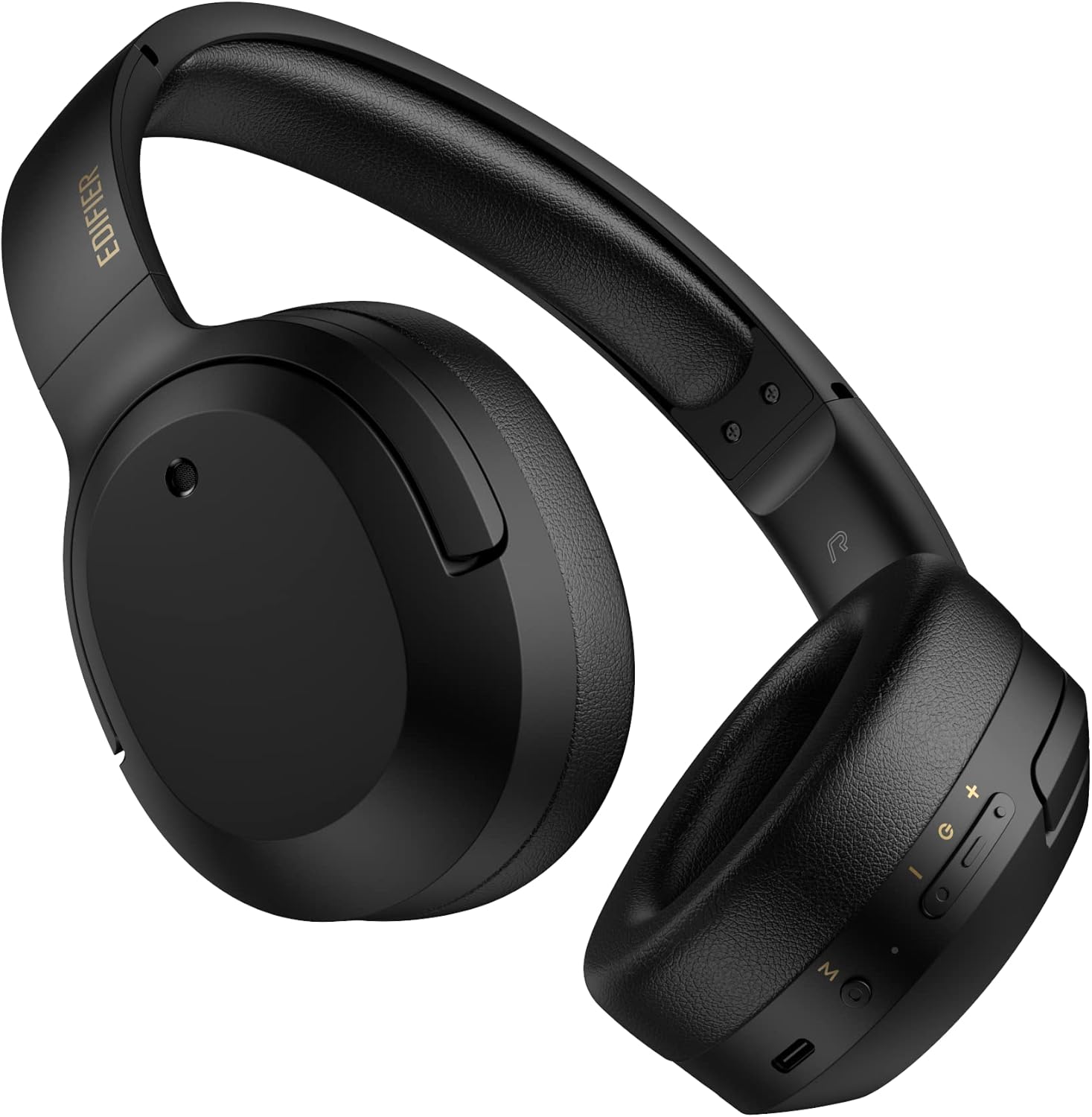
Abbildung 3.1: Vorderseite view of the Edifier W820BT Bluetooth Headphones.

Abbildung 3.2: Seite view of the Edifier W820BT Bluetooth Headphones, highlighting the control buttons.
Hauptmerkmale:
- Bluetooth V4.1 with CSR Technology for stable wireless connection.
- Bis zu 80 Stunden Batterielebensdauer.
- Faltbares Design für einfachen Transport.
- Soft leather ear pads for comfort.
- Durable and flexible steel headband.
- On-ear controls for media playback and calls.
4. Einrichtung
4.1 Aufladen der Kopfhörer
Laden Sie die Kopfhörer vor dem ersten Gebrauch vollständig auf.
- Connect the micro-USB end of the charging cable to the charging port on the headphone (located on the right earcup).
- Verbinden Sie das USB-A-Ende des Ladekabels mit einem USB-Netzteil (nicht im Lieferumfang enthalten) oder einem USB-Anschluss Ihres Computers.
- The LED indicator will illuminate during charging and turn off once fully charged.
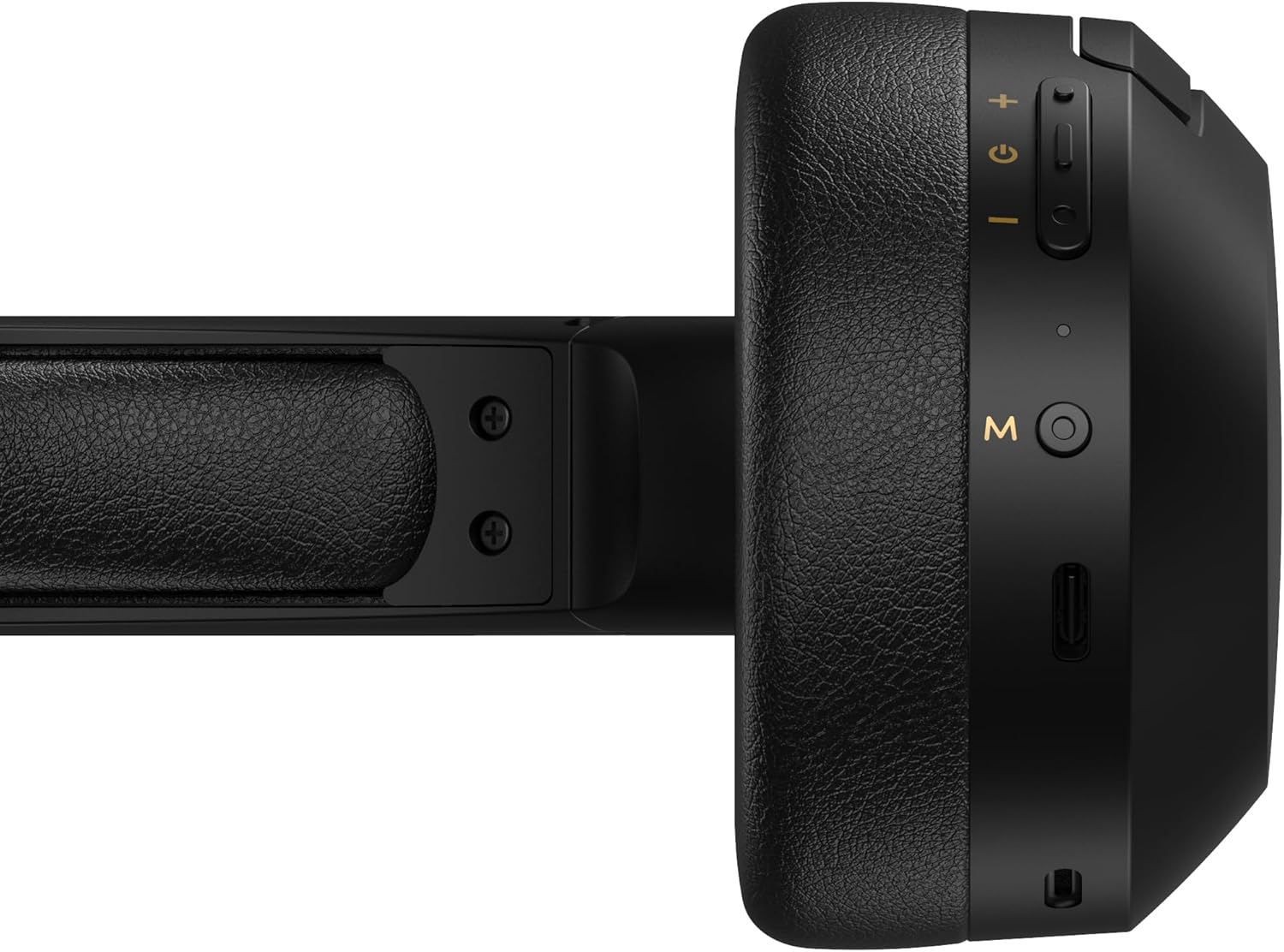
Figure 4.1: Close-up of the charging port and control buttons on the right earcup.
4.2 Ein-/Ausschalten
- So schalten Sie das Gerät ein: Press and hold the multi-function button (usually marked with a power icon or 'M') for approximately 3 seconds until the LED indicator flashes blue.
- So schalten Sie das Gerät aus: Halten Sie die Multifunktionstaste etwa 5 Sekunden lang gedrückt, bis die LED-Anzeige rot blinkt und dann erlischt.
4.3 Bluetooth-Kopplung
So verbinden Sie Ihre Kopfhörer mit einem Bluetooth-fähigen Gerät:
- Stellen Sie sicher, dass die Kopfhörer ausgeschaltet sind.
- Press and hold the multi-function button for approximately 5-7 seconds until the LED indicator flashes red and blue alternately. This indicates pairing mode.
- Aktivieren Sie auf Ihrem Gerät (Smartphone, Tablet, Computer) Bluetooth und suchen Sie nach verfügbaren Geräten.
- Select "EDIFIER W820BT" from the list of found devices.
- Nach erfolgreicher Kopplung blinkt die LED-Anzeige langsam blau.
Notiz: Die Kopfhörer versuchen beim Einschalten automatisch, sich wieder mit dem zuletzt gekoppelten Gerät zu verbinden.
5. Bedienungsanleitung
5.1 Bedienelemente am Ohr
The control buttons are located on the right earcup.
| Schaltfläche/Aktion | Funktion |
|---|---|
| Multi-function Button (M) |
|
| Lauter (+) |
|
| Lautstärke runter (-) |
|
5.2 Kabelverbindung
The W820BT headphones can also be used with a wired connection.
- Connect one end of the 3.5mm audio cable to the audio input jack on the left earcup of the headphones.
- Verbinden Sie das andere Ende des 3.5-mm-Audiokabels mit der Audioausgangsbuchse Ihres Geräts.
- Die Kopfhörer schalten automatisch in den Kabelmodus. Die Bluetooth-Funktionalität wird deaktiviert.

Abbildung 5.1: Anschließen des 3.5-mm-Audiokabels für kabelgebundenes Hören.
6. Wartung
- Reinigen Sie die Kopfhörer mit einem weichen, trockenen Tuch. Verwenden Sie keine Scheuermittel oder Lösungsmittel.
- Vermeiden Sie es, die Kopfhörer extremen Temperaturen, hoher Luftfeuchtigkeit oder direkter Sonneneinstrahlung auszusetzen.
- Bewahren Sie die Kopfhörer bei Nichtgebrauch an einem kühlen, trockenen Ort auf. Dank des faltbaren Designs lassen sie sich platzsparend verstauen.
- Die Kopfhörer dürfen nicht auseinandergenommen werden. Dadurch erlischt die Garantie.
7. Fehlerbehebung
If you encounter issues with your Edifier W820BT headphones, refer to the following common problems and solutions:
| Problem | Lösung |
|---|---|
| Einschalten nicht möglich | Ensure the headphones are charged. Connect to a power source using the charging cable. |
| Bluetooth-Kopplung nicht möglich |
|
| Kein Ton |
|
| Schlechte Tonqualität |
|
8. Spezifikationen
| Besonderheit | Detail |
|---|---|
| Modellname | W820BT |
| Konnektivitätstechnologie | Kabellos (Bluetooth), Kabelgebunden (3.5-mm-Klinkenstecker) |
| Bluetooth-Version | 4.1 |
| Akkulaufzeit | Bis zu 80 Stunden |
| Form der Hörmuschel | Über dem Ohr |
| Material | Steel (headband) |
| Artikelgewicht | 1.14 Pfund (ca. 517 g) |
| Technische Daten | 9.25 x 7.64 x 3.41 Zoll |
| Hersteller | Erbauer |
9. Garantie und Support
Edifier provides a ein Jahr Garantie in the USA and Canada for the W820BT headphones. For warranty claims or technical support, please contact Edifier customer service.
For more information, visit the official Edifier webBesuchen Sie die Website oder konsultieren Sie Ihre Kaufunterlagen.
10. Videodemonstration
Watch the official product video for a visual guide on the Edifier W820BT Bluetooth Headphones' features and usage.
Video 10.1: Offizielles Produkt vorbeiview of the Edifier W820BT Bluetooth Headphones, demonstrating features like battery life, comfort, foldable design, and on-ear controls.