BoxWave SlimKeys Bluetooth-Tastatur – Benutzerhandbuch
Modell: bw-1173-16092-8831
Einführung
The BoxWave SlimKeys Bluetooth Keyboard is a portable, ultra-thin keyboard designed for seamless connectivity with your Bluetooth-enabled devices, including the Samsung Galaxy A6 (2018). Its chiclet-style keys provide a comfortable typing experience, making it ideal for productivity on the go. This manual provides detailed instructions for setting up, operating, maintaining, and troubleshooting your SlimKeys Bluetooth Keyboard.
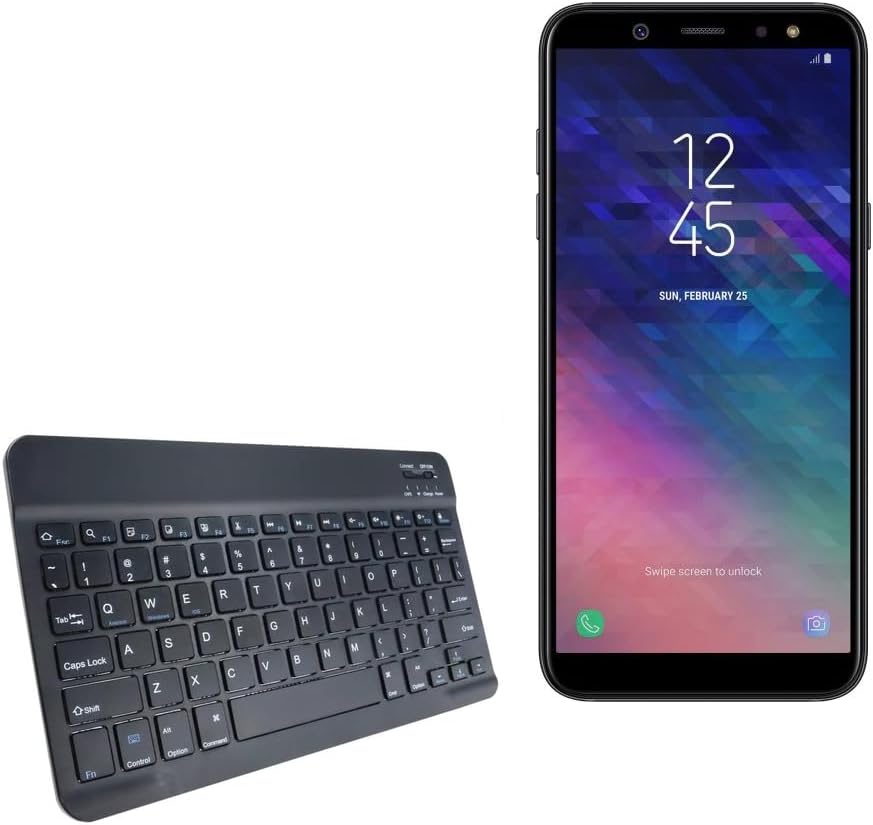
Image: The SlimKeys Bluetooth Keyboard shown alongside a compatible Samsung Galaxy A6 (2018) device, highlighting its compact size.
Aufstellen
Aufladen der Tastatur
Before initial use, ensure your SlimKeys Bluetooth Keyboard is fully charged. Use the included charging cable to connect the keyboard to a USB power source (e.g., computer USB port, USB wall adapter). The charging indicator light will illuminate during charging and turn off when fully charged.

Bild: Eine detaillierte view of the keyboard's charging port, demonstrating how to connect the charging cable for its long-lasting battery.
Bluetooth-Kopplung
- Einschalten: Locate the ON/OFF switch on the keyboard (usually on the top right) and slide it to the 'ON' position. The power indicator light will briefly illuminate.
- Kopplungsmodus aktivieren: Press the 'Connect' button (often located near the ON/OFF switch or as a dedicated key). The Bluetooth indicator light will start blinking, indicating the keyboard is in pairing mode.
- Aktivieren Sie Bluetooth auf Ihrem Gerät: On your Samsung Galaxy A6 (2018) or other compatible device, go to 'Settings' > 'Connections' > 'Bluetooth' and turn Bluetooth ON.
- Tastatur auswählen: Your device will scan for available Bluetooth devices. Select 'BoxWave SlimKeys Keyboard' (or similar name) from the list.
- Kopplung bestätigen: Follow any on-screen prompts to complete the pairing process. You may be asked to enter a code displayed on your device using the keyboard and then press Enter. Once paired, the Bluetooth indicator light on the keyboard will stop blinking.
The keyboard supports Bluetooth 3.0 for quick and reliable pairing across Android, Windows, and iOS platforms.
Bedienungsanleitung
Grundlegende Verwendung
Once paired, the SlimKeys Bluetooth Keyboard functions like a standard keyboard. Simply open any application that requires text input (e.g., messaging app, word processor) and begin typing. The chiclet-style keys are designed for quiet and comfortable typing.

Image: A user's hands demonstrating comfortable and efficient typing on the SlimKeys keyboard.
Spezialisierte Funktionstasten
The SlimKeys Bluetooth Keyboard includes specialized function keys (F1-F12) that provide quick access to common commands. These functions are typically accessed by pressing the Fn gleichzeitig die gewünschte Funktionstaste drücken.
| Tastenkombination | Funktion |
|---|---|
| Fn + Esc (F1) | Heim |
| Fn + F2 | Suche |
| Fn + F3 | Alles auswählen |
| Fn + F4 | Kopie |
| Fn + F5 | Schneiden |
| Fn + F6 | Zurück überspringen |
| Fn + F7 | Abspielen / Pause |
| Fn + F8 | Vorwärts springen |
| Fn + F9 | Lautstärke verringern |
| Fn + F10 | Lautstärke erhöhen |
| Fn + F11 | Helligkeit runter |
| Fn + F12 | Helligkeit erhöhen |
| Fn + Löschen | Sperren |

Image: A visual guide to the specialized function keys available on the SlimKeys keyboard for quick access to various commands.
Wartung
Reinigung
Reinigen Sie Ihre Tastatur, indem Sie die Oberfläche vorsichtig mit einem weichen, fusselfreien Tuch abwischen. Bei hartnäckigem Schmutz oder Staub tupfen Sie die Oberfläche leicht ab.ampBefeuchten Sie das Tuch mit Wasser oder einer milden, nicht scheuernden Reinigungslösung. Vermeiden Sie übermäßige Feuchtigkeit und sprühen Sie Reinigungsmittel nicht direkt auf die Tastatur.
Lagerung
When not in use, store the keyboard in a cool, dry place away from direct sunlight and extreme temperatures. Its ultra-thin design allows for easy storage in bags or cases, making it ideal for travel.

Image: The SlimKeys keyboard being stored in a bag, emphasizing its convenience for travel and compact design.
Fehlerbehebung
- Tastatur verbindet sich nicht/koppelt nicht:
- Stellen Sie sicher, dass die Tastatur geladen und eingeschaltet ist.
- Stellen Sie sicher, dass Bluetooth auf Ihrem Gerät aktiviert ist.
- Ensure the keyboard is in pairing mode (Bluetooth indicator blinking).
- Vergessen Sie das Gerät in den Bluetooth-Einstellungen Ihres Telefons und versuchen Sie es erneut mit einer Kopplung.
- Starten Sie sowohl die Tastatur (aus-/einschalten) als auch Ihr Gerät neu.
- Tasten reagieren nicht:
- Check if the keyboard is still connected via Bluetooth.
- Stellen Sie sicher, dass die Tastatur über ausreichend Akkuladung verfügt.
- Versuchen Sie, die Tastatur erneut mit Ihrem Gerät zu koppeln.
- Verzögerung oder verspätete Eingabe:
- Stellen Sie sicher, dass sich keine starken Störquellen (z. B. andere Bluetooth-Geräte, WLAN-Router) in der Nähe befinden.
- Gehen Sie näher an Ihr Gerät heran.
- Laden Sie die Tastatur auf.
Technische Daten
- Modellnummer: bw-1173-16092-8831
- Konnektivitätstechnologie: Bluetooth 3.0
- Tastaturbeschreibung: Wireless, Chiclet-Style Keys
- Farbe: Tiefschwarz
- Artikelgewicht: 7.7 Unzen
- Paketabmessungen: 11.06 x 6.81 x 0.55 Zoll
- Besonderheit: Lightweight, Ultra-Thin Design (3/16 inch thick)
- Batterien: 1 produktspezifische Batterie (im Lieferumfang enthalten)
- Hersteller: BoxWave
- Ursprungsland: China

Image: A diagram illustrating the precise dimensions of the SlimKeys keyboard, emphasizing its compact and lightweight form factor.
Garantie und Support
For warranty information or technical support, please contact BoxWave Corporation directly. Refer to the product packaging or the official BoxWave webAuf dieser Website finden Sie die aktuellsten Kontaktdaten und Garantiebedingungen.
BoxWave Corporation
WebWebsite: www.boxwave.com


