1. Einleitung
The TechniSat DIGITRADIO 230 OD is a robust and versatile DAB+ construction site radio designed for demanding environments. It offers a wide range of audio options including DAB+, FM radio, Bluetooth streaming, and AUX-in connectivity. Its durable casing provides protection against impacts, and with an IP65 rating, it is resistant to dust and water. The integrated rechargeable battery ensures flexible operation without trailing cables, making it an ideal companion for various work settings.

Abbildung 1.1: The DIGITRADIO 230 OD in a typical construction site environment, demonstrating its robust design.
2. Sicherheitshinweise
Bitte lesen Sie vor der Inbetriebnahme des Geräts alle Sicherheitshinweise sorgfältig durch. Bewahren Sie diese Bedienungsanleitung zum späteren Nachschlagen auf.
- Wasser- und Staubbeständigkeit (IP65): The DIGITRADIO 230 OD is protected against dust ingress and low-pressure water jets from any direction. While robust, avoid submerging the device or exposing it to high-pressure water. Ensure all port covers are securely closed to maintain IP65 rating.
- Batteriesicherheit: The device contains an integrated rechargeable Lithium-ion battery. Do not expose the battery to excessive heat, direct sunlight, or fire. Do not attempt to replace the battery yourself. Use only the provided power adapter for charging.
- Stromversorgung: Only use the power adapter supplied with the device. Ensure the power cable is not damaged or placed in a position where it can be tripped over.
- Belüftung: Blockieren Sie keine Lüftungsöffnungen. Sorgen Sie für ausreichende Luftzirkulation um das Gerät herum.
- Reinigung: Disconnect the device from the power supply before cleaning. Use a soft, dry cloth. Do not use liquid cleaners or aerosols.

Abbildung 2.1: The radio features an IP65 rating, indicating protection against dust and water splashes.
3. Packungsinhalt
Bitte prüfen Sie, ob alle Artikel vorhanden und in gutem Zustand sind:
- TechniSat DIGITRADIO 230 OD unit
- Integrated rechargeable battery pack
- Netzteil
- Benutzerhandbuch (dieses Dokument)
4. Produktüberschreitungview
4.1-Vorderseite View

Abbildung 4.1: Front view of the DIGITRADIO 230 OD, showing the display, control buttons, and speakers.
The front panel features the main display, control buttons, and stereo speakers. The robust design includes protective elements on the sides.
- Anzeige: Zeigt Senderinformationen, Uhrzeit und Menüoptionen an.
- Bedientasten:
- MODUS: Schaltet zwischen DAB+, FM, Bluetooth und AUX-Modus um.
- SPEISEKARTE: Accesses menu settings for the current mode.
- ABSPIELEN: (Function varies by mode, e.g., play/pause for Bluetooth).
- INFO: Displays additional information (e.g., program details, signal strength).
- VOREINSTELLUNG: Accesses stored favorite stations.
- Lautstärkeregler: Located on the top panel, control audio output level.
- Tuning/Scan Knobs: Located on the top panel, used for station tuning and scanning.
4.2 Rückseite View und Anschlüsse

Abbildung 4.2: Hinteren view of the DIGITRADIO 230 OD, highlighting the AUX input, USB port, and integrated power cable storage.
The rear panel provides connectivity options and convenient storage for the power cable.
- AUX-Eingang: 3.5mm jack for connecting external audio devices. Features a protective cover.
- USB-Anschluss: For charging external mobile devices. Features a protective cover.
- Integrated Power Cable Storage: Allows for neat storage of the power cable when not in use or during transport.
- Antenne: Integrated antenna for radio reception.
5. Einrichtung
5.1 Einschalten des Geräts
The DIGITRADIO 230 OD can be powered either by its integrated rechargeable battery or directly from the mains power supply.
- Netzstrom: Unwind the integrated power cable from its storage compartment on the rear of the device. Plug the power adapter into a suitable wall socket. The device will automatically begin charging the internal battery if it is not full.
- Batterieleistung: The integrated Lithium-ion battery provides up to 10 hours of playback on a full charge. To use battery power, simply disconnect the device from the mains. Ensure the battery is sufficiently charged before portable use.
5.2 Erste Einrichtung und erste Verwendung
Upon first power-on, the radio may perform an automatic scan for available DAB+ stations. Follow any on-screen prompts.
- Connect the radio to a power source or ensure the battery is charged.
- Press the power button (if available, otherwise it powers on when connected to mains or battery).
- The display will light up. If it's the first use, a DAB+ scan may start automatically.
- Sobald der Sendersuchlauf abgeschlossen ist, schaltet das Radio automatisch auf den ersten verfügbaren Sender.
6. Bedienungsanleitung
6.1 DAB+ Radiomodus
DAB+ (Digital Audio Broadcasting Plus) offers a wide range of digital radio stations with enhanced sound quality.
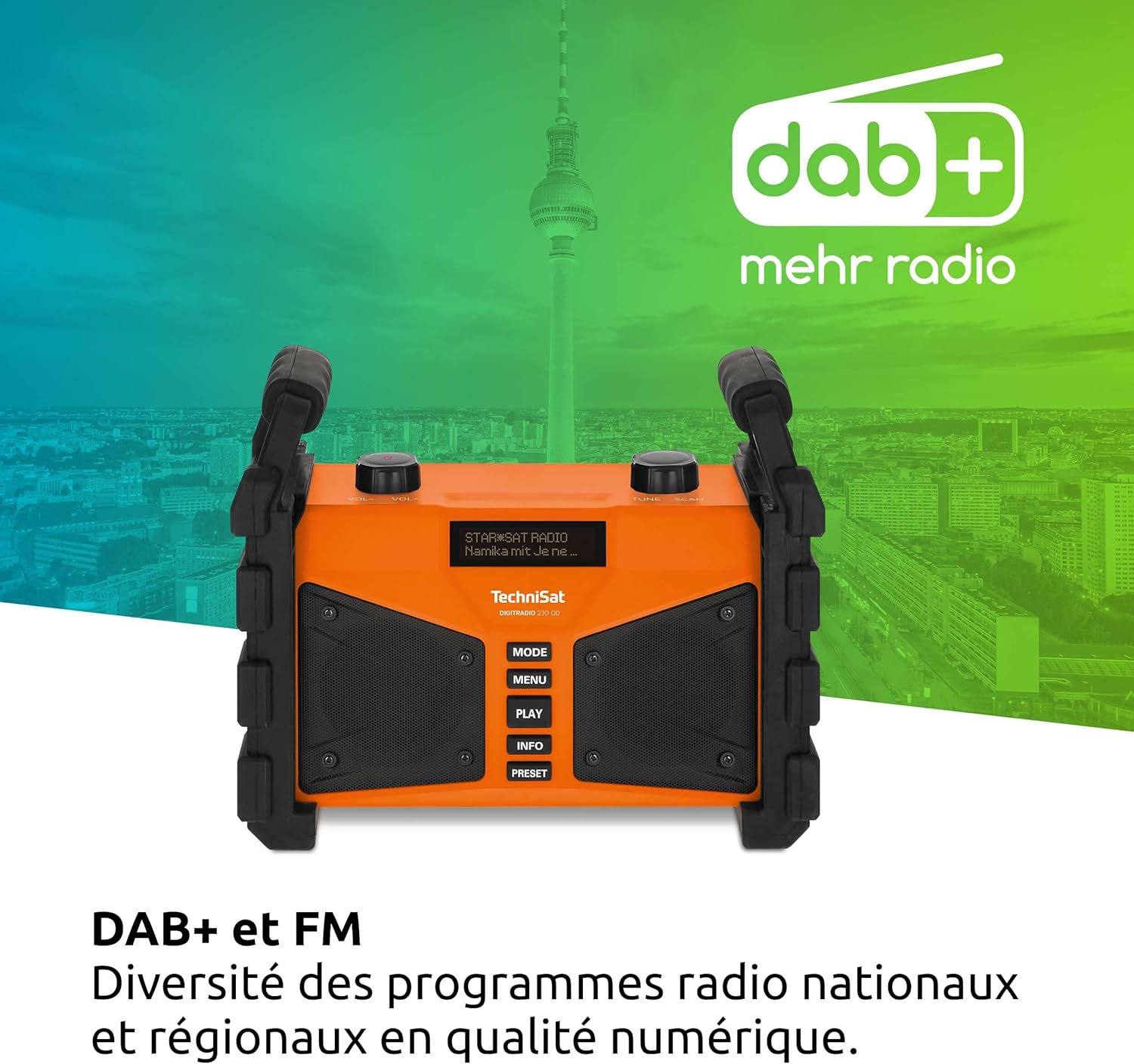
Abbildung 6.1: The radio displaying DAB+ functionality, indicating digital radio reception.
- Drücken Sie die MODUS Drücken Sie die Taste, bis „DAB+“ angezeigt wird.
- If no stations are found, perform a full scan by pressing SPEISEKARTE, then navigating to "Full Scan" and confirming.
- Verwenden Sie die TUNE/SCAN knob to scroll through the list of available stations. Press the knob to select a station.
- Drücken INFO Zu view Details wie Programmtyp, Signalstärke und Bitrate.
- Voreinstellungen speichern: To save a favorite station, press and hold the VOREINSTELLUNG Klicken Sie auf die Schaltfläche TUNE/SCAN knob to select a preset number, then press the knob to confirm.
- Voreinstellungen abrufen: Drücken Sie kurz die VOREINSTELLUNG Taste, dann verwenden Sie die TUNE/SCAN Drehknopf zur Auswahl der gewünschten Voreinstellung.
6.2 FM-Radio-Modus
The radio also supports traditional FM radio reception with RDS (Radio Data System).
- Drücken Sie die MODUS Drücken Sie die Taste so lange, bis „FM“ angezeigt wird.
- Verwenden Sie die TUNE/SCAN knob to manually tune to a frequency. Press and hold the knob to automatically scan for the next available station.
- If RDS data is available, the display will show station name and program information.
- Voreinstellungen speichern: Follow the same procedure as for DAB+ presets (press and hold VOREINSTELLUNG).
- Voreinstellungen abrufen: Follow the same procedure as for DAB+ presets (briefly press VOREINSTELLUNG).
6.3 Bluetooth-Streaming
Verbinden Sie Ihr Smartphone oder ein anderes Bluetooth-fähiges Gerät, um Audio drahtlos zu streamen.

Abbildung 6.2: Wireless music enjoyment by streaming audio from a smartphone to the radio via Bluetooth.
- Drücken Sie die MODUS button until "Bluetooth" is displayed. The radio will enter pairing mode, indicated by a flashing Bluetooth icon or message on the display.
- On your mobile device, enable Bluetooth and search for available devices. Select "DIGITRADIO 230 OD" from the list.
- Once paired, the radio will confirm the connection. You can now play audio from your device, and control playback (play/pause, skip) using your mobile device or the radio's SPIELEN Taste.
6.4 Audio Quality and Equalizer
The DIGITRADIO 230 OD delivers rich stereo sound. You can adjust the audio output to your preference using the integrated equalizer.

Abbildung 6.3: Illustration of the radio's excellent stereo sound quality.
- To access the equalizer settings, press the SPEISEKARTE button and navigate to the "Equalizer" option.
- Verwenden Sie die TUNE/SCAN knob to select from preset equalizer modes or to manually adjust bass and treble levels.
6.5 AUX In Mode
Connect external audio sources such as MP3 players or older devices using a 3.5mm audio cable.
- Open the protective cover for the AUX input on the rear of the radio.
- Connect one end of a 3.5mm audio cable to the AUX input on the radio and the other end to the headphone jack or audio output of your external device.
- Drücken Sie die MODUS Drücken Sie die Taste, bis „AUX In“ angezeigt wird.
- Steuern Sie Wiedergabe und Lautstärke über Ihr externes Gerät.
- Remember to close the protective cover after use to maintain the IP65 rating.
6.6 USB-Aufladung
The USB port on the rear of the radio can be used to charge external mobile devices.
- Open the protective cover for the USB port on the rear of the radio.
- Connect your mobile device's charging cable to the USB port on the radio.
- Ensure the radio is powered on (either by mains or battery) for charging to occur.
- Remember to close the protective cover after use to maintain the IP65 rating.
7. Wartung
Proper maintenance ensures the longevity and optimal performance of your DIGITRADIO 230 OD.
- Reinigung: Disconnect the radio from the power supply. Use a soft, dry, lint-free cloth to clean the exterior. For stubborn dirt, a slightly damp cloth can be used, but ensure no moisture enters any openings. Do not use abrasive cleaners or solvents.
- Anschlussabdeckungen: Always ensure the protective covers for the AUX and USB ports are securely closed when not in use to maintain the IP65 dust and water resistance.
- Batteriepflege: For optimal battery life, avoid fully discharging the battery frequently. If storing the radio for an extended period, charge the battery to approximately 50-70% and store in a cool, dry place. Recharge every few months to prevent deep discharge.
- Lagerung: Bewahren Sie das Radio bei Nichtgebrauch in einer trockenen, staubfreien Umgebung auf.
8. Fehlerbehebung
If you encounter issues with your DIGITRADIO 230 OD, please refer to the following common problems and solutions:
| Problem | Mögliche Ursache | Lösung |
|---|---|---|
| Kein Strom / Gerät schaltet sich nicht ein. | Battery is discharged; Power cable not connected or faulty. | Connect the radio to mains power and allow the battery to charge. Check the power cable connection. |
| Schlechter DAB+- oder FM-Empfang. | Weak signal; Antenna not positioned correctly; Interference. | Relocate the radio to an area with better reception. Ensure the integrated antenna is fully extended and oriented for best signal. Perform a full scan in DAB+ mode. |
| Das Bluetooth-Gerät konnte nicht gekoppelt werden. | Radio not in pairing mode; Bluetooth disabled on mobile device; Device too far. | Ensure the radio is in Bluetooth mode and actively searching for devices. Enable Bluetooth on your mobile device. Move the mobile device closer to the radio. |
| USB-Ladefunktion funktioniert nicht. | Radio not powered on; USB cable faulty; Device not compatible. | Ensure the radio is powered on. Try a different USB cable. Some devices may draw too much power or are not compatible with the charging output. |
| Der Ton ist verzerrt oder zu leise. | Volume too low; Audio source issue; Equalizer settings. | Adjust the volume on the radio and the connected audio source (if applicable). Check equalizer settings in the menu. |
9. Spezifikationen
| Besonderheit | Detail |
|---|---|
| Marke | TechniSat |
| Modellnummer | 0000/3907 |
| Farbe | Orange |
| Konnektivitätstechnologie | Aux-Anschluss, Bluetooth, USB |
| Tuning-Technologie | DAB+/FM |
| Unterstützte Funkbänder | DAB+/DAB, FM (87.5-108 MHz) |
| Besondere Merkmale | Integrated battery (up to 10 hours playback), IP65 dust and water resistant, Robust construction, USB interface for charging external devices, Bluetooth audio streaming, Digital radio DAB+, FM radio with RDS, Suitable for construction sites, Favorite station memory, Adjustable equalizer |
| Anzahl USB-Anschlüsse | 1 |
| Kompatible Geräte | Headphones, Speakers, Smartphone, Laptop, MP3 Player |
| Wiederaufladbarer Akku | Yes (1 Lithium-ion battery required/included) |
| Stromquelle | Battery Powered / Mains Power |
| Produktabmessungen (L x B x H) | 26.2 x 13.4 x 21.9 cm |
10. Garantie und Support
This TechniSat DIGITRADIO 230 OD comes with a manufacturer's warranty of 2 years (2 Jahre Gewährleistung).
For technical support, warranty claims, or further assistance, please contact your retailer or visit the official TechniSat webWebsite für Kontaktinformationen.
Bitte bewahren Sie Ihren Kaufbeleg für Garantiezwecke auf.


