1. Einleitung
Thank you for choosing the Cshidworld G33Pro-W Wireless Earbuds. This manual provides detailed instructions on how to set up, operate, and maintain your earbuds to ensure optimal performance and longevity. Please read this manual carefully before using the product and keep it for future reference.
2. Packungsinhalt
- Cshidworld G33Pro-W Wireless Earbuds (Left and Right)
- Tragbares Ladeetui
- USB-Ladekabel
- Bedienungsanleitung
3. Produktüberschreitungview

Image: The Cshidworld G33Pro-W Wireless Earbuds resting inside their open charging case, showcasing ihr kompaktes Design und ihre weiße Lackierung.
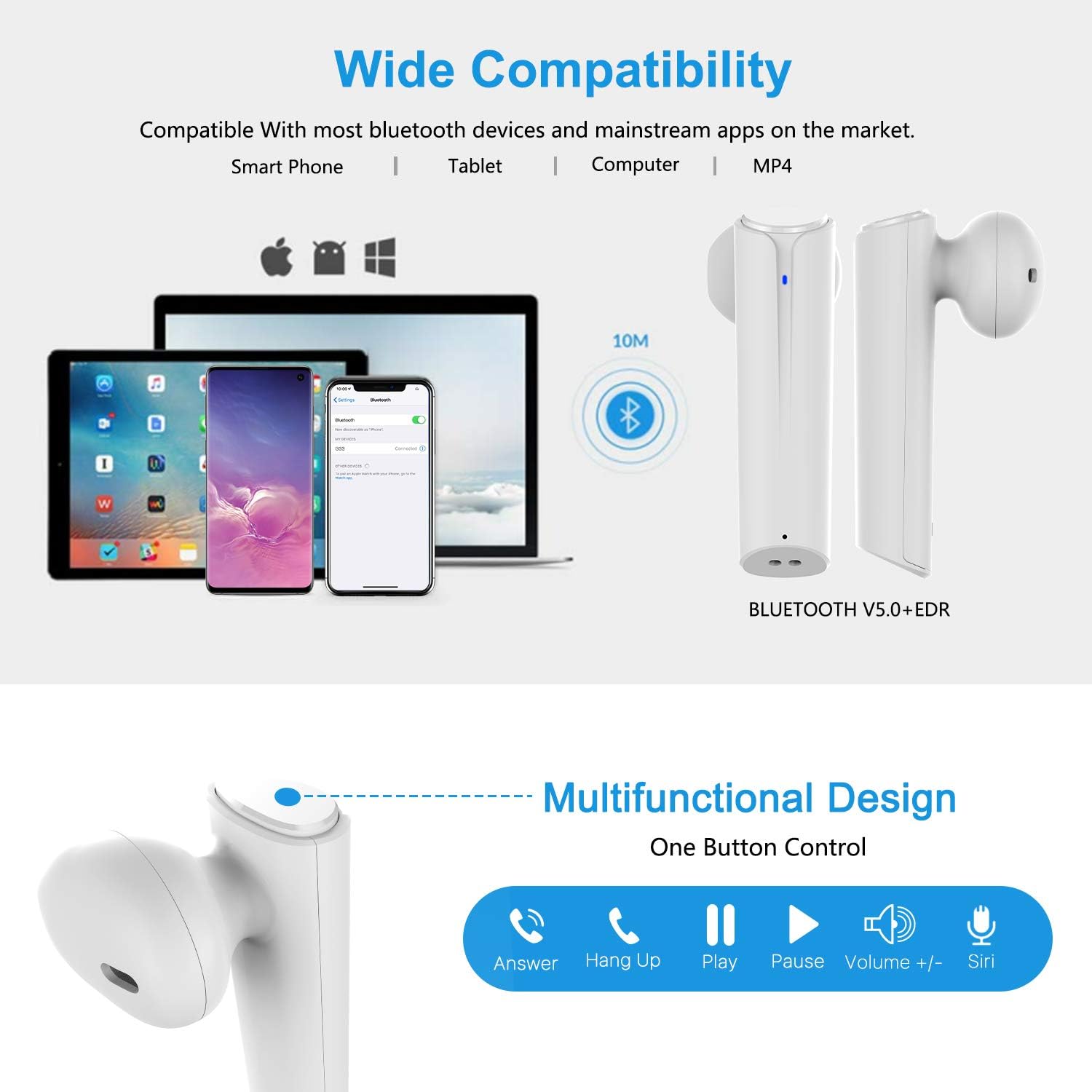
Image: A visual representation of the multi-function button on the earbud, detailing its various controls for answering calls, playing music, and activating voice assistants.
Komponenten des Ohrhörers:
- Multifunktionstaste: Steuert Wiedergabe, Anrufe und Sprachassistent.
- LED-Anzeige: Zeigt den Kopplungsstatus und den Akkustand an.
- Mikrofon: Für freihändige Anrufe.
Komponenten des Ladecase:
- Ladeanschlüsse: For charging the case and earbuds.
- LED-Anzeigen: Show charging status of the case.
4. Einrichtung
4.1 Aufladen der Ohrhörer und des Ladecase
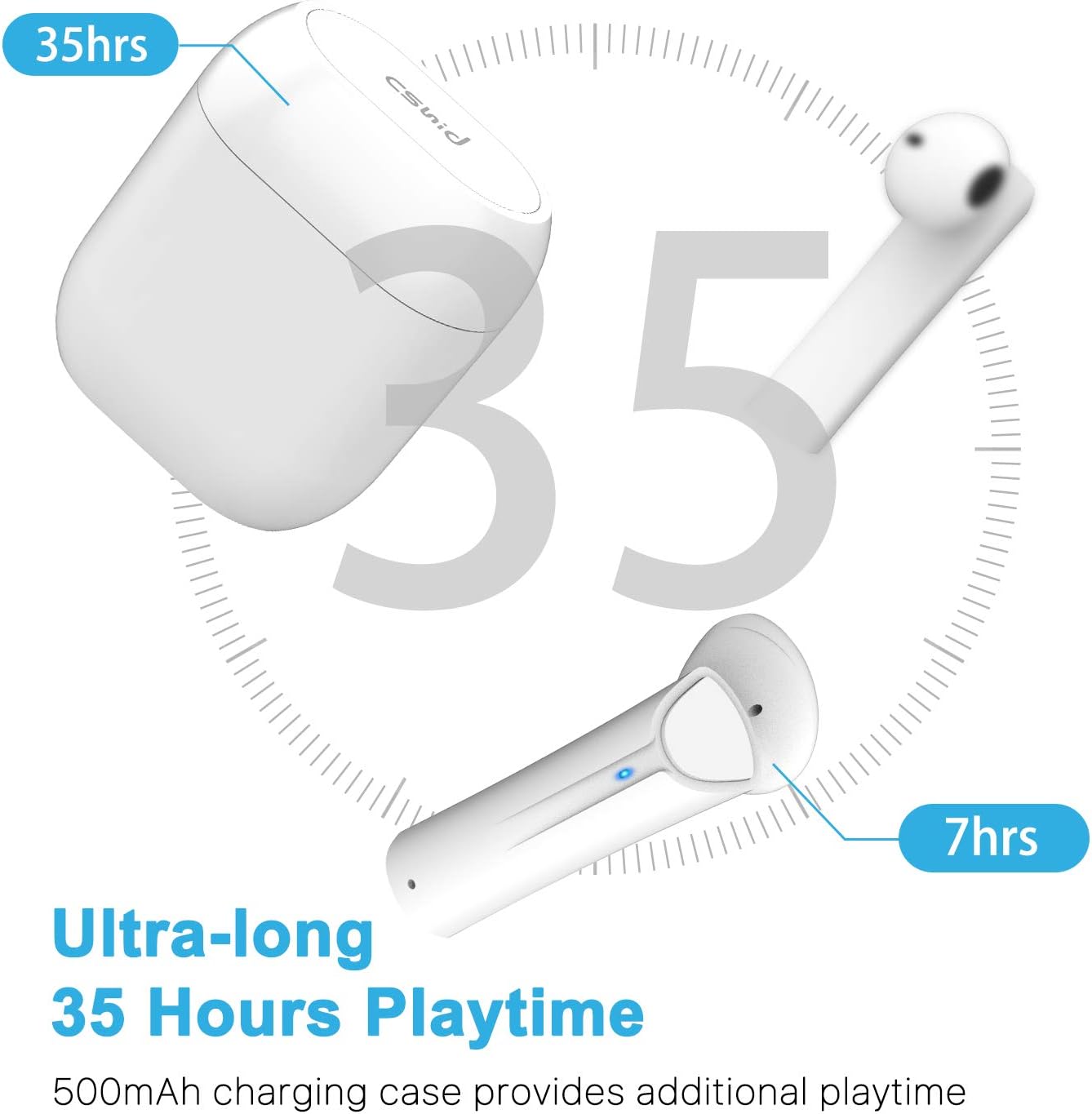
Image: An illustration highlighting the ultra-long 35 hours of total playtime, with 7 hours from a single earbud charge and additional charges from the case.
Before first use, ensure both the earbuds and the charging case are fully charged. The earbuds provide up to 7 hours of playtime on a single charge, and the charging case can provide an additional 5 full charges, extending the total playtime to up to 35 hours.
- Legen Sie die Ohrhörer in das Ladecase. Achten Sie darauf, dass sie richtig sitzen.
- Verbinden Sie das USB-Ladekabel mit dem Ladeanschluss am Gehäuse und mit einer Stromquelle.
- The LED indicators on the case will show the charging status. Once fully charged, the indicators will change or turn off.
4.2 Erste Paarung (Ein-Schritt-Paarung)

Image: A step-by-step guide showing how to pair the earbuds: simply take them out of the case and select 'G33' on your device's Bluetooth settings.
The G33Pro-W earbuds feature one-step pairing technology for quick and easy connection.
- Take both earbuds out of the charging case. They will automatically power on and enter pairing mode. The LED indicator on one earbud will flash, indicating it's ready to pair.
- Aktivieren Sie Bluetooth auf Ihrem Gerät (Smartphone, Tablet usw.).
- Suchen nach Wählen Sie in der Liste der verfügbaren Bluetooth-Geräte „G33“ aus, um eine Verbindung herzustellen.
- Once connected, the LED indicators on both earbuds will stop flashing. You are now ready to use your earbuds.
4.3 Verwendung eines einzelnen Ohrhörers
You can use either the left or right earbud independently. Simply take one earbud out of the charging case, and it will automatically enter pairing mode. Connect to "G33" on your device. To use both again, take the second earbud out, and they will automatically reconnect.
5. Bedienungsanleitung
The G33Pro-W earbuds are controlled via a multi-function button on each earbud.
| Funktion | Aktion |
|---|---|
| Einschalten | Take earbuds out of charging case (automatic) |
| Ausschalten | Place earbuds back into charging case (automatic) |
| Musik abspielen/pausieren | Press the multi-function button once on either earbud |
| Nächster Titel | Double-press the multi-function button on the Right earbud |
| Vorheriger Titel | Double-press the multi-function button on the Left earbud |
| Anruf annehmen/beenden | Press the multi-function button once on either earbud |
| Anruf ablehnen | Press and hold the multi-function button for 2 seconds on either earbud |
| Sprachassistent aktivieren (Siri/Google Assistant) | Drücken Sie dreimal die Multifunktionstaste an einem der Ohrhörer |
| Lautstärke erhöhen | Press and hold the multi-function button on the Right earbud |
| Lautstärke verringern | Press and hold the multi-function button on the Left earbud |
6. Wartung

Image: Two scenarios demonstrating earbud use: one person driving safely with hands-free calling, and another person working out, highlighting the sweat-proof and cable-free design.
6.1 Reinigung
Regelmäßige Reinigung trägt zur Erhaltung der Klangqualität und Hygiene bei.
- Verwenden Sie ein weiches, trockenes, fusselfreies Tuch, um die Ohrhörer und das Ladecase abzuwischen.
- Bei hartnäckigen Verschmutzungen leicht dampReinigen Sie das Tuch mit Wasser oder einem milden, nicht scheuernden Reinigungsmittel.
- Verwenden Sie keine aggressiven Chemikalien oder scheuernden Materialien.
- Stellen Sie sicher, dass die Ladekontakte sowohl an den Ohrhörern als auch am Ladecase sauber und trocken sind.
6.2 Speicherung
Bewahren Sie die Ohrhörer bei Nichtgebrauch im Ladecase auf, um sie zu schützen und geladen zu halten. Lagern Sie sie an einem kühlen, trockenen Ort und schützen Sie sie vor extremen Temperaturen.
6.3 Wasserbeständigkeit
The earbuds are designed to be waterproof, making them suitable for workouts and light rain. However, they are not intended for swimming or submersion in water. Ensure earbuds are dry before placing them back into the charging case to prevent damage.
7. Fehlerbehebung
Sollten Sie Probleme mit Ihren Ohrhörern haben, beachten Sie bitte die folgenden häufig auftretenden Probleme und Lösungen:
- Ohrhörer lassen sich nicht mit dem Gerät koppeln:
Ensure Bluetooth is enabled on your device. Place earbuds back in the case, then take them out again to re-enter pairing mode. Try forgetting "G33" from your device's Bluetooth list and re-pairing. - Nur ein Ohrhörer funktioniert:
Place both earbuds back into the charging case. Close the lid for a few seconds, then open it and take both earbuds out simultaneously. They should automatically connect to each other. - Kein Ton:
Check the volume level on both your device and the earbuds. Ensure the earbuds are properly connected to your device. Try playing different audio sources. - Ohrhörer laden nicht:
Stellen Sie sicher, dass das Ladekabel fest mit dem Ladecase und der Stromquelle verbunden ist. Prüfen Sie, ob die Ladekontakte an den Ohrhörern und im Ladecase sauber und frei von Verunreinigungen sind. - Schlechte Tonqualität:
Ensure the earbuds are properly seated in your ears. Check for any obstructions in the earbud speakers. Move closer to your connected device to avoid signal interference.
8. Spezifikationen
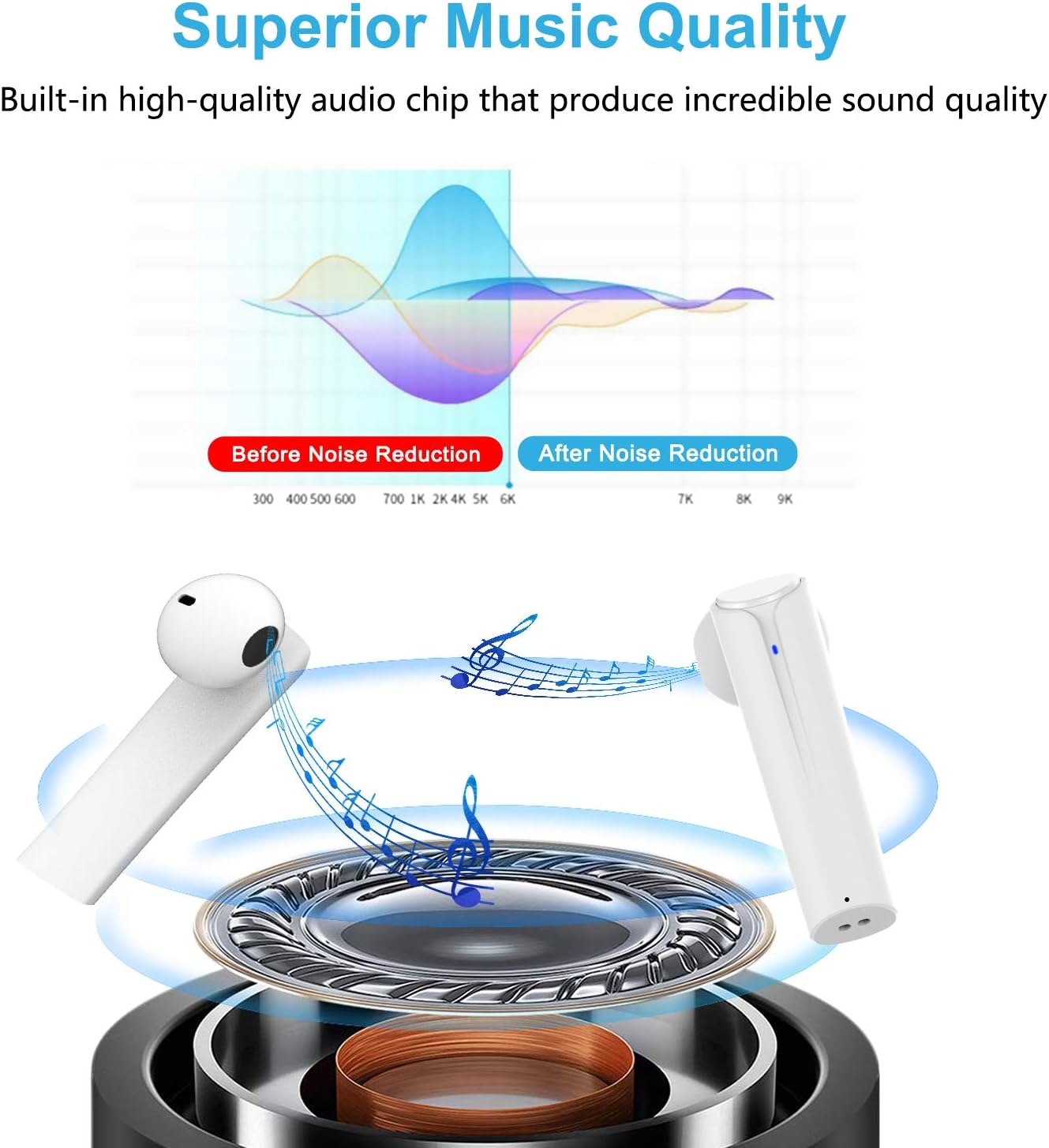
Image: A graph illustrating the effect of noise reduction on sound quality, accompanied by a detailed diagram of the earbud's internal audio components.
- Modell: G33Pro-W
- Konnektivität: Bluetooth 5.0
- Spielzeit (Ohrhörer): Bis zu 7 Stunden pro Ladung
- Gesamtspielzeit (mit Ladecase): Bis zu 35 Stunden
- Mikrofon: Eingebaute Dual-Mikrofone
- Steuerungstyp: Multifunktionstaste
- Material: Plastik
- Wasserbeständigkeit: Wasserdicht
- Farbe: Weiß
9. Sicherheitshinweise
Please observe the following safety guidelines for safe and proper use of your earbuds:
- Die Ohrhörer und das Ladecase dürfen keinen extremen Temperaturen, direkter Sonneneinstrahlung oder hoher Luftfeuchtigkeit ausgesetzt werden.
- Avoid dropping, hitting, or disassembling the product.
- Verwenden Sie die Ohrhörer nicht über längere Zeiträume bei übermäßig hoher Lautstärke, da dies zu Hörschäden führen kann.
- Bewahren Sie das Produkt außerhalb der Reichweite von Kindern und Haustieren auf.
- Das Produkt und seine Bestandteile sind gemäß den örtlichen Vorschriften verantwortungsvoll zu entsorgen.
10. Garantie und Support
Cshidworld provides a 30-Tage-Rückgaberecht ohne Probleme und ein ein Jahr Garantie for the G33Pro-W Wireless Earbuds. For any product-related inquiries, technical support, or warranty claims, please contact Cshidworld customer service through the platform where you purchased the product or refer to the contact information provided with your purchase.