1. Einleitung
This manual provides essential instructions for the installation, operation, and maintenance of your Yale YEC/250/DB1 Medium Alarmed Value Safe. Please read this manual thoroughly before using the safe to ensure proper function and security.
The Yale YEC/250/DB1 safe is designed to protect your valuables with its solid steel construction, electronic lock, and integrated 130dB alarm system.
1.1 Packungsinhalt
- 1 x Yale YEC/250/DB1 Alarmed Value Safe
- 2 x Notfallschlüssel
- 4 x AA-Batterien
- 1 x Pack of Fixing Bolts (for wall or floor mounting)
- 1 x Benutzerhandbuch (dieses Dokument)

Bild 1.1: Vorderseite view of the Yale YEC/250/DB1 Medium Alarmed Value Safe, showing the electronic keypad and key lock.
2. Wichtige Sicherheitshinweise
- Do not store emergency override keys inside the safe. Keep them in a secure, separate location.
- Stellen Sie sicher, dass der Tresor sicher an einer Wand oder am Boden befestigt ist, um eine unbefugte Entnahme zu verhindern.
- Replace batteries promptly when the low battery indicator appears to avoid loss of access.
- Schützen Sie den Tresor vor übermäßiger Feuchtigkeit und extremen Temperaturen.
- Do not attempt to force the safe open if the electronic lock malfunctions. Use the emergency override key.
3. Safe Components
Familiarize yourself with the main components of your Yale Alarmed Value Safe:
- Electronic Keypad: Wird zur Eingabe Ihres persönlichen Zugangscodes verwendet.
- Key Lock Cylinder: For emergency override using the mechanical key.
- Door Handle/Knob: Zum Öffnen und Schließen der Tresortür.
- Verriegelungsbolzen: Steel bolts that secure the door when locked.
- Batteriefach: Located inside the door, holds 4 AA batteries.
- Alarm Speaker: Emits a 130dB alarm when triggered.
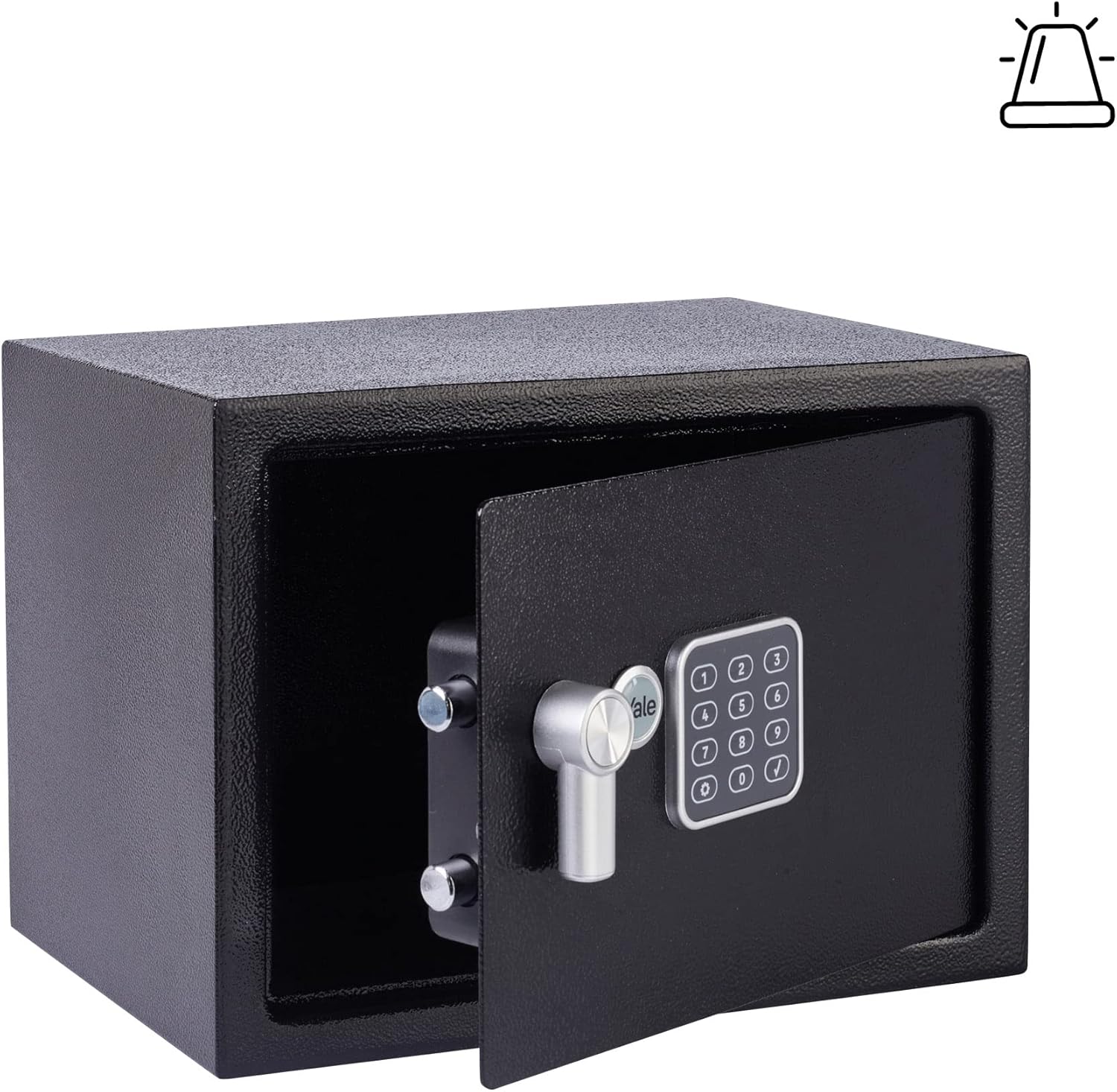
Abbildung 3.1: Innenraum view of the safe with the door open, illustrating the locking bolts and internal structure.
4. Einrichtung und Installation
4.1 Einlegen der Batterie
- Open the safe door using one of the emergency override keys. Insert the key into the key lock cylinder and turn it clockwise. Rotate the door handle to open.
- Suchen Sie das Batteriefach an der Innenseite der Tresortür.
- Insert the 4 supplied AA batteries, ensuring correct polarity (+/-).
- Schließen Sie den Batteriefachdeckel.
4.2 Setting Your Personal Access Code
The safe comes with a factory default code. It is crucial to change this immediately.
- Bei geöffneter Tresortür drücken Sie den roten Reset-Knopf an der Innenseite der Tür, in der Nähe des Scharniers. Sie hören einen Piepton.
- Geben Sie innerhalb von 5 Sekunden Ihren gewünschten 3- bis 8-stelligen Code über das Tastenfeld ein.
- Press the '#' (hash) button to confirm. The safe will beep twice, indicating the new code is set.
- Test the new code with the door open before closing it. Enter your new code, then press '#'. The locking bolts should retract.
4.3 Montage des Tresors
The safe can be securely fixed to a wall or floor using the provided fixing bolts. Choose a discreet and secure location.
- Select a suitable mounting location. Ensure there are no electrical wires or plumbing behind the drilling area.
- Markieren Sie die Bohrpunkte anhand der vorgebohrten Löcher an der Rück- oder Unterseite des Tresors.
- Bohren Sie mit einem geeigneten Bohrer Pilotlöcher in die Wand oder den Boden.
- Position the safe and secure it using the provided fixing bolts. Tighten all bolts firmly.

Abbildung 4.1: Beispielample of the safe installed within a closet for discreet placement.
5. Bedienungsanleitung
5.1 Opening the Safe with Your Code
- Enter your 3 to 8 digit personal access code.
- Press the '#' (hash) button. A green light will illuminate, and you will hear a beep.
- Within 5 seconds, turn the door handle clockwise to open the safe.
5.2 Den Tresor abschließen
- Schließen Sie die Tresortür fest.
- Turn the door handle counter-clockwise to engage the locking bolts. The safe is now locked.
5.3 Not-Aus-Taste
In case of battery failure or forgotten code, the safe can be opened using the emergency override key.
- Locate the key lock cylinder cover (usually a small removable panel next to the keypad). Remove it.
- Insert one of the emergency override keys into the cylinder.
- Turn the key clockwise and simultaneously turn the door handle clockwise to open the safe.
- Once open, you can replace the batteries or reset the code as needed.
5.4 Alarmsystem
The integrated 130dB alarm will activate under the following conditions:
- Tampering: If the safe is subjected to physical shock or attempted forced entry.
- Incorrect Code Attempts: After 3 consecutive incorrect code entries.
To silence the alarm, enter the correct personal access code on the keypad.
6. Wartung
6.1 Batteriewechsel
When the batteries are low, the keypad may flash a red light or emit a warning sound after opening. Replace all 4 AA batteries promptly to ensure continued operation.
- Öffnen Sie die Tresortür.
- Öffnen Sie die Abdeckung des Batteriefachs.
- Entfernen Sie die alten Batterien und entsorgen Sie diese ordnungsgemäß.
- Legen Sie 4 neue AA-Alkalibatterien ein und achten Sie dabei auf die richtige Polarität.
- Schließen Sie den Batteriefachdeckel.
6.2 Reinigung
Reinigen Sie die Außenseite des Tresors mit einem weichen, fusselfreien Tuch.amp Mit einem Tuch abwischen. Verwenden Sie keine Scheuermittel oder Lösungsmittel, da diese die Oberfläche oder elektronische Bauteile beschädigen können.
7. Fehlerbehebung
| Problem | Mögliche Ursache | Lösung |
|---|---|---|
| Der Tresor lässt sich nicht mit dem Code öffnen. | Falscher Code eingegeben. Batterie schwach. | Re-enter code carefully. Replace batteries. Use emergency override key. |
| Der Alarm wird unerwartet ausgelöst. | Safe was tampered with. Incorrect code attempts. | Enter correct code to silence. Ensure safe is securely mounted. |
| Die Tastatur reagiert nicht. | Leere Batterien. | Use emergency override key to open and replace batteries. |
| Die Tür schließt oder verriegelt nicht richtig. | Obstruction in door frame. Locking bolts misaligned. | Check for obstructions. Ensure safe is on a level surface. |
8. Spezifikationen
| Besonderheit | Detail |
|---|---|
| Modell | YEC/250/DB1 |
| Außenabmessungen (H x B x T) | 250 mm x 350 mm x 250 mm (25 x 35 x 25 cm) |
| Innenmaße (H x B x T) | 240 mm x 340 mm x 200 mm |
| Kapazität | 16.3 Liter |
| Gewicht | 5.6 kg |
| Sperrtyp | Electronic Keypad with Mechanical Override Key |
| Codelänge | 3 bis 8 Ziffern |
| Alarm | Integrated 130dB alarm (triggered by tampering or 3 incorrect codes) |
| Material | Legierter Stahl |
| Stromquelle | 4 x AA-Alkalibatterien (im Lieferumfang enthalten) |
| Montagetyp | Bodenmontage, Wandmontage |

Image 8.1: Dimensional diagram of the safe, indicating external and internal measurements.
9. Garantie und Support
Informationen zur Garantie und zum technischen Support finden Sie auf der offiziellen Yale-Website. website or contact Yale customer service directly. Keep your purchase receipt as proof of purchase.
For further assistance, visit the official Yale webWebsite: www.yalehome.com


