Einführung
Thank you for choosing the Rapoo 1680 Silent Wireless Mouse. This manual provides detailed instructions for setting up, operating, and maintaining your new mouse. Please read this manual carefully before use to ensure optimal performance and longevity of your device.
Lieferumfang
- 1 x Rapoo 1680 Wireless Mouse
- 1 x USB Empfänger
- 1 x AA-Batterie
- 1 x Bedienungsanleitung (evtl. nicht in deutscher Sprache).
Aufstellen
1. Einlegen der Batterie
Locate the battery compartment on the underside of the mouse. Slide open the cover and insert the provided AA battery, ensuring correct polarity. Close the battery compartment cover securely.

Image: Underside of the Rapoo 1680 mouse, illustrating the battery compartment for a single AA battery and the storage slot for the USB nano receiver.
2. Schließen Sie den USB-Empfänger an.
Remove the USB nano receiver from its storage slot within the battery compartment. Plug the USB receiver into an available USB port on your computer, laptop, or tablet. The system will automatically detect and install the necessary drivers.
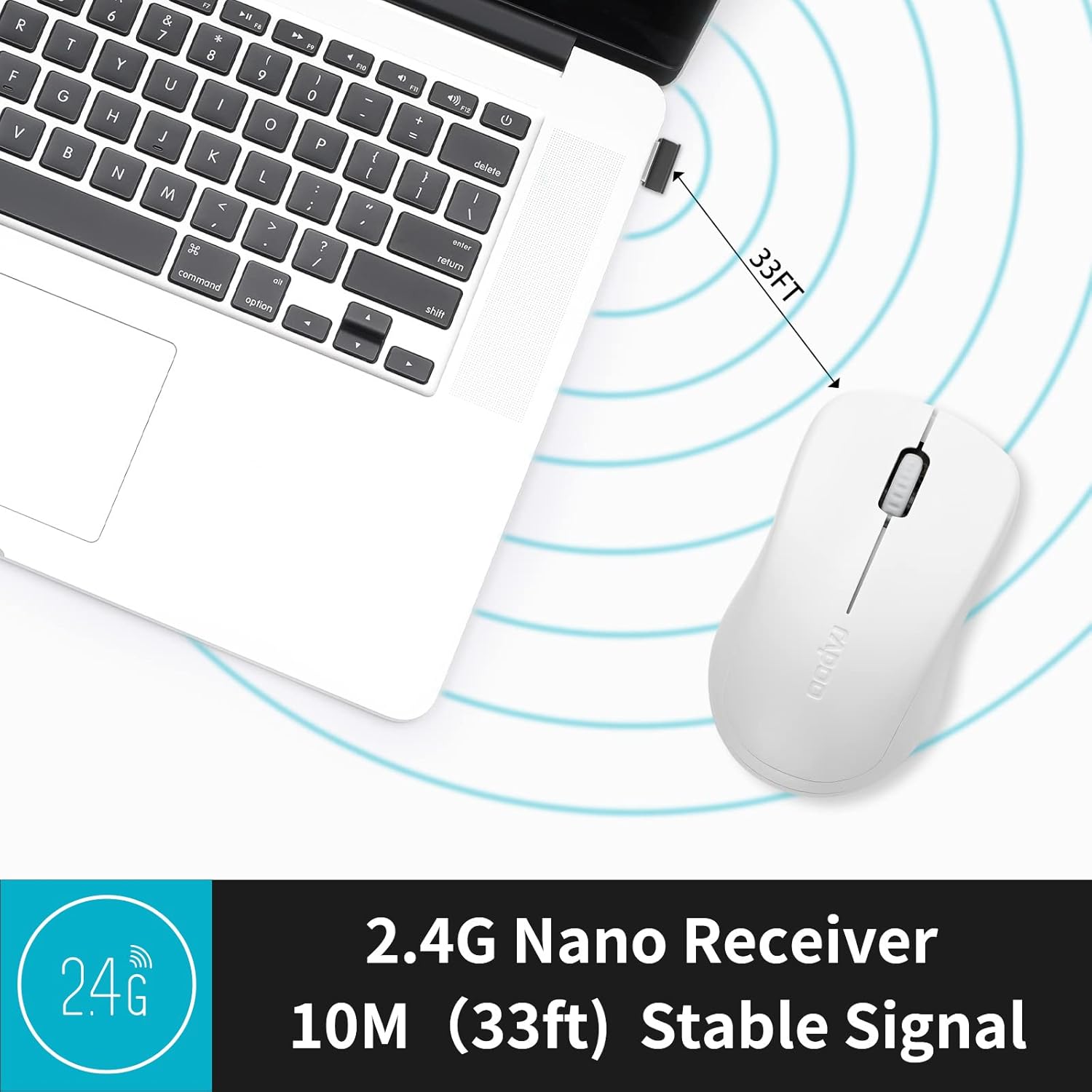
Image: The Rapoo 1680 mouse positioned beside a laptop, with its 2.4G nano receiver securely inserted into a USB port, demonstrating a stable wireless connection up to 33 feet.
3. Ein-/Ausschalten
Locate the ON/OFF switch on the underside of the mouse. Slide the switch to the 'ON' position to activate the mouse. To conserve battery life when not in use, slide the switch to the 'OFF' position.
Bedienungsanleitung
Grundfunktionen
The Rapoo 1680 mouse features standard left and right click buttons and a scroll wheel. The 1000 DPI optical tracking engine provides responsive and smooth cursor control.

Bild: Eine Nahaufnahme view of the Rapoo 1680 mouse, emphasizing its quiet click functionality with reduced sound while maintaining the tactile click feel.
Leiser Betrieb
The Rapoo 1680 is designed for silent operation, significantly reducing click noise. This feature is beneficial in quiet environments such as libraries, offices, or homes where minimizing sound is desired.

Image: A person using the Rapoo 1680 mouse while studying in a library, highlighting the mouse's silent click feature for undisturbed work.
Ergonomisches Design
The mouse features an ergonomic and symmetrical design, providing a comfortable grip for both left and right-handed users. Its lightweight and compact form factor makes it suitable for extended use and portability.
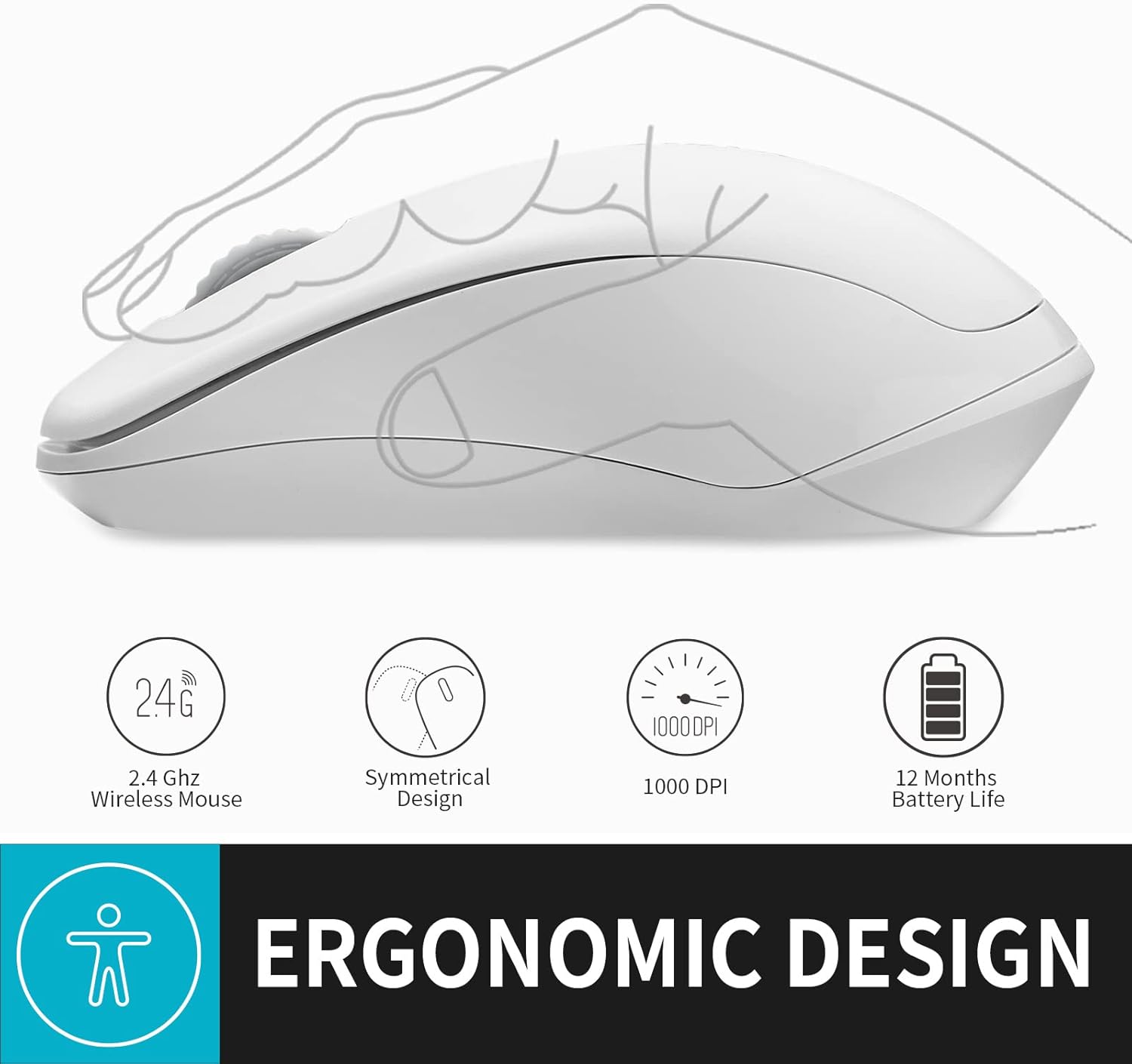
Abbildung: Eine Illustration zeigtasing the ergonomic and symmetrical design of the Rapoo 1680 mouse, indicating comfort for both left and right hands.
Breite Kompatibilität
The Rapoo 1680 offers broad compatibility with various operating systems, including Windows, Mac OS, Linux, and Chrome OS, ensuring plug-and-play functionality across different devices.

Image: Icons for Windows, Mac OS, Linux, and Chrome OS, demonstrating the Rapoo 1680 mouse's universal plug-and-play compatibility with various operating systems.
Offizielles Produktvideo
Video: An official product video from RAPOO showcasing the features and silent operation of the wireless mouse. This video demonstrates the mouse's ease of use and quiet clicks in various settings.
Wartung
Batterielebensdauer und Austausch
The Rapoo 1680 is designed for high energy efficiency, providing up to 12 months of battery life with a single AA battery. When the mouse stops responding or performance degrades, replace the AA battery. Remember to turn off the mouse when not in use to extend battery life.

Image: An illustration of the Rapoo 1680 mouse with a battery icon, highlighting its extended battery life of up to 12 months with one AA battery.
Reinigung
Reinigen Sie Ihre Maus mit einem weichen, trockenen Tuch. Bei hartnäckigem Schmutz kann ein leicht feuchtes Tuch hilfreich sein.amp cloth can be used. Avoid using harsh chemicals or abrasive cleaners, as these can damage the mouse's surface.
Fehlerbehebung
Maus reagiert nicht
- Ensure the mouse is turned 'ON' using the switch on the underside.
- Prüfen Sie, ob der USB-Empfänger fest an einen funktionierenden USB-Anschluss Ihres Computers angeschlossen ist.
- Replace the AA battery if the current one is depleted.
- Try plugging the USB receiver into a different USB port or a different computer to rule out port or computer issues.
- Stellen Sie sicher, dass sich keine starken drahtlosen Störquellen in der Nähe befinden.
Die Cursorbewegung ist unregelmäßig
- Reinigen Sie den optischen Sensor an der Unterseite der Maus mit einem weichen, trockenen Tuch.
- Stellen Sie sicher, dass Sie die Maus auf einer geeigneten Oberfläche verwenden. Stark reflektierende oder transparente Oberflächen können die Abtastung beeinträchtigen.
Technische Daten
| Technische Daten | 4.33 x 2.56 x 1.57 Zoll |
| Artikelgewicht | 2.05 Unzen |
| Artikelmodellnummer | RAPOO 1680 |
| Batterien | 1 AA-Batterie erforderlich (im Lieferumfang enthalten) |
| Konnektivitätstechnologie | 2.4 GHz kabellos (USB-Empfänger) |
| Bewegungserkennungstechnologie | Optisch (1000 DPI) |
| Besondere Merkmale | Ergonomic Design, Lightweight, Portable, Silent Click |

Image: A diagram illustrating the physical dimensions of the Rapoo 1680 mouse, including its length, width, and height.
Garantie und Support
Rapoo Technology is committed to providing high-quality products. This product comes with a 1-year worry-free warranty and a 30-day money-back guarantee. For any questions or support needs, please contact our customer service. We offer 24-hour email contact service and free replacement for eligible issues.
For further assistance, please refer to the contact information provided with your purchase or visit the official Rapoo webWebsite.


