1. Einleitung
Thank you for choosing the Havit HV-MS989GT Wireless Optical Mouse. This manual provides essential information for the proper setup, operation, and maintenance of your new device. Please read it thoroughly before use and retain it for future reference.
2. Sicherheitshinweise
- To protect the mouse, avoid using it on rough surfaces. A high-quality mouse pad is recommended for optimal performance and longevity.
- The optical sensor emits a strong light. Do not direct the light towards your eyes or the eyes of others.
- The mouse contains precise electronic components. Do not twist, disassemble, or attempt to repair the mouse yourself, as this may shorten its service life or cause damage.
- Halten Sie das Gerät von Wasser und anderen Flüssigkeiten fern.
- Setzen Sie das Gerät keinen extremen Temperaturen aus.
3. Packungsinhalt
Bitte überprüfen Sie den Packungsinhalt nach dem Öffnen:
- Havit HV-MS989GT Wireless Optical Mouse
- USB Nano Empfänger
- AA-Batterie (kann vorinstalliert oder separat enthalten sein)
- Benutzerhandbuch (dieses Dokument)
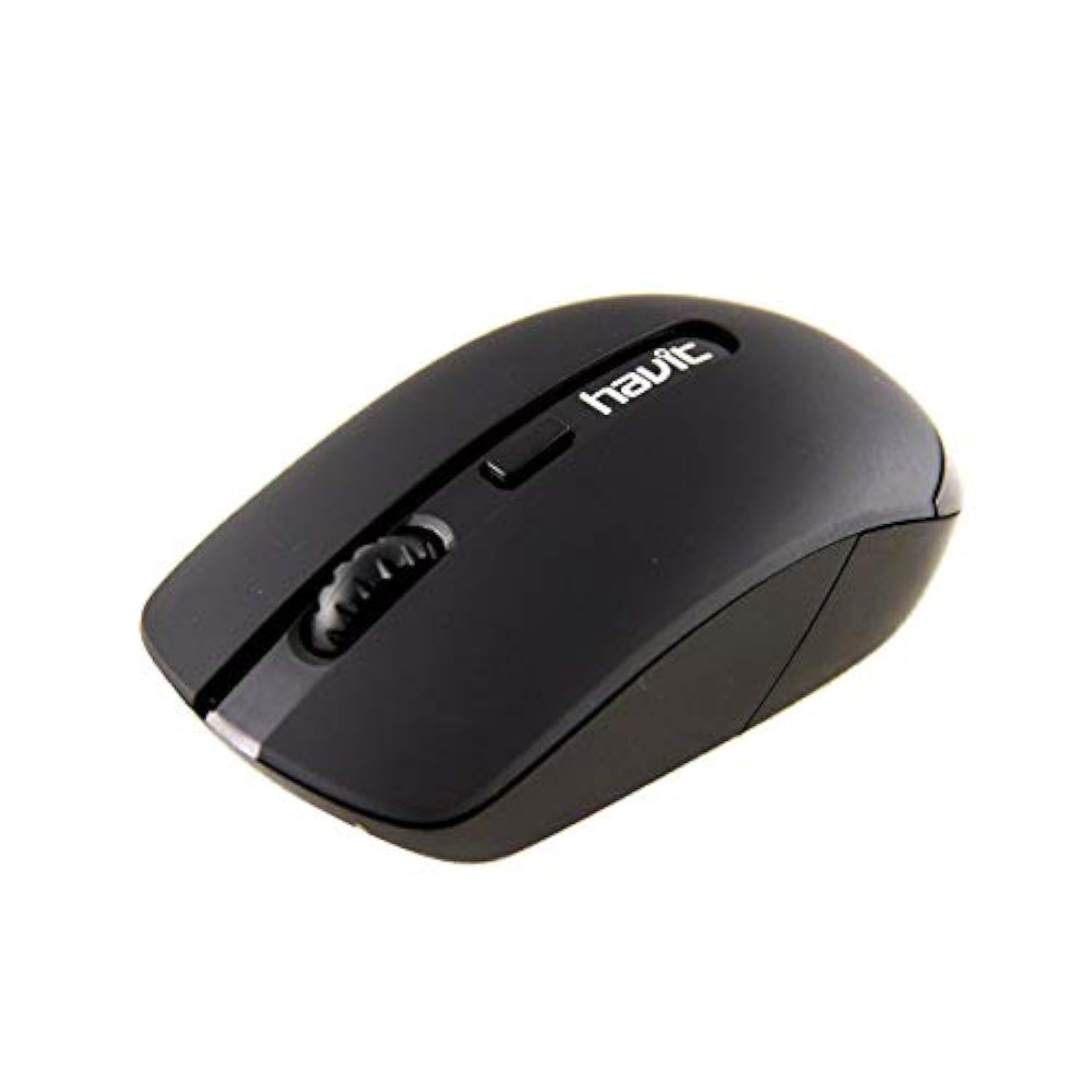
Image 1: Havit HV-MS989GT Wireless Optical Mouse in its retail packaging.
4. Produktüberschreitungview
The Havit HV-MS989GT is a 2.4 GHz wireless optical mouse designed for comfort and precision. It features an ambidextrous design, making it suitable for both left and right-handed users.
- Linke Taste: Standard-Klickfunktion.
- Rechter Knopf: Standardmäßige Rechtsklick-Funktion.
- Scrollrad: For scrolling documents and web Seiten. Kann auch als mittlere Maustaste fungieren.
- Optischer Sensor: Located on the underside for precise tracking.
- Batteriefach: Befindet sich an der Unterseite der Maus.
- Speicher für USB-Nano-Empfänger: A dedicated slot on the underside of the mouse for convenient storage of the receiver when not in use or during travel.

Bild 2: Nahaufnahme view of the Havit HV-MS989GT mouse, highlighting the scroll wheel and main buttons.
5. Einrichtung
- Batterie einlegen: Öffnen Sie das Batteriefach an der Unterseite der Maus. Legen Sie eine AA-Batterie ein und achten Sie dabei auf die richtige Polarität (+/-). Schließen Sie das Fach.
- USB-Empfänger anschließen: Remove the USB Nano Receiver from its storage slot on the underside of the mouse. Plug the receiver into an available USB port on your computer (PC or laptop).
- Einschalten: The mouse should automatically power on and connect to the receiver. If there is an ON/OFF switch, ensure it is in the "ON" position. Your computer's operating system will typically install the necessary drivers automatically.
- Testfunktionalität: Move the mouse to check if the cursor responds on your screen. If not, refer to the Troubleshooting section.
6. Bedienungsanleitung
- Drahtloser Betrieb: The mouse operates using 2.4 GHz wireless technology, providing a stable connection up to 8 meters from the USB receiver.
- Beidhändiges Design: The ergonomic design allows for comfortable use by both left-handed and right-handed individuals.
- Automatische Schlaffunktion: To conserve battery life, the mouse features an integrated automatic sleep function. If inactive for a period, it will enter a low-power sleep mode. To wake it up, simply move the mouse or click any button.
- DPI-Empfindlichkeit: The mouse provides a resolution range of 800-1600 DPI for precise and quick tracking.
- Systemkompatibilität: Compatible with Windows 2000, XP, Vista, Windows 7, Windows 8, Windows 10, Linux, and Mac operating systems.
7. Wartung
- Reinigung: Reinigen Sie die Maus mit einem weichen, trockenen Tuch. Vermeiden Sie die Verwendung von scharfen Chemikalien oder scheuernden Materialien.
- Batteriewechsel: When the mouse performance degrades or it stops responding, replace the AA battery. Ensure proper polarity when inserting the new battery.
- Aufbewahrung für Empfänger: Always store the USB Nano Receiver in its dedicated slot on the mouse when traveling or not in use to prevent loss.
- Optimale Oberfläche: For best tracking performance and to protect the optical sensor, use the mouse on a clean, smooth surface, preferably with a high-quality mouse pad.
8. Fehlerbehebung
| Problem | Mögliche Lösung |
|---|---|
| Mouse not responding or cursor not moving. |
|
| Unregelmäßige Cursorbewegung. |
|
| Die Maus verliert häufig die Verbindung. |
|
9. Spezifikationen
| Marke | Havit |
| Modellnummer | HV-MS989GT |
| Maustyp | Optische Maus |
| Konnektivität | Drahtlos (2.4 GHz) |
| Drahtlose Distanz | 8 Meter |
| Abmessungen (L x B x H) | 104 × 58 × 37 mm |
| Anzahl der Tasten | 4 |
| DPI Resolution | 800-1600 DPI |
| Schlüssellebensdauer | 1,000,000 Klicks |
| Stromversorgung | 1x AA Batterie |
| Unterstützte Betriebssysteme | Windows 2000, XP, Vista, Windows 7, Windows 8, Windows 10, Linux, Mac |
| Handausrichtung | Beidhändig |
10. Garantie und Support
For warranty information, please refer to the warranty card included with your product or contact your retailer. You may also visit the official Havit webWebsite mit Supportressourcen und Kontaktinformationen.
For additional assistance, please contact Havit customer support through their official channels.