Einführung
This manual provides detailed instructions for the Superior Electronics Ready5 Smart Universal Remote Control, Model SUPTRB019. This remote is designed for immediate use with a wide range of LG, Samsung, Sony, Philips, and Panasonic televisions, eliminating the need for complex programming.
Zu den Hauptmerkmalen gehören:
- Universal compatibility with major TV brands (LG, Samsung, Sony, Philips, Panasonic).
- Ready-to-use functionality; no programming required.
- Full Smart TV compatibility for enhanced control.
- Dedicated quick access buttons for popular streaming services like Netflix and Prime Video.
- Ergonomic design with intuitive button layout for comfortable and immediate operation.
- Hergestellt aus langlebigen Materialien für langlebige Leistung.

Image: The Superior Electronics Ready5 Smart Universal Remote Control shown in its retail packaging, highlighting its "Ready to Use" feature and compatibility with various TV brands.
Aufstellen
1. Batterien einlegen
The remote control requires two (2) AAA batteries (not included). Follow these steps to insert them correctly:
- Suchen Sie die Batteriefachabdeckung auf der Rückseite der Fernbedienung.
- Schieben Sie den Deckel nach unten oder drücken Sie den Riegel (falls vorhanden), um das Fach zu öffnen.
- Insert two AAA batteries, ensuring that the positive (+) and negative (-) terminals align with the indicators inside the compartment. Incorrect polarity can prevent the remote from functioning.
- Schieben Sie den Batteriefachdeckel wieder an seinen Platz, bis er sicher einrastet.

Bild: Rückseite view of the remote control, illustrating the location of the battery compartment for easy access and battery insertion.
2. Erstgebrauch
The Superior Electronics Ready5 Smart remote control is designed for immediate use with compatible LG, Samsung, Sony, Philips, and Panasonic TVs. Once the batteries are correctly inserted, the remote is ready to operate your television without any additional programming or setup. Simply point the remote at your TV and begin using its functions.
Bedienungsanleitung
This section details the primary functions of the buttons on your Ready5 Smart remote control.

Bild: Vorderseite view of the Superior Electronics Ready5 Smart remote control, displaying all buttons and their layout for easy identification.
Tastenfunktionen Überview
| Taste | Funktion |
|---|---|
| Leistung (●) | Schaltet den Fernseher ein oder aus. |
| Eingang | Wählt die Eingangsquelle aus (HDMI, AV usw.). |
| Smart Video / NET.TV | Direct access to Smart TV features or specific streaming apps. |
| 3D | Aktiviert oder deaktiviert den 3D-Modus (sofern vom Fernseher unterstützt). |
| Führung | Zeigt den elektronischen Programmführer an. |
| Speisekarte | Öffnet das Hauptmenü des Fernsehers. |
| Subt. | Schaltet Untertitel ein oder aus. |
| Favorit | Greift auf die Liste der Lieblingskanäle zu. |
| Info | Zeigt Informationen über das aktuelle Programm oder die aktuelle Eingabe an. |
| Navigation (Hoch, Runter, Links, Rechts, OK) | Navigiert durch Menüs und bestätigt Auswahlen. |
| Zurück | Kehrt zum vorherigen Bildschirm oder Menü zurück. |
| Ausfahrt | Beendet das aktuelle Menü oder die aktuelle Anwendung. |
| Lautstärke +/- | Regelt die Lautstärke nach oben oder unten. |
| Stumm | Schaltet den Fernsehton stumm oder hebt die Stummschaltung auf. |
| Ch +/- | Ändert den Kanal nach oben oder unten. |
| Nummernblock (0-9) | Direkte Eingabe von Kanalnummern oder numerischen Eingaben. |
| Liste | Zeigt eine Liste von Kanälen oder Medien an. |
| Netflix | Startet direkt die Netflix-Anwendung. |
| Prime Video | Directly launches the Amazon Prime Video application. |
| Farbtasten (Rot, Grün, Gelb, Blau) | Functions vary depending on the TV model and current menu/application. |
| Media Control (Play, Pause, Stop, Rewind, Fast Forward, Record) | Controls media playback (e.g., USB, streaming apps). |
Smart TV and Streaming Access
The Ready5 Smart remote is designed to seamlessly integrate with your Smart TV's functionalities. Use the navigation buttons to browse Smart TV menus and applications. The dedicated Netflix and Prime Video buttons provide instant access to these popular streaming platforms, allowing you to start watching your favorite content with a single press.
Wartung
Reinigen der Fernbedienung
Um eine optimale Leistung und Langlebigkeit Ihrer Fernbedienung zu gewährleisten, beachten Sie bitte folgende Reinigungshinweise:
- Vor der Reinigung immer die Batterien entfernen.
- Verwenden Sie ein weiches, trockenes Tuch, um die Oberfläche der Fernbedienung abzuwischen.
- Bei hartnäckigen Verschmutzungen leicht dampBefeuchten Sie das Tuch mit Wasser oder einem milden, nicht scheuernden Reinigungsmittel. Vermeiden Sie übermäßige Feuchtigkeit.
- Verwenden Sie keine scharfen Chemikalien, Scheuermittel oder Lösungsmittel, da diese die Oberfläche der Fernbedienung oder interne Bauteile beschädigen können.
- Ensure the remote is completely dry before reinserting batteries.
Batteriepflege und -austausch
Replace batteries when the remote's response becomes sluggish or it stops functioning. Always replace both batteries at the same time with new AAA batteries. Do not mix old and new batteries, or different types of batteries. Dispose of used batteries responsibly according to local regulations.
Fehlerbehebung
If you encounter issues with your Ready5 Smart remote control, refer to the following common problems and solutions:
Fernbedienung reagiert nicht
- Batterien prüfen: Stellen Sie sicher, dass die Batterien korrekt mit der richtigen Polarität (+/-) eingelegt und nicht leer sind. Ersetzen Sie sie gegebenenfalls durch neue AAA-Batterien.
- Sichtlinie: Make sure there are no obstructions between the remote control and the TV's infrared receiver. Point the remote directly at the TV.
- Distanz: Stellen Sie sicher, dass Sie sich innerhalb der effektiven Reichweite (bis zu 10 Meter) befinden.
- TV-Leistung: Confirm that your TV is powered on and not in standby mode.
Bestimmte Tasten funktionieren nicht
- Allgemeine Funktionalität: If most buttons work but a few do not, it might indicate a specific TV model's lack of support for that particular function via universal remote, or a dirty contact under the button.
- Smart TV/Streaming Buttons: Ensure your TV is a Smart TV and has the respective applications (Netflix, Prime Video) installed and updated.
Kompatibilitätsprobleme
The Ready5 Smart remote is pre-programmed for LG, Samsung, Sony, Philips, and Panasonic TVs manufactured from 2000 onwards. If your TV is from a different brand or an older model, full functionality may not be guaranteed. No programming is required for the listed compatible brands.
Technische Daten
| Besonderheit | Detail |
|---|---|
| Modellname | Ready5 Smart |
| Modellnummer | SUPTRB019 |
| Marke | Superior Electronics |
| Kompatible Geräte | LG, Samsung, Sony, Philips, Panasonic Televisions (models from 2000 onwards) |
| Konnektivitätstechnologie | Infrarot (IR) |
| Stromquelle | 2 x AAA-Batterien (nicht enthalten) |
| Maximale Reichweite | 10 Meter (ca. 33 Fuß) |
| Technische Daten | 5 x 1.5 x 19 cm (ca. 1.97 x 0.59 x 7.48 Zoll) |
| Gewicht | 100 Gramm (ca. 3.53 Unzen) |
| Farbe | Schwarz |
| Besonderheit | Universal, immediately ready for use (no programming) |
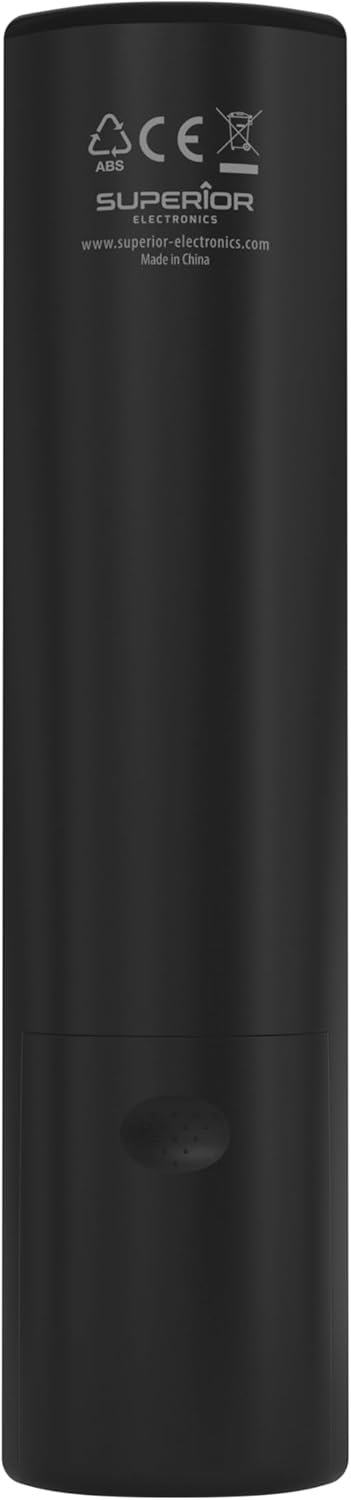
Image: The remote control with its approximate dimensions (4.8 cm width, 19.5 cm length) highlighted for reference.
Garantieinformationen
Specific warranty details for the Superior Electronics Ready5 Smart Universal Remote Control are typically provided with your purchase documentation or can be found on the official Superior Electronics webBitte konsultieren Sie diese Ressourcen für umfassende Informationen zu Garantieumfang, Bedingungen und Konditionen.
Unterstützung
For further assistance, technical support, or additional product information, please visit the official Superior Electronics webSie können sich auch an den Kundendienst wenden. Die Kontaktdaten finden Sie in der Regel auf der Produktverpackung oder beim Hersteller. webWebsite.
Manufacturer: Superior Electronics
Weitere Informationen finden Sie unter Superior Electronics Store on Amazon.


