1. Einleitung
Thank you for choosing the SCS Sentinel DigiThermo Indoor/Outdoor Digital Thermometer. This device provides reliable and accurate temperature readings for both your indoor environment and an outdoor location via a wireless sensor. Please read this manual carefully before use to ensure proper operation and longevity of your product.

Figure 1: The SCS Sentinel DigiThermo main display unit and its accompanying wireless outdoor sensor.
2. Packungsinhalt
Bitte überprüfen Sie nach dem Öffnen der Verpackung, ob alle Komponenten vorhanden und unbeschädigt sind:
- 1 x DigiThermo Main Display Unit
- 1 x Drahtloser Außensensor
- Benutzerhandbuch (dieses Dokument)
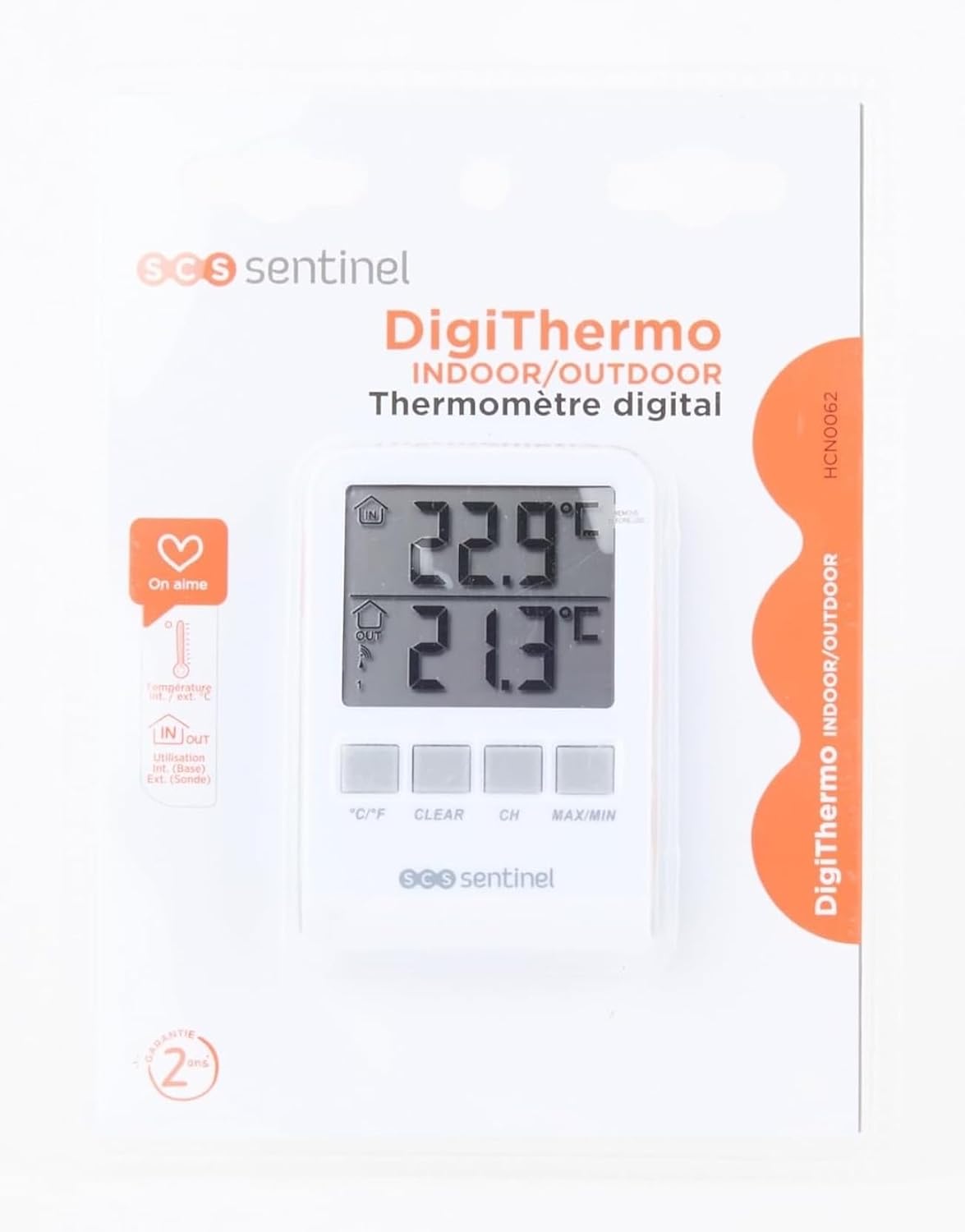
Figure 2: The DigiThermo thermometer and sensor as packaged for retail.
3. Produktüberschreitungview
3.1 Hauptanzeigeeinheit
The main unit features a large digital display and control buttons for easy operation.

Abbildung 3: Vorderseite view of the main display unit, showing the dual temperature display and control buttons.
- IN Display: Zeigt die Innentemperatur an.
- OUT Display: Shows outdoor temperature received from the wireless sensor.
- °C/°F-Taste: Schaltet zwischen Celsius und Fahrenheit um.
- CLEAR-Taste: Clears recorded MIN/MAX temperatures.
- CH-Taste: Selects sensor channel (if multiple sensors are used, though this model typically uses one).
- MAX/MIN-Taste: Displays maximum and minimum recorded temperatures.
- Batteriefach: Befindet sich auf der Rückseite.
- Stand: Fold-out stand for desktop placement.
- Wandbefestigungsloch: Zum Aufhängen des Geräts.
- Magnete: For attaching to metallic surfaces like a refrigerator.
3.2 Drahtloser Außensensor
The compact outdoor sensor transmits temperature data wirelessly to the main unit.

Figure 4: The wireless outdoor sensor, designed for discreet placement.
- Temperatursensor: Misst die Umgebungstemperatur.
- Übertragungsanzeige: LED light (if present) to show data transmission.
- Batteriefach: Befindet sich auf der Rückseite.
- Wandbefestigungsloch: For hanging the sensor.
4. Einrichtung
4.1 Einlegen der Batterie
Both the main unit and the outdoor sensor require 2 x AAA batteries each (total 4 AAA batteries, not included).
- Open the battery compartment cover on the back of both the main unit and the outdoor sensor.
- Insert 2 x AAA batteries into each device, ensuring correct polarity (+ and -).
- Schließen Sie die Batteriefachabdeckungen sicher.
4.2 Platzierung der Sensoren
For optimal performance, consider the following when placing the outdoor sensor:
- Place the sensor in a shaded area, away from direct sunlight, rain, and other heat sources (e.g., vents, windows).
- Ensure the sensor is within the wireless transmission range (typically up to 60 meters in open air) of the main unit. Walls and obstacles can reduce this range.
- Mount the sensor vertically using the integrated wall mount hole or place it on a stable surface.

Abbildung 5: Bspample placement of the main unit indoors and the wireless sensor mounted on an exterior wall, protected from direct elements.
4.3 Erste Synchronisierung
After installing batteries, the main unit will automatically detect and display the outdoor temperature. If not:
- Stellen Sie sicher, dass beide Geräte über frische Batterien verfügen.
- Place the outdoor sensor close to the main unit.
- Press the "CH" button on the main unit to initiate a search for the sensor.
- If synchronization fails, remove batteries from both units, wait a few minutes, then reinsert batteries into the outdoor sensor first, followed by the main unit.
5. Bedienungsanleitung
5.1 Displaying Current Temperatures
Once synchronized, the main unit will continuously display the indoor temperature (IN) and the outdoor temperature (OUT) on its dual screen.

Figure 6: The main display unit positioned on a shelf, clearly showing indoor and outdoor temperature readings.
5.2 Schalttemperatureinheiten (°C/°F)
Drücken Sie die ° C / ° F button on the front of the main unit to toggle between Celsius and Fahrenheit temperature scales.
5.3 Viewing Maximum and Minimum Temperatures
The device records the highest (MAX) and lowest (MIN) temperatures since the last reset.
- Drücken Sie die MAX/MIN button once to display the maximum recorded indoor and outdoor temperatures.
- Drücken Sie die MAX/MIN button again to display the minimum recorded indoor and outdoor temperatures.
- Drücken Sie die MAX/MIN button a third time to return to current temperature display.
5.4 Clearing MAX/MIN Records
While MAX or MIN temperatures are displayed, press the KLAR button to reset the recorded maximum and minimum values. New recording will begin from the current temperature.
6. Wartung
- Reinigung: Wischen Sie die Geräte mit einem weichen, fusselfreien Tuch ab.amp Tuch. Keine Scheuer- oder Lösungsmittel verwenden.
- Batteriewechsel: Tauschen Sie die Batterien in beiden Geräten aus, sobald die Anzeige für niedrigen Batteriestand erscheint. Ersetzen Sie immer alle Batterien gleichzeitig.
- Lagerung: Wenn Sie das Gerät über einen längeren Zeitraum lagern, entfernen Sie alle Batterien, um ein Auslaufen zu verhindern.
- Umweltschutz: Ensure the outdoor sensor is protected from extreme weather conditions (heavy rain, snow, direct prolonged sunlight) to prolong its lifespan.
7. Fehlerbehebung
| Problem | Mögliche Ursache | Lösung |
|---|---|---|
| Kein Display am Hauptgerät. | Tote oder falsch eingelegte Batterien. | Batteriepolung prüfen; durch neue AAA-Batterien ersetzen. |
| Outdoor temperature not displayed or flashing. | Sensor out of range, dead batteries in sensor, or interference. |
|
| Ungenaue Temperaturmessungen. | Sensor, der direkter Sonneneinstrahlung, Wärmequellen oder schlechter Belüftung ausgesetzt ist. | Relocate the sensor to a shaded, well-ventilated area away from direct heat or cold sources. |
8. Spezifikationen
| Besonderheit | Detail |
|---|---|
| Modellnummer | HCN0062 |
| Marke | SCS SENTINEL |
| Produktabmessungen (Haupteinheit) | 2.2 x 7 x 9.7 cm |
| Gewicht | 105 g |
| Temperaturbereich | -30°C bis 60°C |
| Stromquelle | 4 x AAA-Batterien (2 für die Haupteinheit, 2 für den Sensor) |
| Konnektivitätstechnologie | Kabellos |
| Besondere Merkmale | Large display, High accuracy, MAX/MIN record, Wall mountable, Table stand, Magnetic attachment |
| Material | Plastik |
| Farbe | Weiß |
| Ursprungsland | China |

Figure 7: Packaging detail showing technical specifications and compliance information.
9. Garantie und Support
SCS Sentinel guarantees the reliability of its technical products. For installation assistance or technical support, please contact SCS Sentinel customer service. Your satisfaction is our priority.
- Garantie: Information regarding warranty duration and terms can typically be found on the product packaging or the official SCS Sentinel webWebsite.
- Technische Unterstützung: Refer to the contact information provided on the product packaging or the official SCS Sentinel webWebsite für technische Unterstützung.


