1. Produktüberschreitungview
The Risco RW132I04000A is a wireless Input/Output (I/O) module designed to expand the capabilities of Risco Agility security systems. This module allows for the addition of extra zones and outputs, enabling the connection of supplementary wired peripherals to your wireless security system.
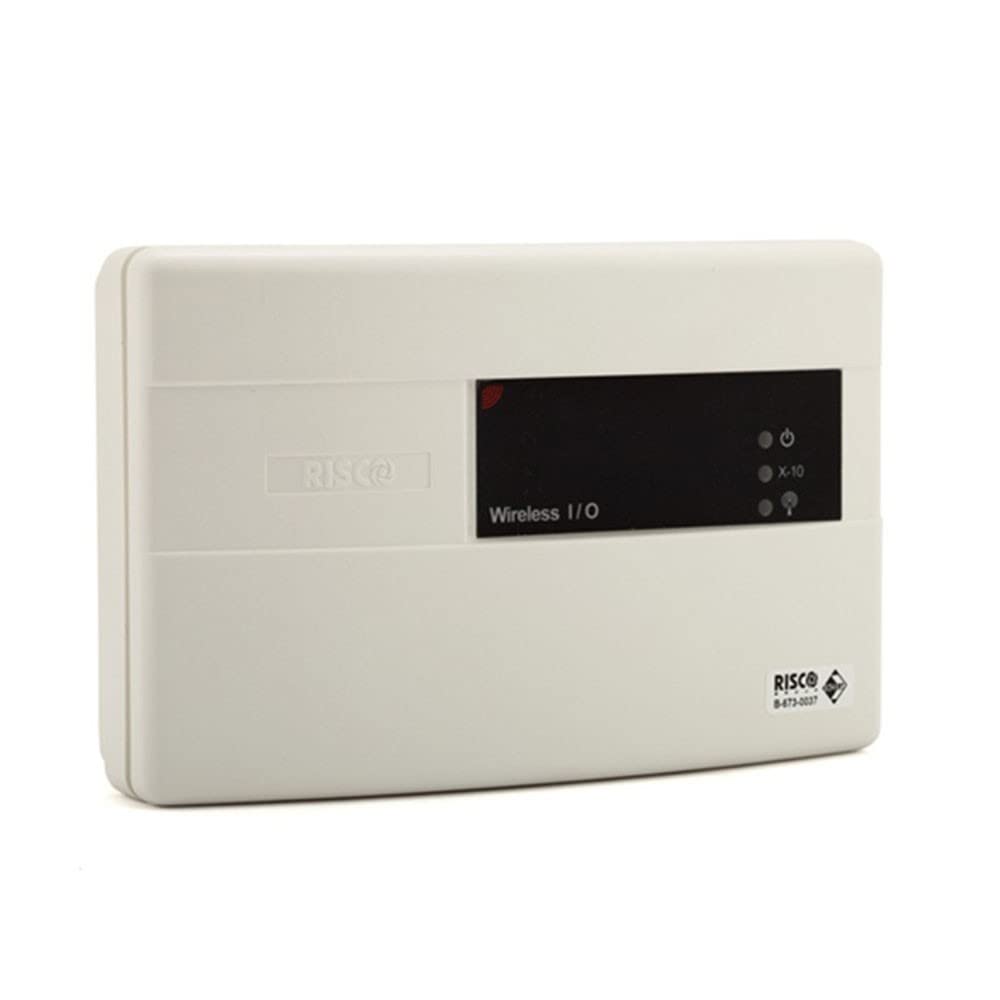
Image showing the Risco RW132I04000A Wireless I/O Module, a compact white device with connection ports.
Zu den Hauptmerkmalen gehören:
- Compatibility with all versions of Risco Agility™ systems.
- Wireless communication with the central security panel.
- Wired connections for external peripherals.
- Equipped with 4 inputs (NO, NC, EOL) and 4 relay outputs (2 x 3A, 2 x 500mA).
- Includes 16 X-10 outputs for home automation integration.
2. Sicherheitshinweise
Please read and understand all safety instructions before installing or operating this device. Failure to follow these instructions may result in damage to the product, property, or personal injury.
- Die Installation sollte von einem qualifizierten Fachmann durchgeführt werden.
- Vor jeglichen Verkabelungs- oder Wartungsarbeiten die Stromzufuhr unterbrechen.
- Ensure the power supply meets the specified requirements (14.4VDC/0.5A minimum or 9VAC/0.5A minimum).
- Das Modul darf keiner Feuchtigkeit, extremen Temperaturen oder direkter Sonneneinstrahlung ausgesetzt werden.
- Außerhalb der Reichweite von Kindern aufbewahren.
3. Packungsinhalt
Überprüfen Sie, ob alle Artikel im Paket vorhanden sind:
- 1 x Risco RW132I04000A Wireless I/O Module
- 1 x X-10 Adapter
- Installation Guide (if provided separately)
4. Einrichtung und Installation
This module is designed to integrate seamlessly with Risco Agility security systems. Follow these general steps for installation:
- Montage: Choose a suitable location for the I/O module, ensuring it is within wireless range of your Agility central panel and close to the wired peripherals it will connect to. Secure the module to a wall or flat surface using appropriate fasteners.
- Wiring Peripherals: Connect your wired sensors (e.g., door contacts, motion detectors) to the 4 input terminals (NO, NC, EOL) as required by your system configuration. Connect any devices to be controlled (e.g., lights, sirens) to the 4 relay output terminals. Refer to the wiring diagrams in the detailed installation guide for specific connections.
- X-10 Integration: If utilizing home automation, connect the X-10 adapter and configure the 16 X-10 outputs according to your home automation system's requirements.
- Stromanschluss: Connect the local transformer with the rechargeable secondary battery to the module's power input. Ensure the power supply meets the specified voltage and current requirements (14.4VDC/0.5A minimum or 9VAC/0.5A minimum).
- Wireless Enrollment: Follow the instructions in your Risco Agility central panel's user manual to enroll the RW132I04000A wireless I/O module into your security system. This typically involves putting the panel into enrollment mode and activating the module.
- Testen: After installation and enrollment, thoroughly test all connected inputs and outputs to ensure proper functionality and communication with the central panel.
5. Bedienungsanleitung
The Risco RW132I04000A Wireless I/O Module functions as an extension of your Risco Agility security system. Its operation is primarily managed through the central security panel.
- Eingangsüberwachung: The module transmits the status of its 4 wired inputs (e.g., open/closed, alarm) wirelessly to the Agility central panel. These inputs will behave as configured zones within your security system.
- Ausgabesteuerung: The 4 relay outputs can be controlled by the Agility central panel based on system events (e.g., arming/disarming, alarm activation) or user commands. Refer to your Agility panel's manual for programming output actions.
- X-10 Home Automation: The 16 X-10 outputs allow for integration with X-10 compatible home automation devices. These can be controlled via the Agility panel or a dedicated X-10 controller, depending on your setup.
For detailed operation and programming of zones and outputs, consult the user manual for your specific Risco Agility central security panel.
6. Wartung
To ensure optimal performance and longevity of your Risco RW132I04000A module, follow these maintenance guidelines:
- Reinigung: Periodically wipe the module's exterior with a soft, dry cloth. Do not use abrasive cleaners or solvents.
- Verbindungsprüfungen: Annually inspect all wired connections to ensure they are secure and free from corrosion.
- Batterieprüfung: The module includes a rechargeable secondary battery. While designed for long life, monitor your Agility system for any low battery indications related to this module. Consult a professional for battery replacement if necessary.
- Firmware-Updates: If available, Risco may release firmware updates for improved performance or new features. Consult your installer or Risco support for information on updating the module's firmware.
7. Fehlerbehebung
If you encounter issues with your RW132I04000A module, consider the following troubleshooting steps:
- Kein Strom:
- Check the power supply connection and ensure the outlet is functional.
- Verify the local transformer is working correctly.
- Ensure the rechargeable secondary battery is properly connected and charged.
- Communication Issues with Central Panel:
- Ensure the module is within the wireless range of the Agility central panel.
- Check for potential sources of wireless interference.
- Re-enroll the module with the central panel if necessary.
- Wired Peripheral Malfunction:
- Inspect the wiring connections for the affected peripheral at the module.
- Test the peripheral directly to confirm it is functioning correctly.
- Verify the zone configuration in the Agility central panel.
- X-10 Control Problems:
- Check the X-10 adapter connection.
- Verify the X-10 addresses and programming in both the module and your X-10 system.
If problems persist, contact your Risco installer or Risco technical support for assistance.
8. Spezifikationen
| Modellnummer | RW132I04000A |
| Hersteller | Risco |
| Abmessungen (L x B x H) | 14.5 cm x 9 cm x 4 cm |
| Gewicht | 650 Gramm |
| Stromversorgung | 14.4VDC/0.5A minimum or 9VAC/0.5A minimum |
| Betriebstemperatur | -10°C bis 40°C |
| Eingänge | 4 (NO, NC, EOL) |
| Relaisausgänge | 2 x 3A, 2 x 500mA |
| X-10 Outputs | 16 |
| Kompatibilität | Risco Agility™ all versions |
| Ursprungsland | Frankreich |
9. Garantie und Support
For warranty information, please refer to the documentation provided with your Risco Agility security system or contact your authorized Risco dealer. Risco products typically come with a limited warranty covering defects in materials and workmanship.
For technical support, installation assistance, or to report any issues, please contact your professional installer or visit the official Risco webWebsite mit Supportressourcen und Kontaktinformationen.
Risco Official WebWebsite: www.riscogroup.com


