Einführung
This manual provides essential information for the operation and maintenance of your SOAR NHL ShockBox LED Wireless Bluetooth Speaker. Please read this manual thoroughly before using the device to ensure proper functionality and to maximize your user experience.
The SOAR NHL ShockBox LED Wireless Bluetooth Speaker is a portable audio device designed for wireless music playback and hands-free calling. It features Bluetooth 5.0 technology for stable connectivity and integrated LED lights that synchronize with audio output.
Hauptmerkmale
- Tragbares und leichtes Design: Engineered for easy transport and use in various environments.
- Premium-Stereo-Sound: Delivers clear and robust audio output.
- Bluetooth 5.0-Technologie: Ensures wireless connection to all Bluetooth-enabled devices within a range of up to 30 feet (approximately 9 meters).
- Verlängerte Akkulaufzeit: Provides over 5 hours of continuous music playback or talk time on a single charge.
- Wiederaufladbarer Akku: Equipped with a built-in rechargeable battery; a Micro USB cable is included for charging.
- Dynamische LED-Leuchten: Features multiple color LED lights that illuminate and move in sync with the rhythm of the music.
- Integrierte Freisprecheinrichtung: Includes a built-in microphone for hands-free calling.
- Officially Licensed NHL Product: Displays official NHL team branding.
Packungsinhalt
Bitte überprüfen Sie, ob alle Artikel im Paket vorhanden sind:
- SOAR NHL ShockBox LED Wireless Bluetooth Speaker
- Micro-USB-Ladekabel
- Benutzerhandbuch (dieses Dokument)
Installationshandbuch
Aufladen des Lautsprechers
- Locate the Micro USB charging port on the speaker.
- Connect the included Micro USB cable to the speaker's charging port.
- Verbinden Sie das andere Ende des USB-Kabels mit einer kompatiblen USB-Stromquelle (z. B. USB-Anschluss am Computer, USB-Netzteil).
- The LED indicator will typically show charging status (e.g., solid red while charging, off when fully charged). A full charge provides over 5 hours of operation.
Ein-/Ausschalten
- To power on, press and hold the Power button until the LED indicator lights up and an audible prompt is heard.
- To power off, press and hold the Power button until the LED indicator turns off and an audible prompt is heard.
Bluetooth-Kopplung
- Ensure the speaker is powered on and in pairing mode (indicated by a flashing LED light and an audible prompt).
- Navigieren Sie auf Ihrem Bluetooth-fähigen Gerät (Smartphone, Tablet, Computer) zu den Bluetooth-Einstellungen.
- Aktivieren Sie Bluetooth und suchen Sie nach verfügbaren Geräten.
- Select "SOAR ShockBox" from the list of found devices.
- Once paired, the speaker will provide an audible confirmation, and the LED indicator will typically change to a solid light or a slow pulse.
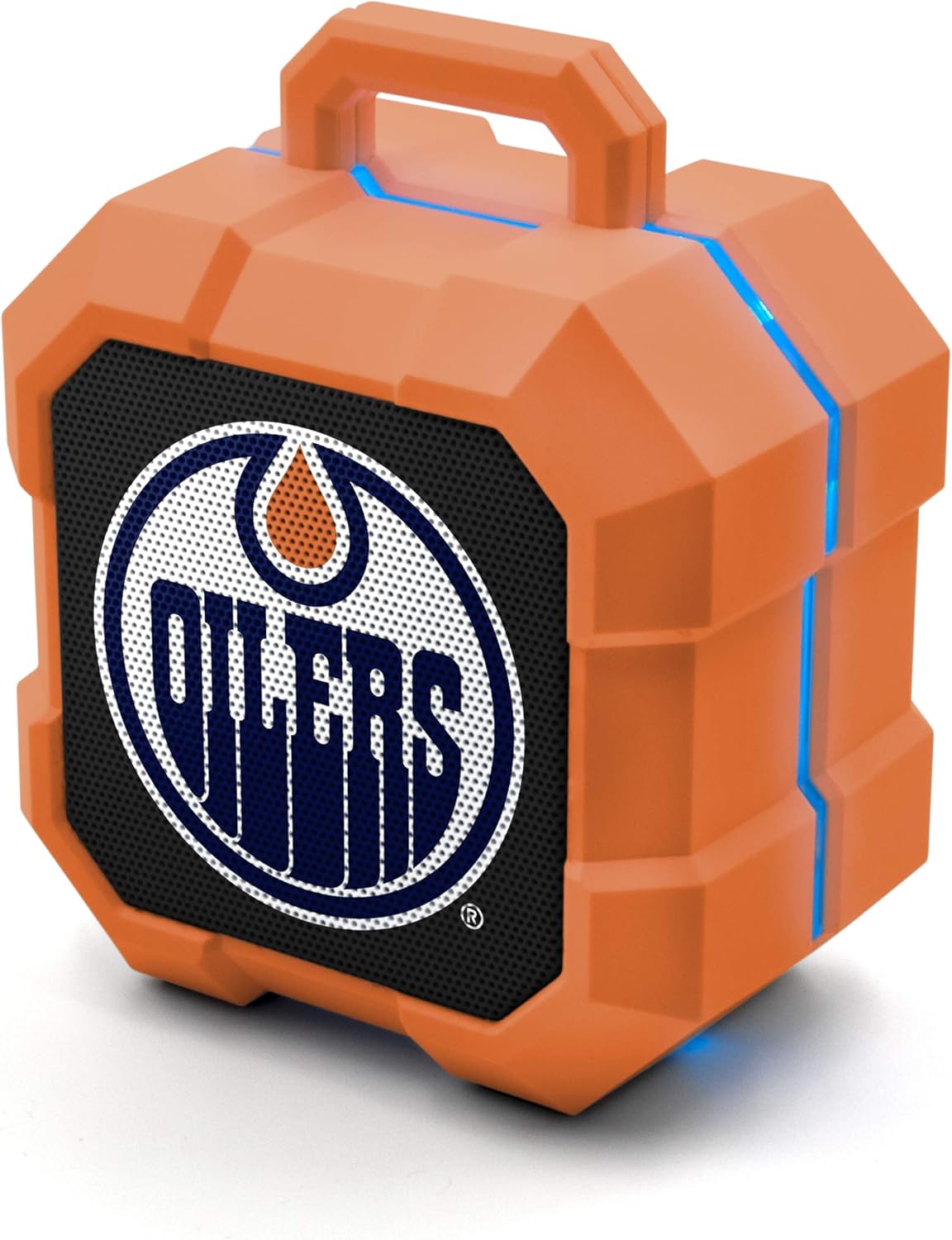
Image: The SOAR NHL ShockBox LED Wireless Bluetooth Speaker, featuring the Edmonton Oilers logo on the front grille and blue LED light accents along the top and sides. This image displays the primary product design.
Bedienungsanleitung
Musikwiedergabe
- After successful Bluetooth pairing, open your music application on your connected device and begin playback.
- Volume control is typically managed via your connected device.
- The speaker's LED lights will automatically synchronize with the music's beat.
Freisprechfunktion
- When a call is received while connected via Bluetooth, the speaker will ring.
- To answer a call, press the Multi-function button (often the Play/Pause button).
- To end a call, press the Multi-function button again.
- To reject a call, press and hold the Multi-function button.
Stereo Pairing (TWS Function)
For an enhanced audio experience, two SOAR ShockBox speakers can be paired together to create a true wireless stereo (TWS) system.
- Stellen Sie sicher, dass beide Lautsprecher ausgeschaltet sind.
- Schalten Sie beide Lautsprecher gleichzeitig ein. Sie wechseln dann in den Kopplungsmodus.
- On one of the speakers, double-press the Power button (or a dedicated TWS button if available). The speakers will attempt to connect to each other.
- Once successfully paired, an audible confirmation will be heard, and one speaker will act as the master (left channel) and the other as the slave (right channel).
- Connect your Bluetooth device to the master speaker as described in the "Bluetooth Pairing" section.

Image: This illustration demonstrates the True Wireless Stereo (TWS) function, showing two SOAR ShockBox speakers connected wirelessly to a single device for synchronized audio playback.
Pflege und Wartung
- Reinigung: Use a soft, dry cloth to clean the speaker's exterior. Do not use abrasive cleaners, solvents, or harsh chemicals.
- Lagerung: Bewahren Sie den Lautsprecher an einem kühlen, trockenen Ort fern von direkter Sonneneinstrahlung und extremen Temperaturen auf.
- Wasserbeständigkeit: Dieser Lautsprecher ist nicht wasserdicht. Vermeiden Sie den Kontakt mit Wasser, Regen oder übermäßiger Feuchtigkeit.
- Batteriepflege: Um die Akkulaufzeit zu verlängern, vermeiden Sie häufiges vollständiges Entladen des Akkus. Laden Sie den Lautsprecher regelmäßig auf, auch wenn er längere Zeit nicht benutzt wird.
- Handhabung: Do not drop, disassemble, or attempt to repair the speaker yourself. This may void the warranty and cause damage.
Fehlerbehebung
| Problem | Mögliche Ursache | Lösung |
|---|---|---|
| Der Lautsprecher lässt sich nicht einschalten. | Batterie ist leer. | Laden Sie den Lautsprecher mit dem mitgelieferten Micro-USB-Kabel auf. |
| Kopplung mit Bluetooth-Gerät nicht möglich. | Der Lautsprecher befindet sich nicht im Kopplungsmodus; Bluetooth ist am Gerät deaktiviert; das Gerät befindet sich außerhalb der Reichweite. | Ensure speaker is in pairing mode (flashing LED). Turn Bluetooth on your device. Move device closer to speaker (within 30 ft). Forget previous pairings on your device and try again. |
| Kein Ton oder geringe Lautstärke. | Die Lautstärke am Lautsprecher oder Gerät ist zu niedrig; der Lautsprecher ist nicht angeschlossen. | Increase volume on both the speaker and your connected device. Ensure the speaker is successfully paired. |
| Die LED-Leuchten funktionieren nicht. | Feature may be disabled (if applicable); malfunction. | Ensure music is playing. If the issue persists, contact customer support. |
Technische Daten
| Besonderheit | Detail |
|---|---|
| Modellnummer | NHL-BTX2-LFS |
| Bluetooth-Version | 5.0 |
| Drahtlose Reichweite | Bis zu 30 Fuß (9 Meter) |
| Akkulaufzeit | Over 5 hours (music/talk time) |
| Ladeanschluss | Micro USB |
| Lautsprecherausgang | 3W |
| Abmessungen (ca.) | 3.6 in (width) x 4.5 in (height) |
| Hersteller | Prime Brands Group Inc. |
| Zuerst verfügbar | 18. Januar 2022 |

Image: This graphic illustrates the approximate dimensions of the SOAR ShockBox speaker, showing a width of 3.6 inches and a height of 4.5 inches.

Image: A visual representation highlighting the 3-watt speaker driver, emphasizing its compact size while delivering significant audio output.
Garantie und Support
For warranty information and customer support, please refer to the contact details provided on the product packaging or visit the official SOAR webBewahren Sie Ihren Kaufbeleg als Kaufnachweis für eventuelle Garantieansprüche auf.
Hersteller: Prime Brands Group Inc.


