1. Einleitung
The ThermoPro TP200B is a digital indoor/outdoor thermometer designed to monitor temperature and humidity levels in your environment. This manual provides detailed instructions for setting up, operating, and maintaining your device to ensure accurate readings and optimal performance.
2. Packungsinhalt
- 1 x ThermoPro TP200B Main Unit (Indoor Display)
- 1 x Outdoor Temperature Sensor (Wireless)
- 5 x AAA-Batterien (im Lieferumfang enthalten)
- 1 x Benutzerhandbuch
3. Hauptmerkmale
- Large Backlit Display with Large Digits: Features a 3.3-inch LCD display with large digits for easy readability, even in low light conditions.
- Max/Min-Datensätze: Stores and displays maximum and minimum temperature and humidity records for the past 24 hours.
- Color Air Comfort Indicator: A visual indicator with an arrow shows current air conditions (Dry/Comfort/Wet), allowing for environmental adjustments.
- Hochpräzise Messwerte: Equipped with a premium sensor for precise temperature and humidity measurements, accurate to ±2°F and ±2-3%RH.
- Benutzerfreundliches Design: Easily adjust settings with three front-facing buttons.
- Mehrere Platzierungsoptionen: Can be wall-mounted, placed on a tabletop, or attached via magnetic back.
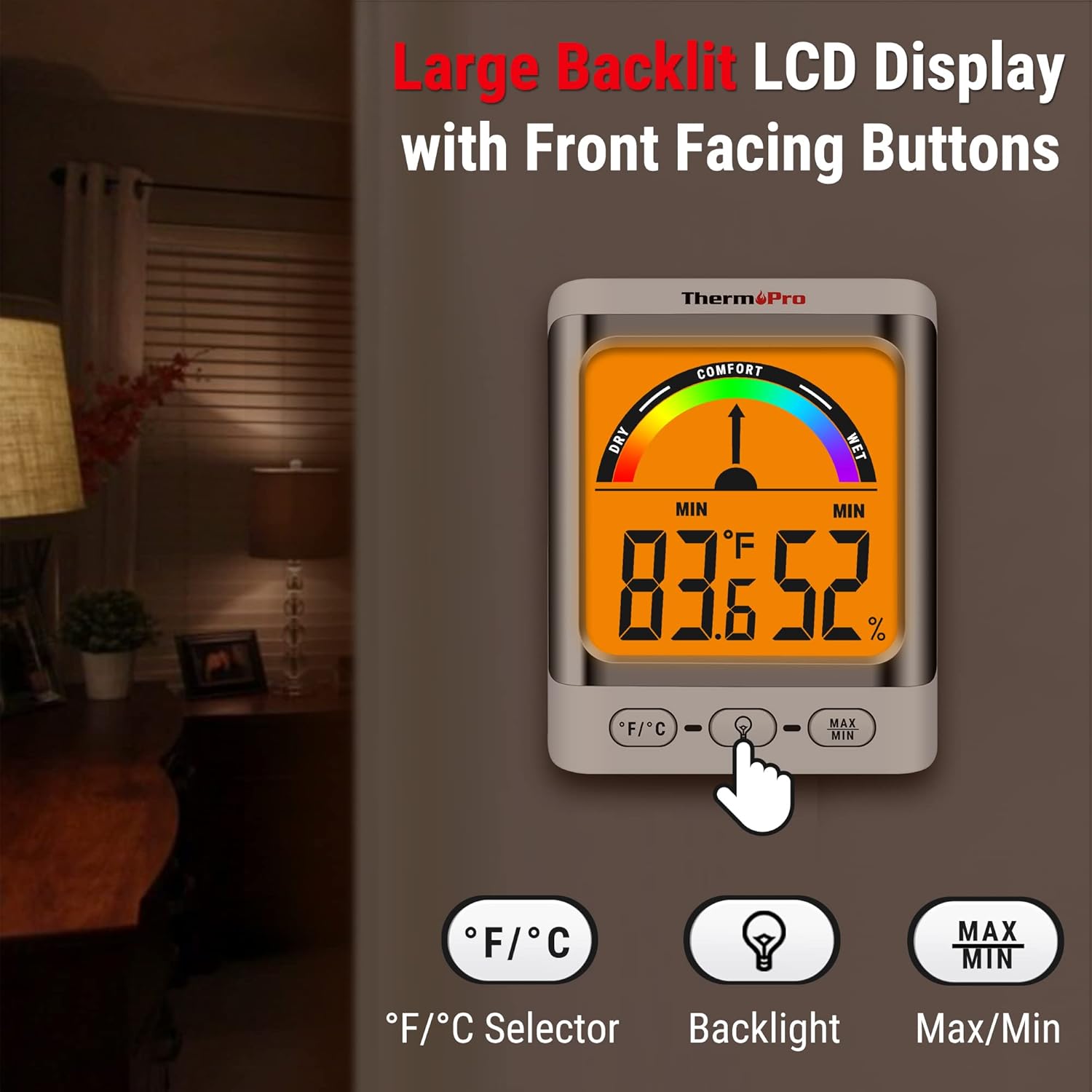
Image: The ThermoPro TP200B main unit display, highlighting the large digits, comfort indicator, and the three control buttons: °F/°C selector, Backlight, and Max/Min.
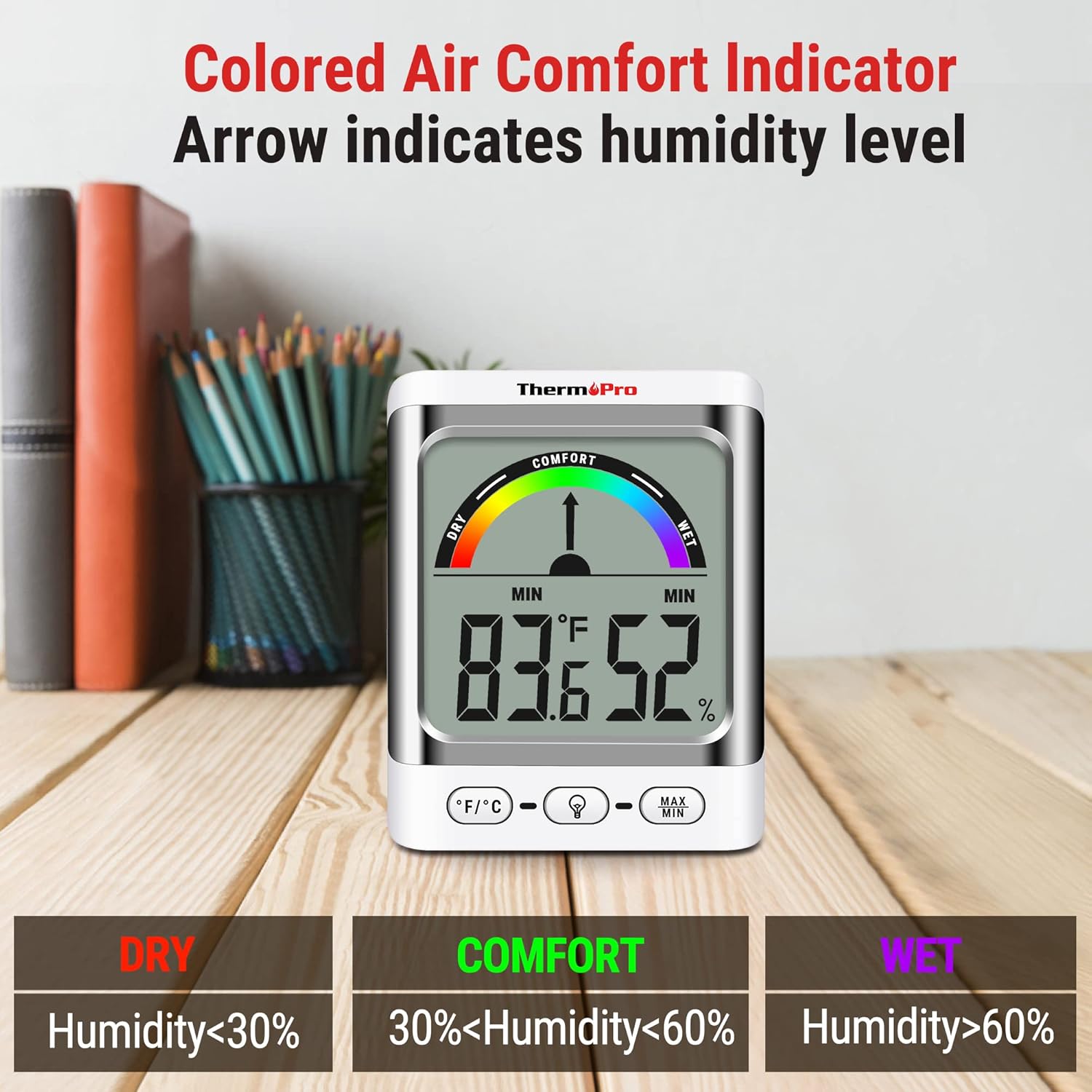
Image: A close-up of the ThermoPro TP200B display, illustrating the colored comfort indicator that visually represents dry (humidity <30%), comfort (30% < humidity < 60%), and wet (humidity >60%) conditions.
4. Einrichtung
- Einlegen der Batterie:
- Öffnen Sie das Batteriefach auf der Rückseite sowohl des Hauptgeräts als auch des Außensensors.
- Insert the provided AAA batteries, ensuring correct polarity (+/-).
- Verschließen Sie die Batteriefächer sicher.
- Sensorplatzierung:
- Place the outdoor sensor in a location that is protected from direct sunlight and precipitation for accurate readings.
- Ensure the sensor is within the 500ft wireless range of the main unit.
- Platzierung der Haupteinheit:
- The main unit can be placed on a tabletop using its integrated stand, mounted on a wall, or attached to a metallic surface via its magnetic back.
- Position the main unit in a central location indoors for optimal signal reception from the outdoor sensor.

Bild: Examples of flexible placement options for the ThermoPro TP200B, including wall mounting, magnetic attachment to a refrigerator, and freestanding on a countertop.
5. Bedienungsanleitung
5.1 Anzeige überview
The large LCD display shows indoor temperature, humidity, and the comfort level indicator. The outdoor temperature is displayed from the wireless sensor.
5.2 Tastenfunktionen
- °F/°C-Taste: Press to switch between Fahrenheit and Celsius temperature units.
- Taste für Hintergrundbeleuchtung: Press to activate the backlight for 15 seconds, improving visibility in dim conditions.
- MAX/MIN-Taste: Drücken Sie zum view the maximum and minimum temperature and humidity recorded over the past 24 hours. Press again to cycle through current, MAX, and MIN readings. Hold to reset MAX/MIN records.

Image: The ThermoPro TP200B displaying maximum and minimum temperature and humidity values, accompanied by a conceptual graph showing how these values fluctuate over a 24-hour period.
6. Wartung
- Reinigung: Wischen Sie das Gerät und den Sensor mit einem weichen, fusselfreien Tuch ab.amp Tuch. Keine Scheuermittel verwenden und das Gerät nicht in Wasser tauchen.
- Batteriewechsel: Replace batteries when the low battery indicator appears on the display. Ensure to use fresh AAA batteries.
- Lagerung: Wenn Sie das Gerät über einen längeren Zeitraum lagern, entfernen Sie die Batterien, um ein Auslaufen zu verhindern.
7. Fehlerbehebung
- Keine Anzeige/Niedriger Batteriestand: Replace all batteries in both the main unit and the outdoor sensor.
- Ungenaue Messwerte:
- Ensure the outdoor sensor is not in direct sunlight or exposed to extreme weather conditions.
- Verify the main unit and sensor are within effective range and not obstructed by thick walls or electronic interference.
- Allow both units to stabilize for 30 minutes after initial setup or battery replacement.
- No Signal from Outdoor Sensor:
- Bringen Sie die Haupteinheit oder den Sensor näher zusammen.
- Check batteries in both units.
- Reset the connection by removing batteries from both units, waiting a few minutes, then reinserting them.
8. Spezifikationen
| Besonderheit | Detail |
|---|---|
| Modellname | TP200B |
| Marke | ThermoPro |
| Besonderheit | Hohe Genauigkeit |
| Farbe | Weiß |
| Anzeigetyp | Digitales |
| Stromquelle | Batteriebetrieben (5 AAA-Batterien im Lieferumfang enthalten) |
| Temperaturgenauigkeit | ± 2 ° F (± 1.1 ° C) |
| Feuchtigkeitsgenauigkeit | ±2% from 30% to 80% RH; ±3% outside this range |
| Ansprechzeit | 0.5 Sekunden |
| Artikelgewicht | 4.2 Unzen |
| Artikellänge | 3.9 Zoll |

Image: Multiple ThermoPro TP200B units demonstrating consistent temperature and humidity readings, highlighting the specified accuracy tolerances of ±2°F (±1.1°C) for temperature and ±2% RH (30-80% range) for humidity.

Image: A visual comparison showcasing the large, compact display of the ThermoPro TP200B (3.3 inches) next to a smaller, generic thermometer (1.7 inches), emphasizing its enhanced readability.
9. Garantie und Support
ThermoPro gewährt für dieses Produkt eine Garantie gegen Material- und Verarbeitungsfehler. Ausführliche Garantieinformationen, Produktregistrierung und technischer Support finden Sie auf der offiziellen ThermoPro-Website. webBesuchen Sie die Website oder kontaktieren Sie den Kundenservice. Bewahren Sie Ihren Kaufbeleg als Kaufnachweis auf.
Official ThermoPro WebWebsite: www.thermopro.com


