1. Einleitung
Thank you for choosing the MeterMall HuntVision E3-W 3MP Indoor WiFi PT Camera. This camera is designed to provide reliable indoor surveillance with advanced features such as 3MP Full HD resolution, pan/tilt functionality, two-way audio, and smart AI detection. This manual will guide you through the setup, operation, and maintenance of your new security camera to ensure optimal performance.
The HuntVision E3-W camera offers industry-leading image quality with advanced 3MP Full HD resolution, smart AI features for accurate detection and reduced false alarms, flexible storage solutions including local and cloud options, an intuitive mobile app for complete control from anywhere, and reliable performance backed by professional-grade components.
2. Produktüberschreitungview
2.1 Hauptmerkmale
- Crystal-Clear 3MP Full HD Resolution: Enjoy sharp, detailed footage day and night with full-color vision.
- Two-Way Audio & Smart Alerts: Communicate via built-in microphone and speaker, plus trigger security camera alarms remotely through the HUNTVISION app.
- Easy Wi-Fi & Bluetooth Setup: Connects seamlessly via 2.4G WiFi and Bluetooth 4.2 for quick installation. Supports QR code or button reset.
- Flexibel Viewing & Storage Options: Switch between HD/ultra HD streams and customize playback. Supports local storage (TF card) and cloud options.
- Versatile & User-Friendly: Adjust day/night modes, flip views, and control OSD displays via app.

Figure 2.1: Key features of the HuntVision E3-W camera.
2.2 Kamerakomponenten
The HuntVision E3-W camera features a compact design with essential components for effective surveillance.
- Kameraobjektiv: Nimmt Videoaufnahmen auftage.
- Infrarot-LEDs: Für Nachtsichtfähigkeiten.
- Mikrofon: Für Audioeingabe und Zwei-Wege-Kommunikation.
- Lautsprecher: Für Audioausgabe und Zwei-Wege-Kommunikation.
- Statusanzeigeleuchte: Zeigt den Kamerastatus an (z. B. Stromversorgung, Verbindung).
- Reset-Taste: Wird verwendet, um die Kamera auf die Werkseinstellungen zurückzusetzen.
- Micro-SD-Kartensteckplatz: For local video storage (TF card).
- Stromanschluss: Zum Anschluss des Netzteils.

Abbildung 2.2: Vorderseite view of the HuntVision E3-W Camera.
3. Installationsanleitung
3.1 Auspacken und Einschalten
- Carefully unbox your HuntVision E3-W camera and check for all included accessories.
- Connect the power adapter to the camera's power port and plug it into a wall outlet.
- Wait for the camera's status indicator light to begin flashing, indicating it is ready for setup.
3.2 App-Download und Kontoregistrierung
- Download the "Ivy Smart APP" from your mobile device's app store (App Store for iOS, Google Play Store for Android).
- Open the Ivy Smart APP and register a new account if you don't have one, or log in with your existing credentials.
3.3 Die Kamera mit WLAN verbinden
- In the Ivy Smart APP, tap the "+" icon to add a new device.
- Wählen Sie in der Geräteliste „Sicherheitskamera“ oder „Smart-Kamera“ aus.
- Follow the on-screen instructions to connect the camera. This typically involves selecting your 2.4GHz Wi-Fi network and entering the password. The camera supports Bluetooth for quick pairing.
- Scan the QR code displayed on your phone with the camera lens, or follow the voice prompts for button reset pairing.
- Sobald die Verbindung hergestellt ist, leuchtet die Statusanzeigeleuchte dauerhaft und Sie hören einen Bestätigungston von der Kamera.
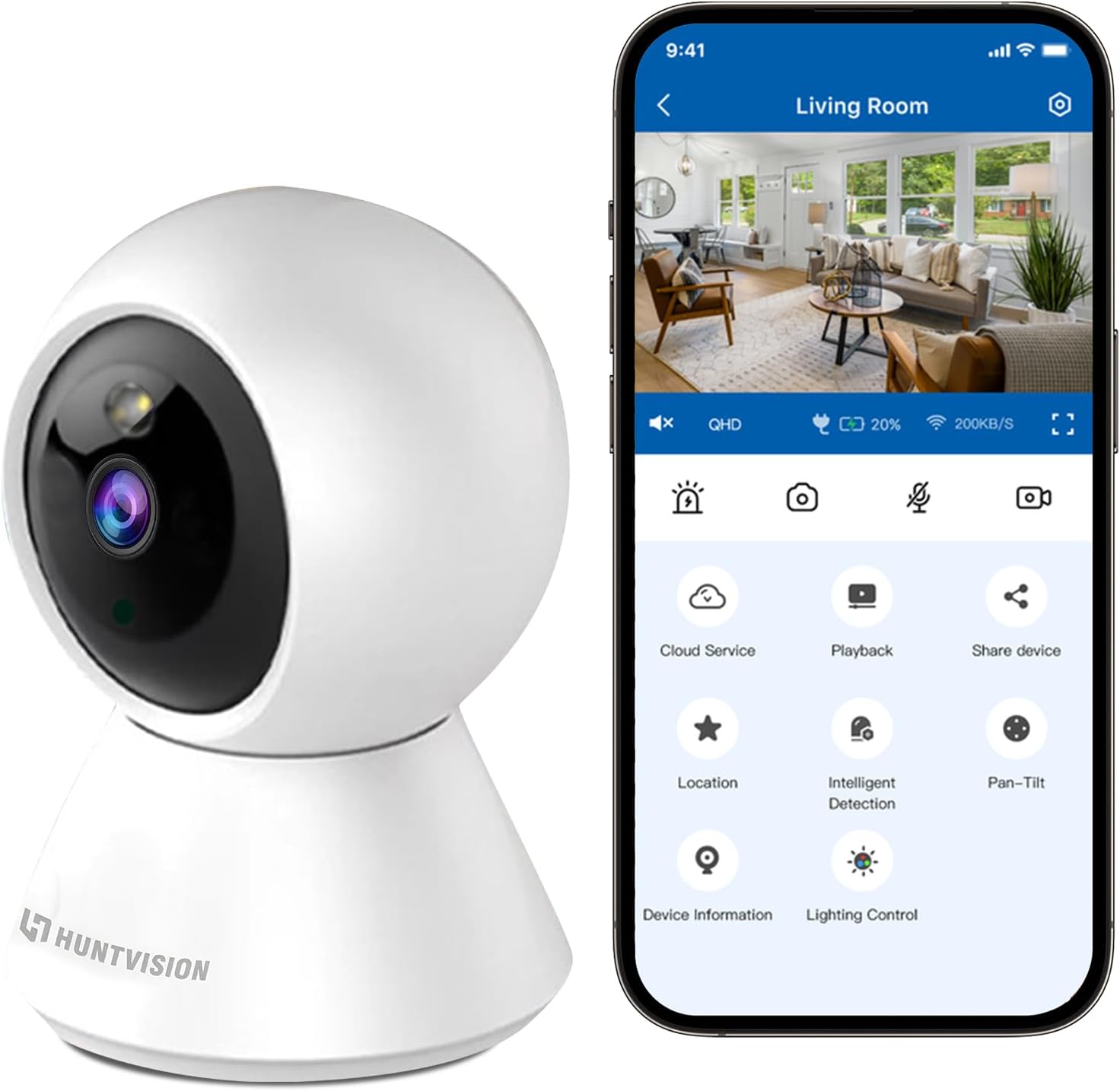
Figure 3.1: Connecting the camera via the Ivy Smart APP.
4. Bedienungsanleitung
4.1 Live View und Schwenk-/Neigesteuerung
- Open the Ivy Smart APP and select your E3-W camera from the device list to access the live view.
- Verwenden Sie den Joystick auf dem Bildschirm oder Wischgesten, um die Schwenk- (355°) und Neigebewegungen (85°) der Kamera zu steuern.
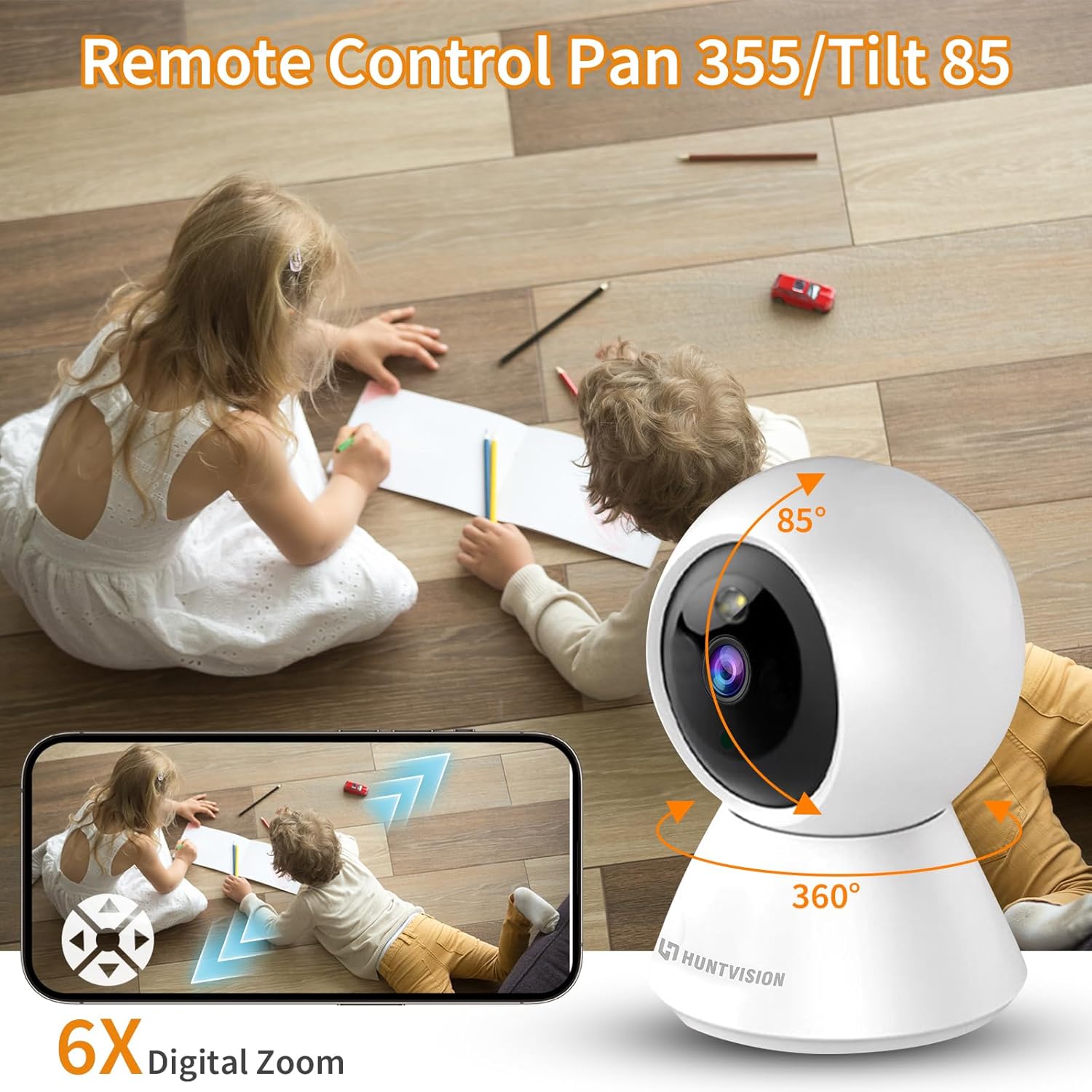
Figure 4.1: Remote Pan/Tilt control via the app.
4.2 Zwei-Wege-Audio
- Aus dem Leben view interface, tap the microphone icon to enable two-way audio.
- Halten Sie die Sprechtaste gedrückt, um über den Kameralautsprecher zu sprechen. Lassen Sie die Taste los, um zuzuhören.
4.3 Bewegungserkennung und Benachrichtigungen
- Navigate to the camera settings in the Ivy Smart APP.
- Aktivieren Sie die „Bewegungserkennung“ und konfigurieren Sie die Empfindlichkeitsstufen und Erkennungszonen nach Bedarf.
- Set up push notifications to receive alerts on your mobile device when motion is detected.
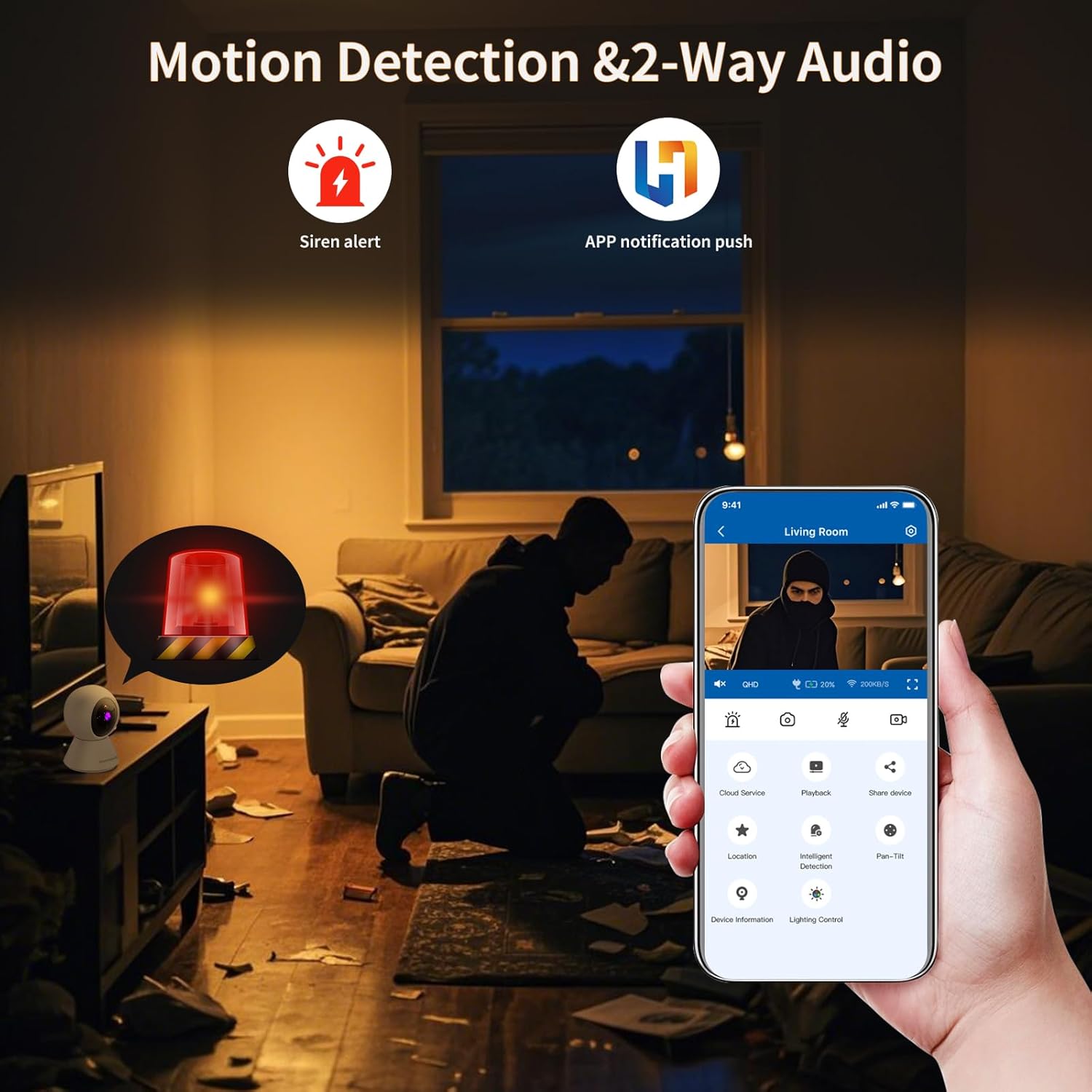
Figure 4.2: Motion detection and app notifications.
4.4 Nachtsicht
- Bei schlechten Lichtverhältnissen wechselt die Kamera automatisch in den Nachtsichtmodus.
- You can manually adjust day/night modes within the app settings if desired.

Abbildung 4.3: Nachtsichtfähigkeit der Kamera.
4.5 Videoaufzeichnung und -wiedergabe
- Insert a Micro SD (TF) card (not included) into the camera's card slot for local storage. The camera supports continuous recording or event-triggered recording.
- Alternatively, subscribe to cloud storage services through the Ivy Smart APP for secure off-site storage.
- Auf aufgezeichnetes Foo zugreifentage via the "Playback" option in the app.
5. Wartung
- Reinigung: Reinigen Sie Objektiv und Gehäuse der Kamera vorsichtig mit einem weichen, trockenen Tuch. Verwenden Sie keine scharfen Chemikalien oder Scheuermittel.
- Firmware-Updates: Regularly check for and install firmware updates via the Ivy Smart APP to ensure optimal performance and security.
- Aus- und Wiedereinschalten: Wenn die Kamera nicht mehr reagiert, trennen Sie sie für 10 Sekunden von der Stromversorgung und schließen Sie sie dann wieder an.
6. Fehlerbehebung
- Kamera offline: Ensure the camera is powered on and within range of your Wi-Fi router. Check your Wi-Fi network status. Try restarting the camera and your router.
- Verbindung nicht möglich: Verify your Wi-Fi password is correct and you are connecting to a 2.4GHz network. Ensure the camera's status light is flashing before pairing. Try resetting the camera.
- Schlechte Bildqualität: Check your internet connection speed. Ensure the camera lens is clean and free from obstructions. Adjust video quality settings in the app.
- Kein Ton: Check the microphone and speaker settings in the app. Ensure volume is not muted on your device or in the app.
- Keine Bewegungsbenachrichtigungen empfangen: Verify motion detection is enabled and sensitivity is set appropriately. Check app notification settings on your phone.
7. Spezifikationen
| Besonderheit | Spezifikation |
|---|---|
| Modellname | E3-W |
| Verwendung im Innen- und Außenbereich | Innenbereich |
| Stromquelle | Kabelgebundene Elektrik |
| Montagetyp | Tischhalterung |
| Auflösung der Videoaufnahme | 1296p (3MP) |
| Artikelabmessungen (L x B x H) | 3.15 x 3.15 x 4.73 Zoll |
| Artikelgewicht | 6.1 Unzen |
| Konnektivitätstechnologie | Drahtlos (2.4G-WLAN, Bluetooth 4.2) |
| Besondere Merkmale | Bewegungssensor, Nachtsicht |
| Empfohlene Verwendung | Sicherheit in Innenräumen |
| Hersteller | Foscam Intelligent Technology Co., Ltd |
8. Garantie und Support
8.1 Garantieinformationen
The MeterMall HuntVision E3-W camera comes with a 2 Jahr Garantie Diese Garantie gilt ab Kaufdatum und deckt Herstellungsfehler sowie Funktionsstörungen bei normalem Gebrauch ab. Bitte bewahren Sie Ihren Kaufbeleg für Garantieansprüche auf.
8.2 Kundendienst
For technical support, troubleshooting assistance, or warranty inquiries, please contact your retailer or the manufacturer's customer service. Refer to the product packaging or the Ivy Smart APP for specific contact details.
You can also visit the official HUNTVISION webWebsite mit häufig gestellten Fragen und weiterführenden Informationen.


