Einführung
This manual provides detailed instructions for the safe and efficient use of your FONESTAR DOTS-N Bluetooth TWS Speaker. Please read this manual thoroughly before operating the device and retain it for future reference.
The FONESTAR DOTS-N is a portable Bluetooth TWS speaker featuring Bluetooth 4.2 and NFC connectivity. It offers powerful sound with enhanced bass, playback controls, and hands-free calling. Equipped with a rechargeable Li-Ion battery providing up to 10 hours of autonomy, it also includes a 3.5mm auxiliary input. Its compact design makes it suitable for home use.
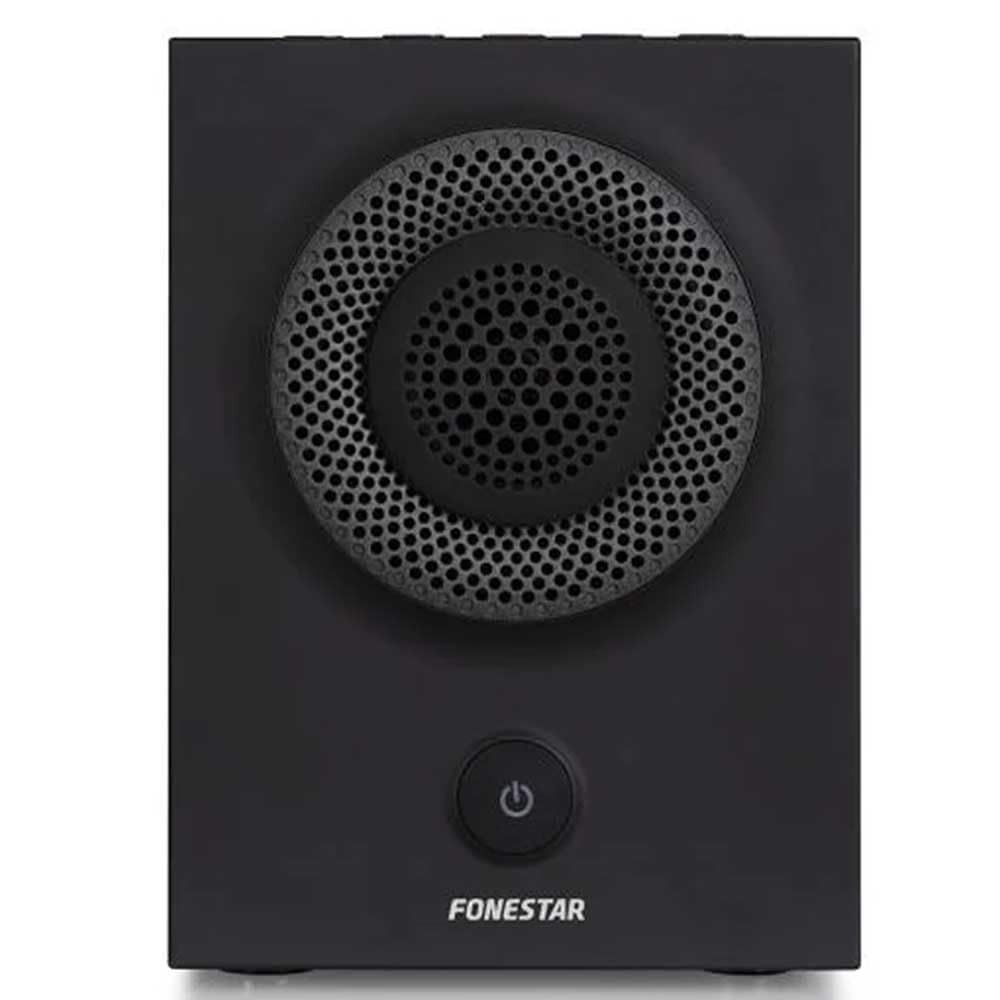
Abbildung 1: Vorderseite view of the FONESTAR DOTS-N Bluetooth TWS Speaker.
Aufstellen
1. Auspacken
Nehmen Sie alle Komponenten vorsichtig aus der Verpackung. Stellen Sie sicher, dass alle unten aufgeführten Teile vorhanden sind:
- FONESTAR DOTS-N Bluetooth TWS Speaker
- USB-auf-Micro-USB-Ladekabel
- 3.5-mm-Stereo-Audiokabel
- Benutzerhandbuch (dieses Dokument)
2. Laden Sie den Lautsprecher auf
Before first use, fully charge the speaker. Connect the Micro USB end of the charging cable to the speaker's charging port and the USB-A end to a compatible USB power adapter (not included) or a computer's USB port.
- Die Ladeanzeigeleuchte leuchtet während des Ladevorgangs.
- Die Ladezeit für eine vollständige Ladung beträgt etwa 3 Stunden.
- Die Kontrollleuchte ändert ihre Farbe oder erlischt, sobald der Ladevorgang abgeschlossen ist.
3. Ein-/Ausschalten
To power on the speaker, press and hold the power button (usually indicated by a ⏻ symbol) for a few seconds until you hear an audible prompt or see an indicator light. To power off, repeat the process.
Bedienungsanleitung
1. Bluetooth-Kopplung
Der Lautsprecher unterstützt Bluetooth 4.2 für drahtloses Audiostreaming.
- Ensure the speaker is powered on and in pairing mode (usually indicated by a flashing LED). If not, press the Bluetooth pairing button or power button briefly to enter pairing mode.
- Gehen Sie auf Ihrem Smartphone, Tablet oder einem anderen Bluetooth-fähigen Gerät zu den Bluetooth-Einstellungen.
- Suchen nach available devices and select "FONESTAR DOTS-N" from the list.
- Once paired, the speaker will emit an audible confirmation, and the LED indicator will typically become solid.
2. NFC-Kopplung (Nahfeldkommunikation)
For devices with NFC, pairing can be done quickly:
- Stellen Sie sicher, dass NFC auf Ihrem Gerät aktiviert ist und der Lautsprecher eingeschaltet ist.
- Tap your NFC-enabled device gently against the NFC area on the speaker (refer to product diagram for exact location, if available).
- Bestätigen Sie die Kopplungsanfrage auf Ihrem Gerät.
3. True Wireless Stereo (TWS)-Funktion
The TWS function allows you to pair two FONESTAR DOTS-N speakers together for a stereo sound experience.
- Ensure both DOTS-N speakers are powered on and not connected to any other Bluetooth device.
- On one speaker (this will be the primary speaker), press and hold the TWS button (if available) or a designated button for TWS pairing.
- Der Hauptlautsprecher sucht nach dem Nebenlautsprecher. Sobald die Verbindung hergestellt ist, geben beide Lautsprecher einen Bestätigungston aus.
- Now, connect your Bluetooth device to the primary speaker as described in the "Bluetooth Pairing" section. Audio will play in stereo through both speakers.
4. Hilfseingang (AUX)
For non-Bluetooth devices, use the included 3.5mm stereo audio cable.
- Verbinden Sie ein Ende des 3.5-mm-Audiokabels mit dem AUX-Eingang des Lautsprechers.
- Verbinden Sie das andere Ende mit der Kopfhörerbuchse oder dem Audioausgang Ihres Geräts.
- Der Lautsprecher schaltet automatisch in den AUX-Modus oder erfordert gegebenenfalls eine manuelle Auswahl über eine Modustaste.
5. Playback Control and Hands-Free Calls
The speaker features integrated controls for music playback and managing calls:
- Abspielen/Pause: Press the Play/Pause button (often combined with the power button or a dedicated button).
- Lautstärke erhöhen/verringern: Verwenden Sie die Lautstärketasten (+ / -) auf dem Lautsprecher.
- Nächster / Vorheriger Track: Long press or double-press the volume buttons, or use dedicated track skip buttons if present.
- Anruf annehmen/beenden: Press the Play/Pause button during an incoming call to answer, and again to end the call.
- Anruf ablehnen: Halten Sie die Wiedergabe-/Pause-Taste während eines eingehenden Anrufs gedrückt.
Wartung
1. Reinigung
- Vor der Reinigung den Lautsprecher immer ausschalten.
- Verwenden Sie ein weiches, trockenes, fusselfreies Tuch, um die Außenflächen abzuwischen.
- Verwenden Sie keine Scheuermittel, Wachse oder Lösungsmittel, da diese die Oberfläche beschädigen können.
- Vermeiden Sie, dass Feuchtigkeit in die Öffnungen eindringt.
2. Speicherung
- Bewahren Sie den Lautsprecher an einem kühlen, trockenen Ort fern von direkter Sonneneinstrahlung und extremen Temperaturen auf.
- Bei längerer Lagerung sollte der Akku alle paar Monate auf etwa 50 % aufgeladen werden, um seine Funktionstüchtigkeit zu erhalten.
3. Batteriepflege
- Do not expose the battery to excessive heat, fire, or direct sunlight.
- Vermeiden Sie es, den Akku häufig vollständig zu entladen, da dies seine Lebensdauer verkürzen kann.
- Verwenden Sie ausschließlich das mitgelieferte Ladekabel oder ein zertifiziertes gleichwertiges Kabel.
Fehlerbehebung
| Problem | Mögliche Ursache | Lösung |
|---|---|---|
| Der Lautsprecher lässt sich nicht einschalten. | Batterie ist leer. | Laden Sie den Lautsprecher mit dem mitgelieferten USB-Kabel auf. |
| Kopplung via Bluetooth nicht möglich. | Der Lautsprecher befindet sich nicht im Kopplungsmodus; das Gerät ist zu weit entfernt; es liegen Störungen vor. | Ensure speaker is in pairing mode. Move device closer (within 10m). Turn off other Bluetooth devices. |
| Kein Ton oder geringe Lautstärke. | Volume too low on speaker or source device; incorrect input mode. | Increase volume on both speaker and source device. Check if the correct input (Bluetooth/AUX) is selected. |
| TWS-Kopplung fehlgeschlagen. | Speakers are already paired to another device; incorrect TWS pairing procedure. | Stellen Sie sicher, dass beide Lautsprecher von anderen Geräten getrennt sind. Befolgen Sie die Schritte zum Koppeln der TWS-Lautsprecher sorgfältig. |
| Klangverzerrung. | Volume too high; low battery; poor signal. | Reduce volume. Charge the speaker. Move source device closer to the speaker. |
Technische Spezifikationen

Figure 2: Dimensions of the FONESTAR DOTS-N Bluetooth TWS Speaker.
| Modellname | DOTS-N |
| Marke | FONESTAR |
| Konnektivitätstechnologie | Bluetooth 4.2, NFC, 3.5mm AUX |
| Drahtlose Reichweite | Bis zu 10 Meter (33 Fuß) |
| Audioausgabemodus | Stereo (mit TWS) |
| Lautsprechertyp | 3" Coaxial Woofer with Tweeter, 3" Subwoofer, 4" Passive Radiator |
| Maximale Lautsprecherausgangsleistung | 12 Watt RMS |
| Frequenzgang | 80 - 20,000 Hz |
| Signal-Rausch-Verhältnis | ≥ 75 dB |
| Stromquelle | Batteriebetrieben (wiederaufladbarer Lithium-Ionen-Akku) |
| Batteriekapazität | 2200 mAh, 7.4 V |
| Batterieautonomie | Bis zu 10 Stunden (bei 50 % Lautstärke) |
| Ladezeit | Ungefähr 3 Stunden |
| Kontrollmethode | Taktil (Berührung) |
| Besondere Merkmale | High-res audio, Bluetooth, Integrated microphone, USB port (for charging) |
| Kompatible Geräte | Smartphones, Tablets |
| Empfohlene Verwendung | For home |
| Farbe | Schwarz |
| Abmessungen (B x H x T) | 125 x 175 x 158 mm (ca. 4.9 x 6.9 x 6.2 Zoll) |
| Artikelgewicht | 1.82 kg (ca. 4.01 Pfund) |
| Wasserdicht | NEIN |
Note: Specifications are subject to change without prior notice. Battery autonomy may vary depending on usage, volume level, and music type.
Garantieinformationen
FONESTAR products are designed and manufactured to the highest quality standards. This product is covered by a limited warranty against manufacturing defects from the date of purchase. The specific terms and duration of the warranty may vary by region and retailer.
Please retain your proof of purchase (receipt or invoice) as it will be required for any warranty claims. The warranty does not cover damage caused by misuse, accident, unauthorized modification, or normal wear and tear.
For detailed warranty terms and conditions, please refer to the warranty card included with your product or contact your local FONESTAR distributor or retailer.
Kundenservice
If you encounter any issues that are not resolved by the troubleshooting guide, or if you require further assistance, please contact FONESTAR customer support or your authorized retailer.
Wenn Sie sich an den Support wenden, halten Sie bitte folgende Informationen bereit:
- Product Model: FONESTAR DOTS-N
- Kaufdatum
- Beschreibung des Problems
- Ihre Kontaktinformationen
For the most up-to-date support information, including contact details and FAQs, please visit the official FONESTAR webWebsite.