1. Sicherheitshinweise
Bitte lesen Sie diese Bedienungsanleitung vor der Inbetriebnahme des Geräts sorgfältig durch und bewahren Sie sie zum späteren Nachschlagen auf. Die Nichtbeachtung dieser Anweisungen kann zu Stromschlag, Brand oder schweren Verletzungen führen.
- Stellen Sie immer sicher, dass die LautstärketagDie auf dem Nennleistungsetikett angegebene Lautstärke entspricht Ihrer Netzspannung.tage.
- Betreiben Sie die Heizung nicht mit einem beschädigten Kabel oder Stecker.
- Keep children and pets away from the heater, especially when in operation.
- Die Heizung darf nicht abgedeckt werden. Das Abdecken der Heizung kann zu Überhitzung und Brand führen.
- Maintain a safe distance from flammable materials such as curtains, furniture, and bedding.
- Verwenden Sie dieses Heizgerät nicht in unmittelbarer Nähe einer Badewanne, einer Dusche oder eines Schwimmbeckens.
- Sorgen Sie für eine ausreichende Belüftung rund um das Gerät.
- The appliance is equipped with a double overheat sensor, frost protection, and an anti-condensation system for enhanced safety.
2. Produktüberschreitungview
The CREATE/WARM CRYSTAL 2000W Convector Heater is designed for efficient and silent heating of indoor spaces. It features a modern design with a high-resistance tempered glass panel and an intuitive LED touch screen.
Hauptmerkmale:
- Gehärtetes Glaspaneel: Langlebig und ästhetisch ansprechendasing.
- LED-Touchscreen: Intuitive interface for easy control and temperature display (5°C-50°C).
- WiFi-Konnektivität: Control the heater remotely via a dedicated mobile application.
- Two Power Levels: Adjustable heating output for energy efficiency.
- 24-Stunden-Timer: Heizpläne programmieren.
- Aluminum Heating System: Provides clean heat without noise, odor, gas, or smoke.
- Sicherheitssysteme: Double overheat sensor, frost protection, anti-condensation.
Komponenten:
- Main Convector Heater Unit
- Detachable Feet (for freestanding use)
- Wall Mounting Kit (brackets, screws, wall plugs)
- Bedienungsanleitung

Abbildung 2.1: Vorderseite view of the Convector Heater.
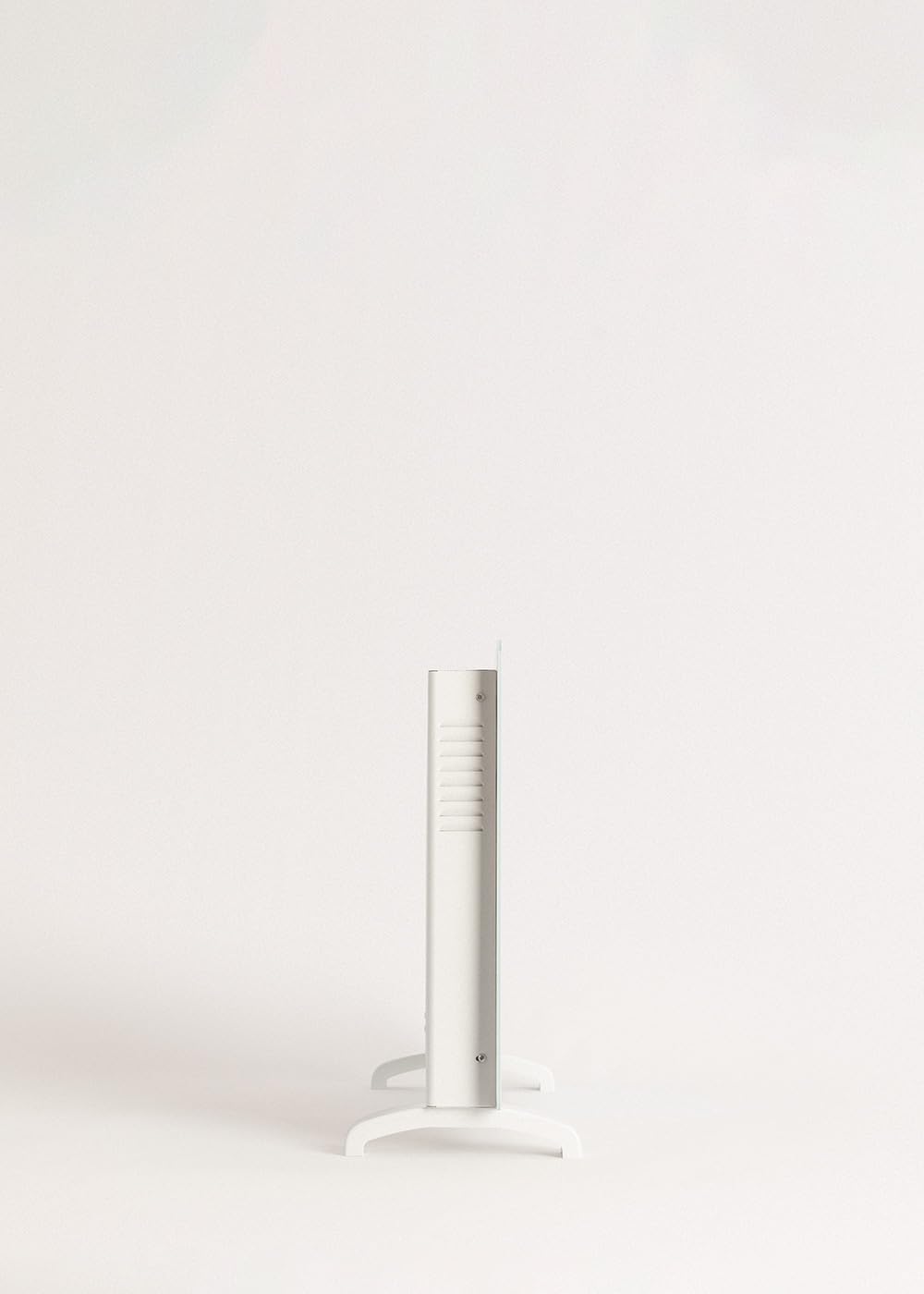
Abbildung 2.2: Seitenansichtfile of the Convector Heater.
3. Einrichtung
3.1 Auspacken
- Nehmen Sie das Heizgerät vorsichtig aus der Verpackung.
- Prüfen Sie das Produkt auf Beschädigungen. Im Schadensfall nicht verwenden und den Kundendienst kontaktieren.
- Bewahren Sie die Verpackung für eine spätere Lagerung oder einen Transport auf.
3.2 Installationsoptionen
The CREATE/WARM CRYSTAL heater can be used as a freestanding unit or mounted on a wall.
3.2.1 Freistehende Installation
- Place the heater on a soft, flat surface to avoid scratching the glass.
- Attach the two detachable feet to the base of the heater using the provided screws. Ensure they are securely fastened.
- Place the heater on a stable, level surface, ensuring adequate clearance from walls and furniture (minimum 10 cm on all sides).

Figure 3.1: Detail of the detachable feet for freestanding use.

Figure 3.2: Convector Heater in freestanding configuration.
3.2.2 Installation der Wandhalterung
- Choose a suitable wall location, ensuring it is a solid surface and there is sufficient clearance around the heater (minimum 10 cm from ceiling, floor, and side walls).
- Mark the drilling points on the wall using the provided template or by measuring the wall mounting brackets.
- Löcher bohren und Dübel einsetzen.
- Secure the wall mounting brackets to the wall with screws.
- Carefully hang the heater onto the wall brackets, ensuring it is securely seated.

Figure 3.3: Convector Heater mounted on a wall.
4. Bedienungsanleitung
The CREATE/WARM CRYSTAL heater offers both manual control via its LED touch screen and remote control via a mobile application.
4.1 Manual Control (LED Touch Screen)
- Ein-/Ausschalten: Plug the heater into a suitable 240V AC power outlet. Press the power symbol on the LED touch screen to turn the unit on or off.
- Temperatureinstellung: Use the '+' and '-' buttons on the touch screen to adjust the desired room temperature between 5°C and 50°C. The current room temperature will be displayed.
- Leistungsstufen: Select between the two available power levels (e.g., 1000W and 2000W) by pressing the mode button. This allows for energy optimization based on heating needs.
- Timer-Funktion: Press the timer button to set the 24-hour timer. Use the '+' and '-' buttons to select the desired operating duration. The heater will automatically turn off after the set time.

Figure 4.1: Interacting with the LED touch screen.
4.2 WLAN-Konnektivität und App-Steuerung
The heater can be controlled remotely via a mobile application, providing convenience and smart home integration.
- Lade App herunter: Suchen nach the official CREATE/WARM app in your smartphone's app store (iOS or Android).
- Mit WLAN verbinden: Ensure your smartphone is connected to a 2.4 GHz WiFi network. The heater is compatible with 2.4 GHz networks only.
- Paarung: Follow the in-app instructions to pair your heater with the application. This typically involves putting the heater into pairing mode (refer to app for specific steps).
- Fernbedienung: Once paired, you can control all functions of the heater (power, temperature, power levels, timer) from your smartphone, even when away from home.

Figure 4.2: Controlling the heater via the mobile application.

Figure 4.3: Heater and smartphone displaying the control app.
5. Wartung
Regular maintenance ensures the longevity and optimal performance of your convector heater.
5.1 Reinigung
- Vor der Reinigung muss das Heizgerät immer vom Stromnetz getrennt und vollständig abgekühlt sein.
- Wischen Sie die Außenflächen mit einem weichen, damp Mit einem Tuch abwischen. Verwenden Sie keine Scheuermittel, Lösungsmittel oder aggressive Chemikalien, da diese die Oberfläche beschädigen können.
- Tauchen Sie die Heizung nicht in Wasser oder andere Flüssigkeiten.
- Periodically clean the air inlets and outlets with a soft brush or vacuum cleaner to prevent dust buildup.
5.2 Speicherung
If the heater is not in use for an extended period, store it in a cool, dry place, preferably in its original packaging, away from direct sunlight and moisture.
6. Fehlerbehebung
If you encounter any issues with your CREATE/WARM CRYSTAL heater, please refer to the following troubleshooting guide before contacting customer support.
| Problem | Mögliche Ursache | Lösung |
|---|---|---|
| Heizung schaltet sich nicht ein. | Keine Stromversorgung; Netzschalter nicht gedrückt; Überhitzungsschutz aktiviert. | Check power cord and outlet; Press power button on touch screen; Unplug, let cool for 30 minutes, then plug back in. |
| Die Heizung heizt nicht richtig. | Temperature setting too low; Incorrect power level selected; Room size too large for heater capacity. | Increase desired temperature; Select higher power level; Ensure heater is appropriate for room size (up to 20m²). |
| WLAN-Verbindungsprobleme. | Incorrect WiFi network (not 2.4 GHz); Incorrect password; Router too far. | Ensure connection to a 2.4 GHz network; Re-enter password carefully; Move heater closer to router or use a WiFi extender. |
| Clicking or cracking noises. | Thermische Ausdehnung/Kontraktion von Materialien. | This is normal during heating and cooling cycles as materials expand and contract. If noises are excessively loud or persistent, contact support. |
Sollte das Problem nach dem Ausprobieren dieser Lösungsansätze weiterhin bestehen, wenden Sie sich bitte an den CREATE-Kundendienst.
7. Spezifikationen
| Besonderheit | Detail |
|---|---|
| Marke | ERSTELLEN |
| Modellnummer | localization_B07ZH8DXJP |
| Farbe | Weiß |
| Leistung | 2000 Watt |
| Bandtage | 240 Volt (Wechselstrom) |
| Abmessungen (L x B x H) | 78 x 7.5 x 52 cm |
| Produktgewicht | 10.66 kg |
| Anzahl der Geschwindigkeiten | 2 |
| Besondere Merkmale | WiFi Connectivity, LED Touch Screen, Overheat Protection, Frost Protection, Anti-condensation |
| Montagetyp | Freestanding and Wall Mount |
| Empfohlene Verwendung | Innenbereich, Zuhause |
| Heizungsabdeckung | Ca. 20 m² |

Abbildung 7.1: Produktabmessungen-Diagramm.
8. Garantie und Support
Your CREATE/WARM CRYSTAL 2000W Convector Heater comes with a standard manufacturer's warranty. Please refer to the warranty card included in your product packaging for specific terms and conditions.
For technical support, warranty claims, or any other inquiries, please contact CREATE customer service through their official webWebsite oder die Kontaktinformationen, die Sie bei Ihrem Kauf erhalten haben.
Online-Hilfe: Besuchen Sie die offizielle CREATE-Website. webWebsite mit häufig gestellten Fragen, Anleitungen zur Fehlerbehebung und Kontaktformularen.
E-Mail-Support: Die E-Mail-Adresse des Kundensupports finden Sie in der Produktdokumentation.


