1. Produktüberschreitungview
Thank you for choosing the TOTAL Cordless Impact Driver. This powerful and versatile tool is designed for a wide range of fastening and loosening applications, from DIY projects to automotive repairs. Its robust brushless motor ensures long-lasting performance and efficiency. Please read this manual thoroughly before operation to ensure safe and effective use.

Image 1.1: The TOTAL Cordless Impact Driver kit, including the tool, two batteries, charger, sockets, and a carrying bag.
2. Sicherheitshinweise
Beachten Sie stets die grundlegenden Sicherheitsvorkehrungen, um das Risiko von Bränden, Stromschlägen und Verletzungen zu verringern.
- Sicherheit am Arbeitsplatz: Halten Sie Ihren Arbeitsbereich sauber und gut beleuchtet. Unordnung oder Dunkelheit erhöhen die Unfallgefahr. Betreiben Sie Elektrowerkzeuge nicht in explosionsgefährdeten Bereichen, z. B. in der Nähe von brennbaren Flüssigkeiten, Gasen oder Stäuben.
- Elektrische Sicherheit: Vermeiden Sie Körperkontakt mit geerdeten oder geerdeten Oberflächen (z. B. Rohren, Heizkörpern, Herden, Kühlschränken). Setzen Sie Elektrowerkzeuge weder Regen noch Nässe aus.
- Persönliche Sicherheit: Tragen Sie stets eine Schutzbrille. Verwenden Sie bei längeren Arbeiten einen Gehörschutz. Achten Sie auf angemessene Kleidung; tragen Sie keine weite Kleidung oder Schmuck. Halten Sie Haare, Kleidung und Handschuhe von beweglichen Teilen fern.
- Werkzeuggebrauch und -pflege: Do not force the power tool. Use the correct tool for your application. Disconnect the battery pack from the power tool before making any adjustments, changing accessories, or storing power tools.
- Verwendung und Pflege des Akkus: Recharge only with the charger specified by the manufacturer. Do not use battery packs with any other power tools. Do not short-circuit a battery pack.
3. Packungsinhalt
Prüfen Sie beim Öffnen der Verpackung, ob alle Artikel vorhanden und in einwandfreiem Zustand sind:
- 1 x TOTAL Cordless Impact Driver
- 2 x 20 V 2.0 Ah Lithium-Ionen-Akkus
- 1 x Schnellladegerät
- 4 x Screw Bits (sockets)
- 1 x Canvas Carrying Bag
- 1 x Benutzerhandbuch
4. Produktmerkmale
- Bürstenlosen Motor: Ensures longer tool life, reduced wear, and increased efficiency compared to traditional brushed motors.
- Hohes Drehmoment: Delivers 300 NM of torque, suitable for demanding fastening and loosening tasks.
- Variable Geschwindigkeitsregelung: Speed ranges from 0 to 2300 RPM for precise control over various applications.
- 1/2" Hexagonal Chuck: Ermöglicht einen schnellen und einfachen Bitwechsel.
- Integrierte LED-Arbeitsleuchte: Beleuchtet den Arbeitsbereich und sorgt so für bessere Sichtverhältnisse bei schlechten Lichtverhältnissen.
- Batterieladeanzeige: Displays the remaining battery power level.
- Ergonomisches und leichtes Design: Provides comfortable handling and reduces user fatigue.
- Gürtelhaken: Conveniently attach the tool to your belt for easy access.
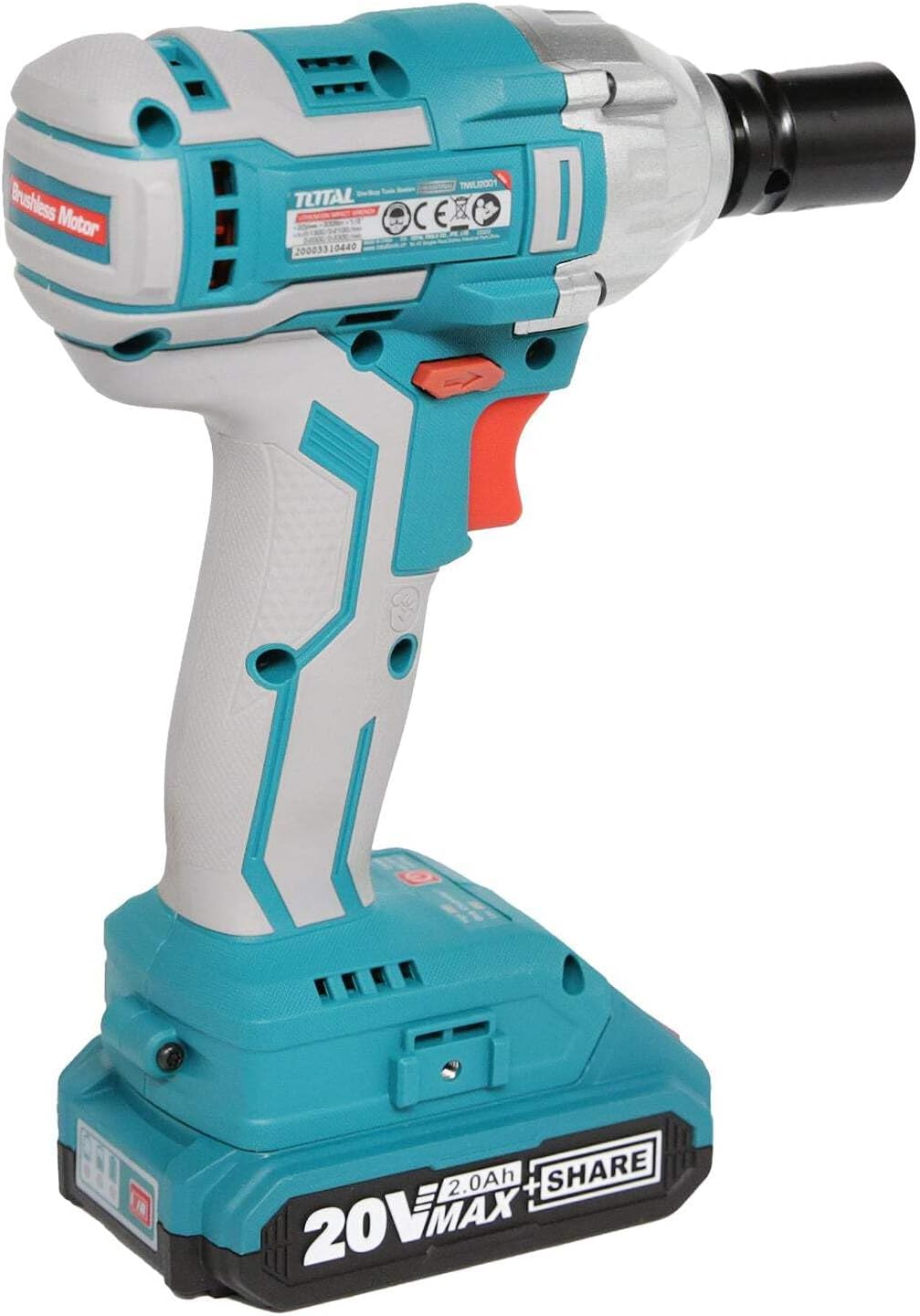
Abbildung 4.1: Seite view highlighting the brushless motor technology.
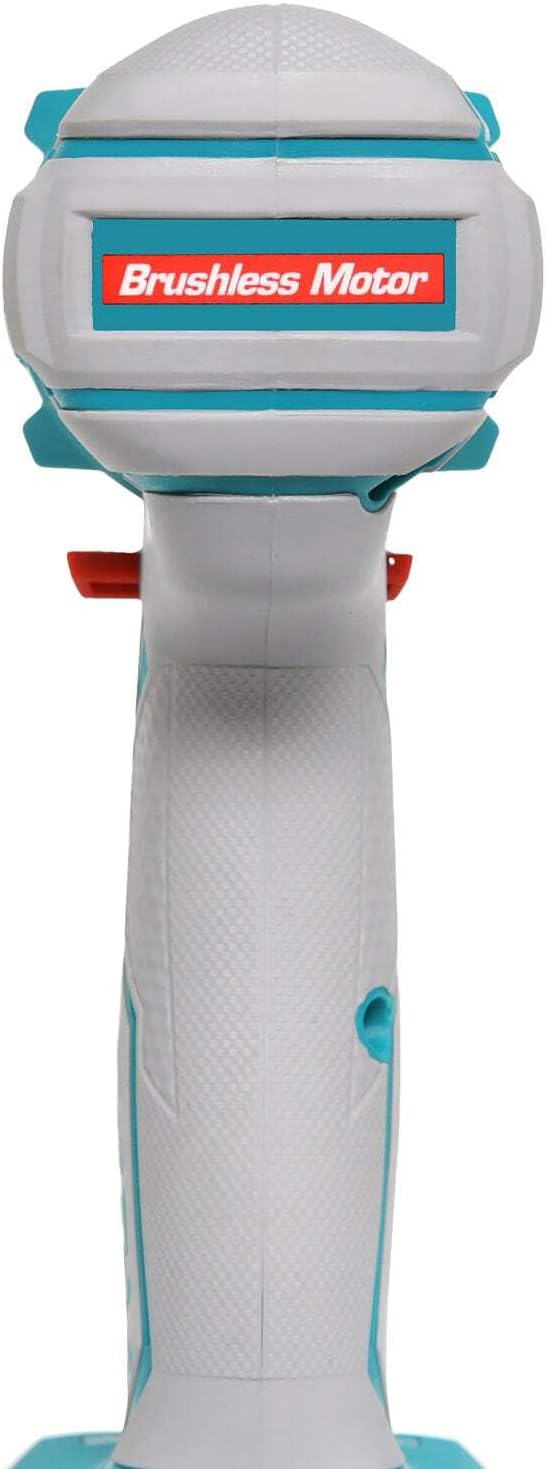
Image 4.2: Detail of the battery charge indicator and operational mode switch.

Image 4.3: The integrated belt hook for convenient carrying.
5. Spezifikationen
| Spezifikation | Wert |
|---|---|
| Hersteller | INECO |
| Modellnummer | TIWLI2001 |
| Abmessungen (L x B x H) | 34.5 x 19 x 9.6 cm |
| Gewicht | 3.1 Kilogramm |
| Akku-Typ | Lithium-Ionen |
| Batterie Voltage | 20 V |
| Batteriekapazität | 2.0 Ah |
| Leerlaufdrehzahl | 0 - 2300 U/min |
| Max. Drehmoment | 300 Newtonmeter |
| Spannfuttertyp | 1/2"-Vierkantantrieb |
| Material | Edelstahl |
6. Einrichtung
6.1. Laden des Akkus
- Schließen Sie das Schnellladegerät an eine normale Steckdose an.
- Schieben Sie den Akku auf das Ladegerät, bis er einrastet.
- The charger indicator light will show the charging status. A full charge typically takes about one hour.
- Sobald der Akku vollständig aufgeladen ist, nehmen Sie ihn aus dem Ladegerät.

Image 6.1: Charging the lithium-ion batteries using the quick charger.
6.2. Installieren der Batterie
- Align the charged battery pack with the battery port on the base of the impact driver handle.
- Slide the battery pack firmly into place until you hear a click, indicating it is securely locked.
- To remove the battery, press the release button(s) on the sides of the battery pack and slide it out.

Image 6.2: Proper installation of the battery pack into the tool.
6.3. Installing/Removing Accessories (Sockets/Bits)
- Ensure the tool is off and the battery is removed before installing or removing accessories.
- Push the desired 1/2" square drive socket or bit firmly onto the anvil of the impact driver until it locks into place.
- To remove, simply pull the socket or bit off the anvil.

Image 6.3: Attaching a socket to the impact driver's anvil.
7. Bedienungsanleitung
7.1. Ein-/Ausschalten und Drehzahlregelung
- To turn the tool ON, press the trigger switch. The LED work light will illuminate.
- Zum Ausschalten des Geräts den Auslöseschalter loslassen.
- The tool features variable speed control. The further the trigger is pressed, the higher the speed.
7.2. Vorwärts-/Rückwärtsdrehung
- The direction of rotation is controlled by the forward/reverse lever located above the trigger.
- For forward (tightening) rotation, push the lever to the left.
- For reverse (loosening) rotation, push the lever to the right.
- When the lever is in the center position, the trigger is locked, preventing accidental starting.
7.3. Using the Belt Hook
The integrated belt hook allows you to conveniently hang the tool from your belt or a sturdy surface when not in immediate use, keeping it within reach and freeing your hands.
8. Wartung
8.1. Reinigung
- Vor der Reinigung immer den Akku abklemmen.
- Verwenden Sie ein sauberes, damp Verwenden Sie ein Tuch, um die Außenseite des Werkzeugs abzuwischen. Verwenden Sie keine scharfen Chemikalien oder Scheuermittel.
- Halten Sie die Lüftungsöffnungen frei von Staub und Schmutz, um eine Überhitzung zu vermeiden. Verwenden Sie gegebenenfalls Druckluft.
8.2. Speicherung
- Bewahren Sie das Werkzeug und die Batterien an einem kühlen, trockenen Ort auf, fern von direkter Sonneneinstrahlung und extremen Temperaturen.
- Außerhalb der Reichweite von Kindern aufbewahren.
- For long-term storage, ensure batteries are partially charged (around 50%) to prolong their lifespan.

Image 8.1: Ensure ventilation openings are clear for proper tool maintenance.
9. Fehlerbehebung
| Problem | Mögliche Ursache | Lösung |
|---|---|---|
| Werkzeug startet nicht | Battery not charged or not properly installed. Forward/reverse lever in center (locked) position. | Charge battery and ensure it is clicked into place. Move lever to forward or reverse position. |
| Reduzierte Leistung/Drehmoment | Niedriger Akkustand. Überhitzung. | Akku aufladen. Gerät abkühlen lassen. |
| Übermäßige Vibration/Lärm | Loose accessory. Damaged internal components. | Ensure accessory is securely attached. If problem persists, contact customer support. |
| Akku wird nicht geladen | Das Ladegerät ist nicht angeschlossen. Möglicherweise ist der Akku oder das Ladegerät defekt. | Check power connection. Try another battery if available. Contact customer support if issues persist. |
10. Garantie und Support
TOTAL products are manufactured to high-quality standards. While specific warranty details may vary by region, we are committed to providing reliable tools. For any questions, technical assistance, or warranty claims, please contact your local TOTAL distributor or the point of purchase. Keep your purchase receipt as proof of purchase.
For further information, you may visit the official TOTAL tools webWebsite oder wenden Sie sich an die Kundendienstabteilung.


