1. Einleitung
Thank you for choosing the SONOFF S20 WiFi Smart Plug. This device allows you to transform traditional home appliances into smart devices, enabling remote control, scheduling, and voice control capabilities. With the eWeLink app, you can manage your devices from anywhere, ensuring convenience and energy efficiency.
The SONOFF S20 Smart Plug is compatible with Amazon Alexa, Google Home, and IFTTT, offering a seamless smart home experience. A secured 2.4GHz WiFi network is required for operation.
2. Sicherheitshinweise
Please read and understand all safety instructions before using the SONOFF S20 Smart Plug. Failure to follow these instructions may result in electric shock, fire, or property damage.
- For indoor use only. Do not expose to water or humid environments.
- Do not exceed the maximum load current specified in the product specifications.
- Stellen Sie sicher, dass der Stecker vollständig in die Steckdose eingesteckt ist.
- Zerlegen oder modifizieren Sie das Gerät nicht.
- Außerhalb der Reichweite von Kindern aufbewahren.
- Trennen Sie das Gerät vor der Reinigung vom Stromnetz.
3. Packungsinhalt
- SONOFF S20 WiFi Smart Plug (4 Pack)
- Bedienungsanleitung
4. Produktüberschreitungview
The SONOFF S20 Smart Plug is a compact device designed to fit standard wall outlets. It features a power button that also serves as a reset button and an LED indicator for status.

Image: A single SONOFF S20 Smart Plug plugged into a wall socket, with icons illustrating its key features: APP Control, Timing Schedules, Voice Control, and Share Control.

Image: A pack of four SONOFF S20 WiFi Smart Plugs, showcasing ihr kompaktes Design.
5. Installationsanleitung
Follow these steps to set up your SONOFF S20 Smart Plug:
- Laden Sie die eWeLink-App herunter: Suchen nach "eWeLink" in the App Store (iOS) or Google Play Store (Android) and download the application.
- Registrieren und anmelden: Open the eWeLink app, register a new account if you don't have one, and then log in.
- Schalten Sie den intelligenten Stecker ein: Plug the SONOFF S20 Smart Plug into a wall outlet. The LED indicator on the plug will start flashing.
- Kopplungsmodus aktivieren: Press and hold the power button on the smart plug for approximately 7 seconds until the LED indicator flashes rapidly (usually 3 short flashes and 1 long flash). If it doesn't enter pairing mode, press the button again for 7 seconds.
- Gerät in der App hinzufügen: In the eWeLink app, tap the "+" icon at the bottom center of the screen to add a new device.
- Kopplungsmethode auswählen: Choose the "Quick Pairing Mode" (recommended) or "Compatible Pairing Mode" if quick pairing fails.
- Mit WLAN verbinden: Wählen Sie Ihr 2.4-GHz-WLAN-Netzwerk und geben Sie das Passwort ein. Hinweis: 5.0-GHz-WLAN-Netzwerke werden nicht unterstützt.
- Vollständige Kopplung: The app will search for and connect to the device. Once connected, you can name your smart plug and assign it to a room.
6. Bedienungsanleitung
6.1 APP-Fernbedienung
Once paired, you can control your SONOFF S20 Smart Plug from anywhere using the eWeLink app. Simply tap the device icon to turn it on or off. You can also monitor its real-time status.

Image: A person outdoors using a smartphone to remotely control a lamp connected to a SONOFF S20 Smart Plug inside a home, demonstrating remote control functionality.
6.2 Schedule Automatic Control
Set timers and schedules in the eWeLink app to automate your appliances. The smart plug can automatically turn on or off at specific times, simplifying your daily routines.
- Countdown-Timer: Stellen Sie ein Gerät so ein, dass es sich nach einer bestimmten Zeit ausschaltet.
- Zeitplan: Set specific on/off times for daily or weekly routines.
- Schleifentimer: Wiederholte Ein-/Ausschaltzyklen.

Image: A SONOFF S20 Smart Plug in a wall socket, with illustrations of appliances like a kettle, coffee maker, water heater, and lights, demonstrating how timing schedules can automate their operation.
6.3 Freisprech-Sprachsteuerung
The SONOFF S20 Smart Plug is compatible with Amazon Alexa and Google Home. Connect your eWeLink account to your voice assistant app to control devices using voice commands.
- Für Alexa: Say, "Alexa, turn on [device name]."
- Für Google Home: Say, "Hey Google, turn off [device name]."
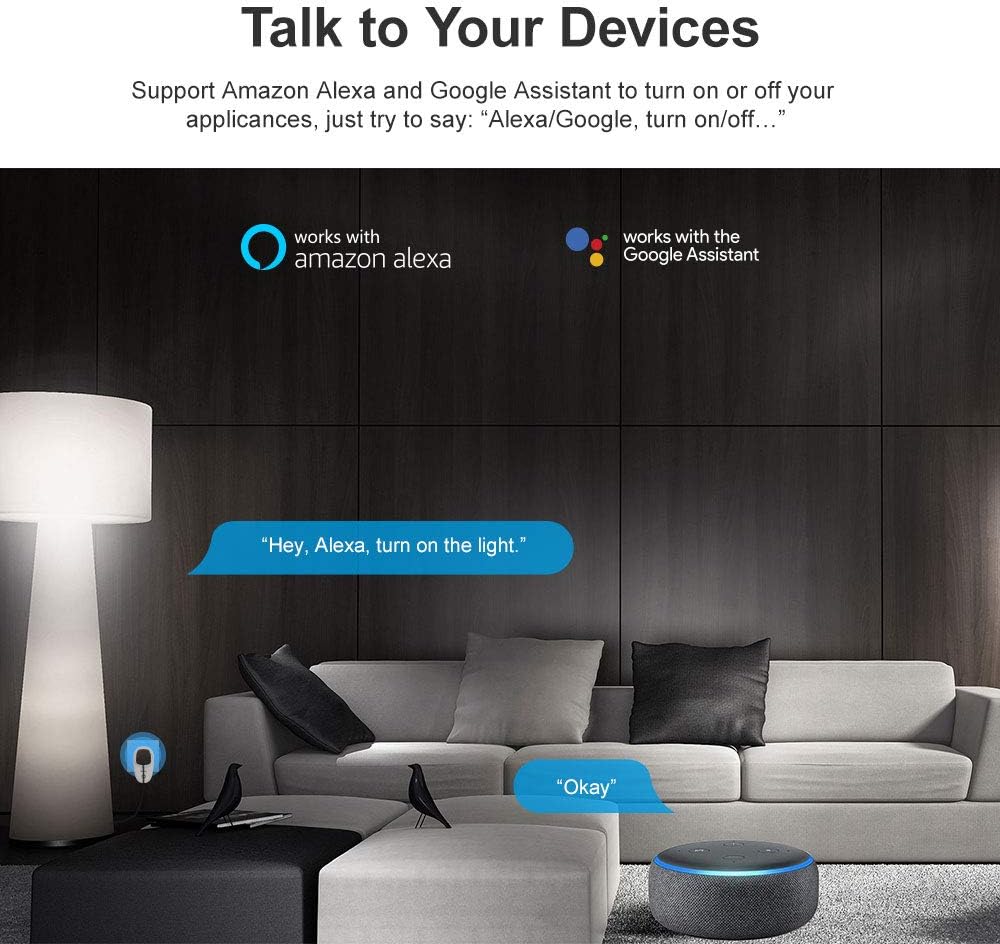
Image: A living room setting with Amazon Alexa and Google Assistant logos, illustrating how users can interact with their smart devices using voice commands like "Hey, Alexa, turn on the light."
6.4 Intelligente Szene
Create smart scenes in the eWeLink app to automate actions based on specific conditions or to group multiple devices. For example, you can set a scene where turning on one device triggers another, or a single tap turns on multiple lights.

Image: A woman in bed using the eWeLink app on her smartphone, showing a "Reading Time" smart scene with options to turn a lamp ON or OFF, demonstrating scene control.
6.5 Kontrolle über die gemeinsame Nutzung
You can share control of your smart plugs with family members through the eWeLink app. This allows multiple users to manage the devices from their own smartphones.

Image: A family (two adults and a child) looking at their smartphones, with an overlay showing the eWeLink app's device sharing interface, illustrating the share control feature.
6.6 IFTTT-Integration
The SONOFF S20 Smart Plug supports IFTTT (If This Then That), allowing for advanced automation and integration with other smart devices and services. Create custom applets to expand your smart home capabilities.

Image: A graphic illustrating IFTTT (If This Then That) logic for SONOFF devices, showing examples like "if sunset then turn on the light" and "if sunrise then turn off the light."
7. Wartung
To ensure the longevity and proper functioning of your SONOFF S20 Smart Plug:
- Clean the device with a dry, soft cloth. Do not use liquid or aerosol cleaners.
- Vermeiden Sie es, das Gerät extremen Temperaturen oder direkter Sonneneinstrahlung auszusetzen.
- Bei längerer Nichtverwendung an einem kühlen, trockenen Ort aufbewahren.
8. Fehlerbehebung
Sollten Sie Probleme mit Ihrem SONOFF S20 Smart Plug haben, beachten Sie bitte die folgenden gängigen Lösungsansätze:
- Gerät offline: Ensure your Wi-Fi router is working correctly and the smart plug is within range. Check if your Wi-Fi network is 2.4GHz.
- Failed to Pair: Make sure the smart plug is in pairing mode (LED flashing rapidly). Confirm you are connecting to a 2.4GHz Wi-Fi network and entered the correct password. Try resetting the plug by holding the button for 7 seconds until it flashes rapidly, then try pairing again.
- Sprachsteuerung funktioniert nicht: Ensure your eWeLink account is correctly linked to your Amazon Alexa or Google Home app. Check the device name in both apps for consistency.
- App reagiert nicht: Close and reopen the eWeLink app. If the issue persists, restart your smartphone.
- Überlastschutz: If the plug stops working, check if the connected appliance exceeds the maximum current rating (10 Amps). Unplug the appliance and try a lower-power device.
9. Spezifikationen
| Besonderheit | Spezifikation |
|---|---|
| Hersteller | Sonoff |
| Technische Daten | 11.2 x 6.2 x 4 cm |
| Größe | S20 Plug-4 Pack |
| Plug Profile | Wandhalterung |
| Stil wechseln | Fernbedienung |
| Batterien erforderlich? | NEIN |
| Artikelgewicht | 0.6 g |
| Bandtage | 250 Volt |
| Material | Polycarbonat (PC) |
| Anzahl der Drähte | 3 |
| AmpAlter | 10 Amps |
10. Garantie und Support
SONOFF provides a one-year warranty for this product. If you have any questions or require assistance, please feel free to contact SONOFF customer support via email. They aim to reply within 24 hours to ensure your satisfaction.
For the latest information, FAQs, and support resources, please visit the official SONOFF website or refer to the eWeLink app's help section.


