Einführung
This manual provides essential instructions for the safe and efficient use of your Redmi 10000mAh Power Bank (Model PB100LZm). Please read this manual thoroughly before using the product and retain it for future reference.
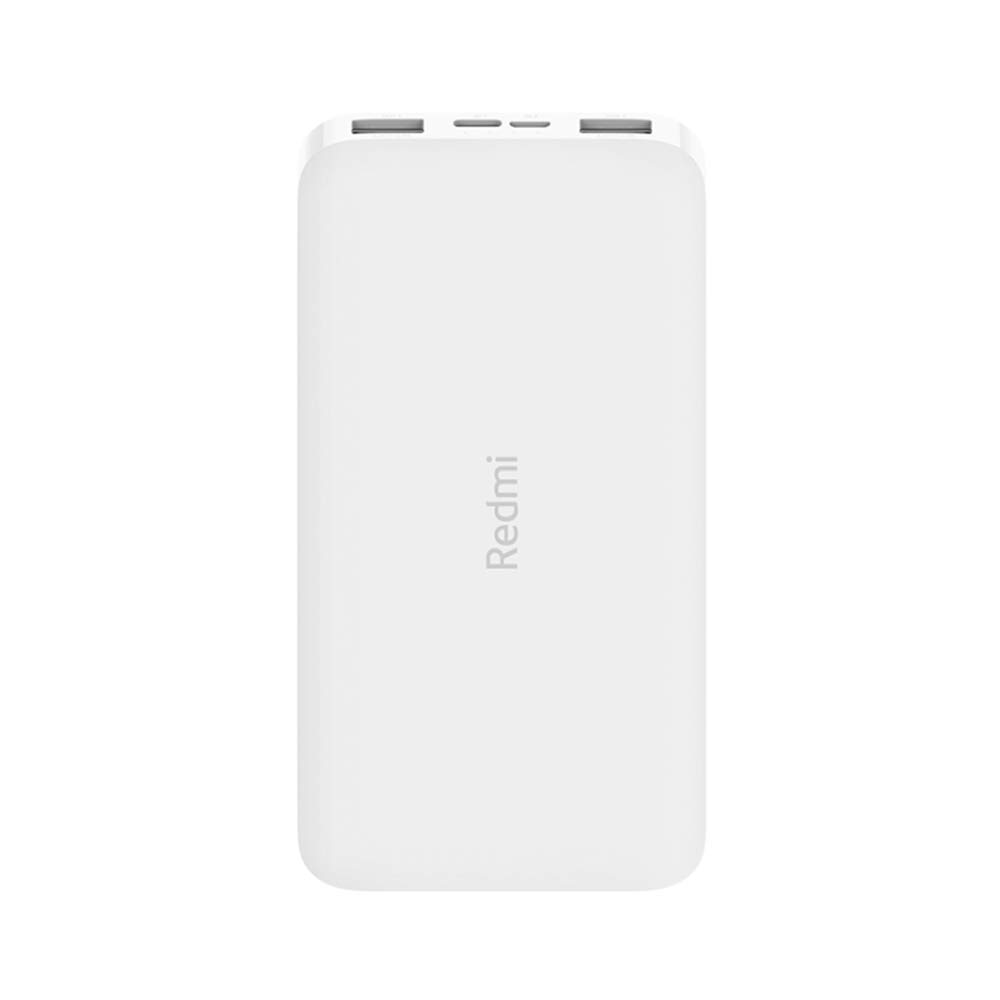
Bild: Abgewinkelt view of the white Redmi 10000mAh Power Bank.
Sicherheitshinweise
To prevent injury, damage to the product, or damage to property, observe the following safety precautions:
- Die Powerbank darf nicht auseinandergenommen, repariert oder verändert werden.
- Setzen Sie die Powerbank weder Feuer noch hohen Temperaturen oder direkter Sonneneinstrahlung aus.
- Kontakt mit Wasser oder anderen Flüssigkeiten vermeiden.
- Die Powerbank darf nicht fallen gelassen, Stößen ausgesetzt oder starken Vibrationen ausgesetzt werden.
- Außerhalb der Reichweite von Kindern aufbewahren.
- Verwenden Sie nur kompatible Ladekabel und Adapter.
- Entsorgen Sie die Powerbank gemäß den örtlichen Vorschriften.
Produkt überview
Familiarize yourself with the components of your Redmi 10000mAh Power Bank.

Image: Close-up of the power bank's top edge showing two USB-A output ports (OUT1, OUT2), one Micro-USB input port (IN1), one USB-C input port (IN2), and four LED battery level indicators.
- USB-A-Ausgangsanschlüsse (OUT1, OUT2): Used to charge external devices.
- Micro-USB Input Port (IN1): Used to charge the power bank.
- USB-C Input Port (IN2): Used to charge the power bank.
- LED-Anzeigen: Four small lights indicating the remaining battery level.
- Netzschalter: Located on the side, used to check battery level or activate charging.

Abbildung: Seite view of the power bank highlighting the power button.
Aufstellen
Erstladung der Powerbank
Before first use, fully charge your Redmi 10000mAh Power Bank.
- Connect a compatible USB cable to either the Micro-USB (IN1) or USB-C (IN2) input port on the power bank.
- Verbinden Sie das andere Ende des Kabels mit einem USB-Netzteil (nicht im Lieferumfang enthalten) oder einem USB-Anschluss Ihres Computers.
- The LED indicators will light up, showing the charging progress. All four LEDs will be solid when fully charged.
Anschließen von Geräten
The power bank is compatible with mobile phones and other USB-powered devices.
- Use the appropriate charging cable for your device.
- Connect one end of the cable to one of the USB-A output ports (OUT1 or OUT2) on the power bank.
- Verbinden Sie das andere Ende des Kabels mit dem Ladeanschluss Ihres Geräts.
Bedienungsanleitung
Aufladen externer Geräte
Once a device is connected, the power bank should automatically begin charging. If not, press the power button once to initiate charging.

Image: The power bank connected via a USB cable to charge a mobile phone, resting on a wooden table.
- The LED indicators will show the power bank's remaining battery level during charging.
- You can charge two devices simultaneously using both USB-A output ports.
Überprüfen des Batteriestands
Press the power button once to check the remaining battery level. The LED indicators will light up for a few seconds:
- 1 LEDs: 0-25 % verbleibende Batterie
- 2 LEDs: 25-50 % verbleibende Batterie
- 3 LEDs: 50-75 % verbleibende Batterie
- 4 LEDs: 75-100 % verbleibende Batterie
Wartung
- Reinigung: Reinigen Sie die Powerbank mit einem weichen, trockenen Tuch. Verwenden Sie keine scharfen Chemikalien oder Scheuermittel.
- Lagerung: Bewahren Sie die Powerbank an einem kühlen, trockenen Ort fern von direkter Sonneneinstrahlung und extremen Temperaturen auf.
- Batteriepflege: For optimal battery life, avoid fully discharging the power bank frequently. Recharge it when the battery level is low. If not used for extended periods, charge it to about 50% every three months.
Fehlerbehebung
| Problem | Mögliche Lösung |
|---|---|
| Powerbank lädt nicht. |
|
| Das Gerät lädt nicht über die Powerbank. |
|
| Langsamer Ladevorgang. |
|
Technische Daten
| Marke | Xiaomi |
| Modellnummer | PB100LZm |
| Kapazität | 10000 mAh |
| Farbe | Weiß |
| Akku-Typ | Lithium Polymer |
| Eingangsanschlüsse | 1x Micro-USB, 1x USB-C |
| Ausgangsanschlüsse | 2x USB-A (5.1V=2.4A each) |
| Kompatible Geräte | Mobile Phones and other USB-powered devices |
| Maße | 15.8 x 8 x 2 cm |
| Gewicht | 276 Gramm |
Garantie und Support
Based on the provided product information, this product is indicated as having keine Garantie. For any product-related inquiries or technical support, please refer to the official Xiaomi support channels or your point of purchase.


