Einführung
This manual provides detailed instructions for the setup, operation, and maintenance of your LTC Nimbleback LK-301 Low Profile Mechanical Keyboard. Please read this manual thoroughly before using the product to ensure proper functionality and to maximize your user experience.

Image: The LTC Nimbleback LK-301 Low Profile Mechanische Tastatur, Showcasing sein vollständiges Layout und sein elegantes Design.
Produkteigenschaften
- Niedriger Profile Mechanische Schalter: Equipped with responsive and comfortable white mechanical switches.
- Duale Konnektivität: Supports both Bluetooth 3.0 wireless and wired USB Type-C connections.
- Umschaltung mehrerer Geräte: Seamlessly switch between up to three connected Bluetooth devices.
- 96-Tasten-Layout: A compact layout that retains essential keys, including a numeric keypad.
- Weiße Hintergrundbeleuchtung: Features white backlighting with 17 different modes, adjustable brightness, and speed.
- RGB Side Lighting: Customizable RGB lighting on the sides of the keyboard.
- Langlebige Konstruktion: Built with an all-metal frame for enhanced durability and a premium feel.
- Thin & Lightweight Design: Ideal for portability and comfortable use.
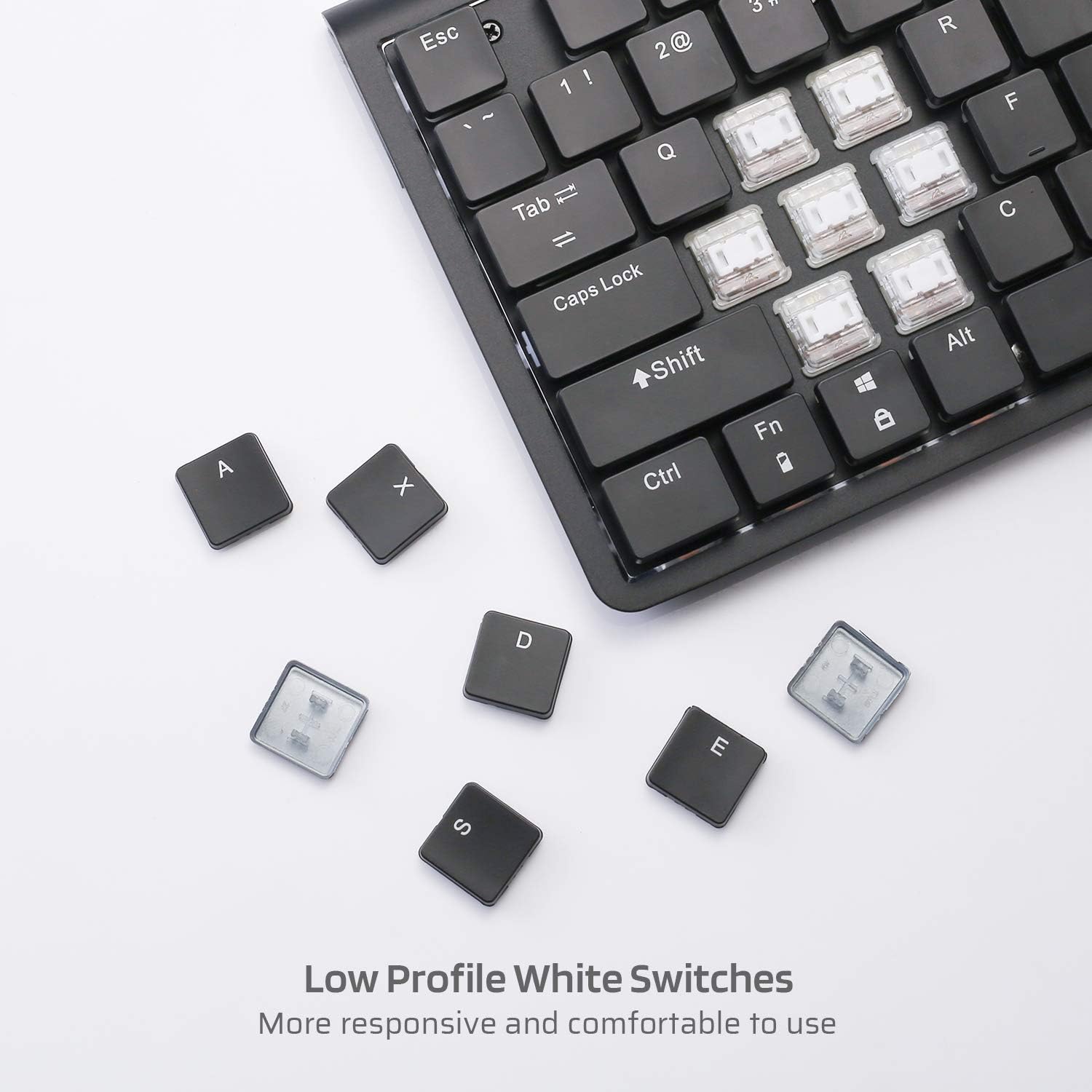
Bild: Nahaufnahme view of the low profile white mechanical switches, highlighting their design.
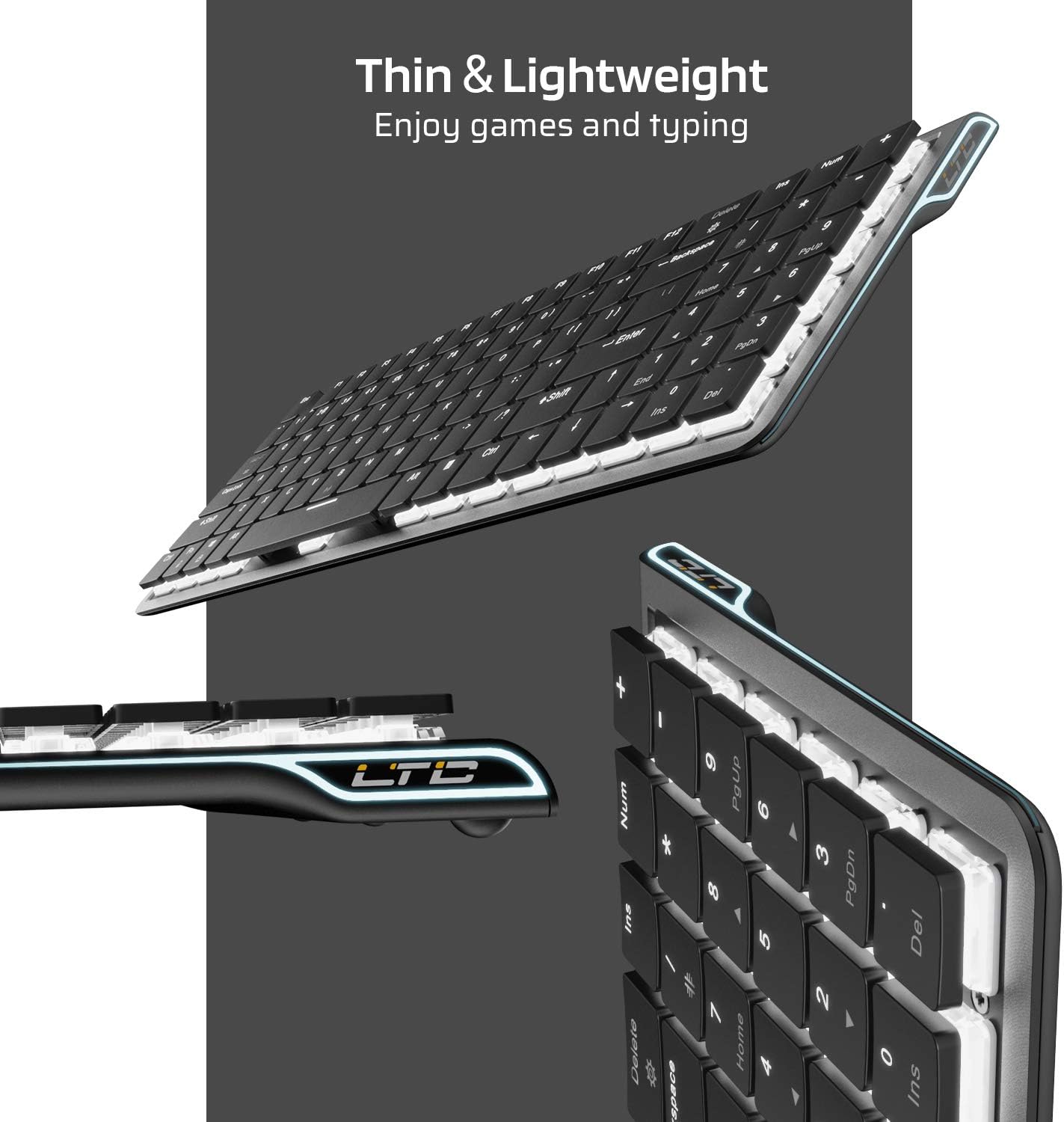
Abbildung: Seite view of the keyboard, emphasizing its thin and lightweight profile.
Installationsanweisungen
Kabelverbindung
- Suchen Sie das im Paket enthaltene USB-Typ-C-Kabel.
- Connect one end of the USB Type-C cable to the port on the keyboard.
- Verbinden Sie das andere Ende des Kabels mit einem freien USB-Anschluss Ihres Computers.
- Die Tastatur wird automatisch erkannt und ist sofort einsatzbereit.
Bluetooth drahtlose Verbindung
- Ensure the keyboard is charged or connected via USB-C initially.
- Locate the ON/OFF switch on the underside of the keyboard and slide it to the 'ON' position.
- Drücken Fn + Tab to switch the keyboard to wireless mode. The keyboard's backlight will blink twice to indicate wireless mode.
- To select a Bluetooth device slot, press Fn + Q, Fn + W, oder Fn + E. The corresponding key will blink slowly.
- To enter pairing mode, long-press Fn+B for 3 seconds. The selected Bluetooth key (Q, W, or E) will blink quickly, indicating it is ready to pair.
- On your device (computer, tablet, or mobile phone), enable Bluetooth and search for available devices. Select "LTC Nimbleback LK-301" from the list.
- Once paired, the selected Bluetooth key will stop blinking and remain steadily lit.

Image: Illustration showing both wireless Bluetooth 3.0 and wired USB Type-C connection options for the keyboard.

Image: The keyboard connected to multiple devices (smartphone, tablet, laptop), demonstrating its multi-device switching capability.
Video: Ein überview of the LTC Nimbleback LK-301 Low Profile Mechanical Keyboard, demonstrating its features and design. This video is provided by AceGadget.
Bedienungsanleitung
Steuerung der Hintergrundbeleuchtung
- Hintergrundbeleuchtungsmodus ändern: Drücken Fn + Löschen to cycle through 17 different white backlight modes.
- Pre-set Backlight Modes:
- Drücken Fn + 1 for FPS (First-Person Shooter) backlight mode.
- Drücken Fn + 2 for LOL (League of Legends) backlight mode.
- Drücken Fn + 3 for Office backlight mode.
- Helligkeit der Hintergrundbeleuchtung anpassen: Drücken Fn + Aufwärtspfeil um die Helligkeit zu erhöhen, und Fn + Pfeil nach unten um die Helligkeit zu verringern.
- Geschwindigkeit der Hintergrundbeleuchtung anpassen: Drücken Fn + Pfeil nach rechts to increase animation speed, and Fn + Pfeil nach links um die Animationsgeschwindigkeit zu verringern.
Side RGB Lighting Control
- Change Side Light Mode/Color: Drücken Fn + /? (located on the numeric keypad) to cycle through various RGB side lighting effects and colors.
Video: Eine detaillierte Review of the LTC Nimbleback LK-301 Low Profile Mechanical Keyboard, including demonstrations of its backlighting and side RGB effects. This video is provided by AngelPGC Store.
Wartung
Um die Langlebigkeit und optimale Leistung Ihrer Tastatur zu gewährleisten, beachten Sie bitte folgende Wartungshinweise:
- Reinigung: Wischen Sie die Tastaturoberfläche mit einem weichen, trockenen Tuch ab. Für eine gründlichere Reinigung verwenden Sie Druckluft, um Staub und Schmutz zwischen den Tastenkappen zu entfernen. Vermeiden Sie die Verwendung von scharfen Chemikalien oder Scheuermitteln.
- Lagerung: When not in use, store the keyboard in a cool, dry place away from direct sunlight and extreme temperatures. The included fabric bag can be used for protection during storage or travel.
- Flüssigkeitsexposition: Avoid spilling liquids on the keyboard. In case of accidental spills, immediately disconnect the keyboard, turn it off, and allow it to dry completely before attempting to use it again.
Fehlerbehebung
Keyboard Not Responding (Wired Mode)
- Stellen Sie sicher, dass das USB-Typ-C-Kabel sowohl mit der Tastatur als auch mit dem Computer fest verbunden ist.
- Versuchen Sie, die Tastatur an einen anderen USB-Anschluss Ihres Computers anzuschließen.
- Testen Sie die Tastatur an einem anderen Computer, um systemspezifische Probleme auszuschließen.
Keyboard Not Connecting (Bluetooth Mode)
- Verify that the keyboard's ON/OFF switch is in the 'ON' position.
- Stellen Sie sicher, dass sich die Tastatur im drahtlosen Modus befindet (Fn + Tab).
- Confirm that the correct Bluetooth device slot is selected (Fn + Q/W/E).
- Re-enter pairing mode by long-pressing Fn+B für 3 Sekunden.
- Check your device's Bluetooth settings to ensure Bluetooth is enabled and the keyboard is visible or already paired. Try removing and re-pairing the device.
- Stellen Sie sicher, dass der Akku der Tastatur ausreichend geladen ist.
Hintergrundbeleuchtung funktioniert nicht oder ist zu schwach
- Passen Sie die Helligkeit mit folgenden Mitteln an: Fn + Aufwärtspfeil.
- Durchschalten der Hintergrundbeleuchtungsmodi mit Fn + Löschen to see if a different mode activates the lights.
- Ensure the keyboard battery has sufficient charge, as low battery can affect backlight performance.
Technische Daten
| Besonderheit | Detail |
|---|---|
| Modellnummer | LK-301 |
| Konnektivitätstechnologie | Bluetooth 3.0, USB Typ-C (kabelgebunden) |
| Tastaturbeschreibung | Mechanische Gaming-Tastatur |
| Besondere Merkmale | Bluetooth, Lighting (White Backlit, RGB Side), Wireless |
| Farbe | Schwarz |
| Material | Metall |
| Artikelgewicht | 1.76 Pfund (ca. 0.8 kg) |
| Verpackungsabmessungen | 15.28 x 6.3 x 2.2 Zoll |
| Im Lieferumfang enthaltene Komponenten | USB Receiver (Note: USB Type-C cable is also included for wired connection and charging) |
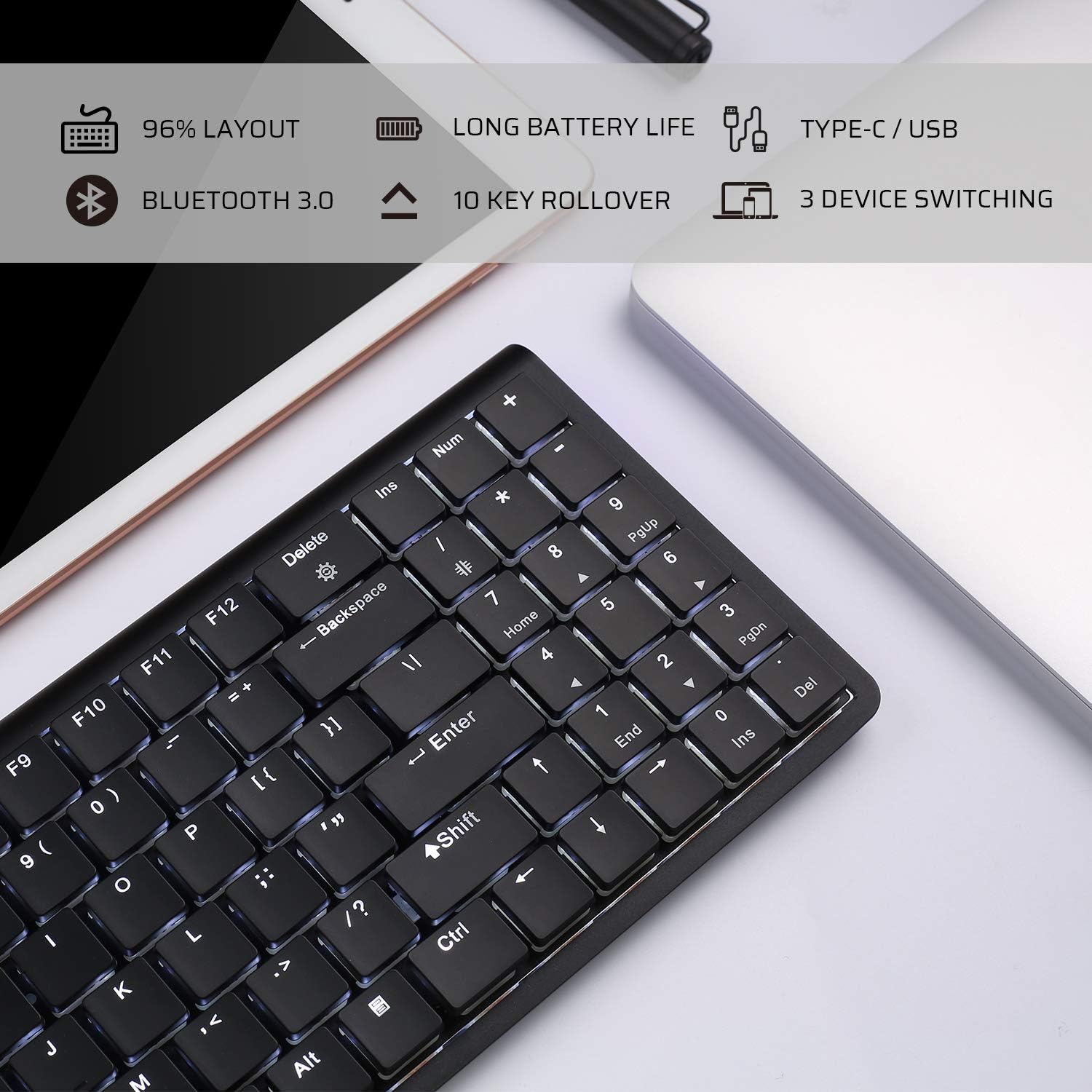
Image: An infographic highlighting key features such as 96% layout, long battery life, Type-C/USB, Bluetooth 3.0, 10-key rollover, and 3-device switching.
Garantie und Support
For warranty information and customer support, please refer to the warranty card included in your product packaging or visit the official LTC webBewahren Sie Ihren Kaufbeleg als Kaufnachweis für eventuelle Garantieansprüche auf.


