Einführung
The COMICA BoomX-D1 is a compact and versatile 2.4G wireless microphone system designed for high-quality audio recording. It features one transmitter and one receiver, offering stable transmission up to 650ft (200m). This system is ideal for various applications including interviews, podcasting, YouTube videos, live streaming, and more, providing clear and reliable audio performance.
Lieferumfang
- 1 x Empfänger
- 1 x Sender
- 1 x 3.5mm Lavalier Microphone
- 1 x 3.5mm TRS Audio Output Cable (for cameras)
- 1 x 3.5mm TRRS Audio Output Cable (for smartphones)
- 1 x 3-in-1 USB-C-Ladekabel
- 1 x Tragetasche
- 1 x Windschutz
- 1 x Benutzerhandbuch
- 1 x Garantiekarte

Image: All components included in the COMICA BoomX-D1 package.
Produkt überview
Sender (TX)

Bild: Vorderseite view of the Transmitter with its display and built-in microphone.
- Eingebautes Mikrofon: Omnidirectional pickup for direct audio capture.
- 3.5mm MIC IN Port: For connecting the external lavalier microphone.
- Power/Mute/Denoise Button: Short press to mute/unmute, long press for power ON/OFF, one-click to activate/deactivate noise cancellation.
- Pair-Taste: For pairing with the receiver.
- USB-C-Ladeanschluss: Zum Aufladen des Gerätes.
- Belt Clip/Cold Shoe Adapter: Zur Befestigung an Kleidung oder Kamera.
Empfänger (RX)
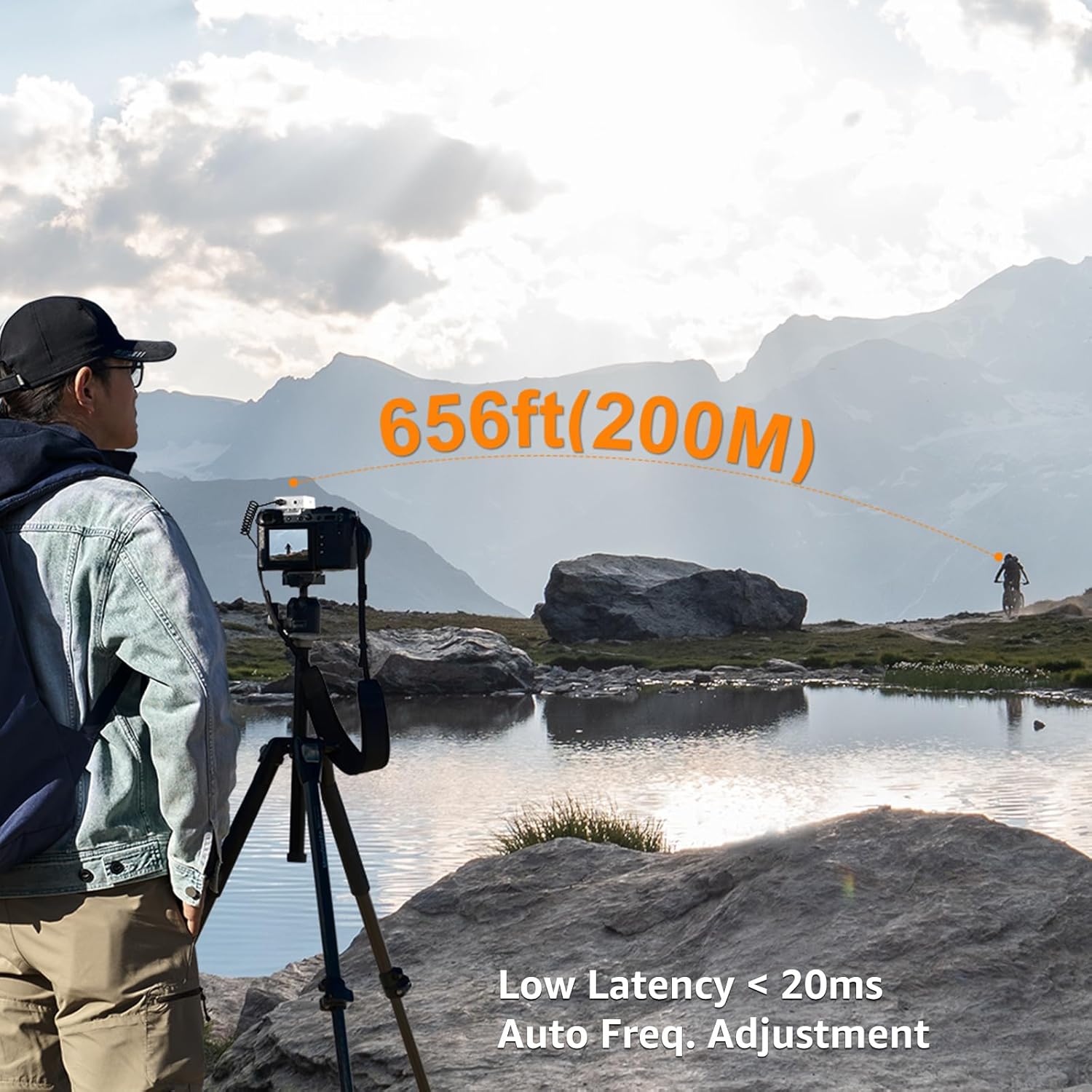
Bild: Vorderseite view of the Receiver with its display and control buttons.
- 3.5mm Audio OUT Port: For connecting to cameras, camcorders, or smartphones.
- 3.5mm Headphone Monitor Port: Für Echtzeit-Audioüberwachung.
- Power/Mono/Stereo Switch: Long press for power ON/OFF, short press to switch between Mono and Stereo output modes.
- A/B Channel Gain Control: Regelt die Ausgangslautstärke für jeden Kanal.
- USB-C-Ladeanschluss: Zum Aufladen des Gerätes.
- Belt Clip/Cold Shoe Adapter: Zur Befestigung an Kleidung oder Kamera.
Aufstellen
- Geräte aufladen: Use the provided 3-in-1 USB-C charging cable to fully charge both the transmitter and receiver before first use. The orange cable supports charging and data transmission, while black cables are for charging only.
- Einschalten: Long press the Power button on both the transmitter and receiver to turn them ON.
- Paarung: The devices should automatically pair. If not, short press the Pair button on the transmitter. The display will indicate successful pairing.
- Mikrofon anschließen:
- Internes Mikrofon: Simply clip the transmitter to your clothing.
- External Lavalier Mic: Plug the 3.5mm lavalier microphone into the MIC IN port on the transmitter. Secure the lavalier mic to your clothing.

Image: External lavalier microphone connected to the transmitter.
- Empfänger montieren: Attach the receiver to your camera's hot shoe or cold shoe mount using its belt clip.
- Verbindung zum Aufnahmegerät herstellen:
- Für Kameras: Use the 3.5mm TRS audio output cable.
- Für Smartphones: Use the 3.5mm TRRS audio output cable. (Note: For iPhone 7 and above iOS smartphones, an ORIGINAL Lightning - 3.5mm TRRS adapter cable from Apple's official website is required. Third-party adapters may affect sound quality.)
Bedienungsanleitung
Echtzeitüberwachung
Plug headphones into the 3.5mm Headphone Monitor Port on the receiver to monitor audio in real-time during recording. This helps ensure proper audio levels and quality.
Stummschaltung
Short press the Power/Mute button on the transmitter to mute the microphone. This is useful for short pauses or adjustments without stopping the recording.
Mono-/Stereo-Ausgang
Short press the Power/Mono/Stereo switch on the receiver to toggle between Mono and Stereo output modes. In Mono mode, audio from both transmitters (if using a dual-transmitter system) is mixed into a single channel. In Stereo mode, each transmitter's audio is recorded on a separate channel (left/right).
Einstellung der Ausgangslautstärke
Use the A/B Channel Gain Control buttons on the receiver to adjust the output volume (gain) for each channel independently, according to your recording device's input sensitivity.
Video: General überview of the COMICA BoomX-D wireless microphone system and its basic operation.
Rauschunterdrückung
The new version of BoomX-D supports one-click noise cancellation. To activate or deactivate noise reduction, simply press the Pair/Denoise Button on the transmitter. This feature helps to make your video voice clear and clean by filtering out unwanted background noise.
Image: Transmitter display indicating noise reduction status.
Video: Demonstration of microphone sound quality test, highlighting noise reduction capabilities.
Audio-Eingangsmodi
The COMICA BoomX-D1 offers two flexible audio input modes:
- Internes Mikrofon: The transmitter has a built-in omnidirectional microphone. You can directly clip the transmitter to your clothing for convenient audio capture.
- External Lavalier Microphone: For more discreet placement or specific audio needs, connect the included 3.5mm lavalier microphone to the transmitter's MIC IN port.

Image: Using the internal microphone by clipping the transmitter directly.

Image: Using the external lavalier microphone.
Video: Explanation of the two input modes: built-in microphone and lavalier microphone.
Aufladen und Akkulaufzeit
The BoomX-D1 system features built-in lithium batteries, providing up to 12 hours of runtime on a full charge. The included 3-in-1 USB-C charging cable allows you to charge both the transmitter and receiver simultaneously. Ensure to use the orange cable for charging and data transmission, while the black cables are for charging only.
Kompatibilität
The BoomX-D1 is widely compatible with various recording devices:
- Kameras: Compatible with Canon, Nikon, Sony, Panasonic DSLR cameras, and camcorders using the 3.5mm TRS audio output cable.
- Smartphones: Compatible with most smartphones using the 3.5mm TRRS audio output cable.
- Computer: Can be connected to PCs and laptops.
Wichtige Hinweise:
- For iPhone 7 and above iOS smartphones, please purchase an ORIGINAL Lightning - 3.5mm TRRS adapter cable from Apple's official website. Third-party adapter cables may be incompatible or affect sound quality.
- The gray plug output cable is dedicated to mobile phones, and the black plug output cable is dedicated to camera, camcorder, and PC.
- Maintain line-of-sight between the transmitter and receiver for optimal performance. Avoid placing your body between them to prevent signal breakpoints.
- The distance between the transmitter and receiver should be more than 15 inches to avoid interference.
Video: Explanation of output cable connections for various devices.
Fehlerbehebung
- No Audio/Poor Quality:
- Stellen Sie sicher, dass sowohl Sender als auch Empfänger vollständig aufgeladen und eingeschaltet sind.
- Check that devices are properly paired.
- Verify correct audio cables are used for your recording device (TRS for camera, TRRS for smartphone).
- Adjust output volume (gain) on the receiver.
- Ensure the lavalier microphone is securely plugged into the transmitter (if used).
- Check for obstructions or excessive distance between transmitter and receiver.
- Störungen/Signalausfälle:
- Maintain line-of-sight between devices.
- Keep transmitter and receiver at least 15 inches apart.
- Avoid environments with strong 2.4Ghz interference (e.g., Wi-Fi routers, other wireless devices).
- Rauschen im Audio:
- Activate the noise reduction feature on the transmitter.
- Ensure the wind muff is properly installed on the microphone in windy conditions.
Technische Daten
| Audio Empfindlichkeit | 100 Dezibel |
| Artikelgewicht | 218 Gramm (7.7 Unzen) |
| Mikrofon-Formfaktor | Lavalier |
| Artikelabmessungen (L x B x H) | 4.33 x 2.76 x 5.31 Zoll |
| Stromquelle | Batteriebetrieben (2 Lithium-Polymer-Batterien im Lieferumfang enthalten) |
| Material | Metall |
| Signal-Rausch-Verhältnis | 86 dB |
| Anzahl der Kanäle | 1 |
| Frequenzgang | 20 KHz |
| Konnektivitätstechnologie | 2.4GHz (Wireless) |
| Steckertyp | 3.5 mm Klinke |
| Besondere Merkmale | Clip, Mute Function, Volume Control |
| Kompatible Geräte | Camcorder, Kamera, Laptop, PC, Smartphone |
| Richtcharakteristik | Omnidirektional |
Garantie und Support
The COMICA BoomX-D1 comes with a warranty card included in the package. Please refer to the warranty card for details on coverage and terms. For technical support, product inquiries, or service, please visit the official COMICA webWebsite oder wenden Sie sich direkt an den Kundendienst.


