Einführung
Vielen Dank für Ihren Einkauf.asing the Helix True Wireless Earbuds. This manual provides essential information for setting up, operating, and maintaining your earbuds. Please read it carefully before use and retain it for future reference.

Image: Helix True Wireless Earbuds, black and white, resting inside their open black charging case. One earbud is also shown outside the case, indicating its design.
Lieferumfang
- Kabellose Ohrhörer (links und rechts)
- Ladeetui
- USB-Ladekabel
- Bedienungsanleitung
Aufstellen
1. Erstes Aufladen
Before first use, fully charge the earbuds and the charging case. Connect the USB charging cable to the charging case and a power source. The LED indicators on the case will show charging status.

Image: An open charging case with two earbuds inside. Three blue LED lights are visible on the case, indicating power status. Text overlays highlight "Superior HD Audio", "Hands-Free Calling", and "Power LED Indicators".
2. Power On/Off and Auto-Pairing
The earbuds feature auto on/off and pairing. Simply remove the earbuds from the charging case to power them on. They will automatically enter pairing mode or reconnect to the last paired device. Place them back into the case to power off and begin charging.
3. Bluetooth-Kopplung
- Stellen Sie sicher, dass die Ohrhörer aufgeladen und aus dem Ladecase entnommen sind.
- Gehen Sie auf Ihrem Gerät (Smartphone, Tablet usw.) zu den Bluetooth-Einstellungen.
- Suchen nach new devices and select "Helix TW" from the list.
- Sobald die Verbindung hergestellt ist, zeigt Ihr Gerät eine erfolgreiche Kopplung an.
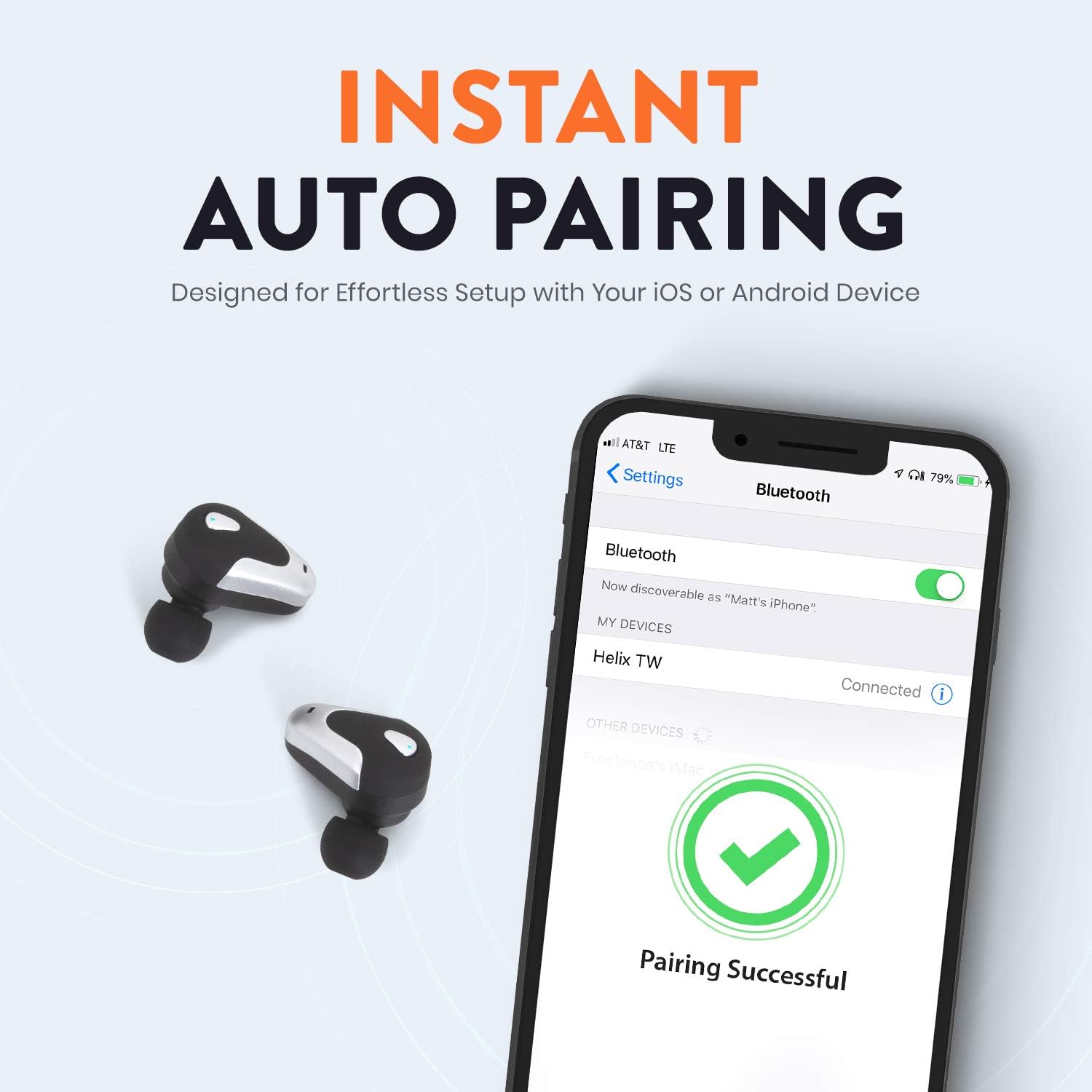
Image: A smartphone screen displaying Bluetooth settings, showing "Helix TW" as a connected device and a "Pairing Successful" message with a green checkmark. Two Helix earbuds are shown next to the phone.
4. SecureLock Fit
The Helix True Wireless Earbuds are designed with an ergonomic SecureLock Fit for comfort and stability during various activities. Gently insert the earbuds into your ears and twist slightly to secure them.

Image: A diagram illustrating the ergonomic SecureLock Fit of the earbuds, showing how they twist into the ear for a secure hold. In the background, people are exercising, suggesting the earbuds' suitability for active use.
Bedienungsanleitung
Audiowiedergabe
- Abspielen/Pause: Tap the control area on either earbud once.
- Nächster Titel: Double-tap the control area on the right earbud.
- Vorheriges Lied: Double-tap the control area on the left earbud.
Freisprechen
- Anruf annehmen/beenden: Tap the control area on either earbud once.
- Anruf ablehnen: Press and hold the control area on either earbud for 2 seconds.
Sprachassistent-Steuerung
Triple-tap the control area on either earbud to activate your device's voice assistant (e.g., Siri, Google Assistant).
Akkulaufzeit
The earbuds provide up to 4 hours of run time on a single charge. The charging case extends total listening time to approximately 16 hours.

Image: A graphic illustrating the battery life of the Helix earbuds. It shows "4 HOURS" for a single charge of the earbuds and "16 HOURS" when combined with the charging case.
HD-Audio
Experience HD audio with unrivaled bass, midtones, and treble frequencies for a rich listening experience.

Image: A graphic titled "NEXT-LEVEL HD AUDIO" with sound wave patterns in blue, representing high-definition audio quality. Two Helix earbuds are depicted in the foreground.
Wartung
- Reinigung: Reinigen Sie die Ohrhörer und das Ladecase mit einem weichen, trockenen Tuch. Verwenden Sie keine Scheuermittel und tauchen Sie die Ohrhörer nicht in Wasser.
- Lagerung: Bewahren Sie die Ohrhörer bei Nichtgebrauch in ihrem Ladeetui auf, um sie zu schützen und geladen zu halten.
- Wasserbeständigkeit: The earbuds are water resistant, but not waterproof. Avoid prolonged exposure to water or submersion.
Fehlerbehebung
| Problem | Lösung |
|---|---|
| Die Ohrhörer lassen sich nicht mit dem Gerät koppeln. |
|
| Kein Ton aus einem Ohrhörer. |
|
| Ohrhörer werden nicht aufgeladen. |
|
| Schlechte Audioqualität. |
|
Technische Daten
| Besonderheit | Detail |
|---|---|
| Modellname | Wendel |
| Modellnummer | ETHTWB |
| Konnektivitätstechnologie | Bluetooth |
| Bluetooth-Version | 5.0 |
| Bluetooth-Reichweite | 10 Meter |
| Akkulaufzeit (Ohrhörer) | Bis zu 4 Stunden |
| Gesamte Akkulaufzeit (mit Hülle) | Bis zu 16 Stunden |
| Audiotreibertyp | Balanced Armature Treiber |
| Frequenzbereich | 20 Hz bis 20,000 Hz |
| Steuerungstyp | Media Control, Voice Assistant |
| Mikrofon | Included for Hands-Free Calling |
| Wasserbeständigkeit | Wasserfest |
| Form der Hörmuschel | In-Ear |
| Material | Plastik |
| Farbe | Schwarz |
| Artikelgewicht | 3.2 Unzen |
| Hersteller | Wendel |
| UPC | 816983019126 |
Garantieinformationen
Specific warranty details are typically provided with your product packaging or available on the manufacturer's official webDie vollständigen Garantiebedingungen entnehmen Sie bitte der mit Ihrem Kauf gelieferten Dokumentation.
Unterstützung
For further assistance, technical support, or customer service inquiries, please visit the official Helix website or contact their customer support channels as listed in your product documentation.
Besuchen Sie auch die Helix Store on Amazon für weitere Produktinformationen.


