1. Einleitung
Thank you for choosing the havit KB488L USB Wired Keyboard. This manual provides essential information for setting up, operating, and maintaining your keyboard. Please read it carefully to ensure optimal performance and longevity of your device.
The havit KB488L is designed for both office and gaming use, featuring a quiet typing experience, ergonomic wrist rest, and vibrant rainbow LED backlighting. It offers a 105-key UK layout for comfortable and efficient input.

Image 1.1: The havit KB488L keyboard, highlighting its quiet operation and integrated wrist rest.
2. Produktmerkmale
- Leiser Betrieb: Designed for smooth and silent typing, suitable for office and home environments.
- Ergonomisches Design: Features a 15° tilt capability and an integrated wrist rest to reduce fatigue during extended use.
- Regenbogen-LED-Hintergrundbeleuchtung: Enhances visibility in low-light conditions and provides an aesthetic appeal. The backlight can be toggled on/off.
- 12 Multimedia-Tastenkombinationen: Provides quick access to common functions for entertainment and productivity.
- Langlebige Konstruktion: Keys tested for 5 million clicks, ensuring long-term reliability.
- Kabelgebundene Konnektivität: Zuverlässige USB-Verbindung für gleichbleibende Leistung.
- Breite Kompatibilität: Supports Windows 2000/XP/Vista/7/8/10, Mac, and Linux operating systems. (Note: Multimedia keys function only on Windows).

Image 2.1: The integrated wrist rest of the havit KB488L keyboard, designed for ergonomic comfort.
3. Packungsinhalt
- havit KB488L USB Wired Keyboard with integrated wrist rest
- Benutzerhandbuch (dieses Dokument)
4. Einrichtungsanweisungen
- Auspacken der Tastatur: Nehmen Sie die Tastatur vorsichtig aus der Verpackung.
- Mit Computer verbinden: Plug the USB connector of the keyboard into an available USB port on your computer (desktop PC or laptop).
- Treiberinstallation: Die Tastatur ist sofort einsatzbereit (Plug-and-Play). Ihr Betriebssystem erkennt und installiert die benötigten Treiber automatisch. Es ist keine zusätzliche Softwareinstallation erforderlich.
- Neigung einstellen (optional): Klappen Sie die verstellbaren Füße an der Unterseite der Tastatur aus, um den gewünschten Tippwinkel einzustellen.

Image 4.1: The havit KB488L keyboard set up and connected to a computer.
5. Bedienungsanleitung
5.1 Grundlegende Tastaturfunktionen
The havit KB488L functions as a standard 105-key UK layout keyboard. All standard alphanumeric keys, function keys (F1-F12), navigation keys, and numeric keypad operate as expected.
5.2 Multimedia-Tastenkombinationen
The keyboard features 12 multimedia shortcut keys accessible by pressing the Fn key in combination with the corresponding F1-F12 keys. These shortcuts are designed to enhance productivity and entertainment. Note: Multimedia keys are ONLY functional on Windows operating systems.
| Tastenkombination | Funktion |
|---|---|
| Fn + F1 | Musik-Player |
| Fn + F2 | Lautstärke verringern |
| Fn + F3 | Lautstärke erhöhen |
| Fn + F4 | Stumm |
| Fn + F5 | Vorheriges Lied |
| Fn + F6 | Nächstes Lied |
| Fn + F7 | Abspielen/Pause |
| Fn + F8 | Stoppen |
| Fn + F9 | Web/Zuhause |
| Fn + F10 | |
| Fn + F11 | Mein Computer |
| Fn + F12 | Favoriten |
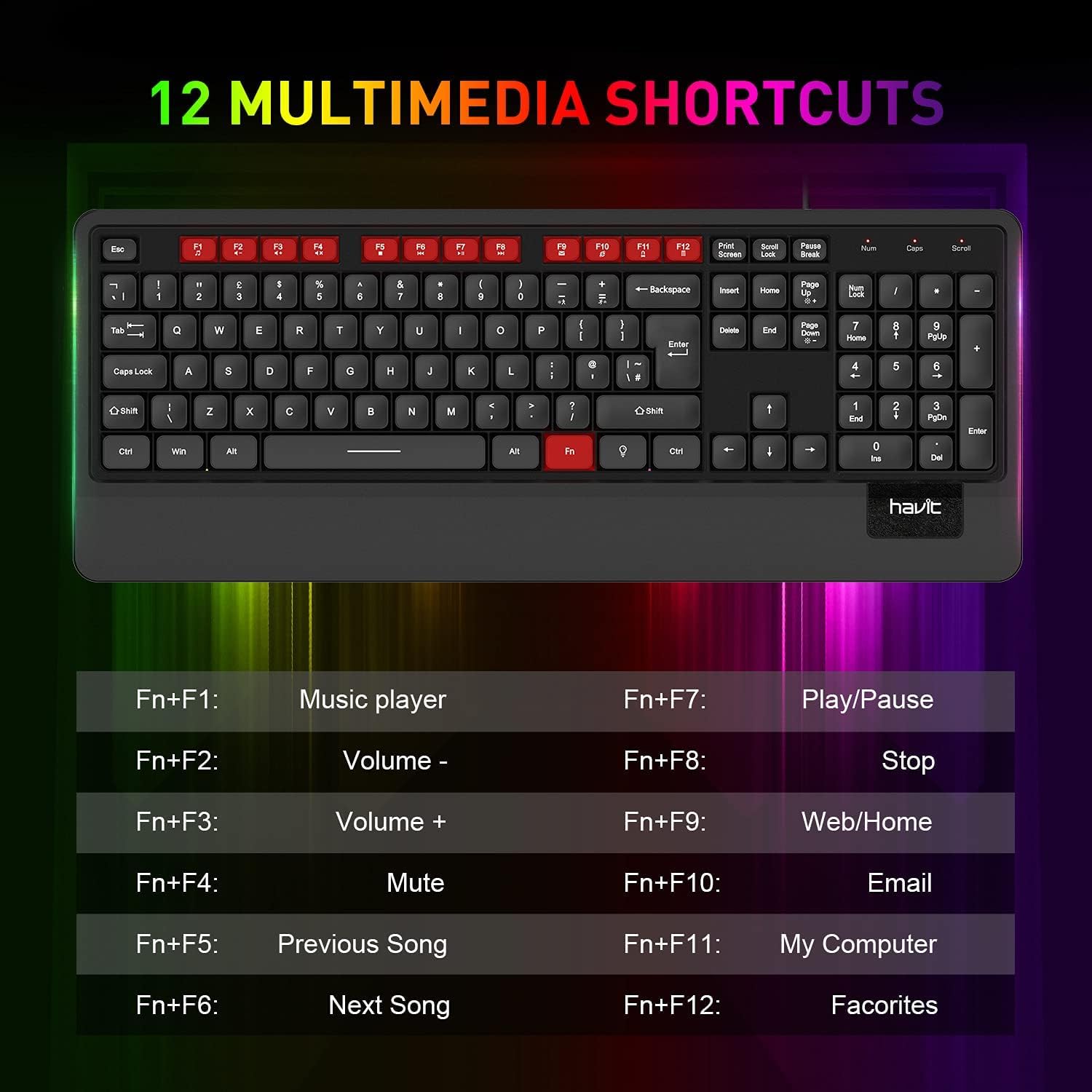
Bild 5.1: Überview of the 12 multimedia shortcut keys and their functions.
5.3 Hintergrundbeleuchtungssteuerung
Die Tastatur verfügt über eine LED-Hintergrundbeleuchtung in Regenbogenfarben. So steuern Sie die Hintergrundbeleuchtung:
- Ein-/Ausschalten: Drücken Sie die Rollen-Taste Taste zum Ein- und Ausschalten der Hintergrundbeleuchtung.

Image 5.2: The havit KB488L keyboard with its rainbow LED backlight active, illustrating key visibility in low light.
6. Wartung
To ensure the longevity and proper functioning of your havit KB488L keyboard, follow these maintenance guidelines:
- Reinigung: Verwenden Sie ein weiches, trockenes Tuch, um die Oberfläche der Tastatur abzuwischen. Bei hartnäckigem Schmutz kann ein leicht dämpfendes Tuch hilfreich sein.amp cloth can be used, ensuring no liquid enters the keycaps or internal components. Avoid harsh chemicals or abrasive cleaners.
- Staubentfernung: Verwenden Sie Druckluft, um Staub und Schmutz zwischen den Tasten zu entfernen.
- Verschütten vermeiden: Keep liquids away from the keyboard to prevent damage. In case of a spill, immediately disconnect the keyboard from your computer and allow it to dry completely before reconnecting.
- Lagerung: Bei längerer Nichtbenutzung sollte die Tastatur an einem sauberen, trockenen Ort ohne direkte Sonneneinstrahlung und extreme Temperaturen aufbewahrt werden.
7. Fehlerbehebung
If you encounter issues with your havit KB488L keyboard, please refer to the following common solutions:
- Tastatur reagiert nicht:
- Stellen Sie sicher, dass das USB-Kabel fest an einen funktionierenden USB-Anschluss Ihres Computers angeschlossen ist.
- Versuchen Sie, die Tastatur an einen anderen USB-Anschluss anzuschließen.
- Starten Sie Ihren Computer neu.
- Testen Sie die Tastatur an einem anderen Computer, um festzustellen, ob das Problem an der Tastatur oder am Computer liegt.
- Hintergrundbeleuchtung funktioniert nicht:
- Drücken Sie die Rollen-Taste key to ensure the backlight is toggled on.
- Stellen Sie sicher, dass die Tastatur ordnungsgemäß angeschlossen ist und mit Strom versorgt wird.
- Multimedia-Tasten funktionieren nicht:
- Remember that multimedia keys only work on Windows operating systems.
- Stellen Sie sicher, dass Sie die Taste drücken. Fn Drücken Sie gleichzeitig die gewünschte Funktionstaste (F1-F12).
- Tasten klemmen oder werden nicht registriert:
- Reinigen Sie die betroffenen Tasten mit Druckluft, um jegliche Verunreinigungen zu entfernen.
- Vermeiden Sie übermäßigen Kraftaufwand beim Tippen.
If these steps do not resolve your issue, please contact havit customer support for further assistance.
8. Spezifikationen
| Besonderheit | Detail |
|---|---|
| Modellnummer | KB488L |
| Konnektivität | Kabelgebundenes USB |
| Tastenbelegung | 105 Keys, UK Layout |
| Hintergrundbeleuchtung | Regenbogen-LED |
| Besondere Merkmale | Backlit, Ergonomic, Integrated Wrist Rest |
| Kompatible Geräte | Notebook, PC |
| Betriebssystemkompatibilität | Windows 2000/XP/Vista/7/8/10, Mac, Linux |
| Technische Daten | 1.08 x 17.52 x 6.89 Zoll (27.5 x 445 x 175 mm) |
| Artikelgewicht | 1.63 Pfund (0.74 kg) |
| Hersteller | Gewohnheit |

Image 8.1: Detailed dimensions of the havit KB488L keyboard.
9. Garantie und Support
havit products come with a standard manufacturer's warranty. For specific warranty details, terms, and conditions, please refer to the warranty card included with your purchase or visit the official havit webWebsite.
For technical support, troubleshooting assistance, or any inquiries regarding your havit KB488L keyboard, please contact havit customer service through their official webWebsite oder die Kontaktinformationen, die auf Ihrer Produktverpackung angegeben sind.


