Einführung
Thank you for choosing the 360 S9 Robot Vacuum and Mop. This intelligent cleaning device is designed to provide efficient and thorough cleaning of your home with advanced navigation and dual cleaning capabilities. Please read this manual carefully before using the product to ensure proper operation and maintenance.

The 360 S9 Robot Vacuum and Mop, showcasing its sleek design and the accompanying mobile application for control.
Sicherheitshinweise
Um das Risiko von Verletzungen oder Schäden zu verringern, lesen Sie diese Sicherheitshinweise sorgfältig durch und bewahren Sie sie zum späteren Nachschlagen griffbereit auf.
- Dieses Gerät kann von Kindern ab 8 Jahren und von Personen mit eingeschränkten physischen, sensorischen oder geistigen Fähigkeiten oder Mangel an Erfahrung und Wissen verwendet werden, wenn sie beaufsichtigt werden oder in die sichere Verwendung des Geräts eingewiesen wurden und die damit verbundenen Gefahren verstehen.
- Kinder dürfen nicht mit dem Gerät spielen. Reinigung und Benutzerwartung dürfen nicht von Kindern ohne Aufsicht durchgeführt werden.
- Verwenden Sie ausschließlich das vom Hersteller mitgelieferte Original-Netzteil.
- Der Roboter darf nicht in Umgebungen mit offenem Feuer oder zerbrechlichen Gegenständen eingesetzt werden.
- Stellen Sie sicher, dass der Roboter vor dem ersten Gebrauch vollständig aufgeladen ist.
- Do not expose the robot to direct sunlight or extreme temperatures.
- Halten Sie Haare, lose Kleidung, Finger und alle Körperteile von Öffnungen und beweglichen Teilen fern.
Packungsinhalt
Please check if all components are included in the package:
- 360 S9 Saug- und Wischroboter
- Ladestation
- Netzteil
- Wassertank
- Mopptuch
- Seitenbürsten (2x)
- Reinigungswerkzeug
- Bedienungsanleitung
Produkt überview
Familiarize yourself with the different parts of your 360 S9 Robot Vacuum and Mop.
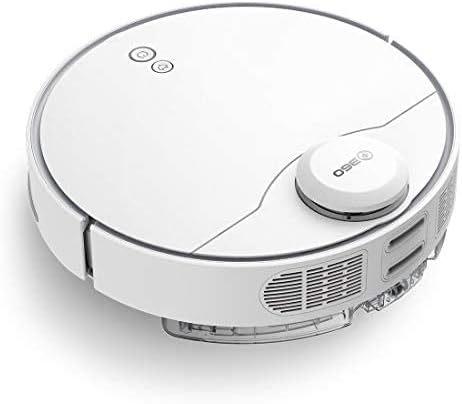
Seite view of the 360 S9, highlighting the dustbin and side brush assembly.

Detaillierte Seite view of the 360 S9, illustrating its wheels and various sensors.
Spitze View
- LDS Laser Navigation Sensor: For precise mapping and navigation.
- Power/Clean Button: Start/pause cleaning.
- Recharge Button: Send robot back to charging dock.
- Dustbin Compartment: Houses the dustbin and water tank.
Unten View
- Side Brush: Sweeps debris into the main brush path.
- Main Brush: Collects dust and debris.
- Driving Wheels: For movement across various surfaces.
- Cliff Sensors: Prevents the robot from falling down stairs.
- Charging Contacts: For connecting with the charging dock.
Aufstellen
1. Platzierung der Ladestation
Place the charging dock against a wall on a hard, level surface. Ensure there is at least 0.5 meters (1.6 feet) of clear space on both sides and 1.5 meters (4.9 feet) in front of the dock. Connect the power adapter to the dock and plug it into a wall outlet. Ensure the indicator light on the dock is on.
2. Erstes Aufladen
Place the robot onto the charging dock, ensuring the charging contacts align. The robot will automatically begin charging. For first-time use, fully charge the robot before operation. A full charge takes approximately 4-5 hours.
3. App-Installation & Verbindung
Download the "360 Robot" app from the App Store (iOS) or Google Play Store (Android). Follow the in-app instructions to connect your robot to your home Wi-Fi network. This will enable advanced features like map management, scheduled cleaning, and remote control.

The 360 Robot app interface, demonstrating various cleaning modes and compatibility with Amazon Alexa and Google Assistant.
Bedienungsanleitung
Reinigungsmodi
The 360 S9 offers multiple cleaning modes to suit your needs:
- Automatische Reinigung: The robot intelligently plans its cleaning route using LDS Lidar and SLAM algorithm to cover the entire area. Press the Power/Clean button on the robot or select "Auto Cleaning" in the app.
- Kantenreinigung: The robot cleans along the edges of your rooms. Select "Edge Cleaning" in the app.
- Fleckenreinigung: The robot performs an intensive clean in a specific area. Place the robot in the desired area and select "Spot Cleaning" in the app.
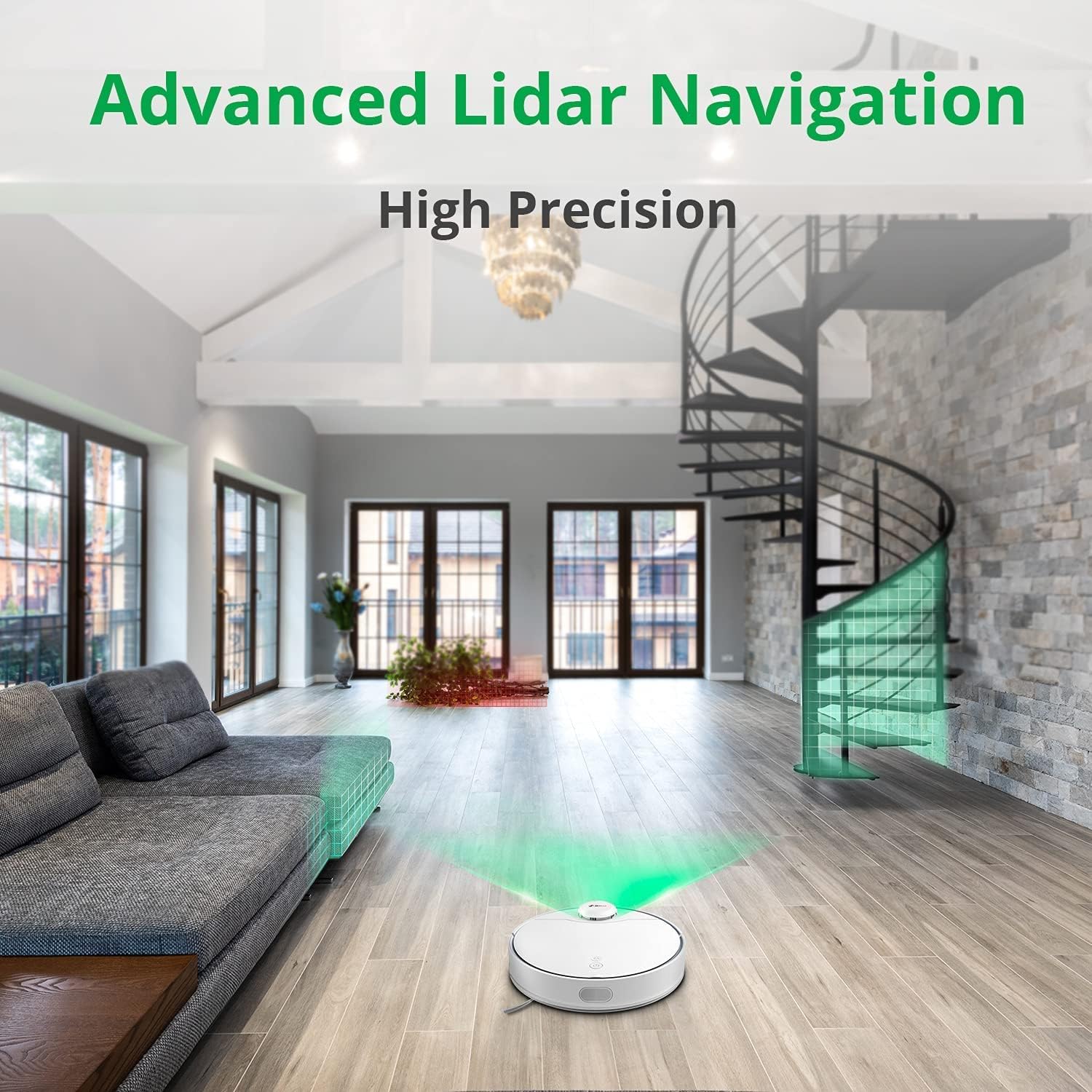
The 360 S9 utilizing its advanced Lidar navigation system for high-precision mapping and cleaning.
Staubsaugen und Wischen
The S9 can vacuum and mop simultaneously. To use the mopping function:
- Fill the water tank with clean water. Do not use detergents or corrosive liquids.
- Befestigen Sie den Moppbezug fest am Wassertank.
- Insert the filled water tank into the robot's designated slot. The robot will automatically detect the water tank and switch to sweep+mop mode.

Visual representation of the 360 S9's 2-in-1 vacuuming and mopping function, showing the dustbin (0.42L) and water tank (0.2L) capacities.
The robot features a powerful 2650Pa suction with carpet boost, automatically increasing Saugkraft auf Teppichen für eine gründlichere Reinigung.

The 360 S9 showcasing its 2650Pa powerful suction with automatic carpet boost, effectively cleaning a rug.
No-Go Zones and Virtual Walls
Using the 360 Robot app, you can set up virtual walls or no-go zones to restrict the robot from entering certain areas. This is useful for protecting fragile items or preventing the robot from entering bathrooms while mopping.
Sprachsteuerung
The 360 S9 is compatible with Amazon Alexa and Google Assistant. Link your robot vacuum to your smart home system through the 360 Robot app to control it with voice commands, such as "Alexa, tell 360 Robot to start cleaning" or "Hey Google, ask 360 Robot to go home."
Wartung
Regelmäßige Wartung gewährleistet optimale Leistung und verlängert die Lebensdauer Ihres Saugroboters.
1. Entleeren des Mülleimers
It is recommended to empty the dustbin after each cleaning cycle. Open the top cover of the robot, remove the dustbin, open its lid, and discard the collected debris. The dustbin capacity is 0.42 Liters.
2. Wassertank nachfüllen
For mopping, ensure the water tank is filled with clean water. The water tank capacity is 0.2 Liters. Refill as needed before each mopping session.
3. Reinigungsbürsten
- Hauptbürste: Remove the main brush cover and lift out the main brush. Use the provided cleaning tool to remove hair and debris tangled around the brush. Clean regularly, especially if pet hair is present.
- Seitenbürsten: Check side brushes for tangled hair or debris. If damaged or worn, replace them.
4. Filter reinigen
The filter inside the dustbin should be cleaned regularly. Tap the filter against a trash can to remove dust. For a more thorough clean, the filter can be rinsed with water, but ensure it is completely dry before reinserting it into the dustbin and robot.
5. Sensoren reinigen
Wipe the cliff sensors (on the bottom of the robot), charging contacts (on the robot and dock), and the LDS laser sensor window (on top of the robot) with a clean, dry cloth. This prevents navigation errors and ensures proper charging.
Fehlerbehebung
| Problem | Mögliche Ursache | Lösung |
|---|---|---|
| Roboter lässt sich nicht einschalten. | Niedriger Batteriestand; Netzschalter ausgeschaltet. | Laden Sie den Roboter auf; Stellen Sie sicher, dass der Netzschalter eingeschaltet ist. |
| Der Roboter findet die Ladestation nicht. | Dock is blocked or out of range. | Ensure clear space around dock; Manually place robot on dock. |
| Die Saugkraft ist schwach. | Staubbehälter voll; Filter verstopft; Hauptbürste verheddert. | Leeren Sie den Staubbehälter; Reinigen/ersetzen Sie den Filter; Reinigen Sie die Hauptbürste. |
| Der Roboter bleibt häufig stecken. | Hindernisse; Klippensensoren verschmutzt. | Hindernisse beseitigen; Klippensensoren reinigen. |
| Wischfunktion funktioniert nicht. | Water tank empty; Mop cloth not attached. | Fill water tank; Attach mop cloth correctly. |
Technische Daten
| Marke | 360 |
| Modellname | S9 |
| Modellnummer | 360-S9-WHITE |
| Navigation | LDS Laser, SLAM Algorithm |
| Batteriekapazität | 5200 mAh |
| Maximale Saugleistung | 2650Pa |
| Laufzeit | Bis zu 180 Minuten |
| Fassungsvermögen des Staubbehälters | 0.42 Liter |
| Fassungsvermögen des Wassertanks | 0.2 Liter |
| Geräuschpegel | 53 dB |
| Wi-Fi verbunden | Ja |
| Kontrollmethode | App, Fernbedienung |
| Kompatible Geräte | Amazon Echo (Alexa), Google Assistant |
| Technische Daten | 13.78 Zoll L x 13.78 Zoll B x 3.94 Zoll H |
| Artikelgewicht | 8.47 Pfund |
Garantie und Support
For warranty information and technical support, please refer to the official 360 webBesuchen Sie die Website oder kontaktieren Sie den Kundenservice. Bewahren Sie Ihren Kaufbeleg als Kaufnachweis für Garantieansprüche auf.
Weitere Unterstützung finden Sie unter Produktseite auf Amazon or contact 360 Smart Network customer support.


