Einführung
This manual provides instructions for the MICROWARE HDMI USB Audio Game Capture Card. This device allows you to capture HDMI video and audio signals from various sources and transfer them to your computer via USB 2.0 for recording, streaming, or live broadcasting. It supports input resolutions up to 3840x2160@30Hz and output resolutions up to 1920x1080@30Hz.

Image: The MICROWARE HDMI USB Audio Game Capture Card, a compact black device with HDMI input and USB output ports.

Image: The capture card highlighting its features: pure hardware, small size, easy to carry, and suitability for game live broadcasts. Icons indicate HDMI cable, USB port, HD resolution, and wide applicability.
Installationshandbuch
The MICROWARE HDMI USB Audio Game Capture Card is designed for plug-and-play operation, requiring no driver installation for most operating systems.

Image: A diagram illustrating the 'plug and play' nature of the capture card, showing it connected to a laptop and various use cases like webcam, gaming, and video conferencing.
Packungsinhalt
- 1 x MICROWARE HDMI USB Audio Game Capture Card
Verbindungsschritte
- Connect your HDMI source device (e.g., camcorder, game console, TV box, phone, DSLR) to the HDMI input port of the capture card using an HDMI cable.
- Connect the USB output port of the capture card to a USB 2.0 port on your computer (Windows, macOS, or Linux).
- Your computer should automatically recognize the capture card as a video and audio input device.
- Open your preferred video acquisition software (e.g., OBS Studio, VLC, Amcap) and select the capture card as your video and audio input source.

Image: Diagram illustrating how to connect various HDMI input devices (Video Recorder, Webcam, TV Box, Game Player, Phone) to the capture card's HDMI input, and the capture card's USB output to a computer.
Supported Operating Systems and Software
The capture card supports Windows (WIN10, WIN8.1, WIN8, WIN7), macOS, and Linux operating systems. It is compatible with most acquisition software that supports USB Video Class (UVC) and USB Audio Class (UAC) standards, including:
- OBS Studio
- VLC-Medienplayer
- Amcap
- Zoom (for video conferencing)
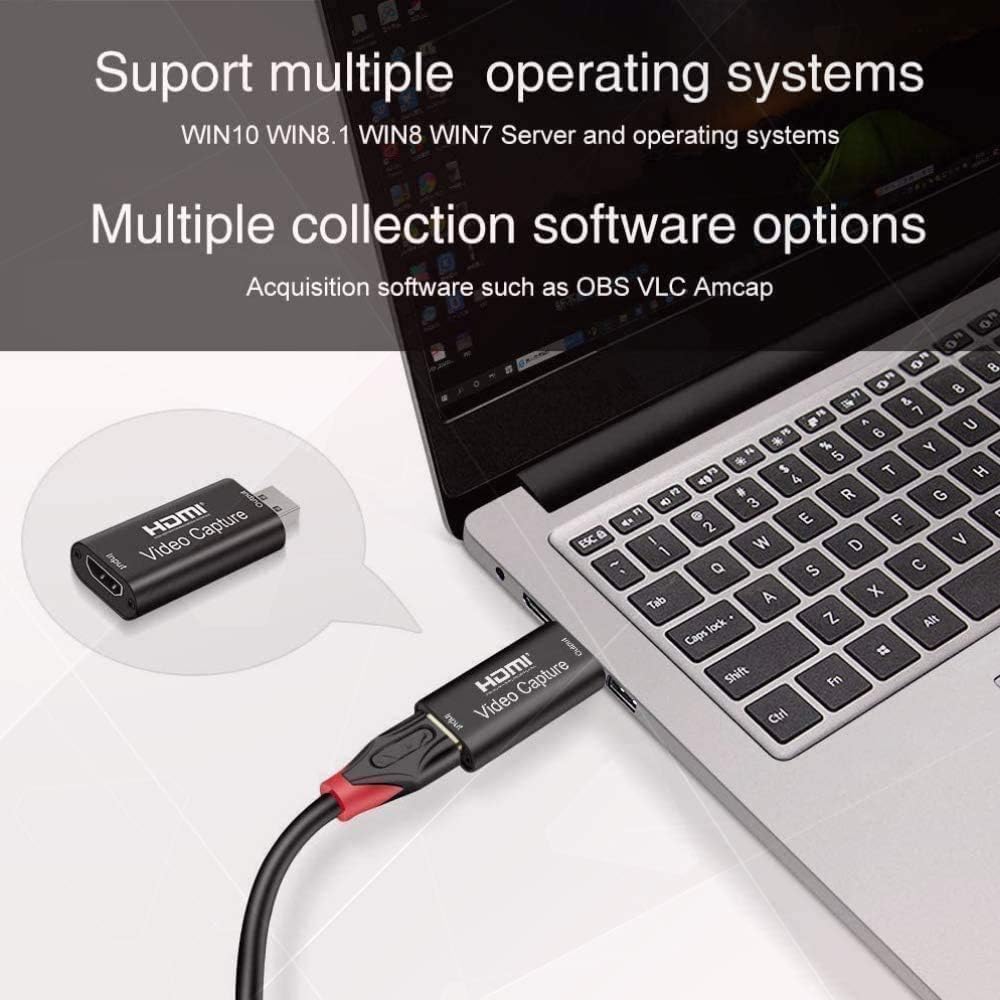
Image: The capture card connected to a laptop, with text indicating support for multiple operating systems (Windows, Mac, Linux) and acquisition software like OBS, VLC, and Amcap.
Bedienungsanleitung
Once connected, the capture card functions as a bridge between your HDMI source and your computer.
Verwendung als WebNocken
You can use a DSLR camera, camcorder, or action camera as a professional webcam for your PC or Mac. Connect the camera's HDMI output to the capture card's HDMI input, then connect the capture card to your computer's USB port. In your video conferencing or streaming software, select the capture card as your camera source.
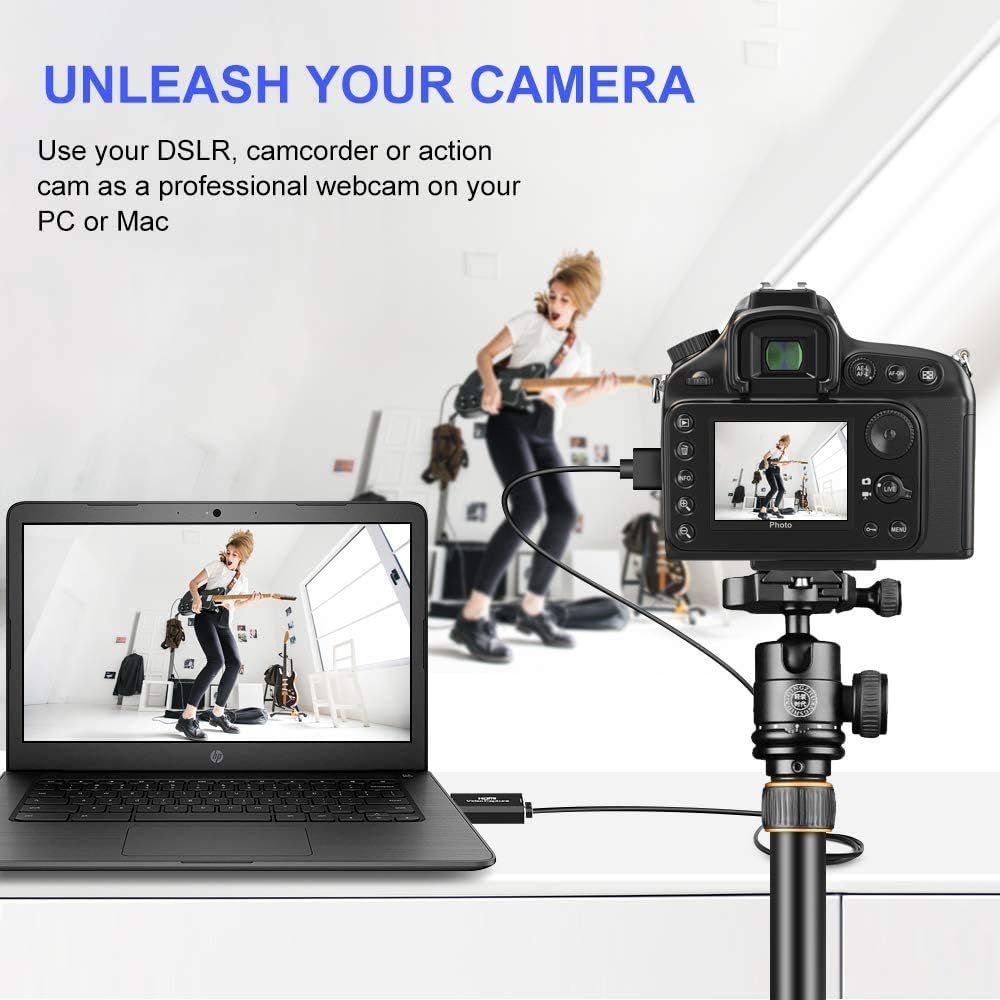
Image: A DSLR camera mounted on a tripod, connected via HDMI to the capture card, which is then connected to a laptop, demonstrating its use as a professional webNocken.
Gaming und Streaming
Connect your game console (e.g., Xbox) to the HDMI input of the capture card. The card will transfer the game's video and audio to your computer, allowing you to record gameplay or stream live through compatible software. The USB 2.0 interface ensures smooth transfer for online and standalone games.

Image: A visual depicting the capture card's use in gaming, with a focus on smooth effects and HD capture quality.
Video- und Audiospezifikationen
- Eingabeauflösung: Supports a maximum input resolution of 3840x2160 at 30Hz.
- Ausgabeauflösung: Supports a maximum output resolution of 1920x1080 at 30Hz.
- Farbtiefe: Unterstützt 8/10/12-Bit-Farbtiefe.
- HDMI-Kabellänge: Supports AWG26 HDMI standard cable up to 15 meters (for 1080P and lower resolutions).
- Stromversorgung: Operates without an external power supply.
Wartung
To ensure the longevity and optimal performance of your capture card, follow these general maintenance guidelines:
- Halten Sie das Gerät sauber und staubfrei. Verwenden Sie zum Reinigen ein weiches, trockenes Tuch.
- Setzen Sie das Gerät keinen extremen Temperaturen, Feuchtigkeit oder direkter Sonneneinstrahlung aus.
- Do not drop or subject the device to physical shock.
- Bewahren Sie das Gerät bei Nichtgebrauch an einem kühlen, trockenen Ort auf.
- Sorgen Sie während des Betriebs für eine ausreichende Belüftung des Geräts, um eine Überhitzung zu vermeiden.
Fehlerbehebung
If you encounter issues with your MICROWARE HDMI USB Audio Game Capture Card, refer to the following common problems and solutions:
- No Signal/Device Not Recognized:
- Stellen Sie sicher, dass alle HDMI- und USB-Kabel fest angeschlossen sind.
- Probieren Sie einen anderen USB-Anschluss an Ihrem Computer aus.
- Test with a different HDMI cable or source device to rule out cable/source issues.
- Starten Sie Ihren Computer und das Quellgerät neu.
- Verify that your operating system and software are up to date.
- Video Lag or Choppy Playback:
- Stellen Sie sicher, dass Ihr Computer die Mindestsystemanforderungen für Videoaufnahme und -streaming erfüllt.
- Schließen Sie unnötige, im Hintergrund laufende Anwendungen, um Systemressourcen freizugeben.
- Check the USB port. While the device is USB 2.0, using a higher bandwidth port (if available) or a different USB 2.0 port might help.
- Reduce the output resolution or frame rate in your capture software settings.
- Überhitzung:
- Stellen Sie sicher, dass das Gerät ausreichend belüftet ist und nicht abgedeckt wird.
- Avoid prolonged continuous use if overheating is a persistent issue.
- Consider using a USB extender if the device is tightly packed with other USB peripherals, as mentioned in some user feedback.
- Kein Ton:
- Check audio settings in your capture software to ensure the capture card's audio input is selected.
- Verify that the HDMI source device is outputting audio.
- Stellen Sie sicher, dass die Audiotreiber Ihres Computers auf dem neuesten Stand sind.
Technische Daten
| Marke | MIKROWARE |
| Modellnummer | MMPL-HDMITOUSB3.0VDOCAPTURE |
| Hardware-Schnittstelle | USB2.0,HDMI |
| Eingangsauflösung | Bis zu 3840x2160 bei 30 Hz |
| Ausgabeauflösung | Bis zu 1920x1080 bei 30 Hz |
| Farbtiefe | 8/10/12-Bit Deep Color |
| Unterstützte Betriebssysteme | Windows (WIN10, WIN8.1, WIN8, WIN7), macOS, Linux |
| Empfohlene Verwendung | Video Recording, Live Streaming, Video Conferencing |
| Artikelgewicht | 0.634 Unzen (ca. 18 Gramm) |
| Produktabmessungen (L x B x H) | 2.36 x 3.15 x 1.18 Zoll (ca. 6 x 8 x 3 cm) |
| Stromversorgung | Keine externe Stromversorgung erforderlich |
| Datum der ersten Verfügbarkeit | 7. Juli 2020 |

Image: A summary of the capture card's features including supported resolutions, deep color, cable length, software compatibility, and compact design.
Garantie und Support
For specific warranty information, please refer to the documentation provided at the time of purchase or contact your retailer.
For technical support or further assistance, please contact MICROWARE customer service through the platform where the product was purchased.


