Einführung
The POLY Voyager Focus UC is a stereo Bluetooth headset designed for professionals. It offers seamless connectivity between PC/Mac and smartphones, featuring active noise canceling to enhance focus in various environments.
Hauptmerkmale:
- Wireless connectivity to PC/Mac via USB-A Bluetooth adapter and mobile phones via Bluetooth.
- Certified for Microsoft Teams and compatible with other leading collaboration platforms.
- Active Noise Canceling (ANC) for reduced background distractions.
- Three noise-canceling microphones for clear voice transmission.
- Up to 12 hours talk time (10 hours with ANC) and 15 hours listening time (12 hours with ANC).
- Roaming range of up to 98 feet (30 meters).
- Plush ear cushions for extended comfort.
Lieferumfang
- POLY Voyager Focus UC Headset
- USB-A-Bluetooth-Adapter
- Ladekabel (USB)
- Carrying Case (if included with specific variant)
Note: Specific contents may vary based on product variant and region.
Aufstellen
1. Anfangsgebühr
Before first use, fully charge your headset. Connect the included USB charging cable to the headset's charging port and to a powered USB port on your computer or a USB wall adapter. The LED indicator on the headset will show charging status.
2. Ein-/Ausschalten
To power on the headset, slide the Power switch located on the right earcup. To power off, slide the switch back to the off position.
3. Connecting to PC/Mac (USB-A Adapter)
- Insert the USB-A Bluetooth adapter into an available USB port on your computer.
- Die LED des Adapters blinkt blau und leuchtet dann dauerhaft blau, sobald er mit dem Headset verbunden ist.
- Ensure the headset is powered on and in pairing mode (if not already paired).
- Your computer should automatically recognize the headset. Select "POLY Voyager Focus UC" as your audio device in your system settings and communication applications (e.g., Microsoft Teams, Zoom).
4. Connecting to Mobile Phone (Bluetooth)
- With the headset powered on, slide and hold the Power switch towards the Bluetooth icon until the LED flashes red and blue.
- On your mobile phone, go to Bluetooth settings and select "POLY Voyager Focus UC" from the list of available devices.
- Once paired, the headset LED will stop flashing and you will hear a voice prompt confirming the connection.
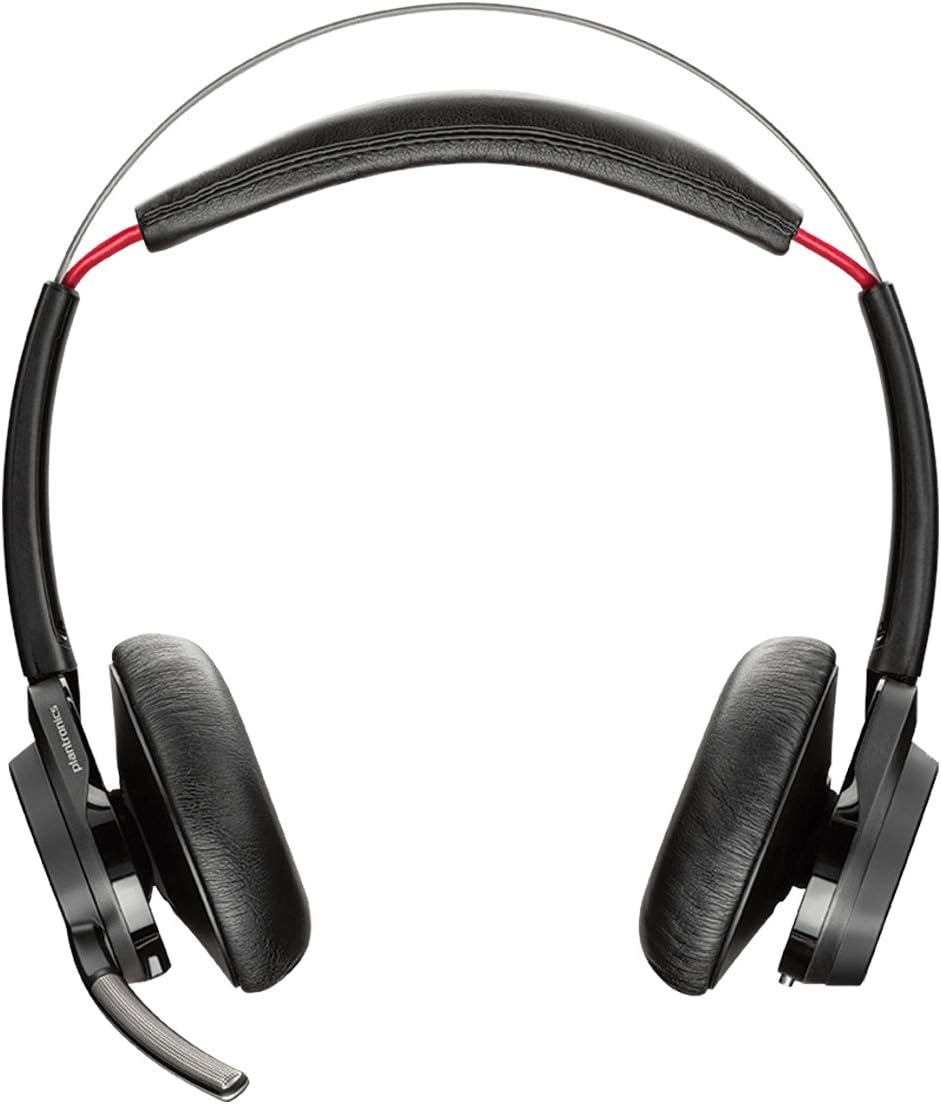
Abbildung 1: Vorderseite view of the POLY Voyager Focus UC Headset, showing the dual earcups and adjustable boom microphone.
Bedienungsanleitung
1. Anrufverwaltung
- Anruf annehmen/beenden: Press the Call button on the right earcup.
- Stummschalten/Stummschaltung aufheben: Press the Mute button on the boom microphone or lift/lower the boom mic.
- Lautstärkeregelung: Rotate the volume wheel on the right earcup up or down.
2. Aktive Geräuschunterdrückung (ANC)
To activate or deactivate Active Noise Canceling, slide the ANC switch located on the left earcup. ANC helps reduce ambient background noise for improved focus.
3. Medienwiedergabe
- Abspielen/Pause: Press the Play/Pause button on the right earcup.
- Nächster Titel: Drücken Sie die Weiter-Taste.
- Vorheriges Lied: Press the Backward button.
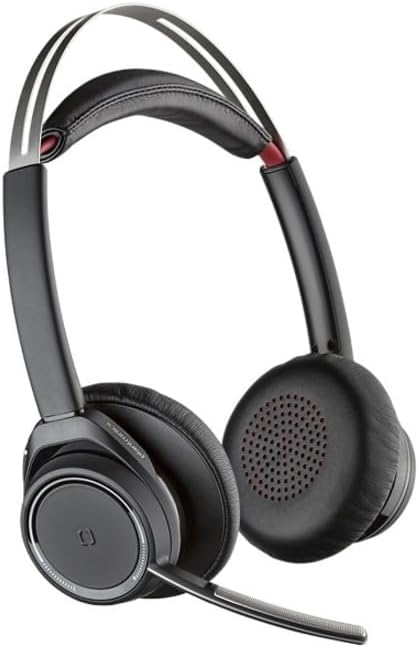
Figure 2: Close-up of the right earcup, illustrating the call, media, and volume controls.
Wartung
- Reinigung: Reinigen Sie das Headset mit einem weichen, trockenen Tuch. Vermeiden Sie die Verwendung von Scheuermitteln oder Lösungsmitteln.
- Lagerung: Bewahren Sie das Headset bei Nichtgebrauch in der mitgelieferten Tragetasche auf, um es vor Staub und Beschädigungen zu schützen.
- Batteriepflege: Um die Akkulaufzeit zu verlängern, vermeiden Sie häufiges vollständiges Entladen des Akkus. Laden Sie das Headset regelmäßig auf, auch wenn Sie es nicht ständig benutzen.
Fehlerbehebung
Kein Ton / Schlechte Tonqualität
- Stellen Sie sicher, dass das Headset eingeschaltet und vollständig aufgeladen ist.
- Verify the headset is correctly paired and connected to your device (PC/Mac or mobile phone).
- Check your device's audio settings to ensure the "POLY Voyager Focus UC" is selected as the output and input device.
- If using the USB-A adapter, try plugging it into a different USB port.
- Starten Sie Ihren Computer oder Ihr Mobilgerät neu.
Mikrofon funktioniert nicht
- Ensure the microphone boom is lowered and not muted.
- Check your application's (e.g., Teams, Zoom) microphone settings to confirm the headset is selected.
- Positionieren Sie das Mikrofon näher an Ihrem Mund.
Probleme mit der Bluetooth-Verbindung
- Ensure the headset is within the 98 feet (30 meters) operating range of your device.
- Clear previous Bluetooth pairings on your device and re-pair the headset.
- Avoid sources of interference such as Wi-Fi routers, microwaves, or other Bluetooth devices.
Technische Daten
| Besonderheit | Detail |
|---|---|
| Modellname | Voyager Focus UC |
| Konnektivitätstechnologie | Kabellos (Bluetooth) |
| Drahtlose Kommunikationstechnologie | Bluetooth 4.0 |
| Lärmschutz | Aktive Geräuschunterdrückung |
| Gesprächszeit | Bis zu 12 Stunden (10 Stunden mit ANC) |
| Hördauer | Bis zu 15 Stunden (12 Stunden mit ANC) |
| Bluetooth-Reichweite | Bis zu 30 Meter (98 Fuß) |
| Kompatible Geräte | PCs, Macs, Mobile Phones, VoIP and Conferencing Applications |
| Artikelgewicht | 0.634 Unzen |
| Technische Daten | 8.4 x 7.3 x 2.3 Zoll |
| Material | Plastik |
Garantie und Support
Dieses Produkt wird mit einem 2 Jahr weltweite Garantie. For warranty claims or technical support, please visit the official POLY support webBesuchen Sie die Website oder kontaktieren Sie den Kundenservice. Bewahren Sie Ihren Kaufbeleg zur Überprüfung der Garantie auf.
For further assistance, refer to the official POLY webWebsite: www.poly.com


