Einführung
This manual provides detailed instructions for the Amkette Evo Fox Elite Pro Wireless Gamepad. This device is designed for use with PC (X Input), PS3, and Android TV, offering a high-performance wireless gaming experience with dual vibration and extended battery life.


Installationsanweisungen
Follow these steps to set up your Amkette Evo Fox Elite Pro Wireless Gamepad for various platforms.
Packungsinhalt:
- Amkette Evo Fox Elite Pro Wireless Gamepad
- High Performance USB Receiver
- Charging Cable (Charger included)
Laden des Gamepads:
Before initial use, ensure the gamepad is fully charged. Connect the charging cable to the gamepad and a power source. A full charge typically takes approximately 2 hours. The gamepad contains 2 Lithium Ion batteries.
Mit Geräten verbinden:
The gamepad utilizes a 2.4 GHz wireless USB receiver for connectivity.
- USB-Empfänger einstecken: Plug the high-performance USB receiver into an available USB port on your PC, PS3 console, or Android TV.
- Gamepad einschalten: Press the central 'Evo Fox' button to power on the gamepad. The gamepad will automatically attempt to connect to the receiver.
- Automatische Erkennung: The gamepad features auto-detect functionality for PC, PS3, and Android TV. Once connected, the device should recognize the gamepad. For PC, it supports X Input.


Bedienungsanleitung
Understand the features and functions of your gamepad for optimal gaming performance.
Grundlegende Steuerelemente:
- Analogsticks: Two high-precision analog sticks for movement and camera control.
- Steuerkreuz: Richtungstastenfeld für präzise Richtungseingaben.
- Aktionsschaltflächen: Standard A, B, X, Y buttons (or corresponding PlayStation symbols) for in-game actions.
- Schultertasten/Trigger: L1/R1 (bumpers) and L2/R2 (triggers) for additional controls.
- Start-/Select-/Home-Tasten: Zur Menünavigation und für Systemfunktionen.
Doppelte Vibrationsrückmeldung:
The gamepad is equipped with dual vibration motors that provide immersive haptic feedback during gameplay, enhancing realism for impacts, explosions, and other in-game events.

Akkulaufzeit:
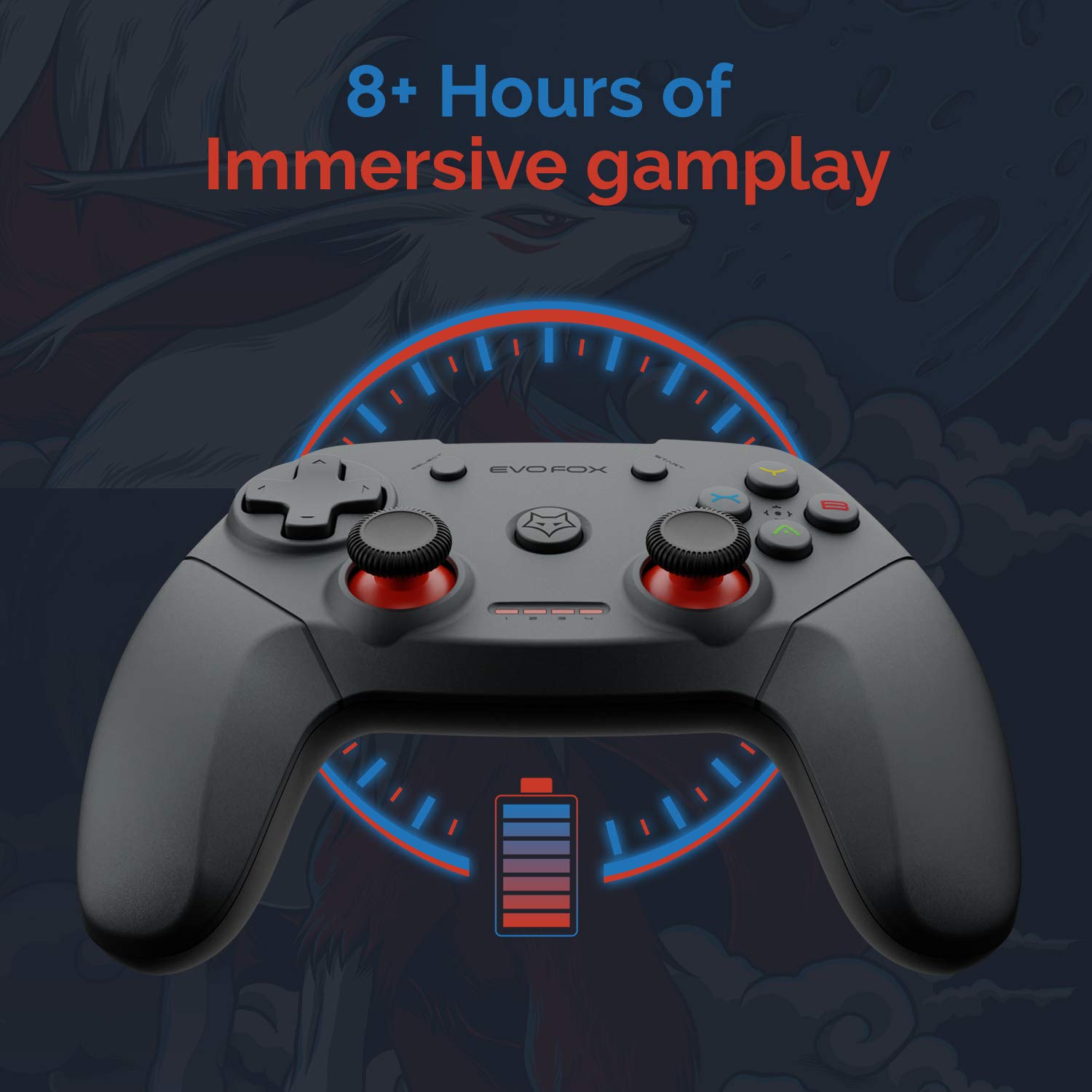
The gamepad offers an average battery life of 8+ hours on a single charge, allowing for extended gaming sessions. The battery indicator lights on the gamepad will provide an indication of the remaining charge.
Energieverwaltung:
The gamepad does not feature a dedicated 'off' button. To conserve battery life, it is recommended to remove the USB dongle from the connected device when the gamepad is not in use. Leaving the dongle connected may cause the gamepad to remain active and drain its battery, especially with wall-mounted TVs where the dongle might be less accessible.
Wartung
Proper care and maintenance will extend the life of your Amkette Evo Fox Elite Pro Wireless Gamepad.
- Reinigung: Reinigen Sie die Oberfläche des Gamepads mit einem weichen, trockenen Tuch. Vermeiden Sie die Verwendung von scharfen Chemikalien oder Scheuermitteln.
- Lagerung: Bewahren Sie das Gamepad an einem kühlen, trockenen Ort fern von direkter Sonneneinstrahlung und extremen Temperaturen auf.
- Batteriepflege: Recharge the gamepad when the battery indicator is low. Avoid completely draining the battery frequently to prolong its overall lifespan.
- USB-Empfänger: Keep the USB receiver protected from dust and physical damage.
Fehlerbehebung
Sollten Sie Probleme mit Ihrem Gamepad haben, beachten Sie bitte die folgenden häufig auftretenden Probleme und Lösungen.
Verbindungsprobleme:
- Gamepad Disconnects Frequently:
- Ensure the USB receiver is not in a hidden spot or obstructed, which can cause range issues. Consider using a USB extension cable if the receiver is far from the gamepad or in an obstructed location.
- Some users have reported conflicts with USB 3.0 ports or other USB devices (like a mouse) when connected to the same USB controller. Try connecting the gamepad's USB receiver to a USB 2.0 port, preferably on the back panel of a PC, and ensure other peripherals are on different USB controllers if possible.
- Stellen Sie sicher, dass das Gamepad ausreichend geladen ist.
- Gamepad verbindet sich nicht:
- Vergewissern Sie sich, dass der USB-Empfänger fest mit dem Gerät verbunden ist.
- Press the central 'Evo Fox' button on the gamepad to ensure it is powered on.
- Versuchen Sie, den USB-Empfänger an einen anderen USB-Anschluss anzuschließen.
- Gamepad zurücksetzen: If the gamepad is unresponsive, a hard reset may be required. Locate a small pinhole on the gamepad (often on the back or bottom). Use a thin object like a paperclip to press and hold the reset button inside for a few seconds.
Batterieprobleme:
- Gamepad lädt nicht:
- Prüfen Sie, ob das Ladekabel und die Stromquelle korrekt angeschlossen sind.
- Versuchen Sie es mit einem anderen Ladekabel oder USB-Anschluss.
- Kurze Akkulaufzeit:
- Ensure the gamepad is fully charged before use (approx. 2 hours).
- Remember to remove the USB dongle when not in use to prevent passive battery drain.
Tasten/Joysticks reagieren nicht:
- Perform a gamepad reset as described above.
- Ensure the gamepad is properly connected and recognized by your device.
- Test the gamepad with another game or application to rule out software-specific issues.
Technische Daten
| Besonderheit | Detail |
|---|---|
| Marke | Amkette |
| Modellnummer | 827 |
| Farbe | Schwarz |
| Konnektivitätstechnologie | 2.4 GHz Wireless (via USB Receiver) |
| Kompatible Geräte | PC (X Input), PS3, Android TV |
| Controllertyp | Gamepad |
| Hardware-Plattform | Desktop |
| Betriebssystem | Android |
| Technische Daten | 18 x 12 x 12 cm |
| Artikelgewicht | 210 g |
| Batterien | 2 Lithium-Ionen-Akku (im Lieferumfang enthalten) |
| Akkuladezeit | 2 Stunden |
| Durchschnittliche Akkulaufzeit | 8 Stunden |
| Energiegehalt der Lithiumbatterie | 8 Wattstunden |
| Im Lieferumfang enthaltene Komponenten | Gamepad, USB Receiver, Charger |
| Erstes verfügbares Datum | 1. September 2020 |
Garantie und Support
Amkette provides comprehensive support for its products.
Garantieinformationen:
The Amkette Evo Fox Elite Pro Wireless Gamepad comes with a 1 Jahr Herstellergarantie. Diese Garantie deckt Material- und Verarbeitungsfehler bei normalem Gebrauch ab.
Kundendienst:
For any technical assistance, warranty claims, or product-related inquiries, please contact Amkette customer support:
- Telefon/WhatsApp: +919312691448
- E-Mail: techsupport@amkette.in
Bitte halten Sie Ihre Produktmodellnummer (827) und die Kaufdetails bereit, wenn Sie sich an den Support wenden.


