1. Einleitung
This manual provides instructions for the setup, operation, maintenance, and troubleshooting of your ROCCAT Vulcan TKL Mechanical PC Gaming Keyboard. The Vulcan TKL is a tenkeyless mechanical keyboard designed for PC gaming, featuring Linear Titan Switches, per-key AIMO RGB lighting, an anodized aluminum top plate, and a detachable USB-C cable.
Zu den Hauptmerkmalen gehören:
- Tenkeyless form factor for increased desk space and mouse movement.
- Titan Switch Mechanical with linear actuation for responsive keystrokes.
- Durable construction with a 50 million keystroke lifecycle.
- Ultra-niedriger Profifile design to reduce wrist strain.
- Key stabilizer technology for solid and sturdy keys.
- AIMO intelligent lighting engine for customizable RGB effects.
- Mixer-style volume dial and dedicated media controls.
2. Lieferumfang
Prüfen Sie, ob alle Komponenten in der Verpackung vorhanden sind:
- ROCCAT Vulcan TKL Mechanical PC Gaming Keyboard
- Abnehmbares USB-C-Kabel
- Kurzanleitung (nicht in diesem Handbuch enthalten)
3. Einrichtung
Follow these steps to set up your ROCCAT Vulcan TKL keyboard:
- Schließen Sie das USB-C-Kabel an: Locate the USB-C port on the back of the keyboard. Connect the smaller end of the provided USB-C cable to this port.
- Mit PC verbinden: Stecken Sie das Standard-USB-A-Ende des Kabels in einen freien USB-Anschluss Ihres Computers.

Image 3.1: Connecting the detachable USB-C cable to the keyboard.

Image 3.2: Close-up of the USB-C port on the keyboard.
- Treiberinstallation: Ihr Betriebssystem sollte die notwendigen Treiber automatisch erkennen und installieren.
- Installieren Sie die ROCCAT Swarm-Software: For full customization of lighting, key assignments, and macros, download and install the ROCCAT Swarm software from the official ROCCAT website. This software allows you to configure advanced features and update firmware.
4. Bedienungsanleitung
The ROCCAT Vulcan TKL keyboard offers a range of functions for gaming and general use.
4.1 Tastenlayout und Funktionen
The keyboard features a UK layout with standard alphanumeric keys, function keys (F1-F12), and dedicated media controls.

Bild 4.1: Überview of the ROCCAT Vulcan TKL keyboard layout.
- Funktionstasten (F1-F12): These keys can have secondary functions when pressed in combination with the FN key. Refer to the keycaps for specific secondary functions (e.g., media playback, volume, lighting adjustments).
- Lautstärkeregler: Located in the upper right corner, this dial allows for quick adjustment of system volume. Rotate clockwise to increase volume, counter-clockwise to decrease.

Image 4.2: The mixer-style volume dial for audio control.
4.2 AIMO RGB-Beleuchtung
The keyboard features per-key AIMO intelligent RGB lighting. This lighting system can be customized extensively using the ROCCAT Swarm software. AIMO reacts to your input and other compatible ROCCAT devices to create dynamic lighting effects.
- Anpassung: Use the ROCCAT Swarm software to select from various lighting effects, adjust brightness, and create custom lighting profiles.
- Bordspeicher: The keyboard supports on-board profile storage, allowing you to save your preferred settings directly to the keyboard for use on different systems without the Swarm software.
4.3 Titan Switch Mechanical
The Vulcan TKL utilizes ROCCAT's Titan Switch Mechanical with linear actuation. This design provides a smooth and consistent keystroke, optimized for speed and responsiveness in gaming scenarios.

Abbildung 4.3: Detailansicht view of the Titan Switch Mechanical.
4.4 Ergonomisches Design
The keyboard features an ultra-low profile design, which helps to reduce wrist strain during extended use by allowing a more natural hand position.
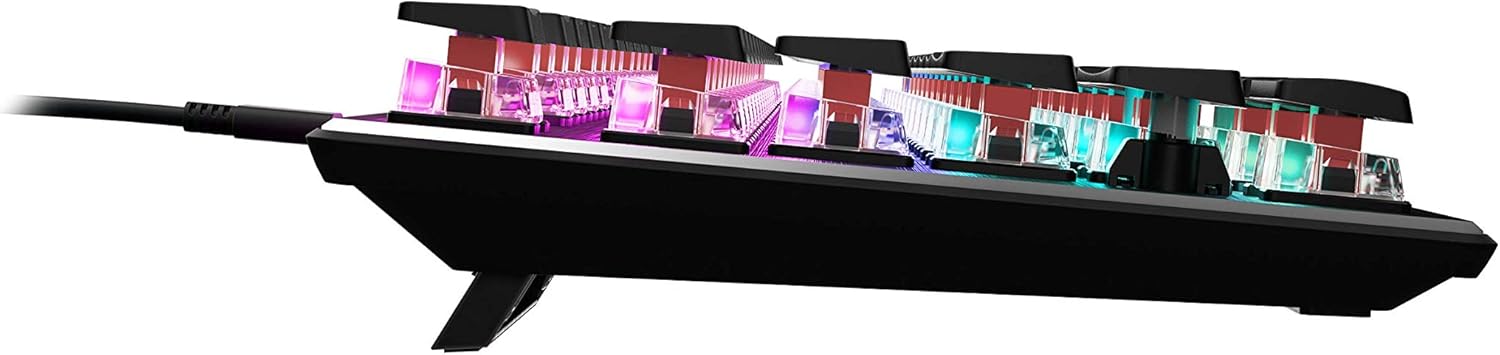
Abbildung 4.4: Seitenansichtfile of the keyboard demonstrating its low-profile Design.
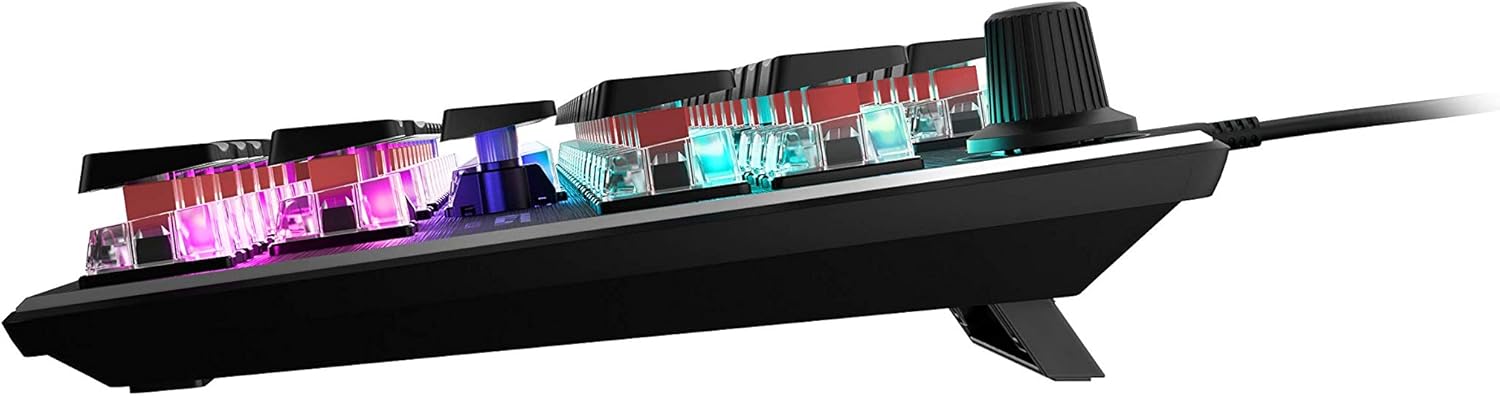
Abbildung 4.5: Seite view showing the keyboard's adjustable feet for ergonomic tilt.
5. Wartung
Durch sachgemäße Wartung wird die Langlebigkeit und optimale Leistung Ihrer Tastatur gewährleistet.
- Reinigung der Tastatur: Regularly clean the keyboard surface and between keycaps to prevent dust and debris buildup. Use a soft, lint-free cloth, slightly dampened with water or a mild cleaning solution. For deeper cleaning, you may carefully remove keycaps (refer to online guides for safe keycap removal for your specific switch type) and use compressed air to clear debris. Ensure the keyboard is disconnected from your PC before cleaning.
- Kabelpflege: The detachable USB-C cable should be handled with care. Avoid sharp bends or excessive pulling to prevent damage to the cable or the keyboard's port.
- Lagerung: Bei längerer Nichtbenutzung sollte die Tastatur an einem sauberen, trockenen Ort ohne extreme Temperaturen aufbewahrt werden.
6. Fehlerbehebung
If you encounter issues with your ROCCAT Vulcan TKL keyboard, try the following troubleshooting steps:
- Tastatur reagiert nicht:
- Stellen Sie sicher, dass das USB-C-Kabel sowohl mit der Tastatur als auch mit Ihrem PC fest verbunden ist.
- Versuchen Sie, die Tastatur an einen anderen USB-Anschluss Ihres PCs anzuschließen.
- Test the keyboard on another computer to determine if the issue is with the keyboard or your PC.
- Starten Sie Ihren Computer neu.
- Doppelte Tasteneingaben oder Nichtregistrierung:
- Ensure the keyboard firmware is up to date via the ROCCAT Swarm software.
- Clean the affected key switches using compressed air to remove any debris.
- Sollte das Problem weiterhin bestehen, könnte dies auf einen Hardwaredefekt hindeuten. Weitere Informationen finden Sie im Abschnitt „Garantie und Support“.
- RGB-Beleuchtungsprobleme:
- Verify that the ROCCAT Swarm software is running and the keyboard is detected.
- Check lighting settings within Swarm to ensure desired effects are enabled.
- Update the keyboard's firmware through Swarm.
- ROCCAT Swarm Software Not Detecting Keyboard:
- Ensure the keyboard is properly connected to your PC.
- Restart the Swarm software.
- Installieren Sie die ROCCAT Swarm-Software neu.
- Check for any conflicting software or drivers.
7. Spezifikationen
| Marke | ROCCAT |
| Modellname | Vulcan TKL |
| Modellnummer | ROC-12-274 |
| Konnektivitätstechnologie | USB-C (abnehmbar) |
| Tastaturbeschreibung | Mechanische Gaming-Tastatur |
| Schaltertyp | Titan-Schalter Mechanisch (Linear) |
| Beleuchtung | AIMO RGB-Beleuchtung pro Taste |
| Material | Deckplatte aus eloxiertem Aluminium |
| Abmessungen (LxBxH) | 14.17 x 5.25 x 1.34 Zoll (36 x 13.3 x 3.4 cm) |
| Artikelgewicht | 2.2 Pfund (1 kg) |
| Kompatible Geräte | PC |
| Besonderheit | Ergonomic, Tenkeyless Design |
8. Garantieinformationen
ROCCAT products are covered by a manufacturer's warranty against defects in materials and workmanship. The specific terms and duration of your warranty may vary by region and product. Please retain your proof of purchase for warranty claims.
For detailed warranty information, please visit the official ROCCAT support webWebsite.
9. Unterstützung
Für weitere Hilfe, technischen Support oder zum Herunterladen der neuesten Treiber und Software besuchen Sie bitte die offizielle ROCCAT-Supportseite. webWebsite:
Auf der Supportseite finden Sie außerdem häufig gestellte Fragen und Community-Foren.


