Einführung
The RunCam Hybrid 2 is an advanced dual-lens camera system designed for FPV (First Person View) applications and high-definition (HD) video recording. It integrates a 4K HD recording lens with a dedicated analog Phoenix 2 sensor lens, providing both high-quality recorded footage and a clear, low-latency FPV feed. This manual provides essential information for the proper installation, operation, and maintenance of your RunCam Hybrid 2 camera.
Produkt überview
The RunCam Hybrid 2 features a compact, single-board design, making it suitable for micro FPV setups. Its dual-lens configuration ensures that the FPV view closely matches the recorded HD footage, enhancing the piloting experience.
Hauptmerkmale:
- Doppellinsensystem: Combines a 4K HD recording lens (SONY 8MP sensor) with an analog FPV lens (Phoenix 2, SONY 1.3MP sensor).
- Single Board Design: Achieves a compact form factor with both lenses mounted closely on a single PCB.
- Einfache Installation: 19mm camera module width allows direct mounting in micro FPV frames without adapters.
- QR Code Parameter Settings: Configure camera settings conveniently via a smartphone app by scanning a generated QR code.
- UART-Steuerung: Connects to a flight controller's UART port for remote control of recording functions via your radio transmitter.

Image: Analog Output Upgraded to Phoenix 2. The camera provides an improved FPV image feed.

Image: Single board design for simple installation.
Packungsinhalt
Bitte überprüfen Sie, ob alle unten aufgeführten Artikel in Ihrem Paket enthalten sind:
- 1x RunCam Hybrid 2 Camera
- 1x Plastic cover
- 1x 3PIN FPV silicone cable (male)
- 1x 3PIN FPV silicone cable (female)
- 1x Set of M2 screws
- 1x Handbuch

Image: Package contents of the RunCam Hybrid 2.
Technische Daten
| Parameter | Wert |
|---|---|
| HD Sensor | SONY 8MP |
| Analoger Sensor | SONY 1.3MP (Phoenix 2) |
| Fachgebiet View (Sichtfeld) | HD Recording FOV 145° (FPV FOV 150° @ 4:3) |
| Videoauflösung | 4K@30fps / 2.7K@60fps / 2.7K@50fps / 1080P@120fps / 1080P@100fps / 1080P@60fps / 1080P@50fps |
| Video File Format | MP4 |
| TV-Modus | NTSC (720 x 480) / PAL (720 x 576) (Switchable) |
| Schnittstelle | HD supports UART remote control; FPV (analog) supports UART firmware upgrade. |
| Max Micro SD-Karte unterstützt | Up to 128GB (U3 recommended for 2.7K60/1080P120; U1 for others). Must be FAT32 format. |
| Montagelöcher | 20 x 20 mm |
| Leiterplattengröße | 29 x 29 mm |
| Linsenmodulgröße | 19 x 25 mm |
| Objektivspezifikationen | M10 HD Lens and M8 FPV Lens |
| Eingangsleistung | DC 5-20V (Do not directly power with 4S battery or higher to avoid overvoltagUnd). |
| Arbeitsstrom | 480 mA bei 5 V / 140 mA bei 12 V |
| Gewicht | 18g |

Image: RunCam Hybrid 2 Dimensions.
Aufstellen
Follow these steps to properly set up your RunCam Hybrid 2 camera:
- Physische Installation: Mount the 19mm camera module into your drone or vehicle frame. The compact design allows for direct integration into micro FPV setups.
- Kabelverbindungen: Die korrekten Anschlüsse entnehmen Sie bitte dem untenstehenden Schaltplan.
- VCC+ (5-20V): Connect to a stable DC power source within the specified voltage Reichweite. Warning: Do not directly power with a 4S battery or higher, as this can cause overvoltage and damage the camera.
- Masse: Mit Masse verbinden.
- Video: Connect to your FPV video transmitter (VTX) for analog video output.
- Senden/Empfangen: Connect to a UART port on your flight controller for remote control functionality and firmware updates.
- Einlegen der Micro-SD-Karte: Insert a formatted Micro SD card (FAT32 format, U3 speed class recommended for 2.7K60/1080P120, U1 for other resolutions) into the designated slot. Ensure the card is inserted correctly to avoid data corruption.

Image: RunCam Hybrid 2 PCB Layout and Wiring Diagram.
Betrieb
Once the camera is installed and powered, you can begin operation:
- Einschalten: Apply power to the camera. The FPV feed should appear on your goggles or monitor.
- Aufnahmesteuerung:
- Manuelle Kontrolle: Use the Power/Shutter Button on Side A of the PCB to start and stop HD recording.
- UART Remote Control: If connected to a flight controller's UART, configure your Betaflight (or similar) settings to assign a switch on your radio to control recording start/stop.
- Moduswechsel: Use the Mode Switch Button on Side A to cycle through different camera modes or settings if available.
- QR Code Parameter Settings: For advanced configuration, download the RunCam app on your smartphone. Adjust desired settings within the app, generate a QR code, and then scan this QR code with the RunCam Hybrid 2 camera. The camera will automatically apply the new settings.
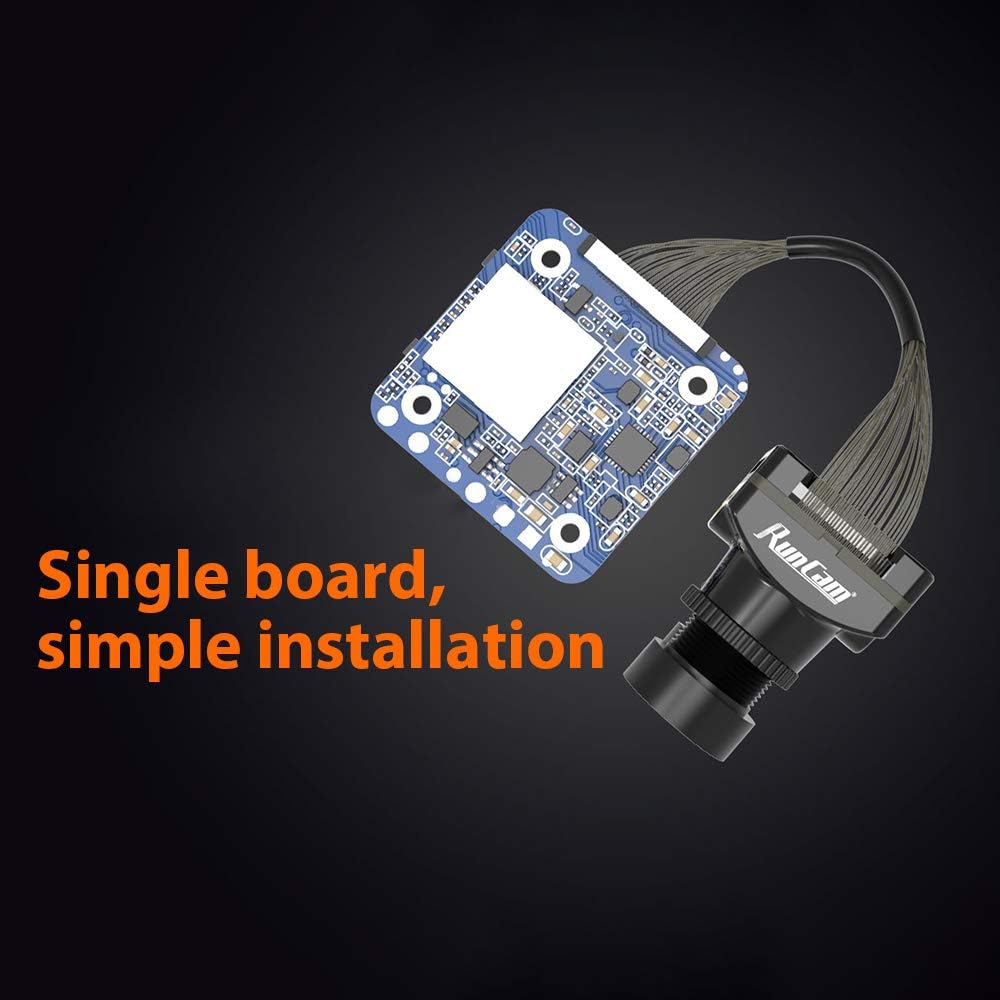
Image: QR Code Parameter Settings via RunCam App.
Wartung
To ensure optimal performance and longevity of your RunCam Hybrid 2 camera, follow these maintenance guidelines:
- Linsenreinigung: Regularly clean both the HD and FPV lenses with a soft, lint-free cloth and lens cleaning solution. Avoid abrasive materials that could scratch the lenses.
- Stromversorgung: Always ensure the camera receives power within the specified DC 5-20V range. Incorrect voltage kann irreversible Schäden verursachen.
- SD-Kartenverwaltung: Sichern Sie Ihre Aufnahmen regelmäßig.tage and format the Micro SD card to maintain optimal recording performance and prevent file corruption. Use a high-quality, recommended speed class SD card.
- Physische Inspektion: Regularly check for any loose connections, damaged cables, or physical damage to the camera module.
Fehlerbehebung
If you encounter issues with your RunCam Hybrid 2, refer to the following common problems and solutions:
- No Power/Camera Not Turning On:
- Check all power connections (VCC+, GND) for proper wiring and secure contact.
- Überprüfen Sie, ob die Eingangslautstärketage liegt im Gleichstrombereich von 5-20 V.
- Ensure no short circuits are present in the wiring.
- No FPV Video Output:
- Check the video signal cable connection from the camera to your VTX and from the VTX to your goggles/monitor.
- Confirm that the TV mode (NTSC/PAL) setting on the camera matches your display device. This can be adjusted via QR code settings.
- Ensure the VTX is powered and functioning correctly.
- Recording Errors / Corrupted Files:
- Stellen Sie sicher, dass die Micro-SD-Karte auf FAT32 formatiert ist.
- Use a high-speed Micro SD card (U3 or higher for 4K/high frame rate recording).
- Try formatting the SD card again or using a different, known-good SD card.
- Check the SD card slot for any debris or damage.
- QR Code Settings Not Applying:
- Ensure the QR code is clearly visible and well-lit when scanning.
- Hold the QR code steady in front of the camera lens until the settings are confirmed.
- Verify that you are using the official RunCam app for generating QR codes.
- UART Control Not Working:
- Check TX/RX wiring between the camera and the flight controller.
- Verify UART settings in your flight controller firmware (e.g., Betaflight) are correctly configured for camera control.
- Ensure the correct protocol is selected in the flight controller software.


