1. Produktüberschreitungview
The HIKVISION Elite 7 Touch Portable SSD is a secure and high-performance external solid-state drive designed for reliable data storage and protection. It features a fingerprint encryption function, robust construction, and high-speed data transfer capabilities.

Abbildung 1.1: Vorderseite view of the HIKVISION Elite 7 Touch Portable SSD, showcasing its sleek black design and illuminated HIKVISION logo.
Hauptmerkmale:
- Hochgeschwindigkeitsleistung: Utilizes USB 3.2 Gen2 with NVMe solution for transfer speeds up to 1060MB/s.
- Fingerprint Security: Integrated fingerprint sensor for secure data access and encryption.
- Langlebiges Design: All-aluminum alloy body with IPX7 waterproof rating.
- Software-Suite: Includes Hi Backup for data backup and Hi Security for enhanced data protection.
- Breite Kompatibilität: Supports TV, PS4, Xbox, Windows, Mac, Linux, and Android devices.
2. Packungsinhalt
Bevor Sie mit der Einrichtung fortfahren, überprüfen Sie bitte, ob alle Artikel im Paket vorhanden sind:
- 1 x HIKVISION Elite 7 Touch Portable SSD
- 1 x Typ-C-auf-Typ-C-Kabel
- 1 x Typ-C-zu-Typ-A-Kabel
- 1 x Benutzerhandbuch (dieses Dokument)

Figure 2.1: Contents of the HIKVISION Elite 7 Touch Portable SSD package, including the SSD unit, two types of USB cables, and the user manual.
3. Installationsanleitung
3.1 Anschließen der SSD
- Select the appropriate cable: Use the Type-C to Type-C cable for devices with a USB-C port, or the Type-C to Type-A cable for devices with a standard USB-A port.
- Connect the Type-C end of the cable to the HIKVISION Elite 7 Touch Portable SSD.
- Connect the other end of the cable to an available USB port on your computer, gaming console, or compatible device.

Abbildung 3.1: Nahaufnahme view of the Type-C interface on the HIKVISION Elite 7 Touch Portable SSD, indicating its high-speed data transfer capability.
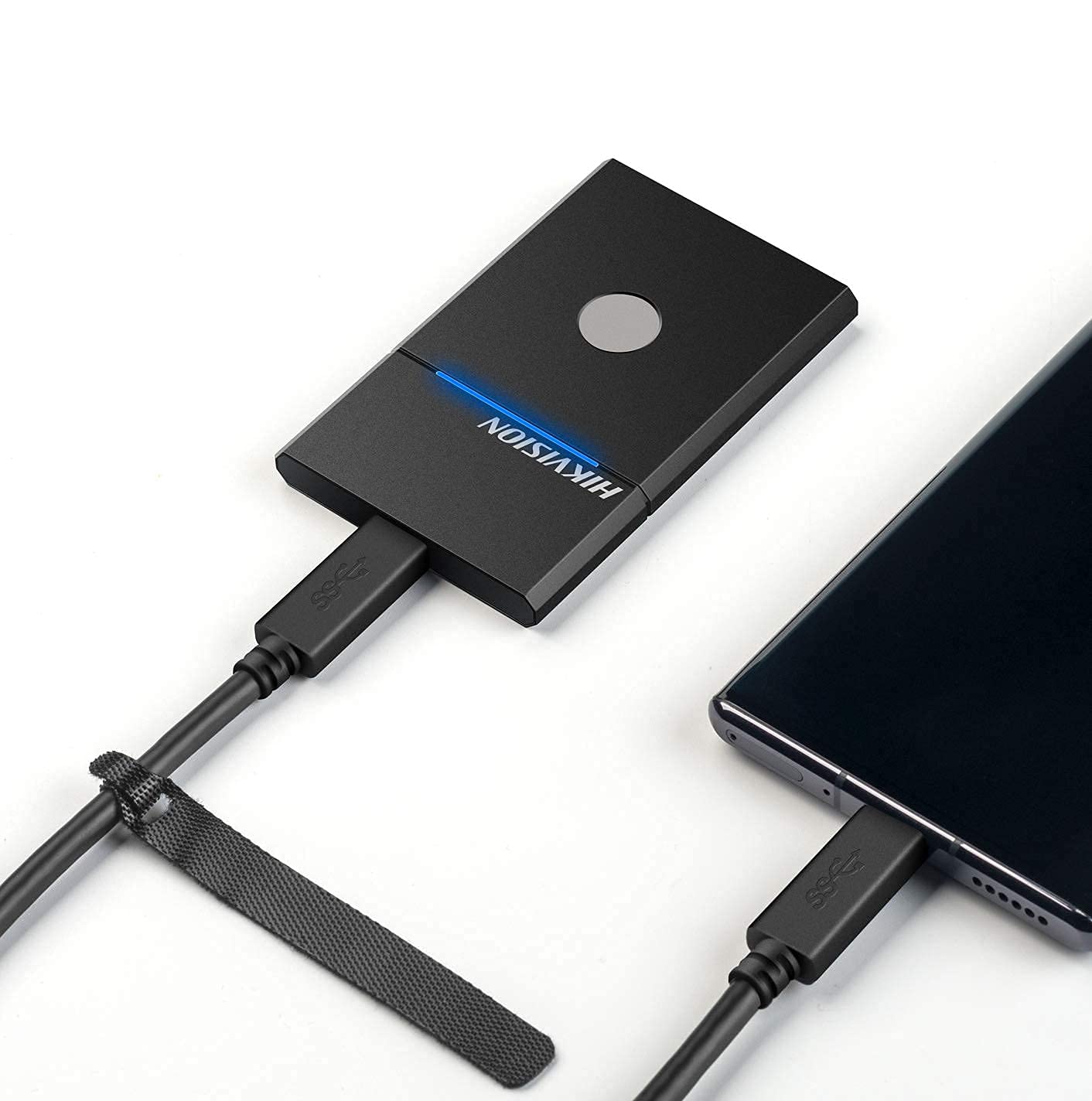
Figure 3.2: The HIKVISION Elite 7 Touch Portable SSD connected to a laptop via a USB-C cable, ready for data transfer.

Figure 3.3: The HIKVISION Elite 7 Touch Portable SSD connected to a smartphone, demonstrating its compatibility with mobile devices.
3.2 Erste Formatierung (falls erforderlich)
For optimal compatibility with your specific device (TV, PS4, Xbox, Windows, Mac, Linux, Android), it may be necessary to format the SSD to the required file system. Refer to your device's operating system instructions for formatting external storage devices. Notiz: Formatting will erase all data on the drive. Back up any important data before proceeding.
3.3 Software Installation (Hi Backup & Hi Security)
The HIKVISION Elite 7 Touch comes with pre-loaded software for enhanced data management and security. Connect the SSD to a computer and locate the installer files for 'Hi Backup' and 'Hi Security'. Follow the on-screen instructions to install these applications.
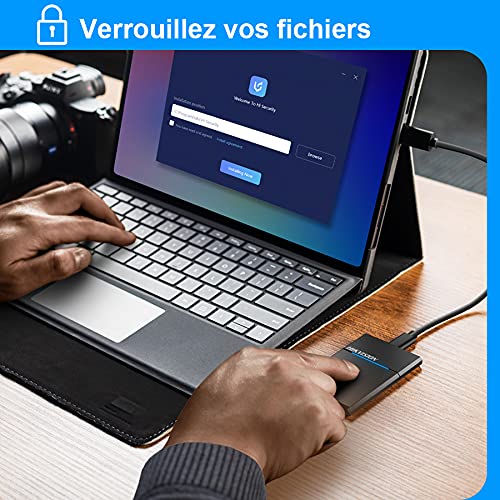
Figure 3.4: Screenshot of the 'Hi Security' software interface on a laptop, illustrating the setup process for data protection.
4. Bedienungsanleitung
4.1 Datenübertragung
Once connected and recognized by your device, the SSD will appear as an external storage drive. You can drag and drop fileSie können den Befehl kopieren und einfügen oder die entsprechende Funktion Ihres Betriebssystems verwenden. file management tools to transfer data to and from the SSD.
4.2 Fingerprint Unlocking and Security
The Elite 7 Touch features a fingerprint sensor for secure access to your data. After installing the 'Hi Security' software, you can register your fingerprints. The SSD can be configured to require fingerprint authentication for unlocking, creating separate private storage areas.
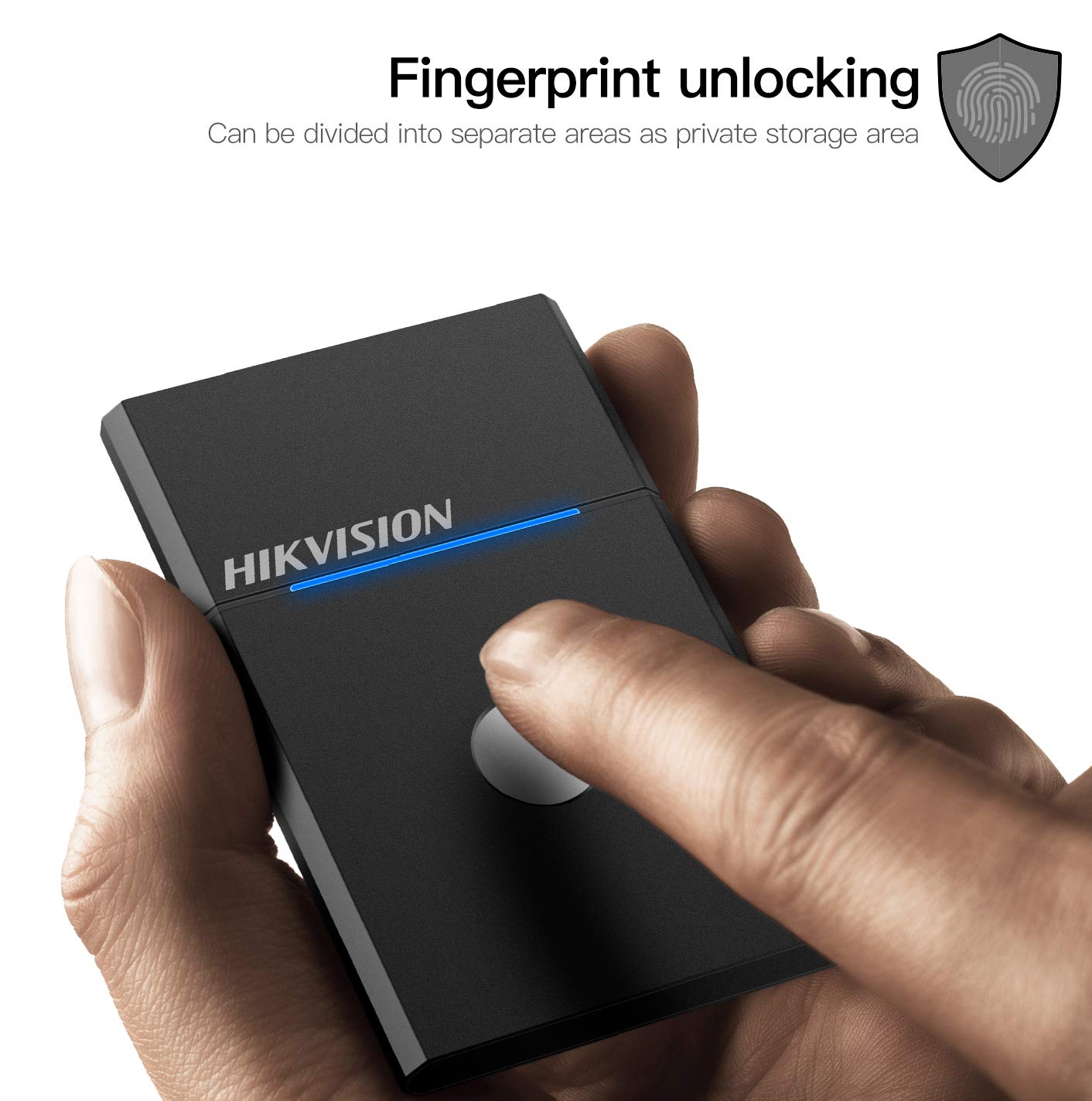
Figure 4.1: The HIKVISION Elite 7 Touch Portable SSD highlighting its fingerprint unlocking capability, allowing for secure access to data.

Figure 4.2: A user's hand interacting with the fingerprint sensor on the HIKVISION Elite 7 Touch Portable SSD to unlock the device.
4.3 Using Hi Backup Software
The 'Hi Backup' software allows you to create backups of your important files. Follow the software's interface to configure backup schedules, select files for backup, and manage your backup history. This software can also be integrated with cloud storage services for additional data redundancy.
5. Wartung
5.1 Allgemeine Pflege
- Halten Sie die SSD sauber, indem Sie sie mit einem weichen, trockenen Tuch abwischen.
- Vermeiden Sie es, die SSD über längere Zeiträume extremen Temperaturen oder direkter Sonneneinstrahlung auszusetzen.
- Ensure the USB port is free from dust and debris before connecting the cable.
5.2 Wasserdichtigkeit (IPX7)
The Elite 7 Touch Portable SSD is designed with an IPX7 waterproof rating, meaning it can withstand immersion in water up to 1 meter for 30 minutes. While this provides protection against accidental spills or submersion, it is not recommended for continuous underwater use. Always ensure the USB port is dry before connecting to a device.
6. Fehlerbehebung
- SSD nicht erkannt:
- Stellen Sie sicher, dass das USB-Kabel sowohl mit der SSD als auch mit Ihrem Gerät fest verbunden ist.
- Versuchen Sie einen anderen USB-Anschluss an Ihrem Gerät.
- Versuchen Sie es mit einem anderen USB-Kabel.
- Starten Sie Ihren Computer oder Ihr Gerät neu.
- Check your device's disk management utility to see if the drive is recognized but unformatted.
- Langsame Übertragungsgeschwindigkeiten:
- Ensure you are using a USB 3.2 Gen2 compatible port on your device for optimal performance.
- Überprüfen Sie, ob die Treiber Ihres Geräts auf dem neuesten Stand sind.
- Schließen Sie alle unnötigen Anwendungen, die im Hintergrund laufen.
- Fingerprint Sensor Not Responding:
- Stellen Sie sicher, dass Ihr Finger sauber und trocken ist.
- Re-register your fingerprints through the 'Hi Security' software.
- Ensure the 'Hi Security' software is running and properly configured.
- Datenzugriffsprobleme:
- If using fingerprint security, ensure the correct fingerprint is used.
- Check if the drive requires formatting for your specific operating system (refer to Section 3.2).
7. Spezifikationen

Figure 7.1: Diagram illustrating the compact dimensions of the HIKVISION Elite 7 Touch Portable SSD: 84mm length, 53mm width, and 8mm thickness.
| Besonderheit | Spezifikation |
|---|---|
| Marke | HIKVISION |
| Modell | Elite 7 Touch (HS-ESSD-Elite 7 Touch) |
| Kapazität | 1 TB (1024 GB) |
| Schnittstelle | USB 3.2 Gen2 Type-C |
| Maximale Übertragungsgeschwindigkeit | Bis zu 1060 MB/s |
| Abmessungen (LxBxH) | 8.35 x 5.35 x 0.79 cm (3.29 x 2.10 x 0.31 Zoll) |
| Gewicht | 280 g (0.62 Pfund) |
| Wasserdichtigkeit | IPX7 |
| Hardware-Plattform | Mac, Windows, Linux, Android, Gaming Consoles |
| Farbe | Schwarz |
8. Garantie und Support
8.1 Herstellergarantie
The HIKVISION Elite 7 Touch Portable SSD comes with a 3 Jahr Herstellergarantie Diese Garantie gilt ab Kaufdatum und deckt Material- und Verarbeitungsfehler bei normalem Gebrauch ab. Bitte bewahren Sie Ihren Kaufbeleg für Garantieansprüche auf.
8.2 Technischer Support
For technical assistance, troubleshooting beyond this manual, or warranty inquiries, please contact HIKVISION customer support through their official webWebsite oder die Kontaktinformationen, die Sie in Ihrer Produktdokumentation finden.


