Einführung
Vielen Dank für Ihren Einkauf.asing the Shinco Bluetooth Speaker. This speaker is designed to deliver powerful audio with deep bass and vibrant party lights, suitable for various occasions. It features Bluetooth connectivity, True Wireless Stereo (TWS) pairing, and multiple input options including USB, TF card, AUX, and microphone/guitar inputs. Please read this manual carefully to ensure proper use and to maximize your listening experience.
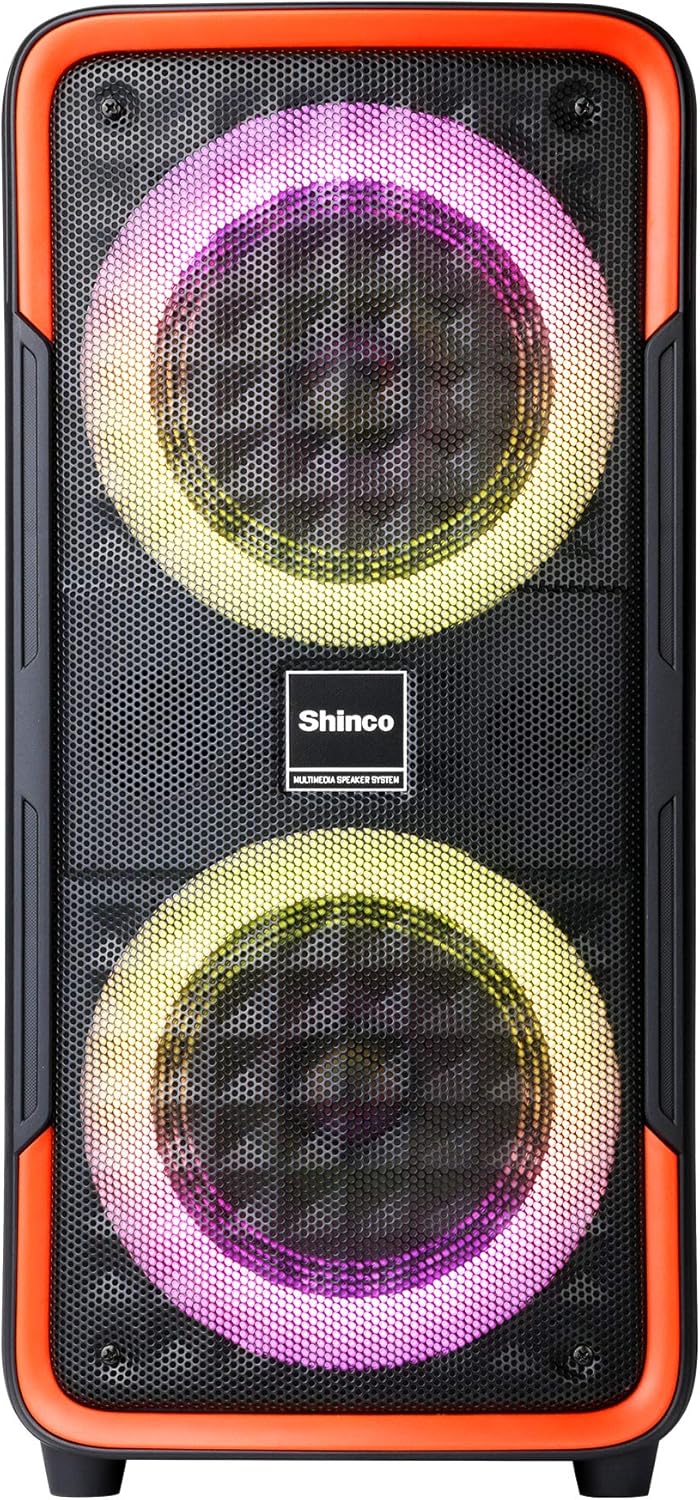
Abbildung 1: Front view of the Shinco Bluetooth Speaker, showcasing its dual woofers with dynamic LED lighting.
Lieferumfang
Upon unpacking your Shinco Bluetooth Speaker, please ensure all items are present:
- Shinco Bluetooth Speaker
- Netzteil (zum Laden)
- Wired Microphone (if included with your model)
- Bedienungsanleitung
Aufstellen
Aufladen des Lautsprechers
Before first use, fully charge the speaker. Connect the provided power adapter to the DC 5V input port on the speaker and plug the other end into a wall outlet. The charging indicator light will illuminate. Once fully charged, the indicator light may change color or turn off, depending on the model. A full charge typically takes several hours.
Ein-/Ausschalten
To power on the speaker, press and hold the Power button located on the control panel. You will hear an audible prompt, and the LED lights will activate. To power off, press and hold the Power button again.

Abbildung 2: Close-up of the speaker's control panel, showing the power button, mode selection, volume controls, and various input ports.
Bedienungsanleitung
Bluetooth-Konnektivität
- Power on the speaker. It will automatically enter Bluetooth pairing mode, indicated by a flashing Bluetooth icon or LED.
- Aktivieren Sie Bluetooth auf Ihrem Mobiltelefon oder Tablet und suchen Sie nach verfügbaren Geräten.
- Select "Shinco Speaker" (or similar name) from the list of devices.
- Sobald die Verbindung hergestellt ist, hören Sie einen Bestätigungston, und die Bluetooth-Anzeige hört auf zu blinken.
The speaker can maintain a stable connection within 65 feet (approximately 20 meters) in an open area.
True Wireless Stereo (TWS) -Pairing
TWS allows you to pair two Shinco Bluetooth Speakers for a stereo sound experience.
- Stellen Sie sicher, dass beide Lautsprecher eingeschaltet und nicht mit einem Bluetooth-Gerät verbunden sind.
- On one speaker (this will be the primary speaker), press and hold the TWS button. You will hear a prompt indicating TWS pairing mode.
- Der primäre Lautsprecher sucht automatisch nach dem sekundären Lautsprecher und stellt eine Verbindung zu ihm her.
- Once paired, you will hear a confirmation sound. The LED indicators on both speakers will show a stable connection.
- Verbinden Sie nun Ihr Gerät wie oben beschrieben per Bluetooth mit dem Hauptlautsprecher. Der Ton wird über beide Lautsprecher in Stereo wiedergegeben.

Abbildung 3: Two Shinco speakers operating in True Wireless Stereo (TWS) mode, providing a wider soundstage.
USB/TF-Kartenwiedergabe
Insert a USB flash drive or TF (Micro SD) card into the respective port on the control panel. The speaker will automatically detect the storage device and begin playing audio files (MP3, WAV, etc.). Use the playback controls (Play/Pause, Next/Previous Track) on the speaker to manage your music.
AUX-Eingang
Connect an external audio device (e.g., MP3 player, laptop) to the AUX input port using a 3.5mm audio cable. The speaker will automatically switch to AUX mode, or you may need to press the Mode button to select AUX. Audio will then be played from your connected device.
Microphone/Guitar Input
Plug a 1/4" microphone or guitar into the MIC/GUITAR input port. Adjust the microphone volume using the dedicated knob (if available) or the main volume control. This feature is ideal for karaoke or live performances.
Party Lichter
The speaker features integrated LED party lights. Press the LED button on the control panel to cycle through various lighting modes and patterns. The lights can flash, blink, and synchronize with the rhythm of the music, enhancing the atmosphere.
Wartung
- Reinigung: Reinigen Sie die Außenseite des Lautsprechers mit einem weichen, trockenen Tuch. Verwenden Sie keine Scheuermittel, Wachse oder Lösungsmittel.
- Lagerung: Bewahren Sie den Lautsprecher an einem kühlen, trockenen Ort fern von direkter Sonneneinstrahlung und extremen Temperaturen auf.
- Batteriepflege: Um die Akkulaufzeit zu verlängern, vermeiden Sie häufiges vollständiges Entladen des Akkus. Laden Sie den Lautsprecher regelmäßig auf, auch wenn er nicht benutzt wird, um die Akkuleistung zu erhalten.
- Wassereinwirkung: Dieser Lautsprecher ist nicht wasserdicht. Vermeiden Sie den Kontakt mit Wasser oder übermäßiger Feuchtigkeit.
Fehlerbehebung
| Problem | Mögliche Ursache | Lösung |
|---|---|---|
| Der Lautsprecher lässt sich nicht einschalten. | Batterie ist leer. | Connect the speaker to a power source using the provided adapter and allow it to charge. |
| Kein Ton aus dem Lautsprecher. | Die Lautstärke ist zu niedrig; falscher Eingangsmodus; Gerät nicht richtig angeschlossen. | Increase volume on both the speaker and the connected device. Ensure the correct input mode (Bluetooth, AUX, USB/TF) is selected. Reconnect the device. |
| Die Bluetooth-Verbindung schlägt fehl. | Speaker is out of range; device's Bluetooth is off; speaker is connected to another device. | Move the device closer to the speaker. Ensure Bluetooth is enabled on your device. Disconnect from other devices and try pairing again. |
| TWS-Kopplung fehlgeschlagen. | Speakers are too far apart; one speaker is already connected via Bluetooth. | Ensure both speakers are close to each other. Disconnect any Bluetooth devices from both speakers before initiating TWS pairing. |
| Microphone sound is poor or absent. | Microphone not fully plugged in; microphone volume too low; faulty microphone. | Ensure the microphone is securely plugged into the 1/4" input. Adjust microphone volume. Test with another microphone if possible. |
Technische Daten
| Besonderheit | Detail |
|---|---|
| Modell | B08PTZVWF2 |
| Abmessungen (HBT) | 22.83 x 11.42 x 10.63 inches (approx. 21 x 9.65 x 8.66 inches as per feature bullets) |
| Gewicht | 10.38 Pfund |
| Konnektivität | Bluetooth, USB, TF Card, AUX (3.5mm Jack), 1/4" Microphone/Guitar Input |
| Besondere Merkmale | Party Lights (LED), True Wireless Stereo (TWS), Built-in Handles |
| Stromquelle | Batteriebetrieben (1 Lithium-Ionen-Akku im Lieferumfang enthalten) |
| Farbe | Schwarz, Rot |

Abbildung 4: Shinco Bluetooth Speaker illustrating its physical dimensions.
Garantie und Support
Shinco products are designed for reliability and performance. This product comes with a standard manufacturer's warranty against defects in materials and workmanship. Please refer to the warranty card included with your purchase for specific terms and conditions, including the warranty period and coverage details.
For technical support, troubleshooting assistance, or warranty claims, please contact Shinco customer service. Contact information can typically be found on the product packaging or on the official Shinco website. Please have your product model number (B08PTZVWF2) and proof of purchase ready when contacting support.


