Produkt überview
The UGREEN 90-Degree USB C to USB 3.0 Cable is designed for efficient charging and high-speed data transfer. Featuring a durable braided nylon exterior and a convenient right-angle USB-C connector, this cable provides a stable and secure connection for various compatible devices. It supports fast charging up to 18W and data transfer speeds of up to 5Gbps.

Image: The UGREEN 90-Degree USB C to USB 3.0 cable, showcasing its braided design and right-angle connector.
Installationsanweisungen
To set up your UGREEN 90-Degree USB C to USB 3.0 Cable, follow these simple steps:
- Konnektoren identifizieren: One end of the cable has a standard USB-A (USB 3.0) connector, and the other end has a 90-degree USB-C connector.
- Connect to Power Source or Host Device: Insert the USB-A connector into a compatible USB-A port on a wall charger, power bank, computer, or other host device.
- Verbinden Sie sich mit Ihrem Gerät: Insert the 90-degree USB-C connector into the USB-C port of your smartphone, tablet, or other compatible device. The right-angle design helps reduce strain on the cable and device port, especially in tight spaces or during use.
- Verbindung überprüfen: Ensure both connectors are fully inserted. Your device should indicate that it is charging or connected for data transfer.
Bedienungsanleitung
Schnelles Laden
This cable supports fast charging up to 18W, provided your device and power adapter also support fast charging protocols. For optimal fast charging performance, use a compatible 18W or higher power adapter.

Image: An illustration demonstrating the 18W fast charging capability, showing a device charging from 0% to 70% in 60 minutes.
High-Speed-Datenübertragung
The UGREEN cable supports USB 3.0 standards, enabling data transfer speeds of up to 5Gbps. This allows for quick synchronization of files, photos, and videos between your USB-C device and a computer with a USB 3.0 port.
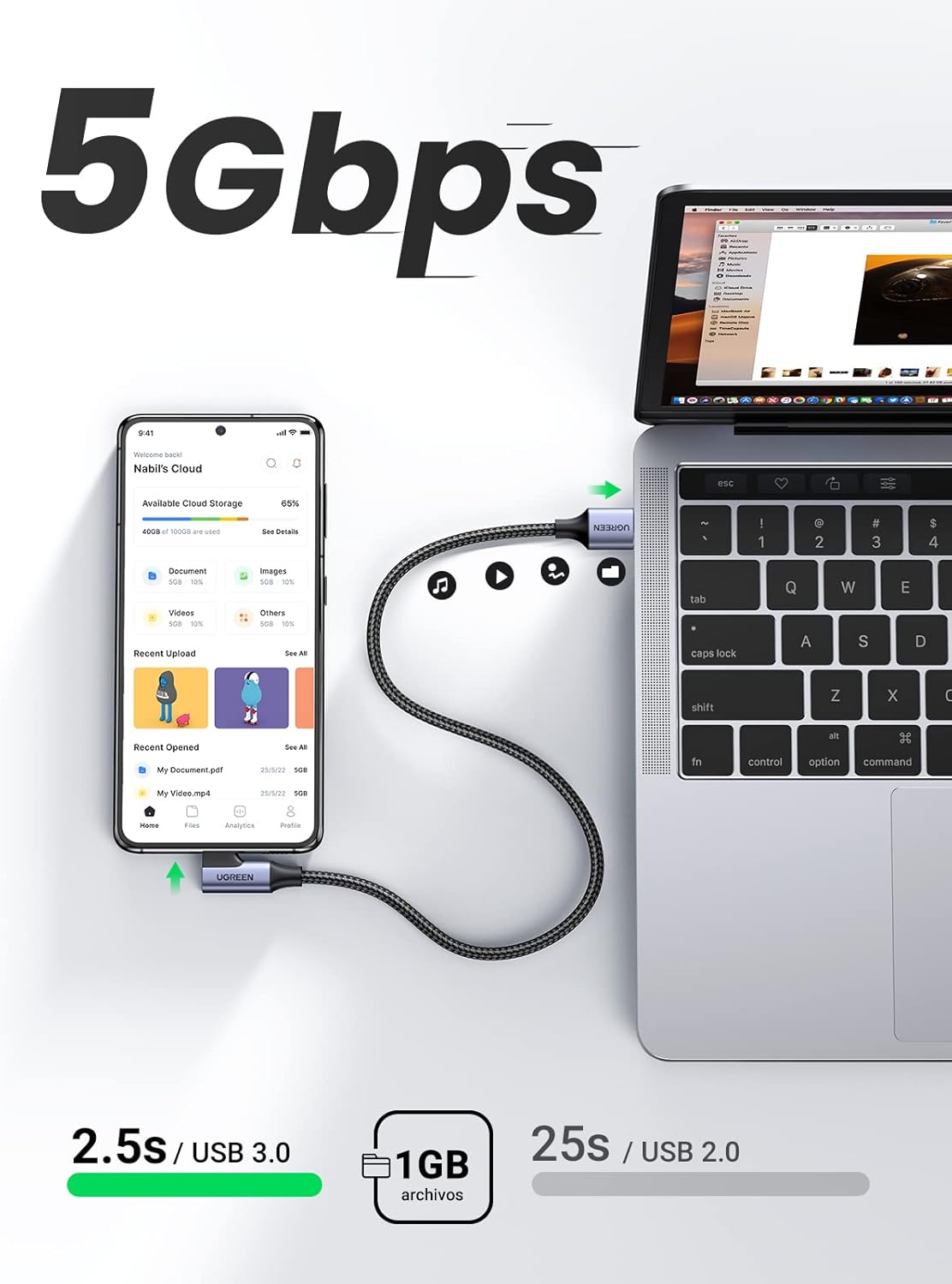
Image: A visual representation of 5Gbps data transfer speed, showing a phone connected to a laptop for file Synchronisation.
90-Degree Connector Benefits
The 90-degree (right-angle) USB-C connector is designed for enhanced convenience and durability. It allows the cable to sit flush against your device, preventing awkward bends and reducing strain on the cable and port. This is particularly useful when using your device while charging, such as during gaming or in a car.

Bild: Examples of the 90-degree connector in use, including a phone mounted in a car and a user holding a phone horizontally for gaming.
Wartung
Proper maintenance ensures the longevity and optimal performance of your UGREEN cable.
- Vermeiden Sie extremes Biegen: While the cable is designed to be flexible and durable, avoid sharp or excessive bends, especially near the connectors, to prevent internal wire damage.
- Richtig lagern: When not in use, coil the cable loosely. Avoid tangling or tightly wrapping it around objects.
- Sauber halten: Periodically wipe the cable and connectors with a dry, soft cloth to remove dust and debris. Do not use liquid cleaners directly on the connectors.
- Vorsichtig handhaben: Always pull from the connector head, not the cable itself, when disconnecting from a device or power source.

Image: A close-up of the UGREEN braided cable and connector, highlighting its durable and flexible construction, designed to withstand over 10,000 bend tests.
Fehlerbehebung
If you encounter issues with your UGREEN cable, consider the following troubleshooting steps:
- Gerät wird nicht geladen:
- Stellen Sie sicher, dass beide Enden des Kabels fest angeschlossen sind.
- Versuchen Sie es mit einem anderen Netzteil oder einer anderen Steckdose.
- Test the cable with another compatible device to rule out a device-specific issue.
- Check the device's charging port for any obstructions or damage.
- Langsamer Ladevorgang:
- Verify that your power adapter supports fast charging (e.g., 18W or higher).
- Ensure your device also supports fast charging.
- Schließen Sie alle energieintensiven Anwendungen, die im Hintergrund auf Ihrem Gerät laufen.
- Data Transfer Issues or Slow Speed:
- Confirm that the USB-A port on your computer or host device is a USB 3.0 port (often blue inside).
- Ensure your device's USB-C port is functioning correctly for data transfer.
- Versuchen Sie, eine Verbindung zu einem anderen USB-Anschluss an Ihrem Computer herzustellen.
- Starten Sie sowohl Ihr Gerät als auch Ihren Computer neu.
- Intermittierende Verbindung:
- Überprüfen Sie das Kabel und die Steckverbinder auf sichtbare Beschädigungen.
- Stellen Sie sicher, dass die Anschlüsse sauber und frei von Schmutz sind.
- Avoid putting strain on the cable while connected.

Image: A diagram illustrating the superior internal protections of the UGREEN cable, including 56KΩ resistance and multi-protections for stable voltage, um einen sicheren und zuverlässigen Betrieb zu gewährleisten.
Technische Daten
| Marke | UGREEN |
| Modellnummer | 20300 |
| Steckertyp | USB-A to USB-C (90-Degree) |
| Datenübertragungsgeschwindigkeit | Bis zu 5 Gbit/s (USB 3.0-Standard) |
| Ladeleistung | Bis zu 18 W |
| Kabelmaterial | Geflochtenes Nylon |
| Kabellänge | 2 Meter |
| Technische Daten | 19.05 x 12.7 x 1.02 cm |
| Produktgewicht | 60 g |
Kompatibilität
This cable is widely compatible with devices featuring a USB-C port, including but not limited to:
- Samsung Galaxy S23/S22/S21/A73/A72/A53 series
- LG smartphones
- Huawei P50/P40 series
- Google Pixel 7/6/5 series
- Xiaomi Redmi Note 11/10 series
- Galaxy Tab S6 Lite/S6 and other USB-C tablets
- Gaming controllers (e.g., PS4, PS5) with USB-C ports
- Devices compatible with Android Auto

Image: A graphic illustrating the universal compatibility of the UGREEN cable with various devices, including Samsung Galaxy, Huawei, Google Pixel, Xiaomi, and tablets.
Garantie und Support
UGREEN products are manufactured to high-quality standards. For information regarding warranty, technical support, or customer service, please refer to the official UGREEN webBesuchen Sie unsere Website oder wenden Sie sich an Ihren Händler. Bewahren Sie Ihren Kaufbeleg für Garantieansprüche auf.
Besuchen Sie auch die UGREEN Markengeschäft Für weitere Produktinformationen und Support-Ressourcen.


