Einführung
This user manual provides detailed instructions for the setup, operation, maintenance, and troubleshooting of your iFFALCON 43K71 4K Ultra HD Smart Android LED TV. Please read this manual thoroughly before using the television and retain it for future reference.

Bild: Vorderseite view of the iFFALCON 43K71 4K Ultra HD Smart Android LED TV, showcasing sein schlankes Design und sein brillantes Display.
Sicherheitshinweise
Beachten Sie stets die folgenden Sicherheitsvorkehrungen, um Brände, Stromschläge oder Verletzungen zu vermeiden:
- Setzen Sie den Fernseher weder Regen noch Feuchtigkeit aus.
- Sorgen Sie für ausreichende Belüftung; blockieren Sie keine Belüftungsöffnungen.
- Verwenden Sie ausschließlich das mit dem Fernseher gelieferte Netzkabel.
- Öffnen Sie den Fernsehschrank nicht; alle Wartungsarbeiten sollten von qualifiziertem Fachpersonal durchgeführt werden.
- Halten Sie den Fernseher von direkter Sonneneinstrahlung, Wärmequellen und starken Magnetfeldern fern.
- Stellen Sie den Fernseher auf eine stabile, ebene Fläche oder montieren Sie ihn sicher an einer Wand.
Lieferumfang
Prüfen Sie beim Auspacken, ob alle Komponenten vorhanden sind:
- 1 x iFFALCON 43K71 LED TV
- 1 x Remote Controller (with 2 AAA batteries)
- 2 x Table Stand components
- 1 x Benutzerhandbuch
- 1 x Garantiekarte
- 1 x Audiokabel
Aufstellen
1. Physische Installation
You can install your TV using the included table stands or by wall-mounting (wall mount bracket sold separately).
Montage des Tischgestells:
- Legen Sie den Fernseher vorsichtig mit dem Bildschirm nach unten auf eine weiche, ebene Fläche, um Beschädigungen des Bildschirms zu vermeiden.
- Attach the two table stand components to the designated slots on the bottom of the TV using the provided screws. Ensure they are securely fastened.
- Heben Sie den Fernseher vorsichtig auf eine stabile, ebene Fläche und stellen Sie ihn aufrecht hin.
Installation der Wandhalterung:
For wall mounting, consult a professional installer. Ensure the wall mount bracket is compatible with the TV's VESA mounting pattern and can support the TV's weight (approximately 6.9 kg).

Bild: Oben view of the iFFALCON 43K71 TV, showing its slim profile und Befestigungspunkte für Ständer.
2. Erstes Einschalten und Netzwerkverbindung
- Schließen Sie das Netzkabel an den Fernseher und anschließend an eine Steckdose an.
- Drücken Sie den Ein-/Ausschalter am Fernseher oder auf der Fernbedienung, um den Fernseher einzuschalten.
- Folgen Sie den Anweisungen auf dem Bildschirm, um die Ersteinrichtung abzuschließen, einschließlich der Auswahl von Sprache, Land und Netzwerkverbindung (Wi-Fi oder Ethernet).
- Melden Sie sich mit Ihrem Google-Konto an, um auf Android TV-Funktionen zuzugreifen und Apps herunterzuladen.
Bedienung des Fernsehers
Fernbedienung
The supplied remote control allows you to navigate the TV's interface and access various functions.
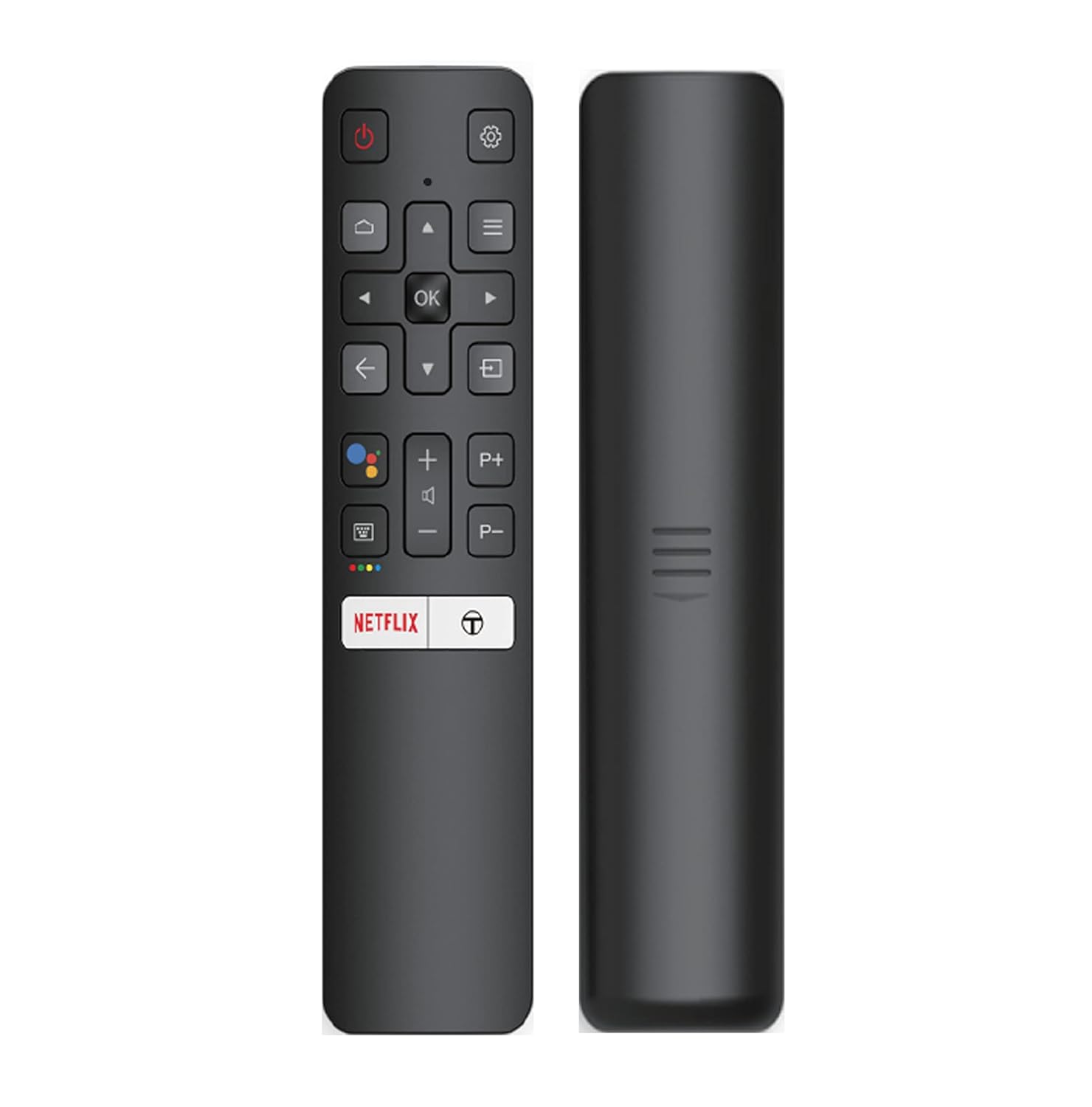
Image: The iFFALCON 43K71 remote control, featuring dedicated buttons for Netflix, Amazon Prime Video, Zee5, and Google Assistant.
Zu den wichtigsten Tasten gehören:
- Leistung: Schaltet den Fernseher ein/aus.
- Navigation (Hoch/Runter/Links/Rechts/OK): Navigiert durch Menüs und bestätigt Auswahlen.
- Zurück: Kehrt zum vorherigen Bildschirm zurück.
- Heim: Greift auf den Startbildschirm von Android TV zu.
- Lautstärke +/-: Passt die Lautstärke an.
- Channel P+/P-: Wechselt die Kanäle.
- Google Assistant: Aktiviert die Sprachsteuerung.
- Netflix, Prime Video, Zee5: Direct access buttons for streaming services.
Smart TV Features (Android TV)
Your iFFALCON 43K71 TV runs on Android 9.0, providing access to a wide range of applications and smart functionalities.

Image: The Android TV home screen on the iFFALCON 43K71, displaying various streaming apps like Netflix, YouTube, and Prime Video.
- Apps: Download and install apps from the Google Play Store, including Netflix, YouTube, Prime Video, Disney+Hotstar, and more.
- Freihändige Sprachsteuerung: Use the built-in Google Assistant to control your TV, search for content, and manage smart home devices by speaking commands directly to the TV.
- Chromecast integriert: Übertragen Sie Inhalte von Ihrem Smartphone, Tablet oder Computer direkt auf den Fernsehbildschirm.
- KI-IN: iFFALCON's AI-IN technology integrates with Google Assistant for enhanced smart home connectivity and personalized recommendations.
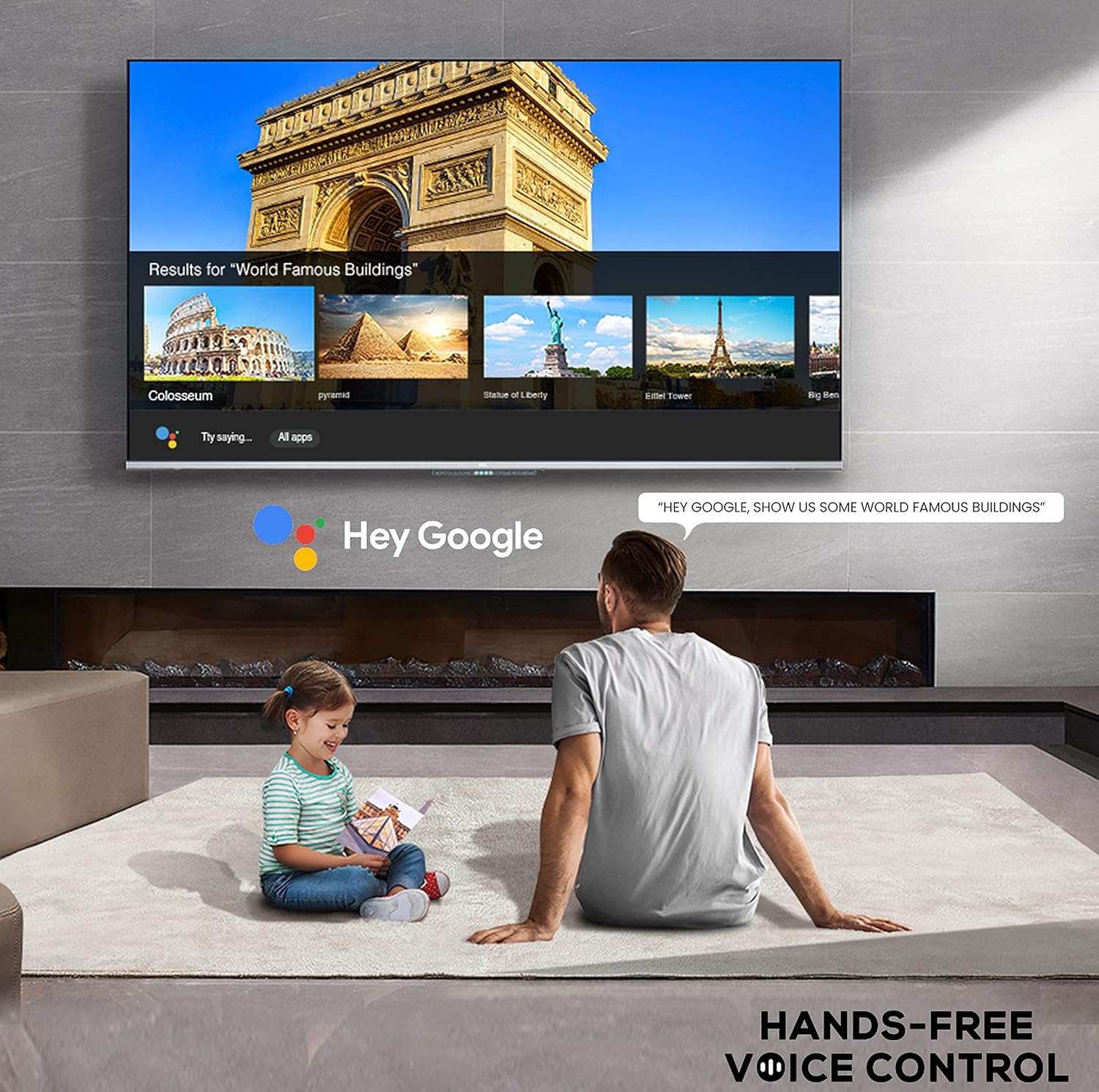
Image: A user interacting with the iFFALCON 43K71 using hands-free voice control, demonstrating the Google Assistant feature.
Konnektivität
Der Fernseher bietet verschiedene Anschlüsse zum Verbinden externer Geräte:
- HDMI-Anschlüsse (2): Connect set-top boxes, Blu-ray players, gaming consoles, etc.
- USB-Anschluss (1): Connect hard drives, USB flash drives for media playback.
- Bluetooth: Schließen Sie kabellose Kopfhörer, Soundbars oder anderes Bluetooth-fähiges Zubehör an.
- W-lan: Stellen Sie eine Verbindung zu Ihrem drahtlosen Heimnetzwerk her, um auf das Internet zuzugreifen.
- Audio Kabel: For external audio connections.
Bild- und Toneinstellungen
Passen Sie die Bild- und Toneinstellungen an, um Ihr Erlebnis zu optimieren. viewErfahrung.
- Bildmodi: Wählen Sie aus verschiedenen voreingestellten Bildmodi (z. B. Standard, Dynamisch, Film, Sport) oder passen Sie Einstellungen wie Helligkeit, Kontrast, Farbe und Schärfe individuell an.
- 4K Ultra HD & HDR 10: Experience stunning detail and vibrant colors with 4K resolution and High Dynamic Range (HDR 10) support.
- Mikro-Dimmen: Enhances contrast by analyzing video content in hundreds of separate zones and adjusting brightness and darkness independently.
- Klangmodi: Choose from preset sound modes (e.g., Standard, Music, Movie, Clear Voice) or adjust equalizer settings.
- Dolby-Audio: Enjoy immersive audio with Dolby Audio processing, delivering rich, clear, and powerful sound from the 30 Watts speakers.
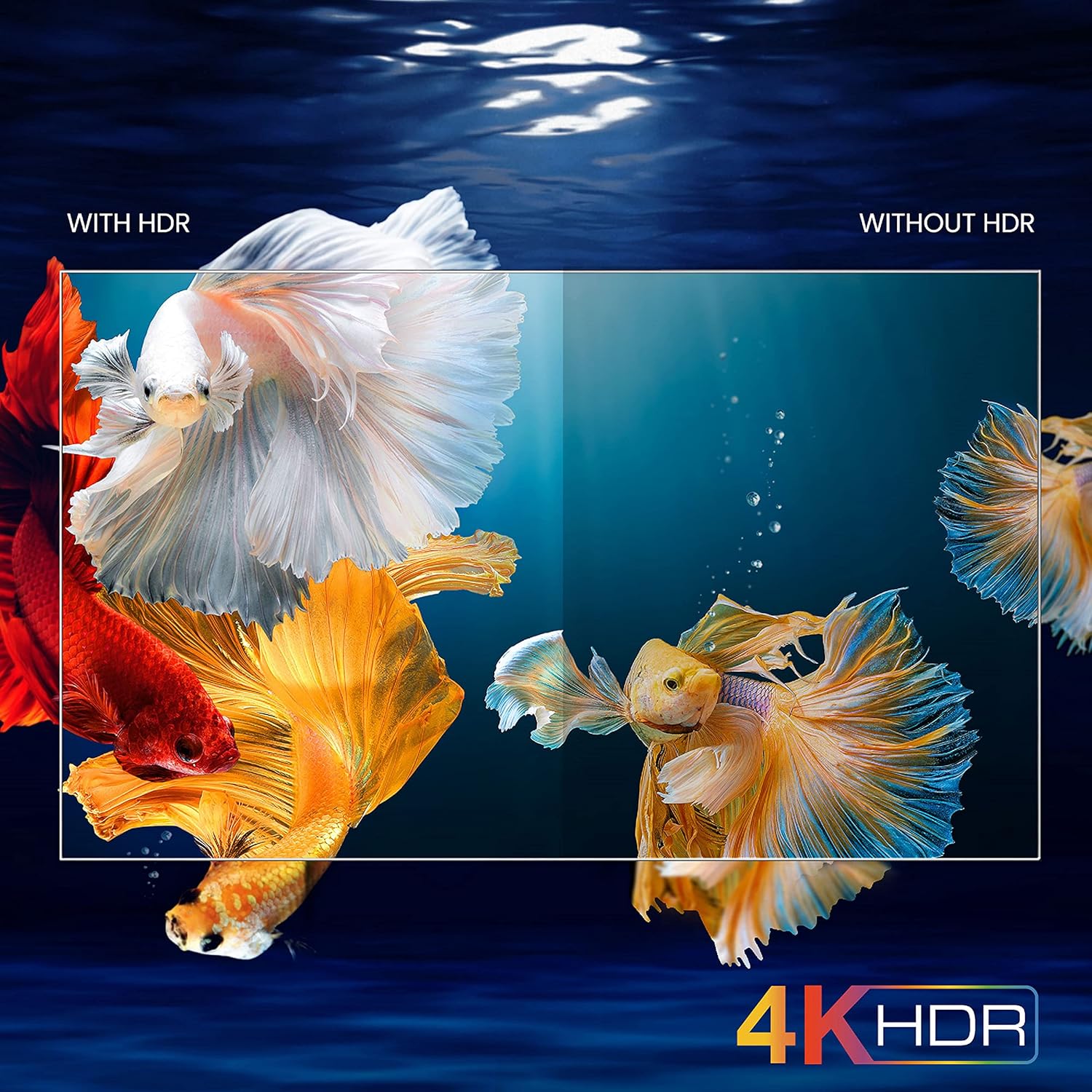
Image: A visual comparison demonstrating the enhanced color and contrast with 4K HDR enabled versus disabled on the iFFALCON 43K71 TV.
Wartung
Reinigung
- Vor der Reinigung immer den Netzstecker des Fernsehers ziehen.
- Verwenden Sie ein weiches, trockenes Tuch, um den Bildschirm und das Gehäuse abzuwischen. Bei hartnäckigen Flecken leicht andrücken.ampDas Tuch mit Wasser oder einem milden, nicht scheuernden Bildschirmreiniger befeuchten.
- Verzichten Sie auf Alkohol, Benzol, Verdünner und andere flüchtige Substanzen.
Software-Updates
The TV may receive software updates periodically to improve performance and add new features. Ensure your TV is connected to the internet to receive these updates automatically or check for them manually in the settings menu.
Fehlerbehebung
If you encounter issues, refer to the following common solutions before contacting support:
| Problem | Mögliche Lösung |
|---|---|
| Fernseher lässt sich nicht einschalten. | Check if the power cord is securely plugged into the TV and the power outlet. Ensure the power outlet is working. Try pressing the power button on the TV itself. |
| Kein Bild, aber Ton ist vorhanden. | Überprüfen Sie die Eingangsquelle. Stellen Sie sicher, dass externe Geräte ordnungsgemäß angeschlossen und eingeschaltet sind. Versuchen Sie, den Fernseher neu zu starten. |
| Kein Ton, aber ein Bild ist vorhanden. | Check the volume level and ensure the TV is not muted. Verify audio output settings. If using external speakers, check their connections and power. |
| Fernbedienung funktioniert nicht. | Tauschen Sie die Batterien (2 AAA) aus. Stellen Sie sicher, dass sich keine Hindernisse zwischen der Fernbedienung und dem Infrarotsensor des Fernsehers befinden. |
| Es kann keine Verbindung zum WLAN hergestellt werden. | Check your router and modem. Restart them if necessary. Ensure you are entering the correct Wi-Fi password. Try moving the TV closer to the router or using an Ethernet cable. |
| Langsame Performance oder App-Abstürze. | Close unused applications. Clear cache for problematic apps. Restart the TV. Consider a factory reset as a last resort (this will erase all data and settings). |
Technische Daten
Key technical specifications for the iFFALCON 43K71 TV:
| Besonderheit | Detail |
|---|---|
| Modell | 43K71 |
| Bildschirmgröße | 43 Zoll (108 cm) |
| Auflösung | 4K Ultra HD (3840 x 2160 Pixel) |
| Bildwiederholrate | 60 Hz |
| Betriebssystem | Android 9.0 |
| RAM | 2 GB |
| Lagerung | 16 GB |
| Tonausgabe | 30 Watts (Dolby Audio Power Speakers) |
| HDMI-Anschlüsse | 2 |
| USB-Anschlüsse | 1 |
| Konnektivität | WLAN, Bluetooth |
| Abmessungen (LxBxH) | 96 x 4.1 x 55.8 cm (ohne Ständer) |
| Artikelgewicht | 6.9 kg |

Image: Diagram showing the physical dimensions of the iFFALCON 43K71 TV in centimeters and inches.
Garantie
The iFFALCON 43K71 TV comes with a 1 Jahr Garantie provided by the manufacturer from the date of purchase. Please retain your purchase receipt for warranty claims. For detailed terms and conditions, refer to the included Warranty Card.
Unterstützung
For further assistance, technical support, or service requests, please contact iFFALCON customer service. Contact details can typically be found on the manufacturer's official webauf der Website oder auf der Garantiekarte.
Produkt überview Video
Video: Ein kurzer Vorberichtview Video-Showasing key features and visual enhancements of the iFFALCON 43K71 4K Ultra HD Smart Android LED TV, including 4K HDR, dynamic tone mapping, color enhancement, Android TV interface, and hands-free voice control.


