Einführung
Thank you for choosing the Casio CSN 316 Calculator. This manual provides essential information to help you get the most out of your device, including setup instructions, operational guidance, maintenance tips, and troubleshooting solutions. Please read this manual thoroughly before using the calculator and keep it for future reference.
Produkt überview
The Casio CSN 316 is a reliable 12-digit calculator designed for everyday use. It features dual power sources, ensuring consistent performance in various environments. Its clear LCD display makes calculations easy to read.
Hauptmerkmale:
- 12-digit display capacity
- Dual power (Solar and Battery)
- Übersichtliches LCD-Display
- Standard arithmetic functions
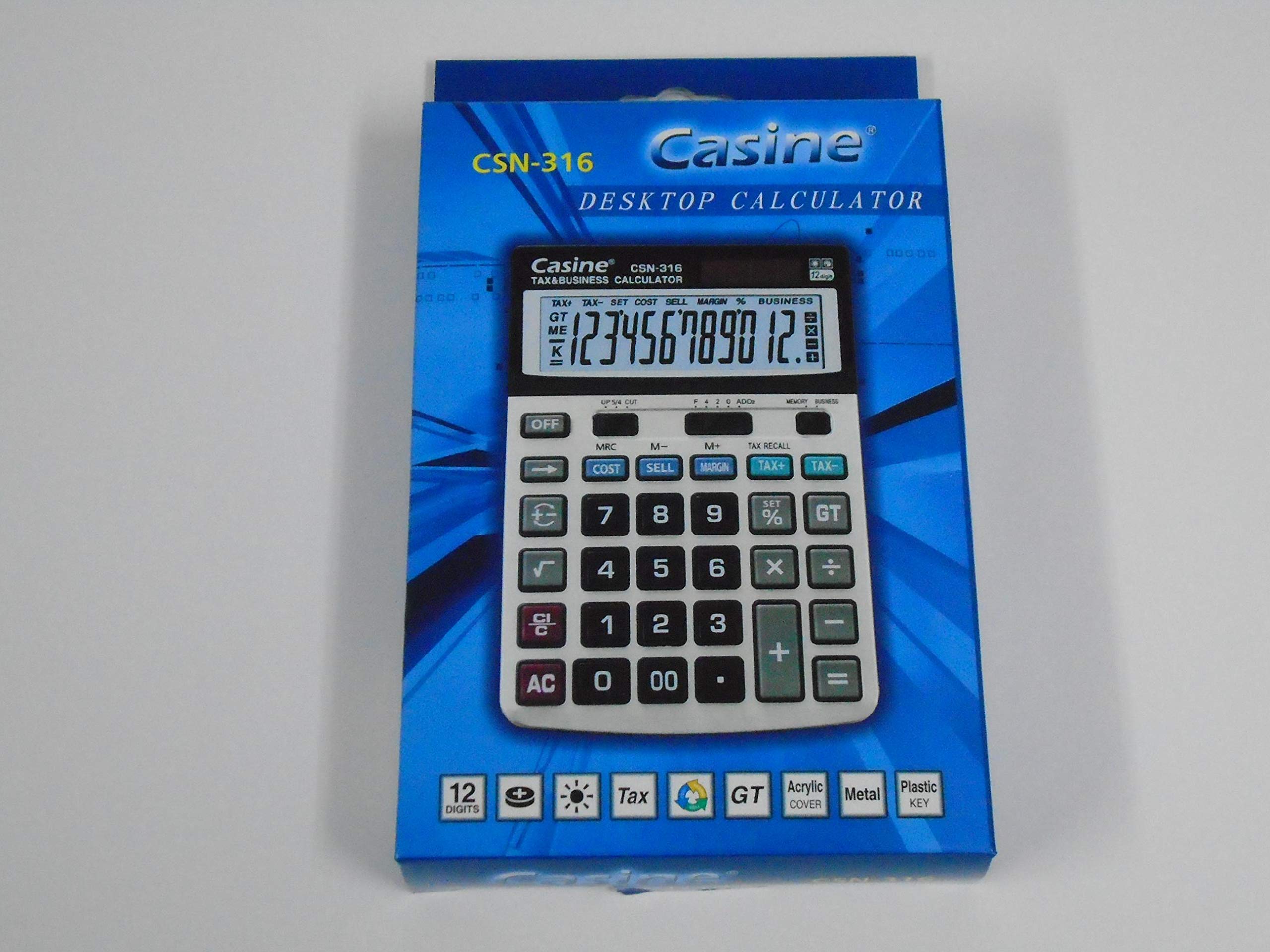
Abbildung 1: Front view of the Casio CSN 316 Calculator, showing the 12-digit LCD display and key layout.
Aufstellen
1. Stromquelle
The Casio CSN 316 calculator operates on dual power: solar power and battery power. Under sufficient lighting, the calculator will primarily use solar power. In low light conditions, it will automatically switch to battery power.
2. Einsetzen/Auswechseln der Batterie
- Stellen Sie sicher, dass der Taschenrechner ausgeschaltet ist.
- Suchen Sie die Abdeckung des Batteriefachs auf der Rückseite des Taschenrechners.
- Using a small screwdriver, carefully remove the screw(s) securing the battery compartment cover.
- Nehmen Sie die Abdeckung ab.
- Insert a new battery (type specified in Specifications section) with the correct polarity (+/-) as indicated inside the compartment.
- Bringen Sie die Abdeckung des Batteriefachs wieder an und befestigen Sie sie mit der/den Schraube(n).
Notiz: Entsorgen Sie gebrauchte Batterien gemäß den örtlichen Vorschriften.
Bedienungsanleitung
Grundlegende Berechnungen
- Zusatz (+): Geben Sie die erste Zahl ein und drücken Sie +Geben Sie die zweite Zahl ein und drücken Sie =.
- Subtraktion (-): Geben Sie die erste Zahl ein und drücken Sie -Geben Sie die zweite Zahl ein und drücken Sie =.
- Multiplikation (×): Geben Sie die erste Zahl ein und drücken Sie ×Geben Sie die zweite Zahl ein und drücken Sie =.
- Division (÷): Geben Sie die erste Zahl ein und drücken Sie ÷Geben Sie die zweite Zahl ein und drücken Sie =.
Clearing Entries
- Drücken AC (All Clear) to clear all entries and reset the calculator.
- Drücken CE (Clear Entry) to clear the last entered number without affecting previous calculations.
Speicherfunktionen
- M+: Fügt den angezeigten Wert dem Speicher hinzu.
- M-: Subtrahiert den angezeigten Wert vom Speicher.
- MR: Recalls the value stored in memory to the display.
- MCLöscht den Speicher.
Wartung
Reinigung
To clean your calculator, wipe it gently with a soft, dry cloth. Do not use abrasive cleaners, solvents, or spray directly onto the calculator, as this may damage the display or internal components.
Lagerung
Store the calculator in a cool, dry place away from direct sunlight and extreme temperatures. Avoid placing heavy objects on top of the calculator.
Fehlerbehebung
| Problem | Mögliche Ursache | Lösung |
|---|---|---|
| Das Display ist leer oder dunkel. | Unzureichendes Licht für Solarenergie oder schwacher Batteriestand. | Begeben Sie sich an einen helleren Ort oder tauschen Sie die Batterie aus. |
| Falsche Berechnungsergebnisse. | Incorrect key input or previous calculation not cleared. | Drücken AC to clear all and re-enter the calculation carefully. |
| Die Tasten reagieren nicht. | Calculator may be frozen or battery is completely drained. | Tauschen Sie die Batterie aus. Sollte das Problem weiterhin bestehen, wenden Sie sich bitte an den Kundendienst. |
Technische Daten
- Marke: Casio
- Modellname: CSN 316
- Anzeigetyp: LCD
- Anzahl an Ziffern: 12
- Energiequelle: Dual Power (Solar and Battery Powered)
- Herstellernummer: 2724633395248.0
- ASIN: B091BPDPC4
- Frühestmöglicher Termin: 30. März 2021
Garantie und Support
For detailed warranty information, please refer to the warranty card included with your product packaging or visit the official Casio website. If you require further assistance or have questions not covered in this manual, please contact Casio customer support through their official channels.
Die Kontaktdaten des Kundendienstes finden Sie oft auf der Website des Herstellers. webWebsite: www.casio.com