Einführung
Welcome to the user manual for your AWOW Funtab 701 Kids Tablet. This guide provides essential information on setting up, operating, maintaining, and troubleshooting your device to ensure a safe and enjoyable experience for your child. Please read this manual thoroughly before using the tablet.
Packungsinhalt
Bitte überprüfen Sie, ob alle unten aufgeführten Artikel in Ihrem Paket enthalten sind:
- AWOW Funtab 701 Kids Tablet (7 inch)
- Exclusive Kid-Proof Case
- Aktiver Stift
- Benutzerhandbuch (dieses Dokument)
- Netzteil
Produkt überview
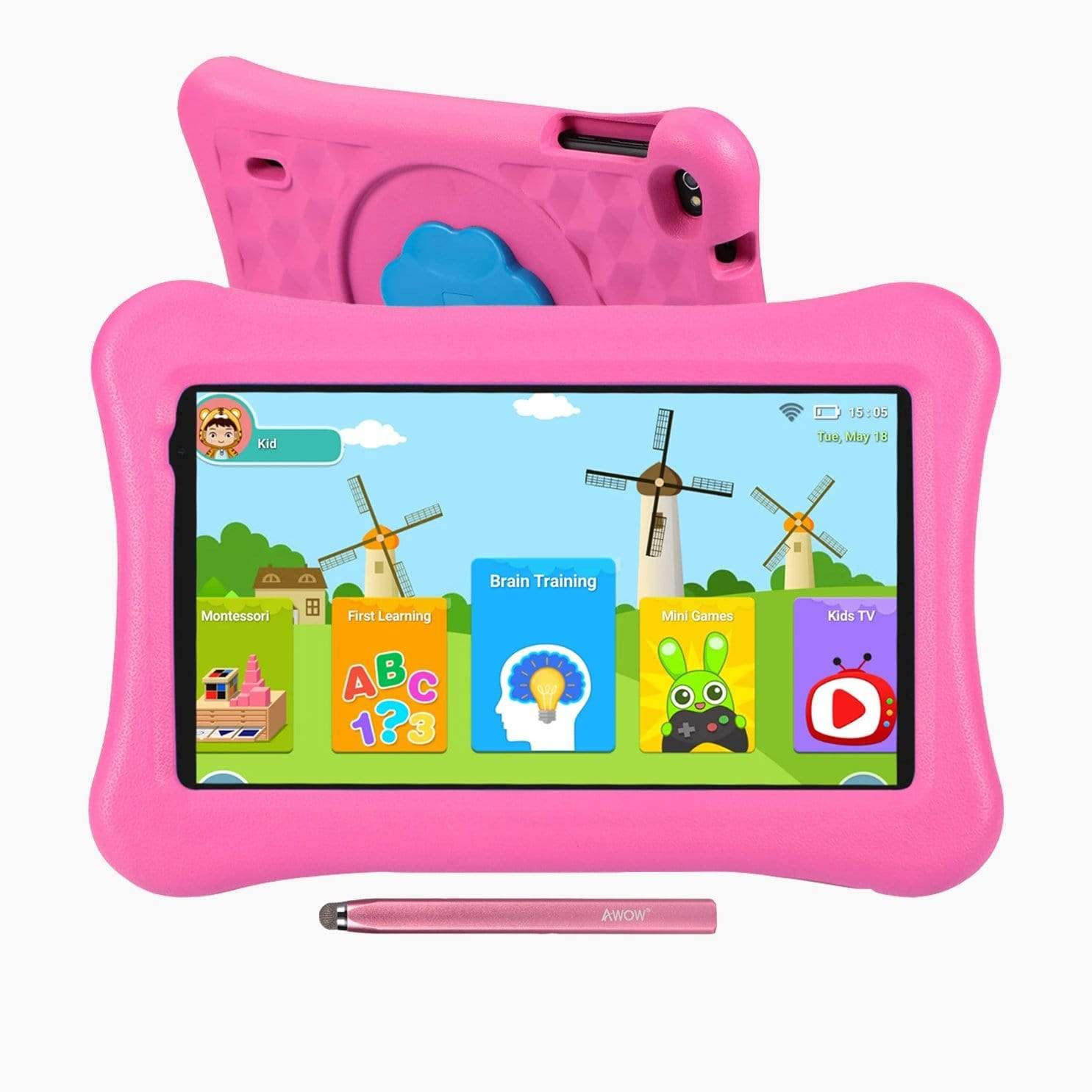
Image: The AWOW Funtab 701 Kids Tablet, shown with its protective pink kid-proof case and the accompanying active pen. The tablet features a 7-inch display.
The AWOW Funtab 701 is a 7-inch kids tablet designed for educational and entertainment purposes. It runs on Android 10 Go, powered by a 1.5GHz Quad-core processor, with 2GB RAM and 16GB ROM. It features a 1024x600 IPS HD display and supports 2.4G Wi-Fi connectivity. The tablet comes with a durable kid-proof case and an active pen for interactive learning and creativity.
Aufstellen
1. Laden des Tablets
Before first use, fully charge the tablet. Connect the provided power adapter to the tablet's charging port and plug it into a wall outlet. The charging indicator will typically light up. A full charge may take several hours.
2. Ein-/Ausschalten
- So schalten Sie das Gerät ein: Halten Sie den Ein-/Ausschalter (normalerweise an der Seite oder am oberen Rand) gedrückt, bis der Bildschirm aufleuchtet.
- So schalten Sie das Gerät aus: Halten Sie die Ein-/Aus-Taste gedrückt, bis ein Ausschaltmenü auf dem Bildschirm erscheint. Wählen Sie „Ausschalten“ und bestätigen Sie.
3. Ersteinrichtung
Beim ersten Einschalten führt Sie das Tablet durch den Ersteinrichtungsprozess:
- Sprachauswahl: Wählen Sie Ihre bevorzugte Sprache.
- Wi-Fi-Verbindung: Select your 2.4G Wi-Fi network from the list and enter the password.
- Google Benutzerkonto: Melden Sie sich mit einem bestehenden Google-Konto an oder erstellen Sie ein neues. Dies ist erforderlich, um auf den Google Play Store und andere Google-Dienste zuzugreifen.
- Datum und Uhrzeit: Stellen Sie das korrekte Datum und die korrekte Uhrzeit ein oder lassen Sie das Netzwerk diese automatisch einstellen.
4. iWawa App and Parental Controls
The AWOW Funtab 701 comes with the iWawa app pre-installed, offering a safe environment for children and robust parental controls.
- Erstellen von Profiles: Open the iWawa app to create individual profiles für jedes Kind.
- Inhaltsverwaltung: Within the parental control mode, you can hand-pick specific apps, games, videos, and websites that your child can access.
- Bildschirmzeitkontrolle: Set daily time limits for tablet usage and specific play periods.
- Sicheres Surfen: Stellen Sie sicher, dass Kinder nur sichere und genehmigte Websites besuchen. webStandorte.
- Anpassen der Einstellungen: Parental control settings can be adjusted as your child grows to tailor content to their age and development.
Bedienung des Tablets
1. Grundlegende Navigation
The tablet uses a touchscreen interface. Common gestures include:
- Klopfen: Um ein Element auszuwählen oder eine App zu öffnen.
- Wischen: Zum Durchblättern von Seiten oder Menüs.
- Prise: Um Bilder zu vergrößern oder zu verkleinern und web Seiten.
- Lange drücken: Um auf Kontextmenüs zuzugreifen oder App-Symbole zu verschieben.
2. Using the Active Pen
The included active pen allows for more precise interaction, drawing, and writing. Simply touch the pen to the screen as you would with your finger. No pairing is typically required for basic functionality.
3. Anwendungsverwaltung
- Apps herunterladen: Access the Google Play Store to download new applications. Ensure parental controls are set to manage app downloads for children.
- Apps deinstallieren: Long-press an app icon on the home screen or in the app drawer, then drag it to the 'Uninstall' option that appears. Alternatively, go to Settings > Apps & notifications > See all apps, select the app, and tap 'Uninstall'.
4. Verbinden mit Wi-Fi
To connect or reconnect to a Wi-Fi network:
- Gehe zu Einstellungen > Netzwerk & Internet > W-lan.
- Stellen Sie sicher, dass WLAN eingeschaltet ist. On.
- Select your desired 2.4G network from the list of available networks.
- Geben Sie bei Aufforderung das Netzwerkpasswort ein und tippen Sie anschließend auf Verbinden.
Wartung
1. Reinigung
Verwenden Sie zum Reinigen des Tablet-Bildschirms ein weiches, fusselfreies Tuch. Hartnäckige Flecken lassen sich leicht mit einem dünnen Tuch entfernen.ampen the cloth with water or a screen-specific cleaning solution. Avoid harsh chemicals or abrasive materials. The kid-proof case can be cleaned with mild soap and water.
2. Batteriepflege
So verlängern Sie die Akkulaufzeit:
- Setzen Sie das Tablet keinen extremen Temperaturen (Hitze oder Kälte) aus.
- Lassen Sie den Akku nicht häufig vollständig entladen.
- Verwenden Sie zum Aufladen ausschließlich das mitgelieferte Netzteil.
- Reduce screen brightness and close unused apps to conserve power.
3. Speicherung
When not in use for extended periods, store the tablet in a cool, dry place away from direct sunlight. Ensure the battery has at least a 50% charge before storing.
Fehlerbehebung
If you encounter issues with your AWOW Funtab 701, refer to the solutions below:
- Das Tablet lässt sich nicht einschalten: Ensure the tablet is fully charged. Connect it to the power adapter and wait a few minutes before attempting to power it on again. If it still doesn't turn on, try holding the power button for 10-15 seconds.
- Probleme mit der Wi-Fi-Verbindung: Check if your Wi-Fi router is working correctly. Restart both the tablet and the router. Ensure you are connecting to a 2.4G network and have entered the correct password.
- Apps sind langsam oder stürzen ab: Close unused applications. Clear the cache of problematic apps (Settings > Apps & notifications > App info > Storage & cache > Clear cache). If the issue persists, consider uninstalling and reinstalling the app.
- Der Akku entlädt sich schnell: The average battery life is approximately 4 hours. To optimize, reduce screen brightness, disable Wi-Fi when not needed, and close background apps. Avoid running multiple demanding applications simultaneously.
- Der Bildschirm reagiert nicht: Try restarting the tablet. If the issue persists, ensure the screen is clean and free of debris.
Technische Daten
| Besonderheit | Detail |
|---|---|
| Marke | AWW |
| Modellname | Funtab 701 |
| Betriebssystem | Android 10 Go |
| Bildschirmgröße | 7 Zoll |
| Bildschirmauflösung | 1024 x 600 Pixel |
| Prozessor | 1.5 GHz Quad-core (Qualcomm) |
| RAM | 2 GB |
| Interner Speicher | 16 GB |
| Erweiterbarer Speicher | Micro SD slot (up to 512GB) |
| Rückfahrkamera | 2.0 Megapixel |
| Frontkamera | 2.0 Megapixel |
| Kabellose Konnektivität | 2.4G Wi-Fi (802.11b) |
| Durchschnittliche Akkulaufzeit | 4 Stunden |
| Technische Daten | 18.5 x 10.5 x 1 cm |
| Artikelgewicht | 453.59 g |
Garantie und Support
For warranty information, please refer to the documentation provided at the time of purchase. This typically includes details on coverage duration and terms. For technical assistance or further inquiries, please contact AWOW customer service through their official support channels.


