Einführung
Vielen Dank für Ihren Einkauf.asing the Blufree Floating Pool Speaker with Lights. This manual provides essential information for the safe and efficient operation of your new speaker. Please read it thoroughly before use and retain it for future reference.
Lieferumfang
- 1 x Blufree Floating Pool Speaker (CT602W)
- 1 x USB-Ladekabel
- 1 x Benutzerhandbuch
Produkteigenschaften
- Multi-Colors Lights and Eight Flashing Modes: Features yellow, green, red, blue LED lights with 8 distinct flashing patterns for an enhanced audio-visual experience.
- Nice Sound and Louder Volume: High-fidelity stereo sound and passive radiators deliver clear, loud audio suitable for various environments, including under showering noise.
- Large Battery Capacity and Handsfree: Equipped with a 2500 mAh rechargeable battery for up to 8 hours of playback. Bluetooth 5.0 technology provides a wireless connection range of up to 25 meters. Includes a built-in microphone for hands-free calling.
- IP68 Waterproof Floating Speaker: Designed to be fully splashproof and rainproof, capable of immersion in water up to 1 meter deep for 30 minutes without damage. Ideal for all water activities.
Produkt überview

Abbildung 1: Button Functions and Product Dimensions. This diagram illustrates the location of the DC 5V charging jack, Light mode button, Vol-/Previous button, Multifunction button, Vol+/Next button, and the Carrying Handle. It also shows the speaker's height (6.63 inches) and width (4.94 inches).

Abbildung 2: The Blufree Floating Pool Speaker in water, showcasing seine leuchtenden LED-Leuchten und sein wasserdichtes Design.
Tastenfunktionen:
- Lichtmodustaste: Press to cycle through different LED light modes.
- Vol-/Previous Button: Kurzes Drücken verringert die Lautstärke, langes Drücken springt zum vorherigen Titel.
- Multifunktionstaste: Ein-/Ausschalten, Wiedergabe/Pause, Anrufe annehmen/beenden.
- Vol+/Next Button: Kurzes Drücken erhöht die Lautstärke, langes Drücken springt zum nächsten Titel.
- DC 5V Charging Jack: Zum Anschließen des USB-Ladekabels.
Aufstellen
1. Laden Sie den Lautsprecher auf
Before first use, fully charge the speaker. Connect the provided USB charging cable to the DC 5V charging jack on the speaker and the other end to a standard USB power adapter (not included) or a computer USB port. The charging indicator light will show charging status (refer to LED indicator section for details). A full charge takes approximately 8 hours.
2. Bluetooth-Kopplung
- Stellen Sie sicher, dass der Lautsprecher geladen und ausgeschaltet ist.
- Halten Sie die Multifunktionstaste for a few seconds until you hear a prompt and the LED indicator flashes rapidly, indicating pairing mode.
- On your Bluetooth-enabled device (smartphone, tablet, laptop), go to Bluetooth settings and search for available devices.
- Select "Blufree CT602W" (or similar name) from the list.
- Once paired, you will hear a confirmation sound, and the LED indicator will change to a steady light or slow flash.
- Der Lautsprecher verbindet sich beim Einschalten automatisch wieder mit dem zuletzt gekoppelten Gerät, sofern sich dieses in Reichweite befindet.
Bedienungsanleitung
Musikwiedergabe
- Abspielen/Pause: Drücken Sie kurz die Multifunktionstaste.
- Lautstärke erhöhen: Drücken Sie kurz die Vol+/Weiter-Taste.
- Lautstärke runter: Drücken Sie kurz die Vol-/Previous Button.
- Nächster Titel: Drücken Sie lange die Vol+/Weiter-Taste.
- Vorheriges Lied: Drücken Sie lange die Vol-/Previous Button.
Lichtmodi
Drücken Sie die Lichtmodus-Taste to cycle through the 8 different flashing light patterns and solid color options. This allows you to customize the ambiance for any setting.

Abbildung 3: The speaker displaying various RGB LED light colors, enhancing the listening experience.

Abbildung 4: The Blufree speaker is versatile for use in multiple environments, from relaxing in a bathroom to lively parties, beach outings, or home use.
Freisprechen
- Anruf annehmen: Drücken Sie kurz die Multifunktionstaste wenn ein Anruf eingeht.
- Anruf beenden: Drücken Sie kurz die Multifunktionstaste während eines Anrufs.
- Anruf ablehnen: Drücken Sie lange die Multifunktionstaste wenn ein Anruf eingeht.
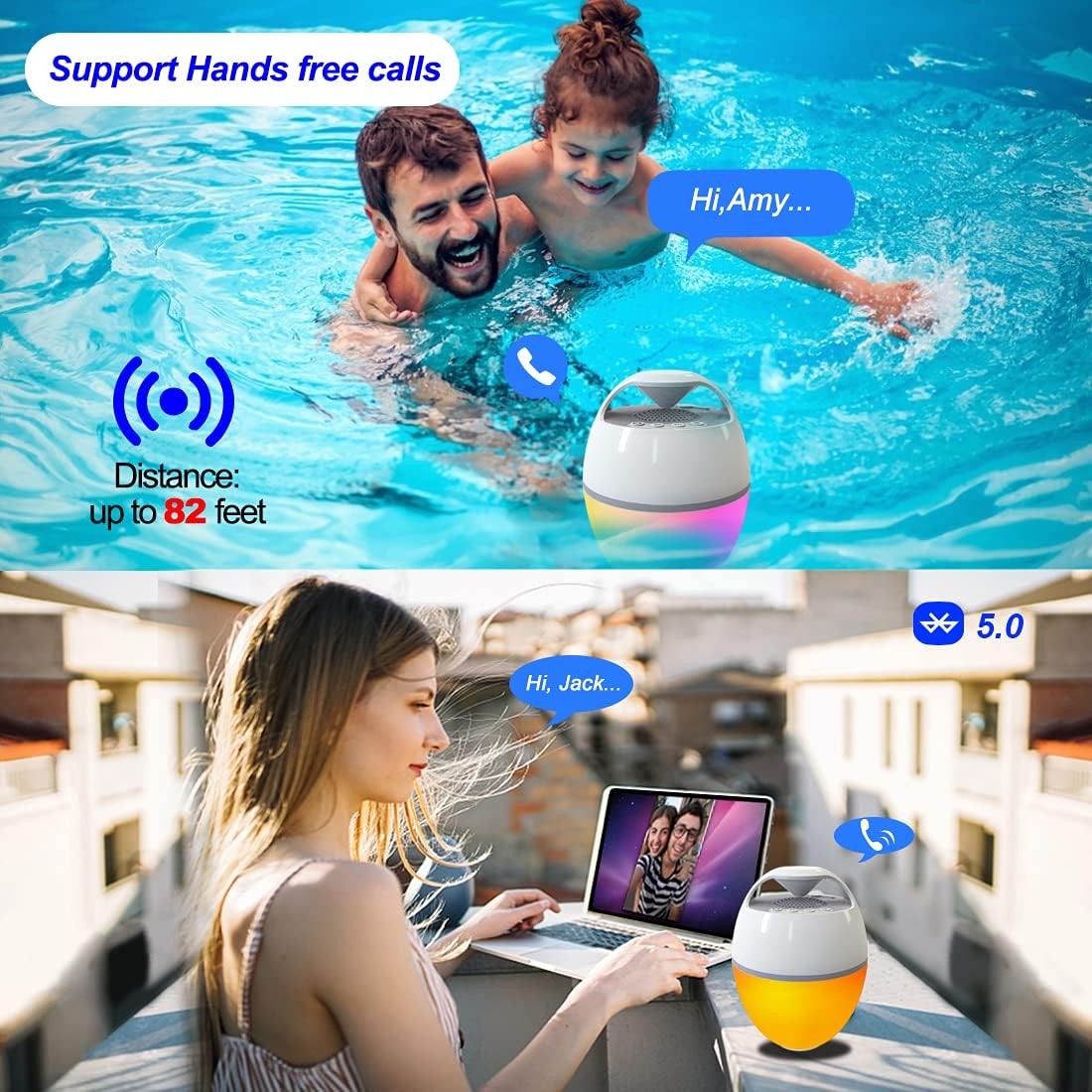
Abbildung 5: The speaker supports hands-free calls, allowing communication even while enjoying water activities or relaxing outdoors.
Wartung
- Reinigung: Wischen Sie den Lautsprecher mit einem weichen, damp Tuch. Keine Scheuer- oder Lösungsmittel verwenden.
- Lagerung: Bewahren Sie den Lautsprecher bei Nichtgebrauch an einem kühlen, trockenen Ort auf. Vermeiden Sie extreme Temperaturen.
- Wassereinwirkung: While IP68 waterproof, ensure the charging port is dry before charging to prevent damage.
Fehlerbehebung
| Problem | Mögliche Ursache | Lösung |
|---|---|---|
| Der Lautsprecher lässt sich nicht einschalten. | Schwache Batterie. | Laden Sie den Lautsprecher vollständig auf. |
| Kopplung mit Bluetooth-Gerät nicht möglich. | Lautsprecher nicht im Kopplungsmodus; Gerät zu weit entfernt; Bluetooth am Gerät deaktiviert. | Ensure speaker is in pairing mode (flashing LED). Move device closer. Turn on Bluetooth on your device. Forget previous pairings and try again. |
| Kein Ton oder geringe Lautstärke. | Lautstärke am Lautsprecher oder Gerät zu niedrig; Lautsprecher nicht angeschlossen. | Erhöhen Sie die Lautstärke sowohl am Lautsprecher als auch am verbundenen Gerät. Stellen Sie die Bluetooth-Verbindung erneut her. |
| Lichter funktionieren nicht. | Light mode off or stuck. | Press the Light Mode button to cycle through modes. Ensure speaker is powered on. |
Technische Daten
- Modellname: CT602W
- Marke: Blufrei
- Material: Plastik
- Konnektivitätstechnologie: Bluetooth 5.0
- Drahtlose Reichweite: Bis zu 25 Meter (82 Fuß)
- Wasserbeständigkeit: IP68 Wasserdicht
- Batteriekapazität: 2500 mAh
- Akkulaufzeit: Bis zu 8 Stunden
- Ladezeit: Ungefähr 8 Stunden
- Maximale Ausgangsleistung des Lautsprechers: 6 Watt
- Audioausgabemodus: Stereo
- Produktabmessungen: 15.6"D x 15.6"W x 14.9"H (Note: These dimensions seem unusually large for a portable speaker, possibly a typo in source data. User should refer to product packaging for exact dimensions.)
- Artikelgewicht: 0.8 Kilogramm (1.76 Pfund)
- Besondere Merkmale: Built-in Microphone, LED Light, Portable, Waterproof
- Empfohlene Verwendung: For Music Players, Party, Swimming Pool, Hot Tub, Shower, Outdoor Sports, Home
Garantie und Support
The Blufree Floating Pool Speaker comes with a Full Warranty. For detailed warranty information, product support, or to report any issues, please contact Blufree customer service through the retailer where you purchased the product or visit the official Blufree webWebsite.
Online-Hilfe: Visit the Blufree Store on Amazon