Einführung
This manual provides detailed instructions for the LOFREE Wireless Mechanical Bluetooth Keyboard. It covers setup, operation, maintenance, troubleshooting, and product specifications to ensure optimal use of your device.
This video demonstrates the LOFREE Retro Keyboard in various usage scenarios, highlighting its design and functionality.
Aufstellen
Aufladen der Tastatur
The keyboard is equipped with a rechargeable battery. Connect the provided USB cable to the Micro USB port on the keyboard and the other end to a power source (e.g., computer USB port, USB wall adapter).

Seite view of the LOFREE keyboard, highlighting the Micro USB charging port and mode switches.
Initial Pairing (Bluetooth)
To pair the keyboard via Bluetooth, ensure the keyboard is charged.
- Locate the Bluetooth switch on the side of the keyboard and slide it to the "ON" position.
- Aktivieren Sie auf Ihrem Gerät (Computer, Tablet, Smartphone) Bluetooth und suchen Sie nach verfügbaren Geräten.
- Select "LOFREE Keyboard" from the list of devices to complete the pairing process.
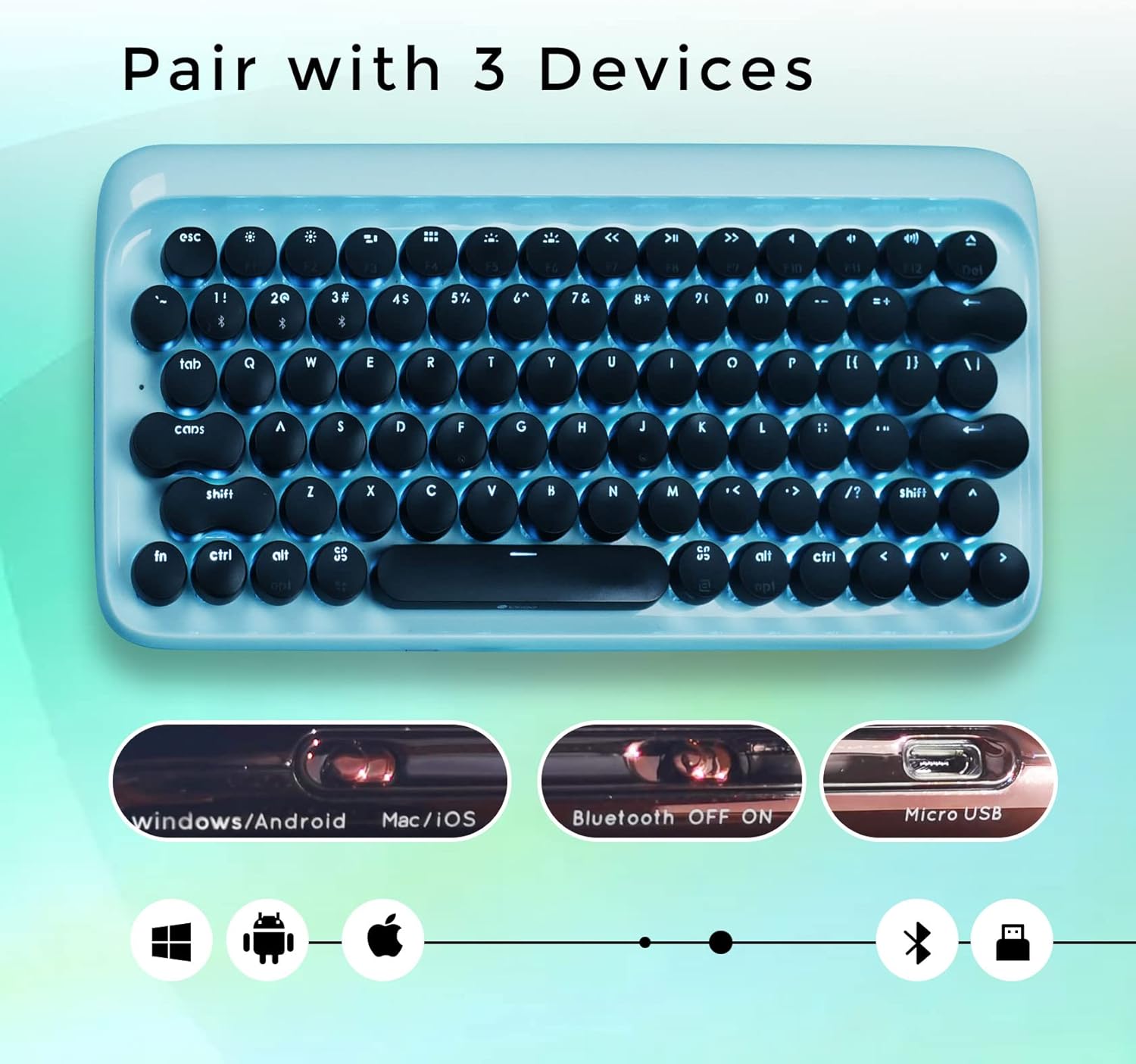
Von oben nach unten view of the LOFREE keyboard illustrating its ability to pair with up to three devices and showing the Bluetooth ON/OFF switch.
Bedienungsanleitung
Umschalten zwischen Geräten
The LOFREE keyboard can connect to up to 3 different devices simultaneously. Use the quick switch on the keyboard to toggle between connected devices.
Kabelverbindung
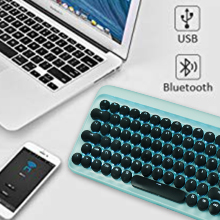
For a wired connection, connect the USB cable directly from the keyboard to your computer. The keyboard will automatically switch to USB mode.

An image showing the keyboard connected via USB and Bluetooth, indicating dual connectivity options.
Anpassung der Hintergrundbeleuchtung
The keyboard features adjustable white LED backlighting with 4 brightness levels. To adjust the brightness or turn off the backlight, use the dedicated function keys. Refer to the key layout for specific controls.

Nahaufnahme view of the LOFREE keyboard highlighting the four adjustable backlight brightness levels.
Auto-Sleep-Modus
To conserve battery life, the keyboard automatically enters sleep mode after 10 minutes of inactivity. Press any key to wake it up.
An illustration depicting the keyboard's auto-sleep mode feature for battery conservation.
Betriebssystemkompatibilität
The keyboard is compatible with Windows, Android, Mac, and iOS operating systems. Use the OS switch on the side of the keyboard to select the appropriate mode.

An image illustrating the LOFREE keyboard's compatibility with Windows, Apple (Mac/iOS), and Android operating systems.
Wartung
Reinigung
Um die Tastatur zu reinigen, schalten Sie sie aus und trennen Sie alle Kabel. Wischen Sie die Oberfläche mit einem weichen, trockenen Tuch ab. Bei hartnäckigem Schmutz kann ein leicht feuchtes Tuch helfen.amp cloth can be used, ensuring no moisture enters the key switches or internal components. Avoid using harsh chemicals or abrasive materials.
Entfernen der Tastenkappe
The keycaps are designed to be removable for cleaning or replacement. Gently pull the keycap upwards to remove it. Exercise caution to avoid damaging the switch mechanism.
Fehlerbehebung
Tastatur verbindet sich nicht
Probleme mit der Bluetooth-Verbindung
- Stellen Sie sicher, dass Bluetooth sowohl auf der Tastatur als auch auf Ihrem Gerät aktiviert ist.
- Check if the keyboard is in pairing mode.
- Versuchen Sie, die Tastatur von Ihrem Gerät zu entkoppeln und anschließend erneut zu koppeln.
- Verify the keyboard battery level.
Wired Connection Issues
- Stellen Sie sicher, dass das USB-Kabel sowohl mit der Tastatur als auch mit Ihrem Computer fest verbunden ist.
- Versuchen Sie es mit einem anderen USB-Anschluss oder Kabel.
Hintergrundbeleuchtung funktioniert nicht
- Check the battery level. Low battery can affect backlight functionality.
- Ensure the backlight is not turned off or set to the lowest brightness level.
Tasten reagieren nicht
- Laden Sie die Tastatur auf.
- If using Bluetooth, try switching to wired mode to rule out connection issues.
- If a specific key is not responding, gently remove the keycap and check for any obstructions.
Technische Daten
Allgemein
- Marke: LOFREE
- Modell: B093GR97N3
- Konnektivität: Bluetooth, USB
- Schlüsselschalter: Blaue mechanische Schalter
- Tastenkappen: Runde Retro-Tastenkappen
- Hintergrundbeleuchtung: Adjustable White LED
- Kompatibilität: Windows, Android, Mac, iOS
- Batterie: 2 Lithium-Ionen-Akku (im Lieferumfang enthalten)
- Artikelgewicht: 2.74 Pfund
- Paketabmessungen: 14.37 x 6.61 x 1.85 Zoll

The LOFREE Wireless Mechanical Bluetooth Keyboard, showcasing its retro design and round keycaps.
Schlüsselschalter
The keyboard features Gateron Blue Mechanical Switches, known for their tactile bump and audible click, providing a satisfying typing experience reminiscent of vintage typewriters.

Eine detaillierte view of the Gateron Blue Mechanical Switches, known for their tactile and clicky feedback.
Garantie und Support
Garantieinformationen
All LOFREE products come with a 12-month warranty from the date of purchase.
Kundenservice
For any questions, technical assistance, or support needs, please feel free to contact LOFREE customer service via email. We aim to respond to all inquiries within 24 hours.
For more information and additional products, visit the LOFREE Store.