1. Einleitung
This manual provides detailed instructions for the setup, operation, maintenance, and troubleshooting of your MEETION MT-KB015 One-Handed Wired RGB Gaming Keyboard. Please read this manual thoroughly to ensure proper use and to maximize your gaming experience.
2. Produktüberschreitungview
The MEETION MT-KB015 is a compact, one-handed gaming keyboard designed for enhanced control and comfort. It features vibrant RGB backlighting, ergonomic keycaps, and dedicated multimedia controls. Its durable membrane switches are rated for 50 million keystrokes, ensuring longevity.

Dieses Bild zeigt die Vorderseite. view of the MEETION MT-KB015 one-handed gaming keyboard, highlighting its compact design and vibrant RGB backlighting.

An angled perspective of the MEETION MT-KB015 keyboard, emphasizing its integrated ergonomic palm rest designed for comfortable use during extended gaming sessions.

A user's hand is shown comfortably resting on the integrated palm rest of the MEETION MT-KB015 keyboard, illustrating its ergonomic design for gaming.
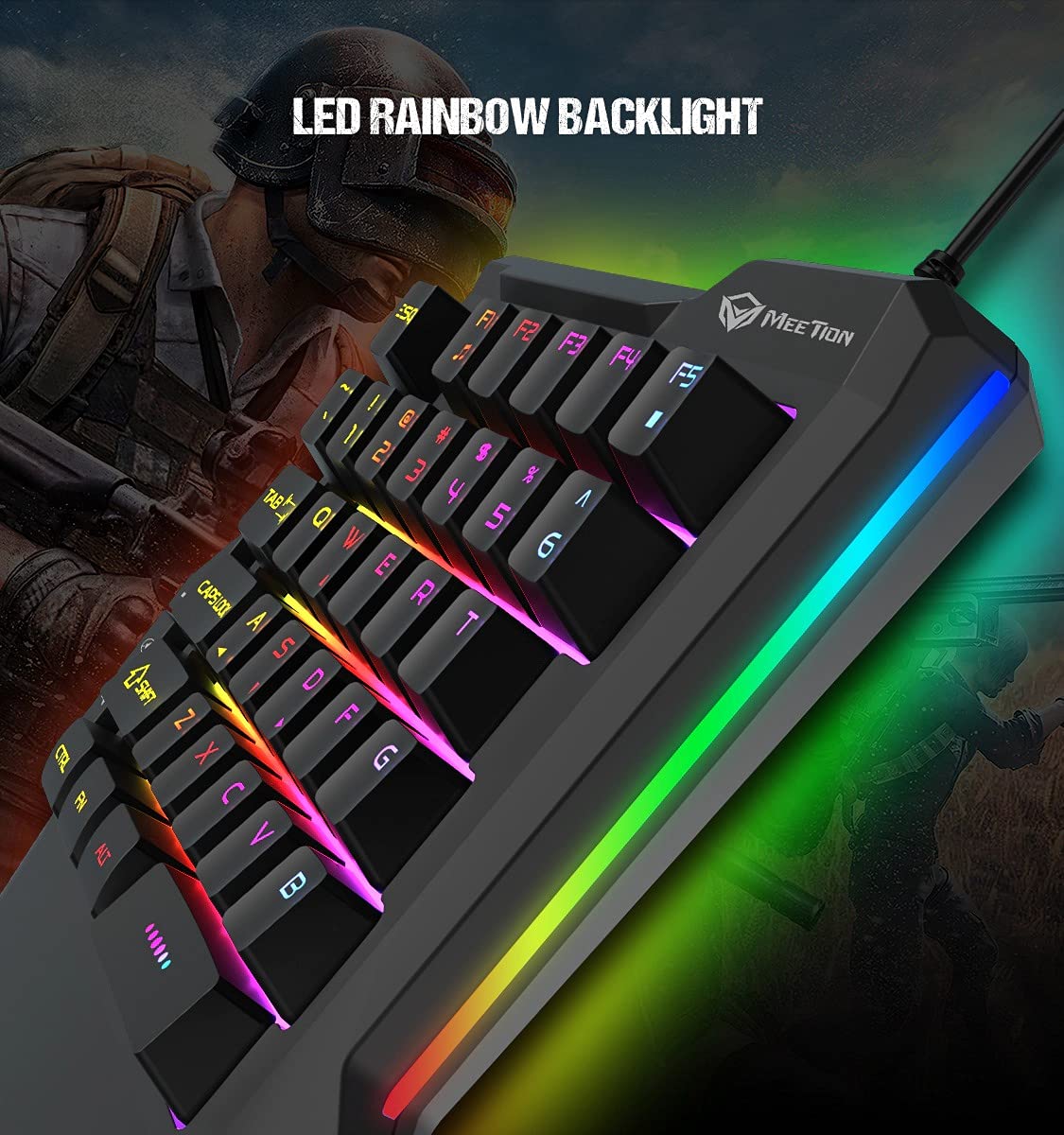
Eine detaillierte view of the MEETION MT-KB015 keyboard's keys, showcasing the dynamic LED rainbow backlighting effect.

This image provides a close-up of the membrane switch keys on the MEETION MT-KB015 keyboard, illustrating their design and construction.

The MEETION MT-KB015 keyboard is depicted connected to a computer setup, demonstrating its simple plug-and-play connectivity.

Ein Overhead view of a user engaged in gaming, utilizing the MEETION MT-KB015 one-handed keyboard alongside a gaming mouse on a desk.
Hauptmerkmale:
- 50 Million Keystroke Life: Durable membrane switches designed for extended use.
- Multimedia-Tasten: Conveniently placed dedicated keys for volume control.
- Comfortable Palm Rest: Integrated broad palm rest for ergonomic support during long gaming sessions.
- Easy To Use Plug and Play: Simple connectivity with various devices without requiring additional drivers.
3. Einrichtung
The MEETION MT-KB015 keyboard is designed for plug-and-play functionality, requiring no complex installation.
Anschließen der Tastatur:
- Locate an available USB port on your computer, laptop, or compatible smartphone.
- Plug the USB cable of the MT-KB015 keyboard into the USB port.
- The operating system (e.g., Windows 10) will automatically detect and install the necessary drivers.
- The keyboard's RGB backlight will illuminate, indicating it is ready for use.
Kompatible Geräte: Laptop, PC, Smartphone.
4. Bedienungsanleitung
Grundlegende Bedienung:
Once connected, the keyboard functions immediately. The keys are laid out for one-handed gaming, providing quick access to essential commands.
RGB-Hintergrundbeleuchtungssteuerung:
The keyboard features an LED rainbow backlight. Specific key combinations or dedicated buttons for backlight mode changes are not detailed in the product information, but the lighting will be active upon connection.
Multimedia-Tasten:
The MT-KB015 includes dedicated multimedia keys for convenient audio control.

A diagram highlighting the location and function of the dedicated Volume Up, Mute, and Volume Down multimedia keys positioned on the left side of the MEETION MT-KB015 keyboard.
- Lautstärke erhöhen: Increases audio output.
- Stumm: Schaltet die Audiostummschaltung ein/aus.
- Lautstärke runter: Decreases audio output.
Additional multimedia functions (Music Player, Stop) are indicated with FN key combinations (FN + F1 for Music Player, FN + F5 for Stop).
5. Wartung
Um die Langlebigkeit und optimale Leistung Ihrer Tastatur zu gewährleisten, beachten Sie bitte folgende Wartungshinweise:
- Reinigung: Use a soft, dry cloth to wipe the surface of the keyboard. For deeper cleaning, a slightly damp Man kann ein Tuch mit milder Seife verwenden, wobei darauf zu achten ist, dass keine Flüssigkeit in die Schlüsselschalter oder interne Bauteile gelangt.
- Staubentfernung: Verwenden Sie Druckluft, um Staub und Schmutz zwischen den Tastenkappen zu entfernen.
- Vermeiden Sie Flüssigkeiten: Verschütten Sie keine Flüssigkeiten auf der Tastatur. Sollte es versehentlich zu einem Verschütten kommen, trennen Sie die Tastatur sofort vom Stromnetz und lassen Sie sie vollständig trocknen, bevor Sie sie wieder anschließen.
- Lagerung: Bewahren Sie die Tastatur an einem kühlen, trockenen Ort fern von direkter Sonneneinstrahlung und extremen Temperaturen auf.
6. Fehlerbehebung
If you encounter issues with your MEETION MT-KB015 keyboard, refer to the following common solutions:
Tastatur reagiert nicht:
- USB-Verbindung prüfen: Ensure the USB cable is securely plugged into a functional USB port on your device. Try a different USB port.
- Gerät neu starten: Starten Sie Ihren Computer oder Ihr Smartphone neu.
- Test auf einem anderen Gerät: Schließen Sie die Tastatur an einen anderen Computer oder ein kompatibles Gerät an, um festzustellen, ob das Problem an der Tastatur oder am Originalgerät liegt.
Hintergrundbeleuchtung funktioniert nicht:
- Stellen Sie sicher, dass die Tastatur ordnungsgemäß angeschlossen ist und mit Strom versorgt wird.
- If available, check for any dedicated backlight control keys or software settings.
Tasten werden nicht registriert oder es werden doppelte Eingaben getätigt:
- Clean the affected keys to remove any debris that might be obstructing the switch mechanism.
- Ensure the keyboard is on a stable, flat surface.
Sollten die Probleme nach Anwendung dieser Lösungsansätze weiterhin bestehen, wenden Sie sich bitte an den Kundendienst.
7. Spezifikationen
| Besonderheit | Detail |
|---|---|
| Marke | TREFFEN |
| Modellnummer | MT-KB015 |
| Serie | MEETION MT-KB015 |
| Farbe | Schwarz |
| Konnektivitätstechnologie | Verdrahtet |
| Tastaturbeschreibung | Spiele |
| Schaltertyp | Membranschalter |
| Keystroke Life Cycle | 50 Millionen |
| Hardware-Plattform | Laptop, PC, Smartphone |
| Betriebssystemkompatibilität | Windows 10 (and compatible with other OS via Plug and Play) |
| Produktabmessungen (L x B x H) | 21 x 3.8 x 18.1 cm |
| Artikelgewicht | 420 g |
| Im Lieferumfang enthaltene Komponenten | USB-Kabel |
| Batterien im Lieferumfang enthalten | NEIN |
8. Garantie und Support
Garantieinformationen:
The MEETION MT-KB015 One-Handed Wired RGB Gaming Keyboard comes with a 1 Jahr Garantie Diese Garantie gilt ab Kaufdatum und deckt Herstellungsfehler bei normalem Gebrauch ab. Bitte bewahren Sie Ihren Kaufbeleg für Garantieansprüche auf.
Kundendienst:
For technical assistance, warranty claims, or any product-related inquiries, please contact MEETION customer support. Contact details for the manufacturer/importer are provided below:
- Hersteller: Meetion, Meetion Tech Co. LTD - China
- Importeur: Cavitak Marketing Pvt Ltd. 9, Vitthalbhai Patel Colony, Lakhudi, Naranpura, Ahmedabad-380014
- E-Mail: meetion@cavitak.com
- Telefon: 0796813-66-11


