1. Produktüberschreitungview
The MediaCom MCI SB01 is a versatile Bluetooth soundbar designed to enhance your audio experience. It features an elegant wooden casing and comes equipped with dual microphone inputs, making it suitable for various entertainment and communication needs. With multiple connectivity options, it seamlessly integrates with a wide range of devices.
Hauptmerkmale:
- Elegantes Holzcasing for enhanced aesthetics and sound quality.
- Two dedicated microphone inputs for karaoke or public speaking.
- 30W RMS output power for clear and robust audio.
- Bluetooth connectivity for wireless streaming from smartphones, tablets, and laptops.
- Multiple input options: Bluetooth, Optical, SD card, and AUX (RCA/3.5mm).
- Universal compatibility with various television models.
2. Sicherheitshinweise
Bitte lesen Sie vor der Verwendung dieses Produkts alle Sicherheitshinweise sorgfältig durch. Bewahren Sie diese Bedienungsanleitung zum späteren Nachschlagen auf.
- Energiequelle: Verwenden Sie ausschließlich das angegebene Netzteil. Stellen Sie sicher, dass die Lautstärketage ist mit Ihrer Region kompatibel.
- Belüftung: Die Lüftungsöffnungen dürfen nicht blockiert werden. Die Installation muss gemäß den Anweisungen des Herstellers erfolgen.
- Wasser und Feuchtigkeit: Setzen Sie dieses Gerät weder Regen noch Feuchtigkeit aus. Stellen Sie keine mit Flüssigkeiten gefüllten Gegenstände, wie z. B. Vasen, auf das Gerät.
- Hitze: Installieren Sie das Gerät nicht in der Nähe von Wärmequellen wie Heizkörpern, Heizregistern, Öfen oder anderen Geräten (einschließlich ampKonverter (Lüfter), die Wärme erzeugen.
- Reinigung: Nur mit trockenem Tuch reinigen.
- Wartung: Versuchen Sie nicht, dieses Produkt selbst zu warten. Überlassen Sie alle Wartungsarbeiten qualifiziertem Servicepersonal.
3. Packungsinhalt
Überprüfen Sie, ob alle Artikel im Paket vorhanden sind:
- MediaCom MCI SB01 Soundbar
- Wired Microphones (x2)
- Netzteil
- Bedienungsanleitung
- Fernbedienung (falls im Lieferumfang enthalten)
- Audio Cables (e.g., Optical, AUX - if included)
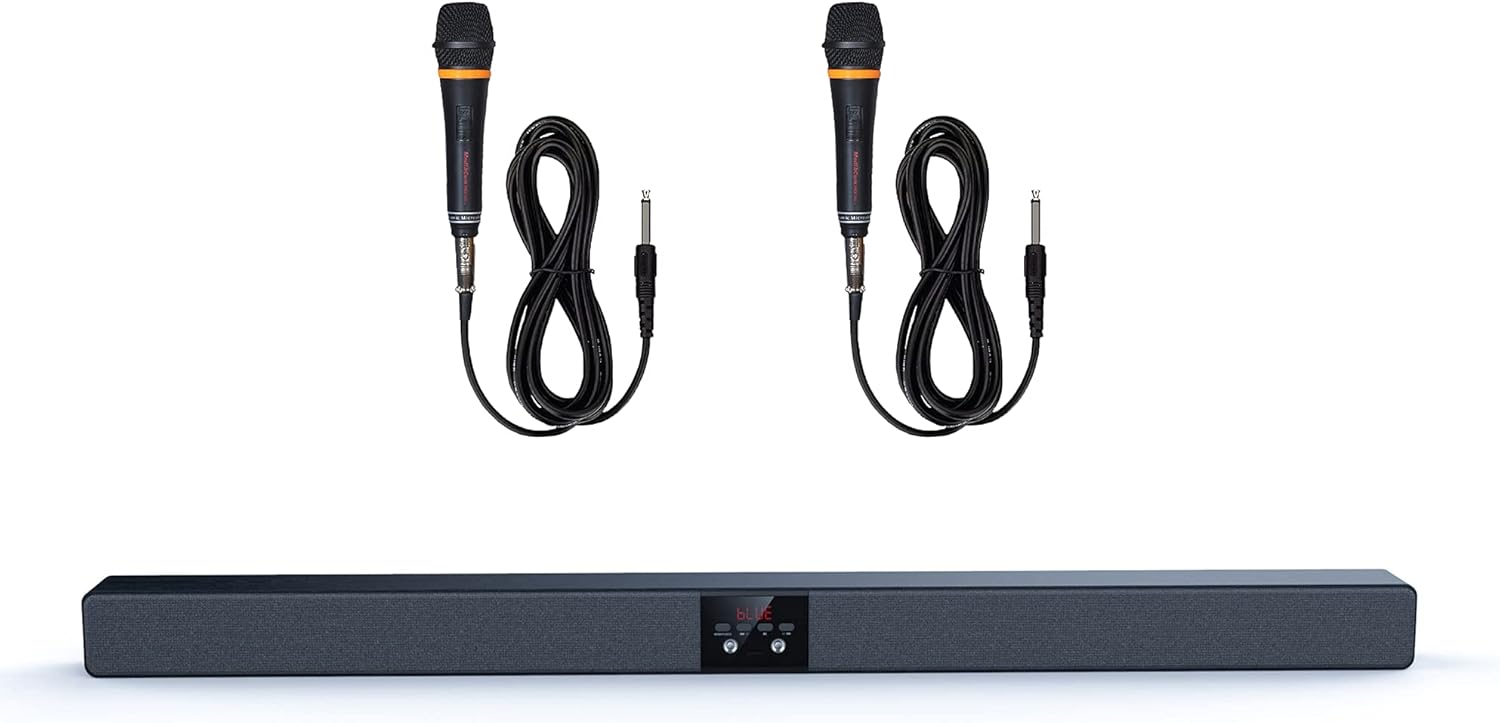
Image 1: The MediaCom MCI SB01 Soundbar shown with its two accompanying wired microphones.
4. Einrichtung
4.1 Anschließen der Soundbar
Choose one of the following methods to connect your soundbar to a TV or other audio source:
- Optische Verbindung: For the best audio quality, connect an optical cable (not always included) from your TV's Optical Out port to the soundbar's Optical In port. Select 'Optical' input on the soundbar.
- AUX (RCA/3.5mm) Connection: Use an AUX cable to connect your TV's Audio Out (RCA L/R or 3.5mm headphone jack) to the soundbar's AUX In port. Select 'AUX' input on the soundbar.
- Bluetooth Verbindung: Power on the soundbar and switch to Bluetooth mode. On your device (smartphone, tablet, laptop), enable Bluetooth and search for 'MCI SB01'. Pair with the soundbar.
- SD-Karte: Legen Sie eine SD-Karte mit Audiodateien ein. files into the designated slot on the soundbar. The soundbar will automatically switch to SD card mode and begin playback.
4.2 Einschalten
Connect the power adapter to the soundbar's DC input and then to a wall outlet. Press the Power button on the soundbar or remote control to turn it on.

Abbildung 2: Ein schräger view of the soundbar, highlighting its wooden top panel and front speaker grille.

Image 3: A different angled perspective of the soundbar, featuring the MediaCom brand logo on the right end.
5. Bedienungsanleitung
5.1 Grundlegende Bedienelemente
- Netzschalter: Schaltet die Soundbar ein oder aus.
- Eingabe-/Modus-Taste: Cycles through available input modes (Bluetooth, Optical, AUX, SD).
- Lautstärke erhöhen/verringern: Regelt den Master-Lautstärkepegel.
- Abspielen/Pause: Controls playback in Bluetooth or SD card mode.
- Vorheriger/Nächster Titel: Skips to the previous or next track in Bluetooth or SD card mode.
5.2 Verwendung von Mikrofonen
Connect the wired microphones to the designated microphone input jacks on the soundbar. Adjust the microphone volume using the dedicated controls on the soundbar or remote (if available). Ensure the soundbar's main volume is set to a comfortable listening level before using the microphones.
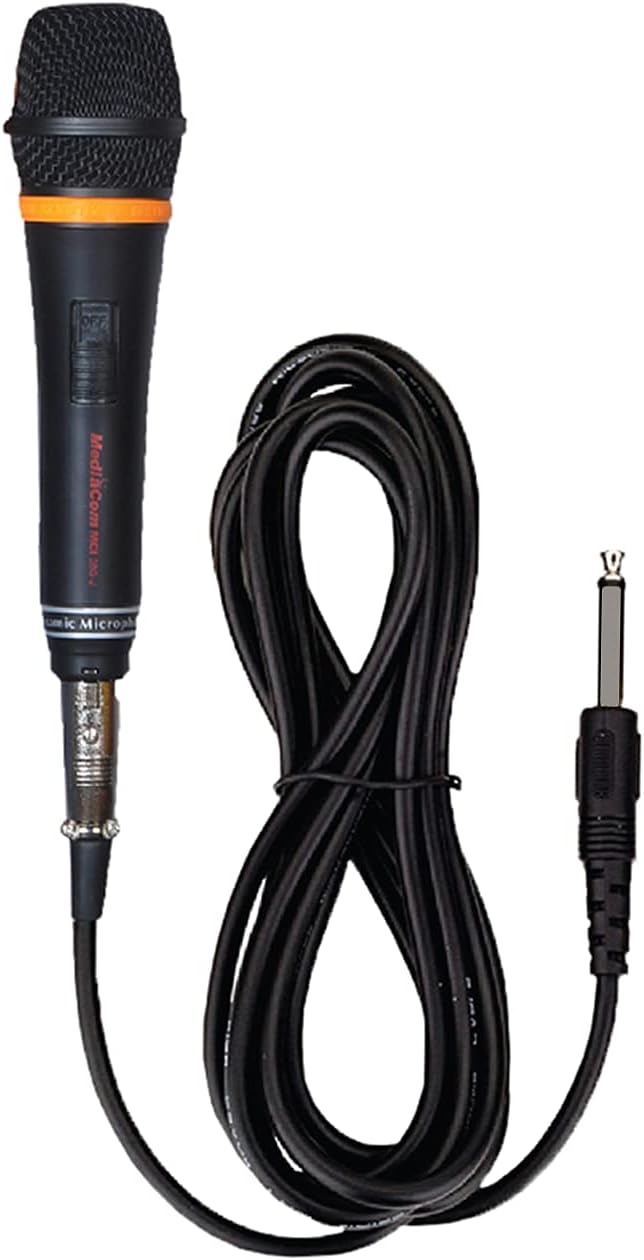
Abbildung 4: Eine detaillierte view of one of the wired microphones included with the soundbar, showing its cable and audio jack.
6. Wartung
Die richtige Pflege gewährleistet die Langlebigkeit Ihrer Soundbar:
- Reinigung: Wipe the soundbar with a soft, dry cloth. Do not use liquid cleaners or aerosol sprays.
- Lagerung: Bei längerer Lagerung vom Stromnetz trennen und an einem kühlen, trockenen Ort aufbewahren.
- Vermeiden Sie Hindernisse: Do not place objects on top of the soundbar that could block the speakers or ventilation.
7. Fehlerbehebung
Sollten Sie auf Probleme stoßen, konsultieren Sie bitte die folgenden häufigen Probleme und Lösungen:
| Problem | Mögliche Ursache | Lösung |
|---|---|---|
| Kein Strom | Stromkabel nicht angeschlossen; Steckdose funktioniert nicht | Stellen Sie sicher, dass das Netzkabel fest angeschlossen ist. Versuchen Sie es mit einer anderen Steckdose. |
| Kein Ton | Incorrect input mode; volume too low; cable issues | Select the correct input mode. Increase volume. Check audio cables for secure connection. |
| Bluetooth-Kopplung fehlgeschlagen | Soundbar not in pairing mode; device too far | Ensure soundbar is in Bluetooth mode and discoverable. Move device closer to soundbar. |
| Mikrofon funktioniert nicht | Microphone not connected; microphone volume low | Ensure microphone is fully plugged in. Increase microphone volume. |
8. Spezifikationen
Detailed technical specifications for the MediaCom MCI SB01 Soundbar:
- Modellname: MCI SB-01
- Marke: MediaCom
- Lautsprechertyp: Soundbar
- Konnektivitätstechnologie: Bluetooth, Optical Fiber, RCA, Auxiliary
- Maximale Lautsprecherausgangsleistung: 30 Watt
- Audioausgabemodus: Stereo
- Material: Holz
- Montageart: Wall Mount (hardware not always included)
- Produktabmessungen: 100 x 75 x 65 cm
- Artikelgewicht: 5 kg
- Besondere Merkmale: Bluetooth, Integrated Speakers, Dual Microphone Inputs
- Empfohlene Verwendung: Smartphones, Tablets, Laptops, Televisions

Bild 5: Vorderseite view of the soundbar, visually confirming key features such as dual microphone inputs, wooden construction, and speaker configuration.
9. Garantie und Support
For warranty information and customer support, please refer to the warranty card included with your product or visit the official MediaCom webBewahren Sie Ihren Kaufbeleg als Kaufnachweis für Garantieansprüche auf.
For technical assistance or inquiries, please contact MediaCom customer service through the contact details provided on their official webStandort oder Produktverpackung.


