1. Einleitung
Vielen Dank für Ihren Einkauf.asing the EARISE D61 Plus Bluetooth Speaker. This manual provides important information regarding the safe operation, setup, and maintenance of your device. Please read it thoroughly before use and retain it for future reference.

Image 1.1: The EARISE D61 Plus Bluetooth Speaker, showcasing its portable design and integrated RGB lighting.
2. Wichtige Sicherheitshinweise
- Der Lautsprecher darf weder Wasser noch übermäßiger Feuchtigkeit ausgesetzt werden, da er nicht wasserdicht ist.
- Vermeiden Sie extreme Temperaturen, direkte Sonneneinstrahlung oder Wärmequellen.
- Das Gerät darf nicht zerlegt, repariert oder verändert werden. Alle Wartungsarbeiten dürfen nur von qualifiziertem Fachpersonal durchgeführt werden.
- Verwenden Sie ausschließlich das angegebene Ladekabel und Netzteil.
- Halten Sie den Lautsprecher von Kindern und Haustieren fern.
- Um Gehörschäden zu vermeiden, betreiben Sie den Lautsprecher nicht über längere Zeiträume mit übermäßig hoher Lautstärke.
3. Packungsinhalt
Bitte prüfen Sie das Paket auf folgende Artikel:
- EARISE D61 Plus Bluetooth Speaker
- USB-Ladekabel
- Benutzerhandbuch (dieses Dokument)
Falls Artikel fehlen oder beschädigt sind, wenden Sie sich bitte an den Kundendienst.
4. Produktüberschreitungview
Machen Sie sich mit den Komponenten und Bedienelementen des Lautsprechers vertraut.
Bild 4.1: Vorderseite view of the EARISE D61 Plus speaker, highlighting the control panel and speaker grille.
4.1 Bedienfeld und Anschlüsse

Image 4.2: Diagram illustrating the various input options and features of the speaker, including USB, TF card, AUX, Microphone, Bluetooth, and FM radio.
- MODE/LIGHT Button: Short press to switch between input modes (Bluetooth, AUX, USB, TF, FM). Long press to change light effects.
- M-/V- Button: Kurz drücken für vorherigen Titel (im Musikmodus) oder vorherigen Sender (im FM-Modus). Lang drücken zum Verringern der Lautstärke.
- MSCAN/TWS Button: Short press to Play/Pause (in music modes) or auto-scan FM stations (in FM mode). Long press to activate TWS pairing.
- M+/V+ Button: Kurz drücken für nächsten Titel (im Musikmodus) oder nächsten Sender (im FM-Modus). Lang drücken, um die Lautstärke zu erhöhen.
- USB-Anschluss: Zur Wiedergabe von USB-Sticks.
- TF-Karten-Slot: Zur Wiedergabe von TF-Karten (MicroSD).
- AUX-Eingang: Zum Anschluss externer Audiogeräte über ein 3.5-mm-Audiokabel.
- MIC-Eingang: Zum Anschluss eines Mikrofons.
- Ladeanschluss: Zum Laden des internen Akkus des Lautsprechers.
5. Einrichtung
5.1 Aufladen des Lautsprechers
Before first use, fully charge the speaker. Connect the provided USB charging cable to the speaker's charging port and the other end to a USB power adapter (not included) or a computer's USB port. The charging indicator will illuminate during charging and turn off when fully charged.

Image 5.1: Visual representation of the speaker being charged, indicating battery status.
5.2 Ein-/Ausschalten
Press and hold the Power button (often integrated with the MODE button or a separate switch, refer to physical device for exact location) to turn the speaker ON or OFF. A sound prompt will indicate the power status.
5.3 Bluetooth-Kopplung
- Ensure the speaker is powered on and in Bluetooth mode (indicated by a voice prompt or flashing LED). If not, short press the MODE/LIGHT button to switch to Bluetooth mode.
- Aktivieren Sie Bluetooth auf Ihrem Mobilgerät (Smartphone, Tablet usw.).
- Suchen nach available Bluetooth devices. You should see "EARISE D61 Plus" in the list.
- Select "EARISE D61 Plus" to connect. Once paired, a confirmation sound will be heard.
- The speaker will automatically reconnect to the last paired device when in Bluetooth mode, if the device is within range and Bluetooth is enabled.
5.4 TWS (True Wireless Stereo) Kopplung
To achieve stereo sound, you can pair two EARISE D61 Plus speakers together.

Image 5.2: Illustration of two EARISE D61 Plus speakers connected via TWS for a stereo audio experience, controlled by a single smartphone.
- Ensure both EARISE D61 Plus speakers are powered on and in Bluetooth mode, but not yet connected to any device.
- On one of the speakers (this will be the primary speaker), long press the MSCAN/TWS button. You will hear a prompt indicating TWS pairing mode.
- Die beiden Lautsprecher suchen automatisch nacheinander und verbinden sich. Ein Bestätigungston signalisiert die erfolgreiche TWS-Kopplung.
- Once paired, the primary speaker will be ready for Bluetooth connection to your mobile device. Follow the steps in "5.3 Bluetooth Pairing" to connect your device to the primary speaker.
- Der Ton wird nun in Stereo über beide Lautsprecher wiedergegeben.
- To disconnect TWS, long press the MSCAN/TWS button on either speaker.
6. Bedienungsanleitung
6.1 Modusauswahl
Drücken Sie kurz die MODUS/LICHT button to cycle through available input modes: Bluetooth, AUX, USB, TF Card, FM Radio.
6.2 Audio Playback (Bluetooth, USB, TF Card, AUX)
- Abspielen/Pause: Drücken Sie kurz die MSCAN/TWS Taste.
- Nächster Titel: Drücken Sie kurz die M+/V+ Taste.
- Vorheriges Lied: Drücken Sie kurz die M-/V- Taste.
- Lautstärke erhöhen: Drücken Sie lange die M+/V+ Taste.
- Lautstärke runter: Drücken Sie lange die M-/V- Taste.
6.3 FM-Radiobetrieb
- Wechseln Sie mit dem MODUS/LICHT Taste.
- Drücken Sie kurz die MSCAN/TWS button to automatically scan and save available FM stations. The speaker will play the first saved station.
- Kurz drücken M+/V+ or M-/V- um zwischen gespeicherten Stationen zu navigieren.
6.4 RGB-Lichteffekte
The speaker features dynamic RGB lighting. Long press the MODUS/LICHT Knopf zum Durchschalten verschiedener Lichtmodi oder zum Ausschalten des Lichts.
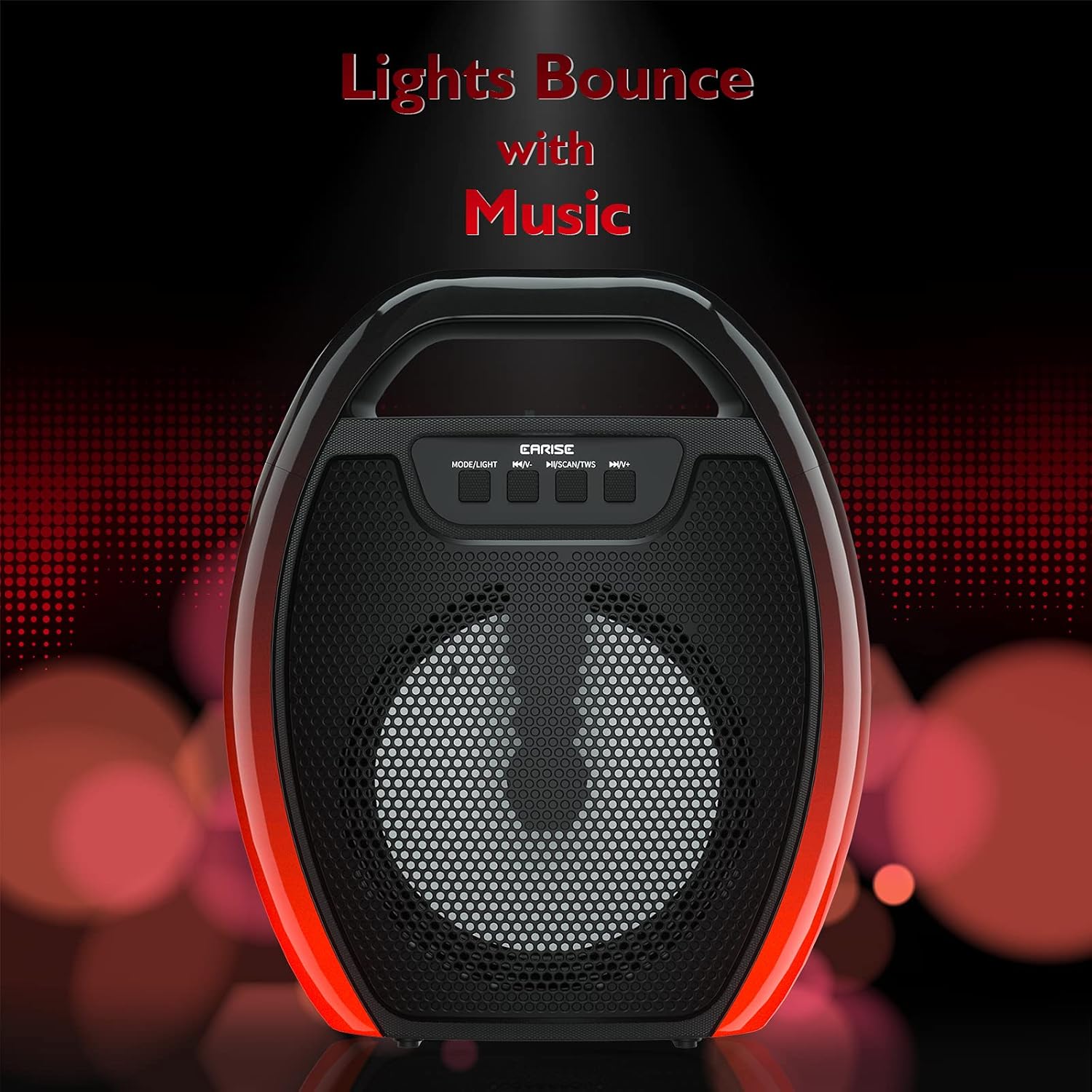
Image 6.1: The speaker displaying its light effects, which can synchronize with music playback.
6.5 Mikrofoneingang
Connect a wired microphone (not included) to the MIC input port for karaoke or public address functions. Adjust the microphone volume using the connected microphone's controls or the speaker's main volume controls.
7. Wartung
- Reinigung: Use a soft, dry cloth to clean the speaker. Do not use liquid cleaners or aerosols.
- Lagerung: Bewahren Sie den Lautsprecher an einem kühlen, trockenen Ort fern von direkter Sonneneinstrahlung und extremen Temperaturen auf.
- Batteriepflege: To prolong battery life, fully charge the speaker before long periods of inactivity and recharge it at least once every three months. Avoid completely draining the battery frequently.
8. Fehlerbehebung
| Problem | Mögliche Ursache | Lösung |
|---|---|---|
| Der Lautsprecher lässt sich nicht einschalten. | Schwache Batterie; Einschalttaste nicht richtig gedrückt. | Laden Sie den Lautsprecher auf; Halten Sie den Ein-/Ausschalter einige Sekunden lang gedrückt. |
| Kopplung via Bluetooth nicht möglich. | Lautsprecher nicht im Kopplungsmodus; Bluetooth am Gerät deaktiviert; Lautsprecher zu weit vom Gerät entfernt; Bereits mit einem anderen Gerät verbunden. | Ensure speaker is in Bluetooth pairing mode; Turn on Bluetooth on your device; Move device closer to speaker; Disconnect from other devices. |
| Kein Ton. | Lautstärke zu niedrig; Falscher Eingangsmodus; Gerät gibt keinen Ton wieder. | Increase speaker and device volume; Switch to correct input mode (Bluetooth, AUX, etc.); Ensure audio is playing on your device. |
| TWS-Kopplung fehlgeschlagen. | Speakers too far apart; One speaker already paired to a device; Not in TWS pairing mode. | Ensure speakers are close; Disconnect both speakers from any devices; Long press MSCAN/TWS on one speaker to initiate TWS pairing. |
| Die RGB-Beleuchtung funktioniert nicht. | Licht aus; Störung. | Long press MODE/LIGHT button to cycle through light modes; If issue persists, contact support. |
9. Spezifikationen
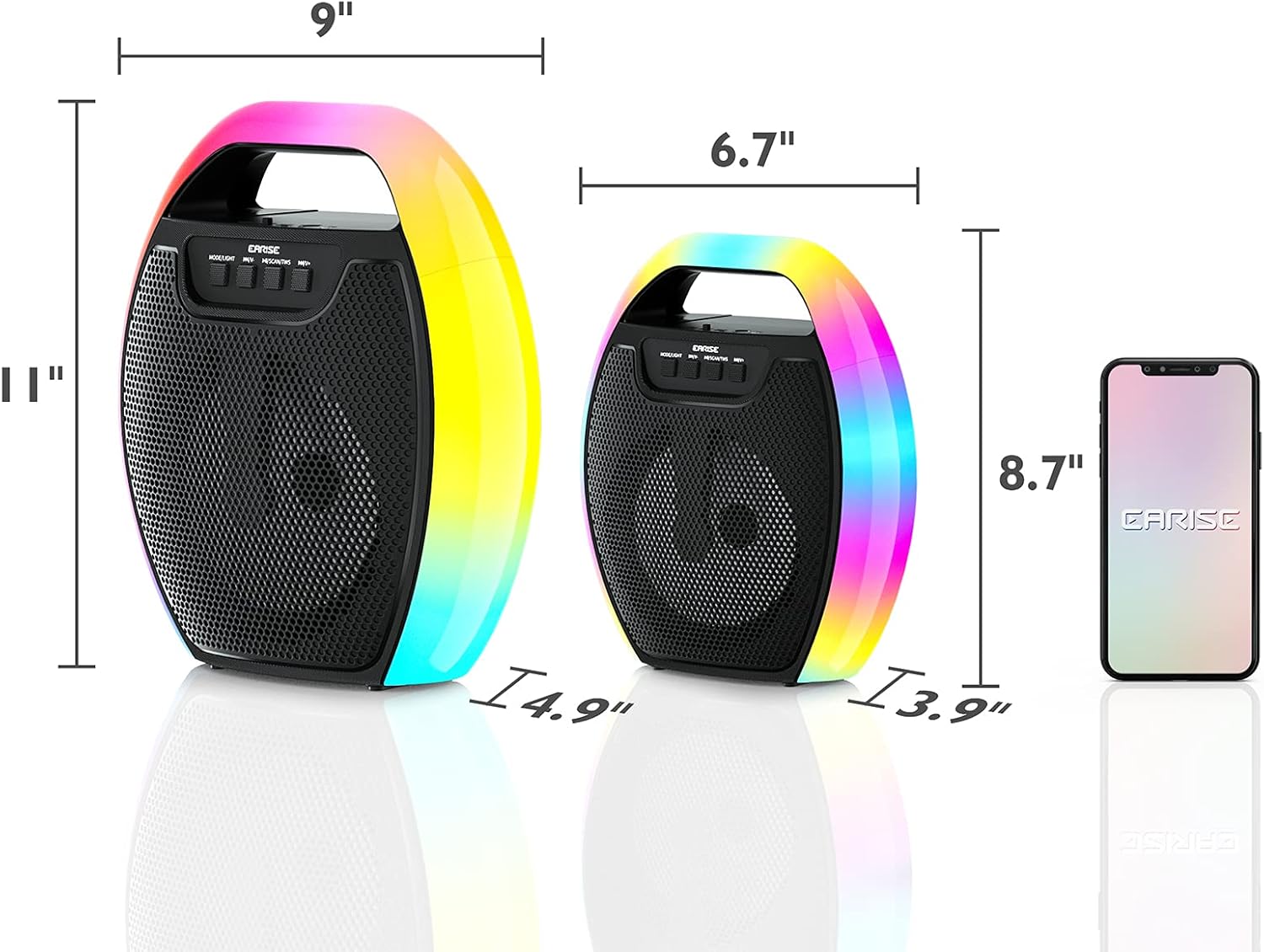
Image 9.1: Product dimensions of the EARISE D61 Plus speaker.
| Besonderheit | Detail |
|---|---|
| Modellname | D61 Plus |
| Marke | EARISE |
| Konnektivitätstechnologie | Bluetooth, Auxiliary (3.5mm), USB, TF Card, FM Radio |
| Audioausgabemodus | Stereo (mit TWS) |
| Lautsprechertyp | Tragbarer Außenlautsprecher |
| Lautsprechergröße | 4 Zoll |
| Stromquelle | Batteriebetrieben |
| Akkulaufzeit | Up to 12 Hours (actual playtime varies with volume and light usage) |
| Wasserdicht | NEIN |
| Technische Daten | 9 x 5 x 11 Zoll (L x B x H) |
| Artikelgewicht | 2.28 Pfund |
| Besondere Merkmale | RGB Lights, TWS Pairing, Portable |
10. Garantie und Support
EARISE products are designed and manufactured to the highest quality standards. For information regarding warranty coverage, technical support, or service inquiries, please refer to the warranty card included with your purchase or visit the official EARISE webWebsite.
Bitte bewahren Sie Ihren Kaufbeleg für Garantieansprüche auf.


