Einführung
This user manual provides comprehensive instructions for the Altec Lansing HydraMotion Wireless Bluetooth Speaker. It covers setup, operation, maintenance, and troubleshooting to ensure optimal performance and longevity of your device. The HydraMotion speaker is designed for robust outdoor use, featuring 360-degree sound, IP67 Everything Proof rating (Waterproof, Snowproof, Dustproof, Shockproof), and up to 12 hours of playtime.
Produkt überview
The Altec Lansing HydraMotion speaker delivers powerful audio in a compact, durable design. It is built to withstand various environmental conditions, making it ideal for outdoor adventures. Key features include:
- 360-Grad-Sound: Designed with speakers on all sides for immersive audio.
- IP67 Alles bewiesen: Waterproof, Snowproof, Dustproof, and Shockproof for reliable use in any condition.
- 12 Stunden Spielzeit: Extended battery life for continuous music enjoyment.
- Bluetooth-Reichweite: 100 Fuß Connect wirelessly from a significant distance.
- Kompakt und tragbar: Lightweight design with an included carabiner clip for easy transport.
Was ist in der Box:
- Altec Lansing HydraMotion Wireless Bluetooth Speaker
- USB-Kabel
- Karabinerhaken
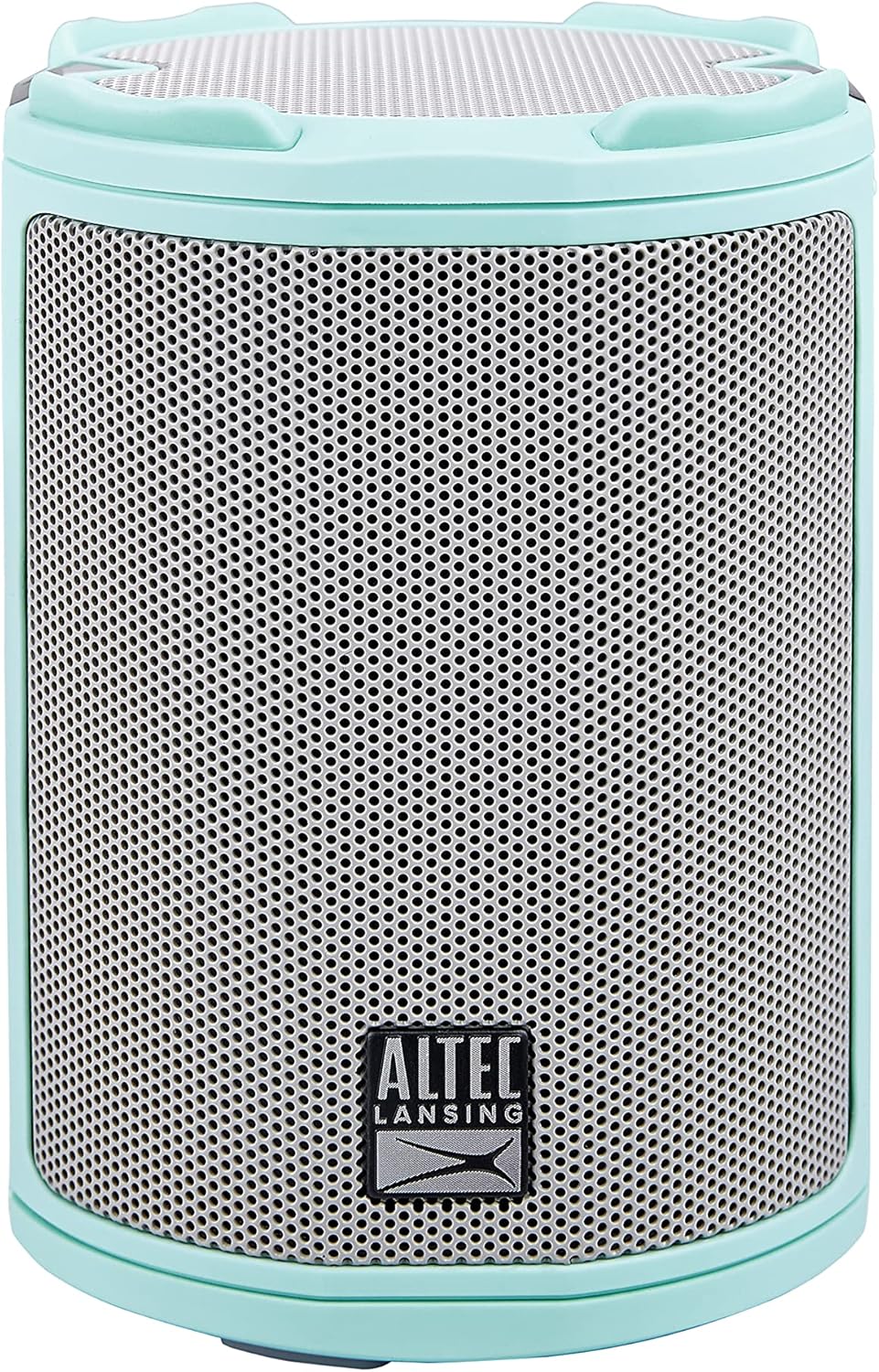
Bild: Vorderseite view of the Mint Green Altec Lansing HydraMotion Wireless Bluetooth Speaker.

Image: The HydraMotion speaker highlighting its key features: 12 hours playtime, multi-light and strobe modes, true wireless pairing, and waterproof/dustproof capabilities.
Aufstellen
1. Laden Sie den Lautsprecher auf
Before first use, fully charge your HydraMotion speaker. Connect the included USB cable to the charging port on the speaker and plug the other end into a USB power adapter (not included) or a computer USB port. The charging indicator light will show the charging status and turn off when fully charged.
2. Ein-/Ausschalten
Zum Einschalten des Lautsprechers die Taste gedrückt halten Netztaste located on the top panel until you hear an audible tone and the LED lights illuminate. To power off, press and hold the Netztaste so lange, bis das Licht ausgeht.
3. Bluetooth-Kopplung
- Stellen Sie sicher, dass der Lautsprecher eingeschaltet und im Bluetooth-Kopplungsmodus ist (angezeigt durch eine blinkende LED-Leuchte).
- Gehen Sie auf Ihrem Gerät (Smartphone, Tablet, Laptop) zu den Bluetooth-Einstellungen.
- Select "HydraMotion" from the list of available devices.
- Once connected, the speaker will emit a confirmation tone, and the LED light will become solid.

Image: Top panel of the HydraMotion speaker, illustrating the function of each button: Volume Up, Volume Down, Virtual Assistant, LED Light Control, True Wireless Pairing, and Power On/Off.
Video: An official product video demonstrating the features and capabilities of the Altec Lansing HydraMotion Wireless Bluetooth Speaker, including its durability and sound quality.
Bedienungsanleitung
Audiowiedergabe
Once connected via Bluetooth, you can play audio from your paired device. Use the volume buttons on the speaker or your device to adjust the sound level. The speaker provides 360-degree sound for an immersive listening experience.
LED-Lichtmodi
The HydraMotion speaker features multiple LED light modes. Press the LED Light Control button on the top panel to cycle through different light patterns and colors. This allows you to customize the ambiance for your listening environment.
Echtes kabelloses Pairing (TWS)
You can pair two HydraMotion speakers together for a true wireless stereo experience. Follow the instructions in your speaker's quick start guide for detailed TWS pairing steps.
"Everything Proof" Features
The HydraMotion speaker boasts an IP67 rating, making it highly resistant to water, snow, dust, and impacts. This means it can be submerged in water up to 1 meter for 30 minutes, is protected from dust ingress, and can withstand drops. Always ensure the charging port cover is securely closed to maintain its waterproof integrity.

Image: The HydraMotion speaker displayed against backgrounds of water, dirt, and snow, illustrating its "Everything Proof" capabilities.

Image: The HydraMotion speaker in an outdoor setting, demonstrating its portability and suitability for travel and extended use.
Wartung
Reinigung
Verwenden Sie zum Reinigen Ihres Lautsprechers ein weiches, feuchtes Tuch.amp cloth. Avoid using harsh chemicals or abrasive cleaners, as these can damage the speaker's finish or waterproof seals. For stubborn dirt, a mild soap solution can be used, followed by wiping with a clean, damp Tuch.
Lagerung
When not in use for extended periods, store the speaker in a cool, dry place away from direct sunlight and extreme temperatures. Ensure the charging port cover is closed to prevent dust or moisture ingress.
Fehlerbehebung
| Problem | Mögliche Ursache | Lösung |
|---|---|---|
| Der Lautsprecher lässt sich nicht einschalten. | Niedriger Batteriestand; Ein-/Ausschalter nicht lange genug gedrückt gehalten. | Laden Sie den Lautsprecher vollständig auf; Halten Sie den Ein-/Ausschalter 3-5 Sekunden lang gedrückt. |
| Kopplung via Bluetooth nicht möglich. | Lautsprecher nicht im Kopplungsmodus; Bluetooth-Gerät ausgeschaltet; Zu weit vom Lautsprecher entfernt. | Ensure speaker LED is flashing; Turn on Bluetooth on your device; Move device closer to speaker (within 100ft). |
| Kein Ton oder geringe Lautstärke. | Lautstärke am Lautsprecher oder Gerät zu niedrig; Lautsprecher nicht angeschlossen. | Erhöhen Sie die Lautstärke sowohl am Lautsprecher als auch am Gerät; Koppeln Sie den Lautsprecher erneut mit Ihrem Gerät. |
| Klangverzerrung. | Lautstärke zu hoch; schwaches Bluetooth-Signal. | Lower the volume; Move closer to the speaker. |
Technische Daten
| Modellname | HydraMotion |
| Modellnummer | IMW1100-MTG-STK-2 |
| Lautsprechertyp | Im Freien |
| Konnektivitätstechnologie | Bluetooth |
| Drahtlose Kommunikationstechnologie | Bluetooth |
| Maximale Reichweite | 100 Fuß (30.48 Meter) |
| Akkulaufzeit | 12 Stunden |
| Ladezeit | 12 Stunden |
| Wasserbeständigkeit | IP67 Wasserdicht |
| Technische Daten | 4.4"T x 4.4"B x 8.2"H |
| Artikelgewicht | 1.23 Pfund |
| Audioausgabemodus | 360-degree audio output |
| Maximale Lautsprecherausgangsleistung | 10 Watt |
| UPC | 021331023612 |
Garantie und Support
Herstellergarantie
The Altec Lansing HydraMotion Wireless Bluetooth Speaker comes with a manufacturer warranty. For specific details regarding warranty coverage, duration, and claims process, please refer to the warranty card included with your product or visit the official Altec Lansing website. Retain your proof of purchase for warranty validation.
Kundenservice
For technical assistance, troubleshooting beyond this manual, or general inquiries, please contact Altec Lansing customer support. Contact information can typically be found on the product packaging, the official Altec Lansing webauf der Website oder in der Garantiedokumentation.
Besuchen Sie auch die Altec Lansing Store auf Amazon Für weitere Produktinformationen und Support-Ressourcen.


