Einführung
Thank you for choosing the AULA F2066-II USB Wired Keyboard. This manual provides essential information for setting up, operating, and maintaining your keyboard. Please read it carefully to ensure optimal performance and longevity of your device.
Installationsanweisungen
- Auspacken der Tastatur: Carefully remove the AULA F2066-II keyboard from its packaging. Ensure all components are present.
- Mit Computer verbinden: Suchen Sie einen freien USB-Anschluss an Ihrem Computer oder Laptop. Stecken Sie den USB-Stecker der Tastatur fest in den USB-Anschluss.
- Treiberinstallation: The keyboard is plug-and-play. Your operating system (Windows, macOS, Linux) should automatically detect and install the necessary drivers. No additional software installation is typically required.
- Testfunktionalität: Open a text editor or any application that accepts text input and test typing to ensure all keys are functioning correctly.

Image: The AULA F2066-II USB Wired Keyboard, showcasing its full layout and RGB backlighting. This image illustrates the keyboard's design and key arrangement.
Bedienungsanleitung
The AULA F2066-II keyboard features a standard layout with additional multimedia functions. It supports both English and Arabic languages.
Grundlegende Verwendung:
- Tippen: Use the alphanumeric keys for standard text input.
- Funktionstasten (F1-F12): These keys perform their standard functions.
- Numerische Tastatur: Das separate Ziffernfeld auf der rechten Seite ermöglicht die schnelle Eingabe von Zahlen und Berechnungen.
Multimedia Key Combinations:
This keyboard includes various multimedia functions accessible via the FN key combined with other keys. Refer to the table below for specific combinations.
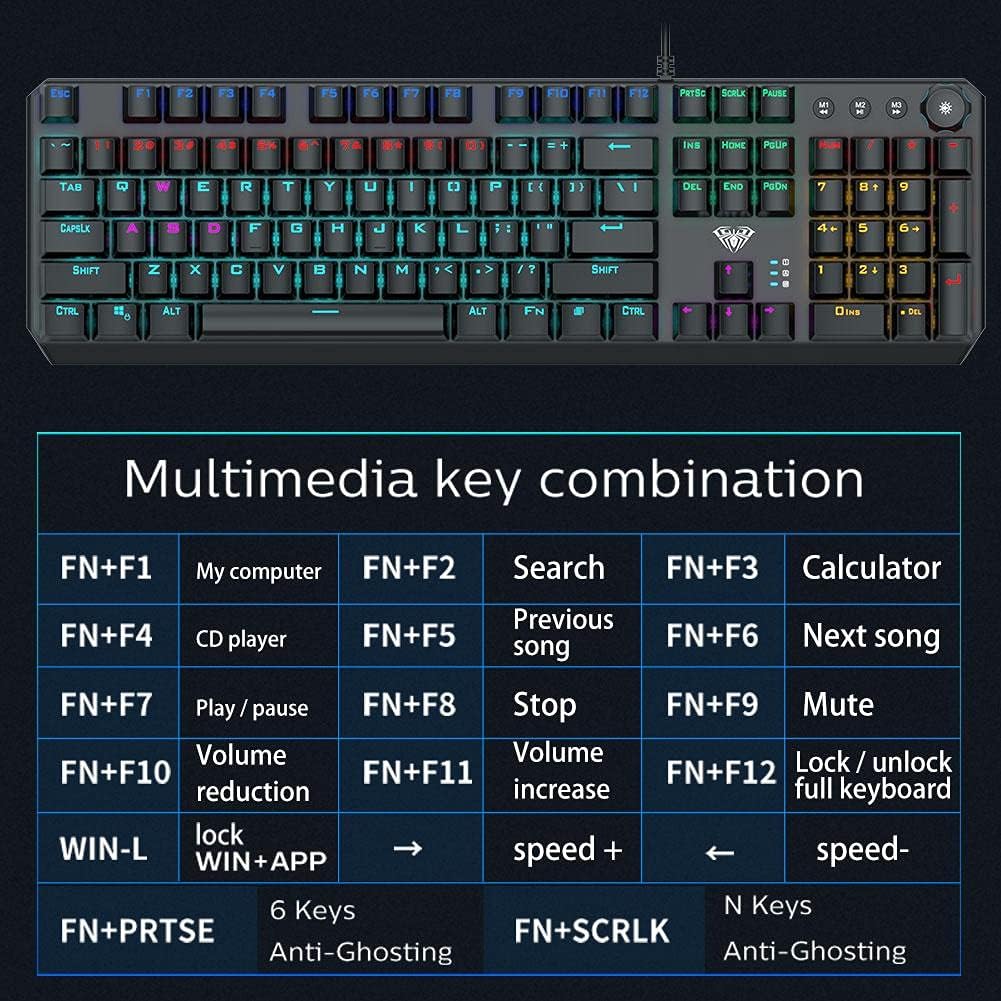
Image: A detailed table illustrating the multimedia key combinations available on the AULA F2066-II keyboard. This includes functions like volume control, media playback, and application shortcuts activated by pressing the FN key with specific function keys.
| Kombination | Funktion |
|---|---|
| FN + F1 | Mein Computer |
| FN + F2 | Suche |
| FN + F3 | Kalkulator |
| FN + F4 | CD Spieler |
| FN + F5 | Vorheriges Lied |
| FN + F6 | Nächstes Lied |
| FN + F7 | Abspielen / Pause |
| FN + F8 | Stoppen |
| FN + F9 | Stumm |
| FN + F10 | Volumenreduzierung |
| FN + F11 | Lautstärke erhöhen |
| FN + F12 | Lock / Unlock Full Keyboard |
| WIN + L | Lock WIN + APP |
| FN + PRT SC | 6 Tasten Anti-Ghosting |
| FN + SCRLK | N Keys Anti-Ghosting |
Wartung
Proper maintenance ensures the longevity and optimal performance of your AULA F2066-II keyboard.
- Reinigung: Regularly clean the keyboard with a soft, dry cloth. For deeper cleaning, use compressed air to remove dust and debris from between the keys. Avoid using harsh chemicals or abrasive materials.
- Verschüttungen: Bei Flüssigkeitsschäden trennen Sie die Tastatur sofort vom Computer. Drehen Sie sie um, damit die Flüssigkeit ablaufen kann, und lassen Sie sie vollständig trocknen, bevor Sie sie wieder anschließen. Benutzen Sie die Tastatur nicht, solange sie nass ist.
- Lagerung: Bei längerer Nichtbenutzung sollte die Tastatur an einem sauberen, trockenen Ort ohne direkte Sonneneinstrahlung und extreme Temperaturen aufbewahrt werden.
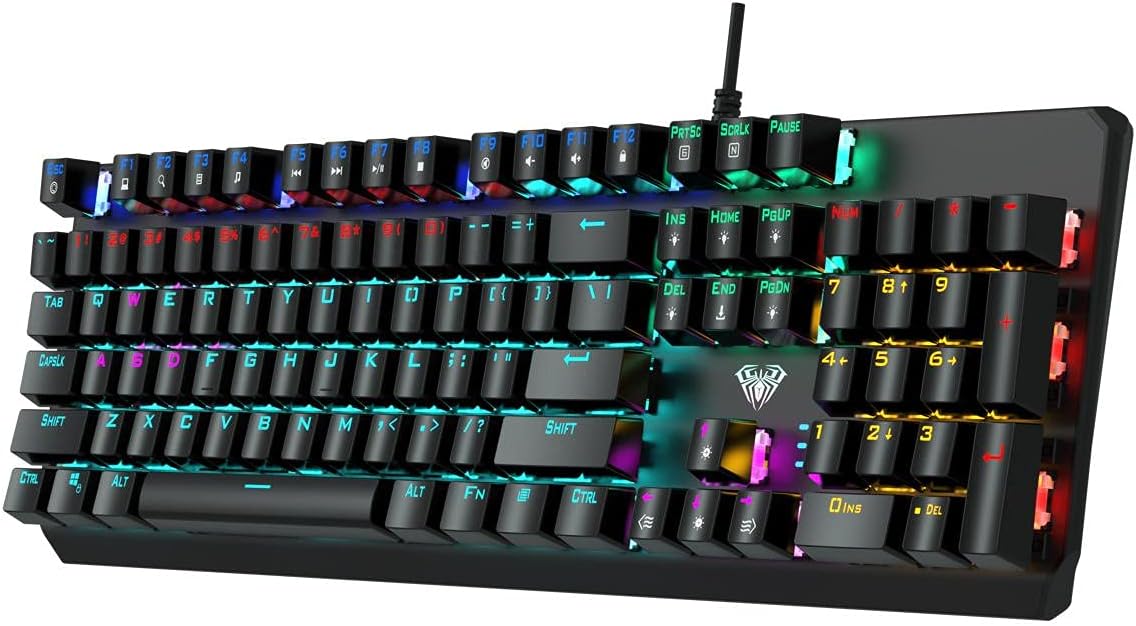
Bild: Eine Draufsicht view of the AULA F2066-II keyboard, highlighting the keycaps and their spacing. This perspective is useful for understanding how to clean between the keys.
Fehlerbehebung
If you encounter issues with your AULA F2066-II keyboard, refer to the following common solutions:
| Problem | Lösung |
|---|---|
| Die Tastatur reagiert nicht. |
|
| Bestimmte Tasten funktionieren nicht. |
|
| Backlighting is not working. |
|
Technische Daten
| Besonderheit | Detail |
|---|---|
| Marke | AULA |
| Modellnummer | F2066-II-Black-Panel |
| Konnektivitätstechnologie | USB verkabelt |
| Tastatursprache | English & Arabic |
| Kompatible Geräte | PCs, Laptops |
| Farbe | Schwarz |
| Hintergrundbeleuchtungsfarbe | Single Color (RGB effects are typically pre-set patterns, not customizable per key color) |
| Material | Plastik |
| Abmessungen (L x B x H) | 49.7 x 40.7 x 5.3 cm |
| Gewicht | 960 Gramm |
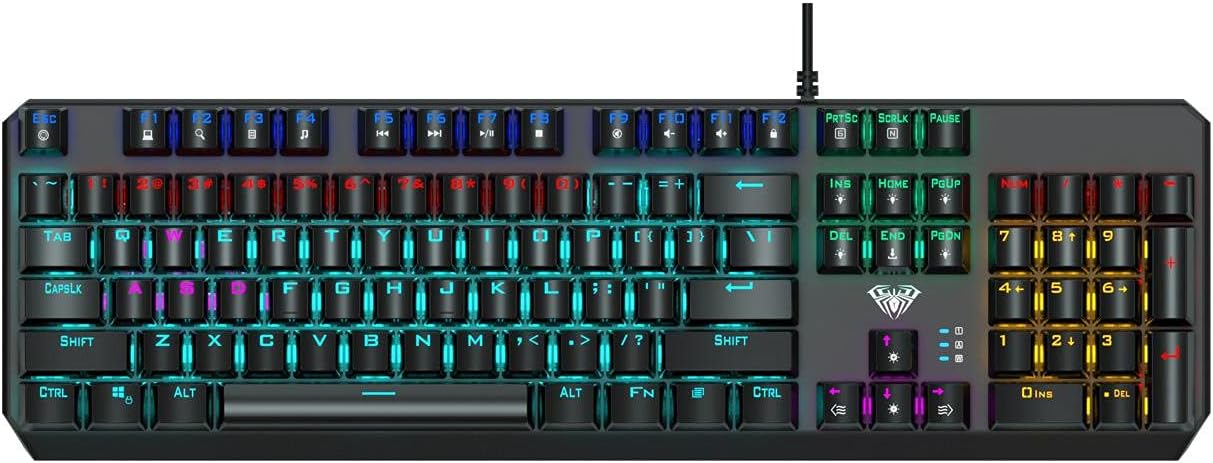
Image: The AULA F2066-II keyboard displayed alongside its retail packaging. This image provides a visual reference for the product and its box.
Garantie und Support
For warranty information and technical support, please refer to the documentation included with your purchase or visit the official AULA webBewahren Sie Ihren Kaufbeleg für Garantieansprüche auf.
Online-Ressourcen:
- AULA Official WebWebsite: www.aulagaming.com (Hinweis: Dies ist ein allgemeiner Platzhalter. URL as no specific support link was provided in the product data. Please verify the correct URL.)
- Product Support Page: Check the AULA website for a dedicated support page for model F2066-II.


