1. Einleitung
Vielen Dank für Ihren Einkauf.asing the AUKEY PC-LM3 WebDiese Bedienungsanleitung enthält detaillierte Anweisungen zum Einrichten, Bedienen und Warten Ihrer Kamera. webcam. Please read this manual thoroughly before use and retain it for future reference.
2. Sicherheitshinweise
- Behalten Sie die webcam away from water, moisture, and extreme temperatures.
- Versuchen Sie nicht, das Gerät selbst zu zerlegen oder zu reparieren. Überlassen Sie alle Wartungsarbeiten qualifiziertem Fachpersonal.
- Vermeiden Sie das Fallenlassen oder webKamera für starke Einwirkungen.
- Clean the lens with a soft, dry cloth. Do not use liquid cleaners.
3. Packungsinhalt
Bitte überprüfen Sie, ob alle Artikel in Ihrem Paket vorhanden sind:
- AUKEY PC-LM3 WebNocken
- Bedienungsanleitung
- USB-Kabel (integriert)
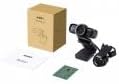
Image 1: Contents of the AUKEY PC-LM3 Webcam package, showing the webcam, manual, and packaging.
4. Produktüberschreitungview
The AUKEY PC-LM3 is a 1080p USB 2.0 webcam designed for high-quality video communication and recording. It features a CMOS sensor and 5x optical zoom capability, providing clear and detailed visuals.
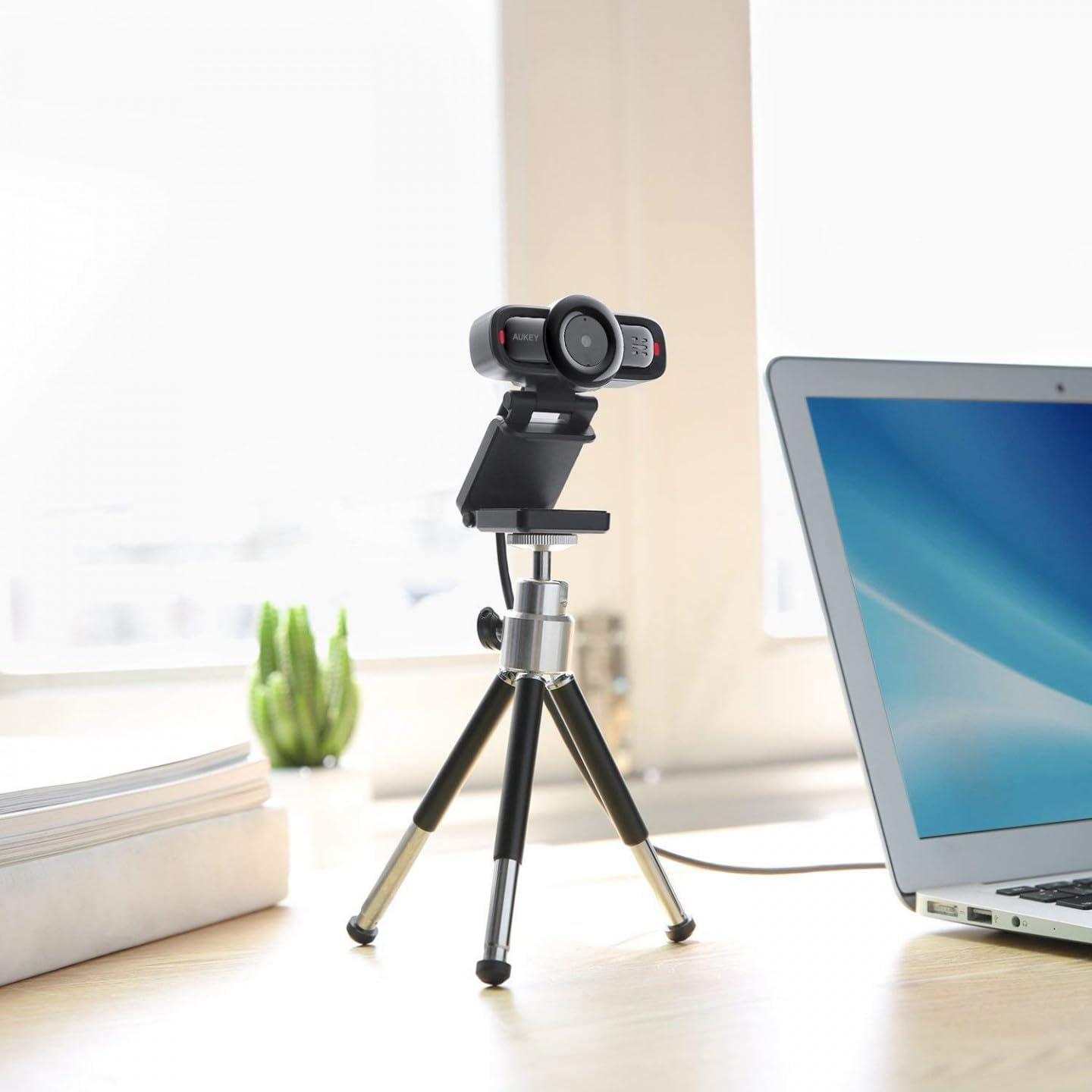
Image 2: AUKEY PC-LM3 Webcam in use, demonstrating its compact design and mounting flexibility on a tripod.
Hauptmerkmale:
- Full HD 1080p video recording
- CMOS sensor for clear images
- USB 2.0 connectivity for universal compatibility
- 5x optical zoom for detailed framing
- Integrated microphone for audio capture
- Adjustable clip for versatile mounting options
5. Einrichtung
5.1 Placing the WebNocken
- Auf einem Monitor: Unfold the clip and place the webBefestigen Sie die Kamera oben auf Ihrem Monitor oder Laptop-Bildschirm. Passen Sie die Klemme an, um sie fest zu fixieren.
- Auf einem Stativ: Der webcam features a standard tripod thread. Mount it onto a compatible tripod for more flexible positioning.
- Auf einer ebenen Fläche: Falten Sie die Klammer zu einem stabilen Ständer und platzieren Sie sie darauf. webcam on a desk or other flat surface.
5.2 Verbindung zu Ihrem Computer
- Stecken Sie den USB-Stecker des webSchließen Sie die Kamera an einen freien USB 2.0- oder 3.0-Anschluss Ihres Computers an.
- Ihr Computer sollte die benötigten Treiber automatisch erkennen und installieren. Dieser Vorgang kann einige Augenblicke dauern.
- Einmal installiert, die webcam will be ready for use with video conferencing software or recording applications.
Notiz: No additional software or drivers are typically required for Windows, macOS, or Linux operating systems.
6. Bedienung des WebNocken
6.1 Verwendung mit Videokonferenzsoftware
To use the AUKEY PC-LM3 webcam with applications like Zoom, Skype, Microsoft Teams, or Google Meet:
- Öffnen Sie Ihre bevorzugte Videokonferenzanwendung.
- Navigieren Sie zu den Einstellungen oder Präferenzen der Anwendung (diese befinden sich normalerweise unter „Audio & Video“ oder „Geräte“).
- Select "AUKEY PC-LM3" as your video input device.
- Select "AUKEY PC-LM3 Microphone" (or similar) as your audio input device, if applicable.
- Adjust any video settings such as resolution or brightness within the application if available.
6.2 Video aufnehmen
To record video using the webcam, use your computer's built-in camera application (e.g., Camera app on Windows, Photo Booth on macOS) or third-party recording software. Ensure the AUKEY PC-LM3 is selected as the video source.
6.3-facher optischer Zoom
Der webcam features 5x optical zoom. This function is typically controlled via software. Check your video conferencing or recording application for zoom controls. If not available, third-party webcam control software may offer this functionality.
7. Wartung
7.1 Reinigung des WebNocken
- Stellen Sie sicher, dass webcam is disconnected from your computer before cleaning.
- Use a soft, lint-free cloth to gently wipe the lens and body of the webNocken.
- For stubborn smudges on the lens, slightly dampen the cloth with water or a lens cleaning solution, then wipe gently. Avoid excessive moisture.
- Verwenden Sie keine scharfen Chemikalien, Scheuermittel oder Lösungsmittel.
7.2 Speicherung
Bewahren Sie die . bei Nichtgebrauch auf webcam in a cool, dry place, away from direct sunlight and dust. Consider using a privacy cover (if included or purchased separately) to protect the lens and ensure privacy.
8. Fehlerbehebung
| Problem | Lösung |
|---|---|
| WebDie Kamera wurde vom Computer nicht erkannt. |
|
| Keine Videoausgabe. |
|
| Schlechte Videoqualität. |
|
9. Spezifikationen
| Besonderheit | Detail |
|---|---|
| Modell | PC-LM3 |
| Videoauflösung | 1920 x 1080 Pixel (1080p) |
| Sensor Technology | CMOS |
| Konnektivität | USB 2.0 |
| Optischer Zoom | 5x |
| Videoaufnahmeformat | MP4, AVI |
| Unterstütztes Audioformat | AAC, MP3 |
| Abmessungen (L x B x H) | 7.7 x 7.2 x 4.6 cm |
| Gewicht | 130 Gramm |
| Farbe | Schwarz |
10. Garantie und Kundendienst
AUKEY products are covered by a limited warranty from the date of purchase. For specific warranty terms and conditions, please refer to the warranty card included with your product or visit the official AUKEY webWebsite.
If you encounter any issues or have questions regarding your AUKEY PC-LM3 Webcam, please contact AUKEY customer support for assistance. Contact information can typically be found on the official AUKEY webauf der Website oder auf der Garantiekarte.