1. Einführung und Endeview
The XFX Speedster QICK308 Radeon RX 6600 XT is a high-performance gaming graphics card designed to deliver an exceptional visual experience. Featuring AMD's RDNA 2 architecture, 8GB of GDDR6 memory, and a robust triple-fan cooling system, this card is engineered for smooth gameplay and efficient operation. Its aerodynamic design prioritizes airflow to maintain optimal temperatures and performance during intensive use.

Abbildung 1: Schräg view of the XFX Speedster QICK308 Radeon RX 6600 XT Graphics Card.
2. Einrichtung und Installation
2.1 Packungsinhalt
- XFX Speedster QICK308 Radeon RX 6600 XT Graphics Card
- Driver CD (Note: Latest drivers are recommended from the AMD webWebsite)
2.2 Checkliste vor der Installation
- Stromversorgung: Stellen Sie sicher, dass Ihr Netzteil die Mindestleistung (Watt) erfüllt.tage requirement for the RX 6600 XT (typically 500W or higher, consult your PSU manual).
- Hauptplatine: Verify your motherboard has an available PCI Express x16 slot.
- Fallabschluss: Check your PC case for adequate space to accommodate the card's dimensions (approximately 10.79 x 4.49 x 1.97 inches).
- Existing Drivers: Uninstall any previous graphics card drivers before installing the new hardware.
2.3 Schritte der physischen Installation
- Ausschalten: Shut down your computer and unplug it from the power outlet.
- Fall eröffnen: Entfernen Sie die Seitenwand Ihres Computergehäuses.
- PCIe-Steckplatz finden: Identify an available PCI Express x16 slot on your motherboard. Remove any expansion slot covers from the back of the case that correspond to the card's position.
- Grafikkarte einlegen: Richten Sie die Grafikkarte sorgfältig am PCIe-Steckplatz aus und drücken Sie sie fest nach unten, bis sie sicher einrastet. Sie sollten ein Klicken der Halteklammer des Steckplatzes hören.
- Sichere Karte: Use screws or the case's locking mechanism to secure the graphics card to the case's expansion slot bracket.
- Strom anschließen: Connect the required PCIe power connectors from your PSU to the graphics card. The RX 6600 XT typically requires one 8-pin PCIe power connector.
- Fall abschließen: Ersetzen Sie die Seitenwand Ihres Computergehäuses.
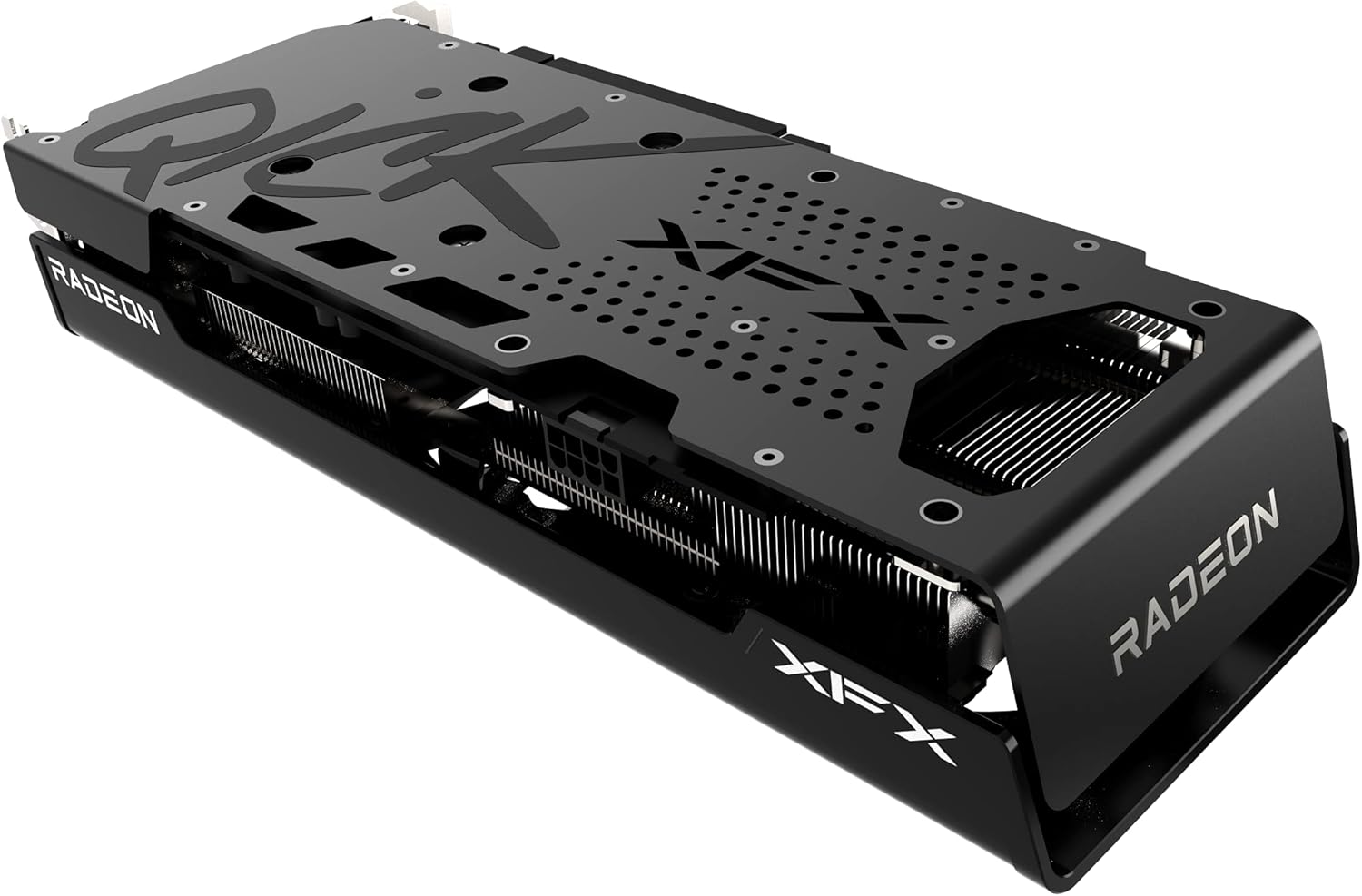
Abbildung 2: Seite view illustrating the power connector and display output ports.
2.4 Treiberinstallation
- Monitor anschließen: Connect your monitor to one of the graphics card's display outputs (HDMI or DisplayPort).
- Einschalten: Schließen Sie Ihren Computer an und schalten Sie ihn ein.
- Treiber installieren: Insert the provided Driver CD or, for the latest version, download the AMD Radeon Software from the official AMD webFolgen Sie den Anweisungen auf dem Bildschirm, um die Treiberinstallation abzuschließen.
- Neustart: Starten Sie Ihren Computer neu, nachdem die Treiberinstallation abgeschlossen ist.
3. Bedienung der Grafikkarte
3.1 Grundlegende Bedienung
Once drivers are installed, your operating system should automatically detect and utilize the XFX Speedster QICK308 Radeon RX 6600 XT. You can access the AMD Radeon Software through your desktop to manage display settings, gaming profiles und andere Funktionen.
3.2 Hauptmerkmale
- AMD RDNA 2 Architecture: Provides enhanced performance and power efficiency for gaming and content creation.
- 8 GB GDDR6-Speicher: High-speed memory for demanding games and applications.
- Boost-Takt: Up to 2607MHz for increased performance during peak loads.
- XFX Speedster QICK308 Triple Fan Cooling: Optimized cooling solution with three fans to maintain low temperatures and quiet operation.
- Display-Ausgaben: Includes HDMI and DisplayPort connections for versatile monitor compatibility.
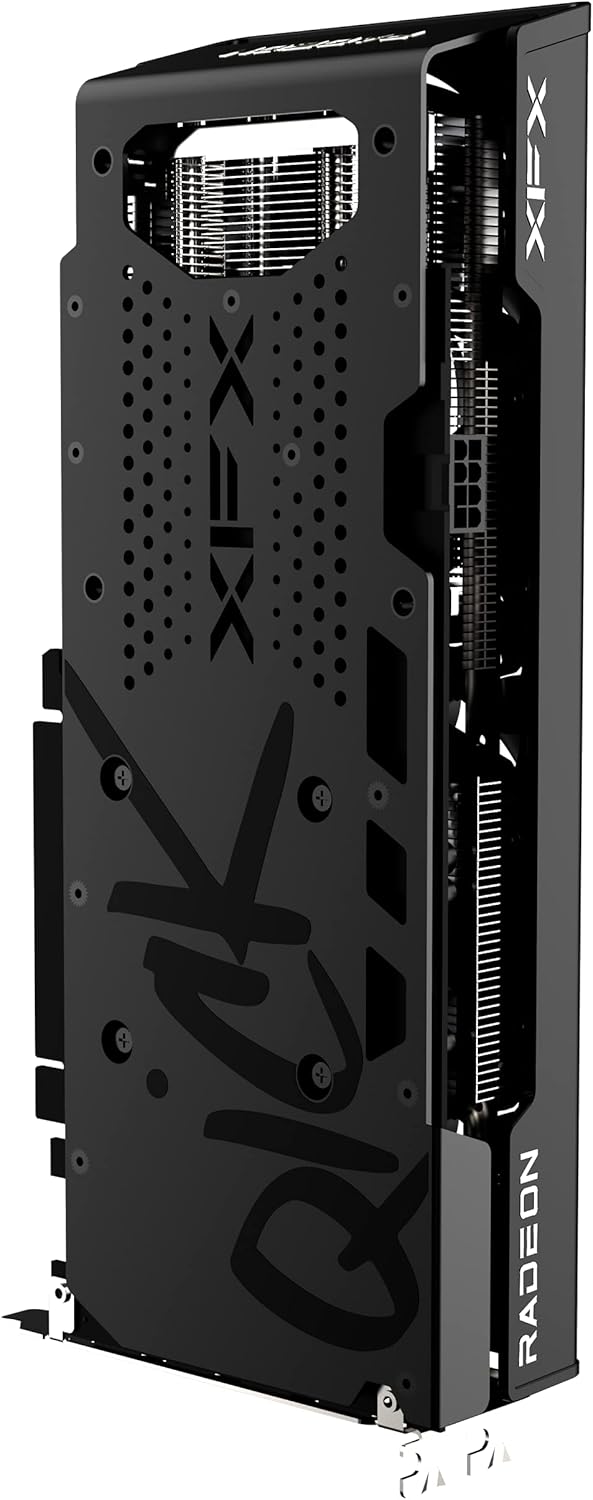
Abbildung 3: Rückseite view of the graphics card, highlighting the protective backplate.
4. Wartung
4.1 Reinigung
Regular cleaning helps maintain optimal performance and extends the lifespan of your graphics card. Use compressed air to gently remove dust from the fans and heatsink fins. Ensure the computer is powered off and unplugged before cleaning. Avoid touching the circuit board directly.
4.2 Treiberaktualisierungen
Periodically check the official AMD website for the latest graphics drivers. Keeping your drivers updated ensures compatibility with new games and applications, and often includes performance improvements and bug fixes.
4.3 Temperaturüberwachung
Utilize the AMD Radeon Software or third-party monitoring tools to keep an eye on your GPU temperatures, especially during gaming or heavy workloads. Excessive temperatures can indicate insufficient airflow in your case or a need for cleaning.
5. Fehlerbehebung
5.1 Keine Displayausgabe
- Verbindungen prüfen: Stellen Sie sicher, dass das Monitorkabel sowohl mit der Grafikkarte als auch mit dem Monitor fest verbunden ist.
- Stromkabel: Verify that all PCIe power connectors are properly seated in the graphics card.
- Monitoreingang: Confirm your monitor is set to the correct input source (HDMI/DisplayPort).
- Sitzplatzreservierungskarte: Power off and unplug the PC, then reseat the graphics card in its PCIe slot.
5.2 Schlechte Leistung in Spielen
- Treiber-Update: Stellen Sie sicher, dass Sie die neuesten Grafiktreiber installiert haben.
- Spieleinstellungen: Adjust in-game graphics settings. While the RX 6600 XT is powerful, some demanding titles may require optimization.
- Temperatur: Monitor GPU temperatures. Overheating can lead to performance throttling.
- Hintergrundanwendungen: Schließen Sie unnötige Hintergrundanwendungen, die Systemressourcen verbrauchen könnten.
5.3 Fan Noise or Overheating
- Clean Fans/Heatsink: Dust buildup can impede cooling. Refer to the cleaning section.
- Gehäusebelüftung: Stellen Sie sicher, dass Ihr PC-Gehäuse über eine ausreichende Luftzirkulation mit korrekt konfigurierten Einlass- und Auslasslüftern verfügt.
- Lüfterkurve: Adjust the fan curve in AMD Radeon Software to a more aggressive setting if temperatures remain high.
6. Spezifikationen
| Besonderheit | Detail |
|---|---|
| Chipsatz | AMD RX 6600 XT |
| Hersteller von Grafikprozessoren | AMD |
| Architektur | AMD RDNA 2 |
| Erinnerung | 8 GB GDDR6 |
| Speichergeschwindigkeit | 16000 MHz |
| Boost-Takt | Up To 2607MHz |
| Kühlung | XFX Speedster QICK308 Triple Fan |
| Maximale Bildschirmauflösung | 7680 x 4320 |
| Videoausgangsschnittstelle | HDMI, 3x DisplayPort |
| Artikelmodellnummer | RX-66XT8LBDQ |
| Artikelgewicht | 2.81 Pfund |
| Produktabmessungen (L x B x H) | 10.79 x 4.49 x 1.97 Zoll |
7. Garantie und Support
For detailed warranty information and technical support, please refer to the official XFX website. Warranty terms and conditions may vary by region and retailer. It is recommended to register your product upon purchase to facilitate any future support needs.
XFX Official WebWebsite: https://www.xfxforce.com/