Einführung
Thank you for choosing the Bytech BYMSWR104BK 3 Button Gaming Mouse. This manual provides essential information for setting up, operating, and maintaining your new gaming mouse. Please read this manual thoroughly before use to ensure optimal performance and longevity of your device.
Merkmale
- Präzisionsmaus: Designed for accurate tracking and responsive control.
- Einstellbare DPI: Customize sensitivity for various gaming and productivity needs.
- Three Responsive Buttons: Includes left-click, right-click, and scroll wheel/middle-click for efficient operation.
- Bunte Hintergrundbeleuchtung: Features multi-color LED lighting with 7 distinct color modes for an enhanced aesthetic experience.
- Ergonomisches Design: Shaped to fit comfortably in your palm, reducing fatigue during extended use.
Technische Daten
| Marke | Bytech |
| Modellnummer | BYMSWR104BK |
| Anzahl der Tasten | 3 |
| Bewegungsauflösung | 1,000 DPI |
| Farbmodi | 7 Colors (Multi-color Backlight) |
| Kabellänge | 5 Fuß |
| Schalterbewertung | 1 Millionen Klicks |
| Artikelgewicht | 4.9 Unzen |
| Verpackungsabmessungen | 7.17 x 4.06 x 2.68 Zoll |
| Farbe | Schwarz |
| Stromquelle | Kabelgebundener Strom (USB) |
| Hardware-Plattform | PC |
Packungsinhalt
- 1 x Bytech BYMSWR104BK Wired Gaming Mouse
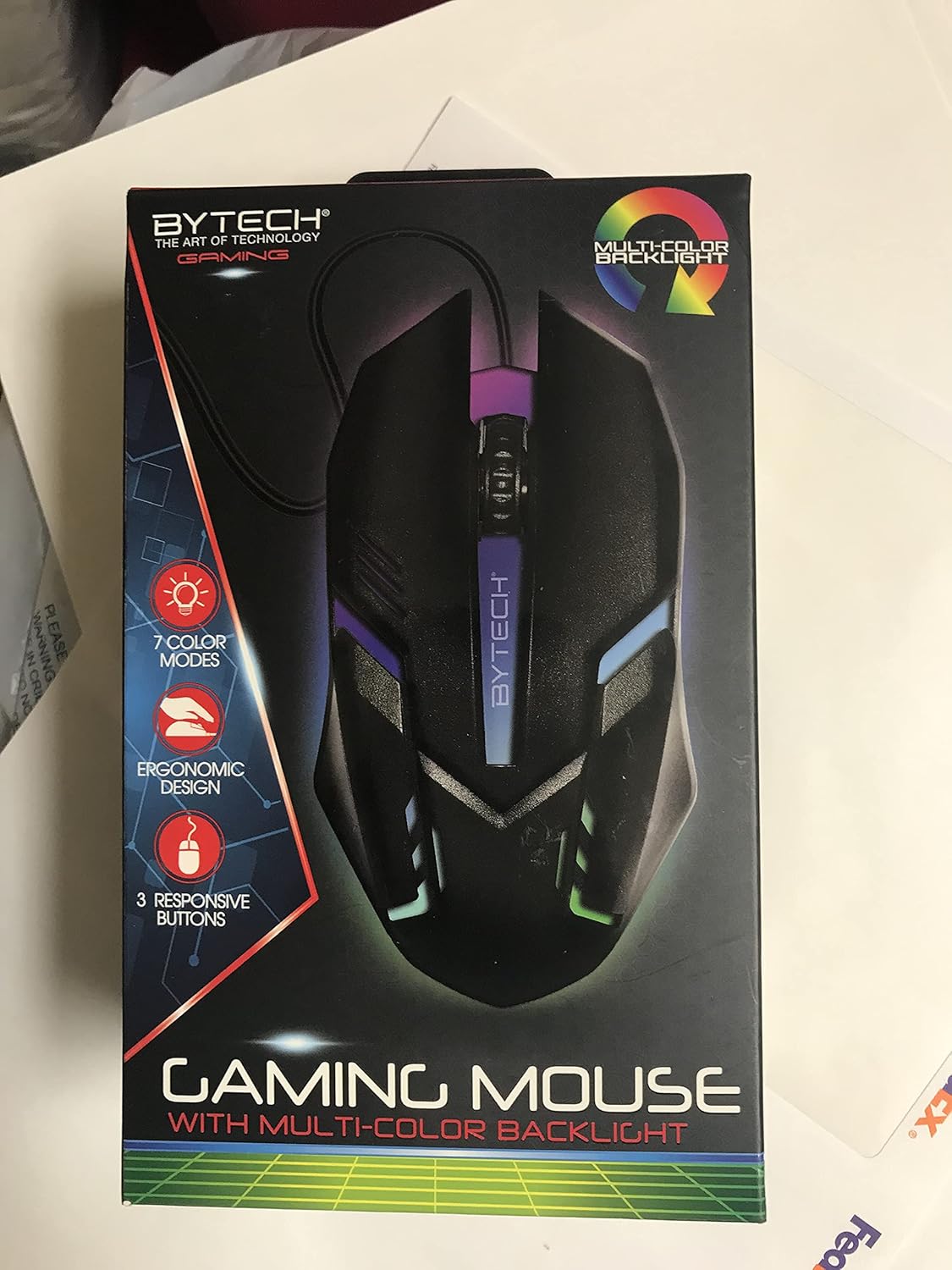
Bild: Vorderseite view of the Bytech BYMSWR104BK Gaming Mouse in its retail packaging, highlighting its multi-color backlight and ergonomic design.
Aufstellen
- Auspacken: Nehmen Sie die Gaming-Maus vorsichtig aus der Verpackung.
- Verbinden: Locate an available USB port on your computer (PC, laptop, etc.). Insert the USB connector of the Bytech BYMSWR104BK Gaming Mouse firmly into the USB port.
- Treiberinstallation: The mouse is plug-and-play. Your operating system should automatically detect and install the necessary drivers. This process may take a few moments.
- Gebrauchsfertig: Once the drivers are installed, the mouse will be ready for immediate use. The multi-color backlight will illuminate.

Bild: Rückseite view of the Bytech BYMSWR104BK Gaming Mouse retail packaging, detailing features, specifications, and universal compatibility.
Bedienungsanleitung
Grundlegende Bedienung
- Linke Taste: Primary click function, typically used for selecting items, opening files, or interacting with software.
- Rechter Knopf: Secondary click function, usually opens context menus or provides additional options.
- Scrollrad (mittlere Taste): Scrollen Sie nach oben oder unten, um durch die Dokumente zu navigieren und web pages. Pressing the scroll wheel acts as a middle-click button, often used for opening links in new tabs or auto-scrolling.
DPI-Anpassung
The Bytech BYMSWR104BK Gaming Mouse features adjustable DPI settings. While specific buttons for DPI adjustment are not explicitly listed on the packaging, many gaming mice allow DPI changes through a dedicated button (often located near the scroll wheel) or through software. Refer to your computer's mouse settings or Bytech's official website for advanced customization options if available.
LED-Hintergrundbeleuchtung
The mouse features a dynamic multi-color LED backlight with 7 different color modes. These lights will automatically cycle through the modes once the mouse is connected and powered on. There is no manual control for changing modes on the mouse itself.
Wartung
- Reinigung: Verwenden Sie ein weiches, trockenes Tuch, um die Oberfläche der Maus abzuwischen. Bei hartnäckigem Schmutz leicht andrücken.ampBefeuchten Sie das Tuch mit Wasser oder einer milden Reinigungslösung. Vermeiden Sie die Verwendung von scharfen Chemikalien oder Scheuermitteln.
- Sensorpflege: Um eine genaue Abtastung zu gewährleisten, muss der optische Sensor an der Unterseite der Maus sauber und frei von Staub und Schmutz sein.
- Kabelmanagement: Um Beschädigungen zu vermeiden, sollten Sie das USB-Kabel nicht scharf biegen oder übermäßig daran ziehen.
- Lagerung: Bewahren Sie die Maus bei Nichtgebrauch an einem sauberen, trockenen Ort fern von extremen Temperaturen auf.

Abbildung: Seite view of the Bytech BYMSWR104BK Gaming Mouse retail packaging, showcasing the multi-color backlight effect.
Fehlerbehebung
| Problem | Mögliche Lösung |
|---|---|
| Maus reagiert nicht |
|
| Der Cursor bewegt sich unregelmäßig oder nicht flüssig. |
|
| LED-Hintergrundbeleuchtung funktioniert nicht |
|
Garantie und Support
Garantie: This Bytech product comes with a 12-month warranty from the date of purchase. Please retain your proof of purchase for warranty claims.
Kontaktinformationen:
- Adresse: 2585 West 13th Street, Brooklyn, NY 11223, USA
- WebWebsite: www.bytechintl.com
⚠ WARNUNG: Dieses Produkt kann Sie Chemikalien aussetzen, darunter DEHP, das im US-Bundesstaat Kalifornien als krebserregend, geburtsschädigend oder anderweitig fortpflanzungsschädigend gilt. Weitere Informationen finden Sie unter www.P65Warnings.ca.gov.

Abbildung: Unten view of the Bytech BYMSWR104BK Gaming Mouse retail packaging, showing contact information, warranty details, and California Proposition 65 warning.


