Einführung
This manual provides detailed instructions for the installation, operation, and maintenance of your ESR HaloLock Universal MagSafe Ring 360. This product is designed to upgrade your phone case to MagSafe compatibility, enabling seamless use with MagSafe accessories and efficient wireless charging.
Setup und Installation
The ESR HaloLock Universal Ring is designed for easy installation on compatible phone cases.
Kompatibilitätsanforderungen
- Compatible with PC or TPU cases without a non-slip coating.
- Case must be 4 mm thick or less.
- Not compatible with leather phone cases, liquid silicone cases, or directly on a phone without a case.
- Must be applied to the draußen of the phone case.

This image illustrates various phone case types. The ESR HaloLock Universal Ring is compatible with smooth PC or TPU cases. It is not suitable for silicone, leather, glass, or cases with uneven surfaces.
Installationsschritte
Vorbereitung
- Ensure the surface of your phone case is clean, smooth, and flat.
- Use the provided wet and dry wipes to clean the application area thoroughly.
This image details the cleaning process and the use of the alignment guide. Before applying the ring, clean the back of your phone case.
Anwendung
- Insert the installation tool into your phone's charging port to position the alignment guide correctly.
- Peel off the adhesive backing from the MagSafe ring.
- Press the ring firmly inside the guide.
- Wait 2 hours before use to ensure optimal adhesion.
- Once installed, the ring can be removed but not repositioned.

The image details the installation process: 1. Clean the back of the phone case. 2. Insert the installation tool into the charging port and position the alignment guide. 3. Peel off the adhesive backing from the ring. 4. Press the ring firmly inside the guide and wait 2 hours before use.

The alignment guide is crucial for precise placement. For iPhone 17 series: use cutout B for iPhone 17/17 Pro, C for iPhone 17 Pro Max, and D for iPhone Air. If your phone model is not listed, select an appropriate position.

For Galaxy S24 Series: Use Position A for Galaxy S24, Position B for Galaxy S24+, and Position C for Galaxy S24 Ultra.
Betrieb
Once installed, your phone case is now MagSafe compatible, allowing for enhanced magnetic attachment and wireless charging.
Strong Magnetic Lock
- The ring's design triples magnetic strength, ensuring your phone remains securely attached to all MagSafe accessories.

The unique design of the ring provides a strong magnetic lock, ensuring your phone stays securely attached to MagSafe accessories.
Efficient Wireless Charging
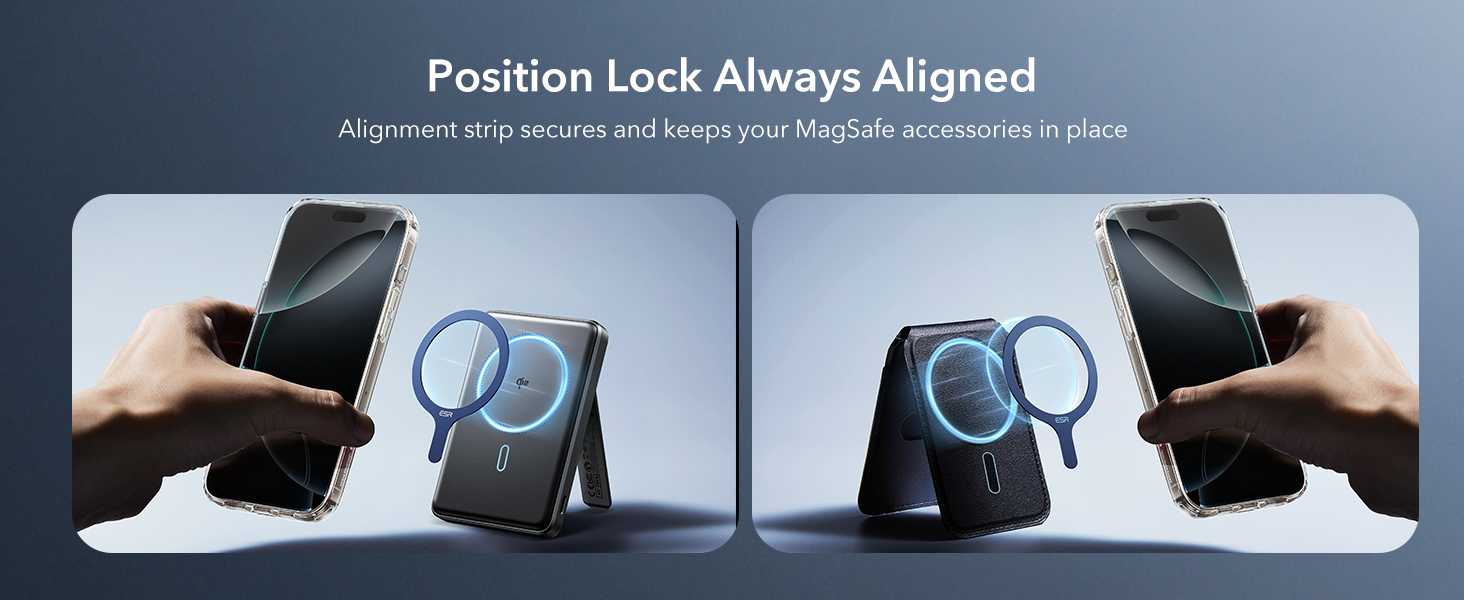
- The ring ensures perfect alignment between your phone and the charging coil, maximizing charging efficiency for faster and easier tap-and-go wireless charging.
- Maintains compatibility with standard wireless chargers; ensure proper alignment to prevent overheating.
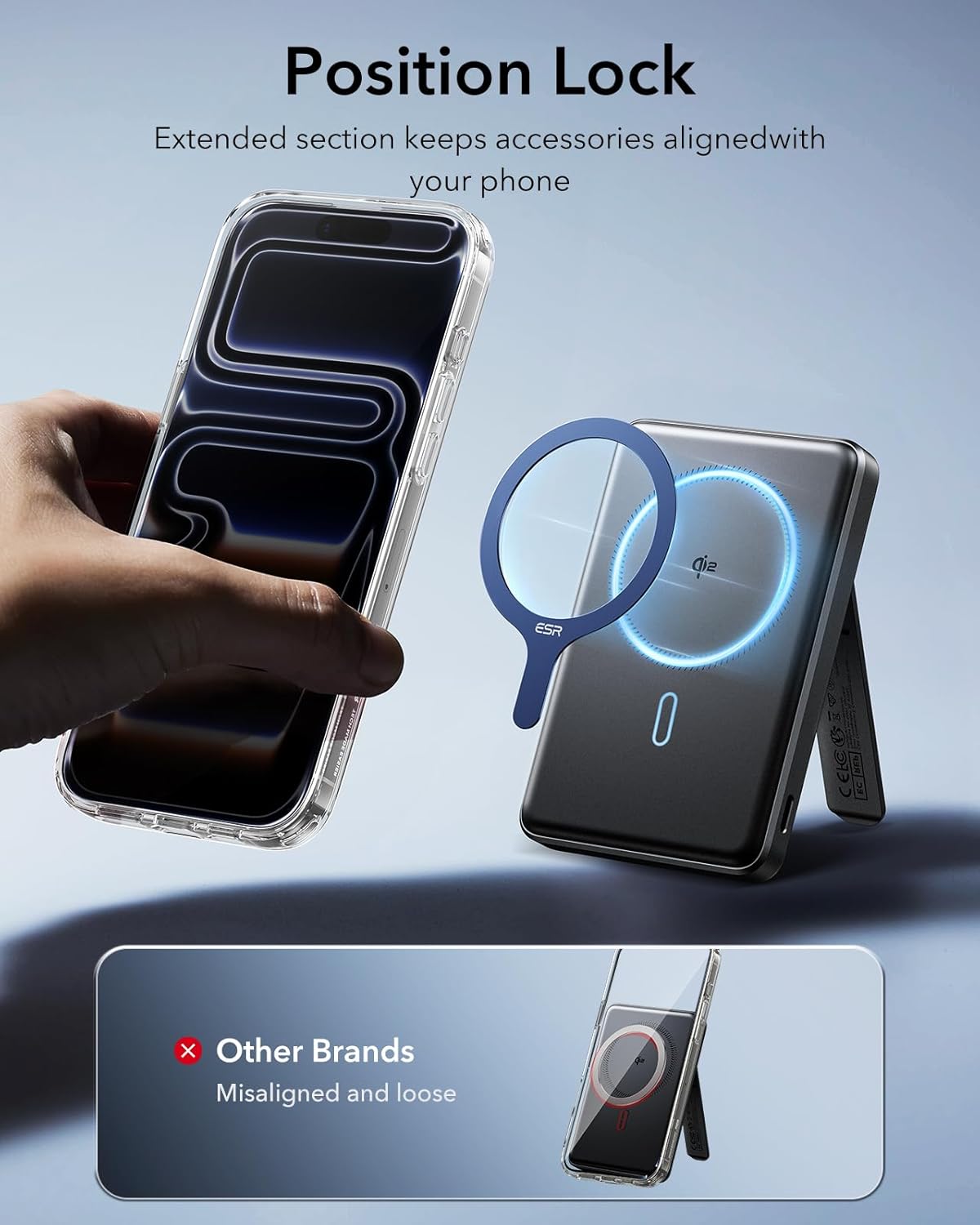
The ring facilitates perfect alignment for efficient wireless charging with MagSafe-compatible chargers.
The ring allows for secure attachment and charging with MagSafe car chargers.
Video: ESR Magnetic Ring (HaloLock) Installation and Usage
This video provides a visual guide on how to install the ESR Magnetic Ring (HaloLock) and showcases its functionality with different MagSafe accessories, including chargers and mounts.
This video illustrates the installation process and highlights the key features of the ESR HaloLock Universal MagSafe Ring 360, including its magnetic strength and compatibility.
This video provides a step-by-step guide on how to install the MagRing for optimal performance.
This video shows the simple installation process of the LDSXAY Upgraded MagSafe Ring and highlights its strong magnetic lock for secure attachment of accessories.
Wartung
The ESR HaloLock Universal Ring is designed for durability. To maintain its performance:
- Avoid exposing the ring to extreme temperatures or harsh chemicals.
- Clean the ring and case surface regularly with a soft, dry cloth.
- While the ring is durable, excessive force during removal or re-positioning may affect its adhesive properties.
Fehlerbehebung
Adhesion Issues
- Ring does not stick well: Ensure the phone case is made of PC or TPU and has a smooth, flat surface. The ring is not designed for leather, liquid silicone, or uneven cases, or for direct application to the phone's glass back.
- Ring cannot be repositioned: The adhesive is designed for a single, permanent application. Once installed, the ring can be removed but not effectively re-positioned.
Probleme beim Aufladen
- Überhitzung beim kabellosen Laden: When using a standard wireless charger, ensure the phone is properly aligned with the charging coil to prevent overheating. The MagSafe ring helps with alignment for MagSafe-compatible chargers, but manual alignment is crucial for standard chargers.
- Weak magnetic connection: Verify the ring is applied to a compatible case type and that the case thickness is 4mm or less.
Produktspezifikationen
| Besonderheit | Detail |
|---|---|
| Marke | ESR |
| Modellnummer | ych_dds_hl_blue_intpg |
| Material | glass fiber+ferromagnetic steel |
| Farbe | Dark Blue - 2 Pack |
| Form | Runden |
| Stückzahl | 2 |
| Technische Daten | 2.24 x 2.24 x 0.04 Zoll |
| Artikelgewicht | 0.102 Unzen |
| Besondere Merkmale | Upgrade to MagSafe |
| Hersteller | Elektronische Silk Road Corp. |
Garantie und Support
ESR provides comprehensive customer support for the HaloLock Universal MagSafe Ring 360. This includes:
- Ausführliche Einrichtungsvideos und FAQs.
- Ein umfassender 12-monatiger Schutzplan.
- Lebenslanger Support.
- Persönliche Betreuung.


