Einführung
This manual provides essential instructions for the safe and efficient use of your T'nB XCLUSIV Wireless Bluetooth Headphones, Model EBXCLUSIVVT. Please read this guide thoroughly before operating the device and retain it for future reference.
Produkt überview
The T'nB XCLUSIV Wireless Bluetooth Headphones offer a true wireless audio experience with an ergonomic half in-ear design. They come with a portable charging case featuring a distinctive Amazonia design.
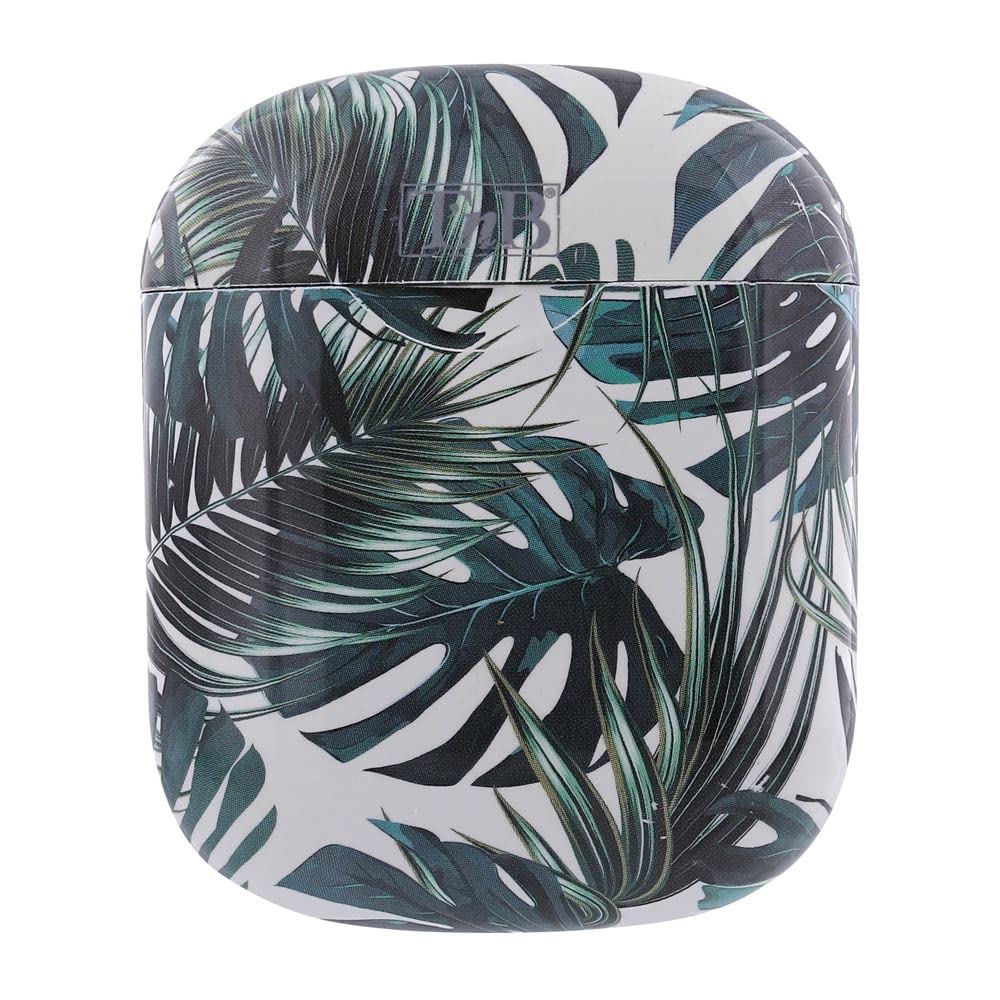
Image showing the two white T'nB XCLUSIV wireless earbuds above their open charging case, which features a vibrant green and white Amazonia leaf pattern.
Aufstellen
1. Aufladen des Geräts
- Laden Sie das Ladecase auf: Connect the provided micro USB charging cable to the charging port on the case and the other end to a USB power source (e.g., computer, wall adapter). The indicator light on the case will show charging status.
- Laden Sie die Kopfhörer auf: Place the headphones into the charging case. Ensure they are correctly seated. The headphones will begin charging automatically.
- Warten Sie vor dem ersten Gebrauch ausreichend, bis der Akku vollständig aufgeladen ist.
2. Erstes Pairing
- Einschalten: Nehmen Sie beide Kopfhörer aus dem Ladecase. Sie schalten sich automatisch ein und versuchen, sich miteinander zu koppeln.
- Bluetooth aktivieren: Öffnen Sie auf Ihrem Mobilgerät die Bluetooth-Einstellungen und stellen Sie sicher, dass Bluetooth aktiviert ist.
- Gerät auswählen: Look for "T'nB XCLUSIV" or a similar name in the list of available Bluetooth devices and select it to pair.
- Bestätigung: Once paired, you will hear an audio confirmation, and the indicator lights on the headphones will change.
Bedienungsanleitung
Ein-/Ausschalten
- Einschalten: Remove headphones from the charging case. They will power on automatically. Alternatively, press and hold the multi-function button on each earbud for approximately 3 seconds.
- Ausschalten: Place headphones back into the charging case. They will power off automatically. Alternatively, press and hold the multi-function button on each earbud for approximately 5 seconds.
Bluetooth-Verbindung
- Once paired, the headphones will automatically connect to the last paired device when powered on and within range.
- If connection fails, ensure Bluetooth is active on your device and the headphones are charged.
Grundlegende Bedienelemente
The headphones feature a multi-function touch control area on each earbud for various operations:
- Abspielen/Pause: Tippen Sie einmal auf einen der Ohrhörer.
- Nächster Titel: Doppeltippen Sie auf den rechten Ohrhörer.
- Vorheriges Lied: Doppeltippen Sie auf den linken Ohrhörer.
- Anruf annehmen/beenden: Tap once on either earbud during an incoming call or an active call.
- Anruf ablehnen: Drücken und halten Sie während eines eingehenden Anrufs einen der Ohrhörer 2 Sekunden lang.
- Sprachassistenten aktivieren: Triple-tap either earbud (functionality depends on your connected device).
Verwenden des Mikrofons
The built-in universal microphone allows for hands-free calling. Ensure the headphones are connected to your device for microphone functionality.
Wartung
- Reinigung: Reinigen Sie die Kopfhörer und das Ladecase mit einem weichen, trockenen und fusselfreien Tuch. Verwenden Sie keine Scheuermittel, Alkohol oder chemische Lösungsmittel.
- Lagerung: Bewahren Sie die Kopfhörer bei Nichtgebrauch im Ladecase auf, um sie zu schützen und geladen zu halten. Lagern Sie das Case an einem kühlen, trockenen Ort, geschützt vor direkter Sonneneinstrahlung und extremen Temperaturen.
- Batteriepflege: Um die Akkulaufzeit zu verlängern, sollten Sie die Kopfhörer und das Ladecase nicht häufig vollständig entladen. Laden Sie sie regelmäßig auf, auch wenn Sie sie längere Zeit nicht benutzen.
- Wasserbeständigkeit: The headphones are water-resistant. Avoid submerging them in water or exposing them to heavy rain. Dry them thoroughly if they get wet.
Fehlerbehebung
- Headphones not pairing with each other:
Ensure both headphones are charged. Place them back in the charging case, close the lid, wait a few seconds, then remove them again to re-initiate the pairing process.
- Headphones not connecting to device:
Check if Bluetooth is enabled on your device. Ensure the headphones are charged and within range. Try forgetting the device in your phone's Bluetooth settings and re-pairing.
- Kein Ton oder geringe Lautstärke:
Adjust the volume on both your device and the headphones. Ensure the headphones are properly seated in your ears. Check if the headphones are connected to the correct audio output on your device.
- Ladeetui lädt nicht:
Verify the micro USB cable is securely connected to both the case and the power source. Try a different cable or power adapter.
- Ein Ohrhörer funktioniert nicht:
Ensure both earbuds are charged. Try placing both earbuds back in the case, closing it, and then removing them to reset the connection.
Technische Daten
| Modellnummer | EBXCLUSIVVT |
| Konnektivitätstechnologie | Kabellos (Bluetooth 5.0) |
| Kopfhörer-Typ | Half In-ear |
| Akkulaufzeit | Bis zu 10 Stunden |
| Empfindlichkeit | 96 dB |
| Impedanz | 32 Ohm |
| Mikrofon | Built-in universal microphone |
| Wasserbeständigkeit | Wasserfest |
| Artikelgewicht | 0.13 Kilogramm |
| Im Lieferumfang enthaltene Komponenten | 2 x headphones, 1 x charging box, 1 x micro USB charging cable, 1 x user manual |
Garantie und Support
For warranty information or technical support, please refer to the documentation provided with your purchase or visit the official T'nB webBewahren Sie Ihren Kaufbeleg für eventuelle Garantieansprüche auf.


