1. Einleitung
Welcome to the TicWatch Pro 3 Ultra GPS user manual. This guide provides essential information for setting up, operating, and maintaining your smartwatch. The TicWatch Pro 3 Ultra GPS is a high-performance smartwatch designed for men, featuring advanced health and fitness tracking, long battery life, and smart functionalities powered by Wear OS by Google and the Qualcomm Snapdragon Wear 4100 platform.
2. Einrichtung
2.1 Was ist in der Box?
Your TicWatch Pro 3 Ultra GPS package includes the following items:
- 1x TicWatch Pro 3 Ultra GPS Smartwatch
- 1x USB-Ladekabel
- 1x Kurzanleitung

Image: Contents of the TicWatch Pro 3 Ultra GPS retail box, including the smartwatch, charging cable, and quick start guide.
2.2 Erstaufladung
Before first use, fully charge your smartwatch. Connect the USB charging cable to the charging port on the back of the watch and plug the other end into a compatible USB power adapter (not included). The watch display will indicate charging status.
2.3 Koppeln mit Ihrem Smartphone
To unlock the full potential of your TicWatch Pro 3 Ultra GPS, pair it with your Android smartphone. (Note: Some features like sending texts and making calls are Android-only.)
- Download the 'Wear OS by Google' app and the 'Mobvoi' app from the Google Play Store on your smartphone.
- Stellen Sie sicher, dass Bluetooth auf Ihrem Smartphone aktiviert ist.
- Turn on your TicWatch Pro 3 Ultra GPS.
- Open the 'Wear OS by Google' app on your phone and follow the on-screen instructions to pair your watch.
- Complete the setup process within the Mobvoi app to enable all health and fitness tracking features.
3. Bedienung Ihrer Smartwatch
3.1 Anzeige und Navigation
The watch features a 1.4-inch AMOLED display for vibrant colors and a secondary FSTN screen for power efficiency. The display has automatically adjustable brightness and is protected by Corning Gorilla anti-fingerprint glass.
- AMOLED-Anzeige: Provides high-resolution visuals (454x454 pixels) for detailed information.
- FSTN Screen: A low-power display that shows essential information like time, steps, and heart rate, significantly extending battery life.
- Anpassbare Hintergrundbeleuchtung: The FSTN screen's backlight can be customized with various colors for better visibility in different lighting conditions, especially in the dark.

Image: The TicWatch Pro 3 Ultra GPS displaying its FSTN screen with various customizable backlight color options.
3.2 Basic Smart Functions
- Benachrichtigungen: Receive calls, texts, and social media messages directly on your watch. (Note: Sending texts and making calls are Android-only features.)
- Google Pay (NFC): Utilize the built-in NFC for quick and easy payments in stores.
- Eingebauter Lautsprecher und Mikrofon: Ermöglicht Freisprechanrufe und Sprachbefehle.
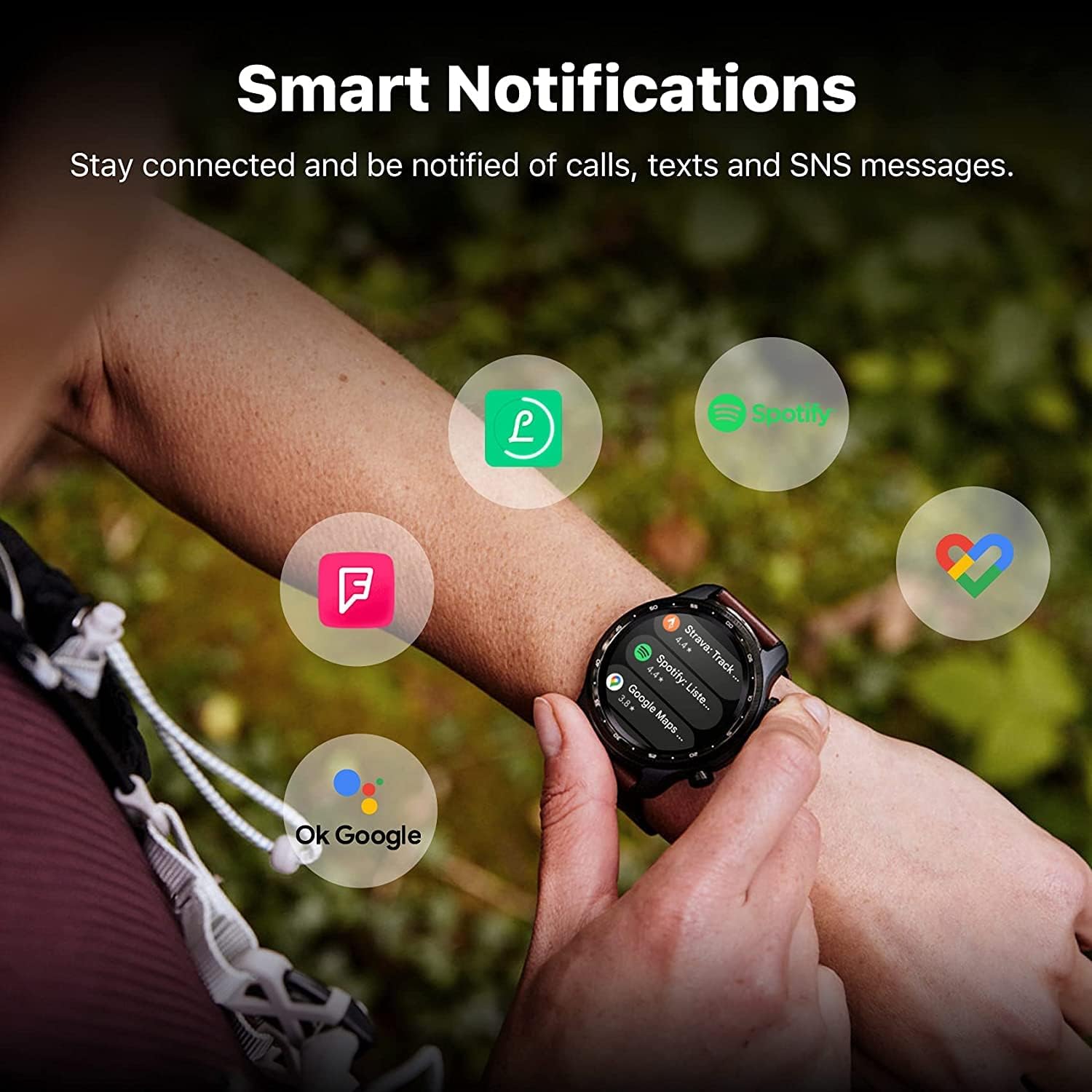
Image: The TicWatch Pro 3 Ultra GPS showing smart notifications from popular applications, keeping you connected.
3.3 Gesundheits- und Fitness-Tracking
The TicWatch Pro 3 Ultra GPS offers comprehensive health and fitness monitoring:
- Herzfrequenz-Überwachung: Continuous 24-hour heart rate tracking with an advanced sensor. It records changes and can alert you to unusual patterns.
- Überwachung des Blutsauerstoffs (SpO2): Überwachen Sie Ihre Blutsauerstoffsättigung.
- Stressbewältigung: Assess mental stress and track daily energy levels.
- Schlaf-Tracking: Überwachen Sie Ihre Schlafmuster und -qualität.
- Mehr als 100 professionelle Sportmodi: Track various activities with detailed metrics.
- Eingebautes GPS: Supports GPS, Beidou, Glonass, Galileo, and QZSS for accurate outdoor activity tracking.
- Barometer: For altitude and atmospheric pressure readings.
Wichtiger Hinweis: The health tracking features are not intended to diagnose or treat any medical condition or for any other medical purpose. Consult a medical professional for health concerns.

Image: The watch interface showing heart health, sleep data, and workout modes, highlighting its wellness management capabilities.

Image: The watch displaying stress management tools, including guided breathing exercises and stress level indicators.
3.4 Akkumodi
The TicWatch Pro 3 Ultra GPS features two primary battery modes:
- Smart-Modus: Offers full smartwatch functionality with up to 72 hours of battery life.
- Essential-Modus: Utilizes the FSTN display for basic time and health tracking, extending battery life up to 45 days.
4. Wartung
4.1 Wasserbeständigkeit
The TicWatch Pro 3 Ultra GPS is IP68 water and dust resistant, making it suitable for:
- Swimming (pool swimming)
- Händewaschen
- Exposure to sweat
Vorsicht: Not suitable for diving, high-pressure water activities, or hot water environments (e.g., saunas, hot showers) as steam can damage the seals.

Image: The smartwatch shown in a water-splashed environment, emphasizing its IP68 waterproof capabilities for activities like swimming and handwashing.
4.2 Reinigung und Pflege
To ensure longevity and proper function:
- Reinigen Sie Uhr und Armband regelmäßig mit einem weichen, fusselfreien Tuch.amp Tuch.
- Vermeiden Sie die Verwendung aggressiver Chemikalien oder Scheuermittel.
- Vor dem Laden sicherstellen, dass die Ladekontakte sauber und trocken sind.
5. Fehlerbehebung
5.1 Häufige Probleme und Lösungen
- Kurze Akkulaufzeit: Ensure you are not running too many background apps. Consider using Essential Mode when full smart functionality is not required. Disable always-on display or reduce screen brightness.
- Verbindungsprobleme: Check if Bluetooth is enabled on both the watch and phone. Ensure the Wear OS and Mobvoi apps are updated to the latest versions. Restart both devices.
- Ungenauigkeit der Gesundheitsdaten: Ensure the watch is worn snugly on your wrist. Clean the sensor regularly. Remember that these features are for general wellness and not medical diagnosis.
- Uhr reagiert nicht: Try a soft reset by holding down the power button until the watch restarts. If unresponsive, ensure it is charged.
For further assistance, refer to the official Mobvoi support webWebsite oder wenden Sie sich an den Kundendienst.
6. Spezifikationen
Detailed technical specifications for the TicWatch Pro 3 Ultra GPS:
| Besonderheit | Spezifikation |
|---|---|
| Modellnummer | TicWatch Pro 3 Ultra GPS |
| Prozessor | Qualcomm Snapdragon Wear 4100, Mobvoi Dual Processor System |
| Betriebssystem | Wear OS 2.6 (Upgradable) |
| Arbeitsspeicher (RAM) | 1 GB |
| Speicher (ROM) | 8 GB |
| Anzeige | 1.4-inch AMOLED (454x454), FSTN secondary display, Corning Gorilla Glass |
| Batteriekapazität | 576 mAh (Lithium-Ionen) |
| Akkulaufzeit | Bis zu 72 Stunden (Smart-Modus), bis zu 45 Tage (Essential-Modus) |
| Konnektivität | Bluetooth 5.0, Wi-Fi 802.11b/g/n, NFC |
| GPS | Eingebautes GPS (GPS+Beidou+Glonass+Galileo+QZSS) |
| Haltbarkeit | MIL-STD-810G, IP68 Water and Dust Resistant |
| Besondere Merkmale | Advanced health tracking, built-in speaker and microphone |
| Maße | 29 x 7 x 4 cm |
| Gewicht | 274 Gramm |
| Form | Runden |

Image: An infographic summarizing key specifications and features of the TicWatch Pro 3 Ultra GPS, including processor, memory, display, and durability.
7. Garantie und Support
7.1 Garantieinformationen
Specific warranty details for the TicWatch Pro 3 Ultra GPS are provided by the manufacturer, Mobvoi, at the time of purchase. Please refer to your product packaging, the official Mobvoi website, or your purchase documentation for comprehensive warranty terms and conditions.
7.2 Kundendienst
For technical support, service, or inquiries regarding your TicWatch Pro 3 Ultra GPS, please visit the official Mobvoi support website or contact their customer service department. Contact information can typically be found on the Mobvoi website or in your product's quick guide.


